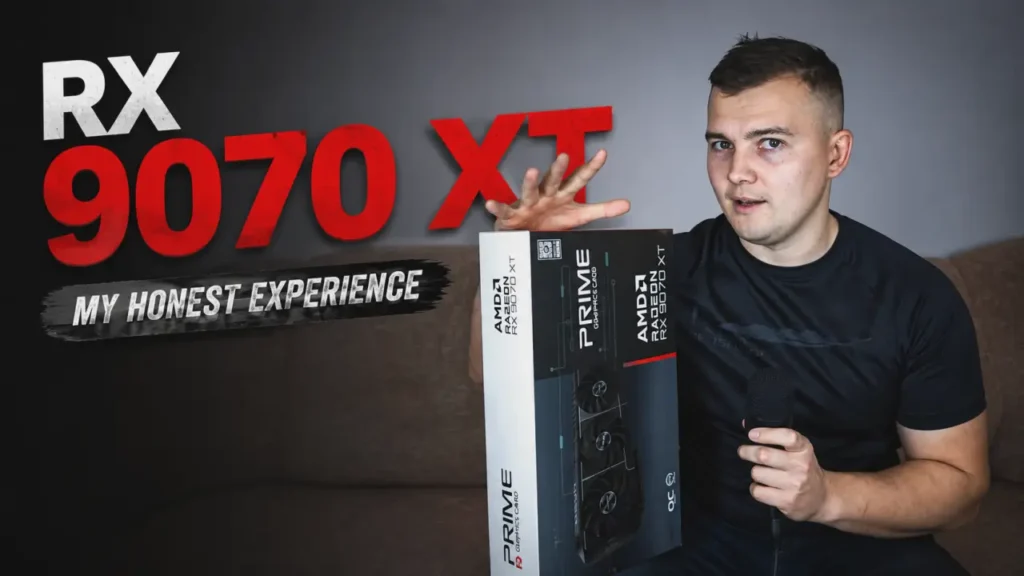
When I bought the ASUS Prime RX 9070 XT, I expected excellent performance.
And I got it.
The problem was that performance was only part of the experience.
My first weeks with the card were actually quite disappointing. It was faster than my previous GPU by a huge margin, especially at 4K, but it was also louder than I expected. Power consumption could climb well above 300 watts, and the coil whine was noticeable enough that I seriously considered returning it.
That felt strange.
I had just bought a very powerful graphics card, the frame rates were great, and yet I was not completely happy with it.
The situation changed only after I stopped trying to squeeze every possible frame out of the GPU.
I created an undervolting profile, reduced the power limit, adjusted the fan behavior, and started using the RX 9070 XT in a way that better matched what I actually wanted from my PC.
Today, I am much happier with the card.
In demanding games, I often see power consumption around 220 watts with my everyday profile, while the performance loss is usually only about 3–5 FPS. The GPU runs cooler, the fans are quieter, and the coil whine on my particular card became much harder to hear.
That trade-off completely changed my opinion of the ASUS Prime RX 9070 XT.
After months of using it for 4K gaming, Adobe Premiere Pro, gameplay recording, website work, and occasional AI applications, I now have a much clearer idea of where this card is excellent and where AMD still has work to do.
This article is based mainly on that real-world experience rather than a short benchmark session.
The Performance Was Never the Real Problem
Most graphics card reviews naturally focus on FPS.
I understand why. If you spend a lot of money on a GPU, you want to know how fast it is.
But once I started using the RX 9070 XT every day, I found myself caring about other things just as much.
Noise became important.
Power draw became important.
Temperatures became important.
And because I use the same PC for work, recording, editing, and gaming, I also cared about how the card behaved outside games.
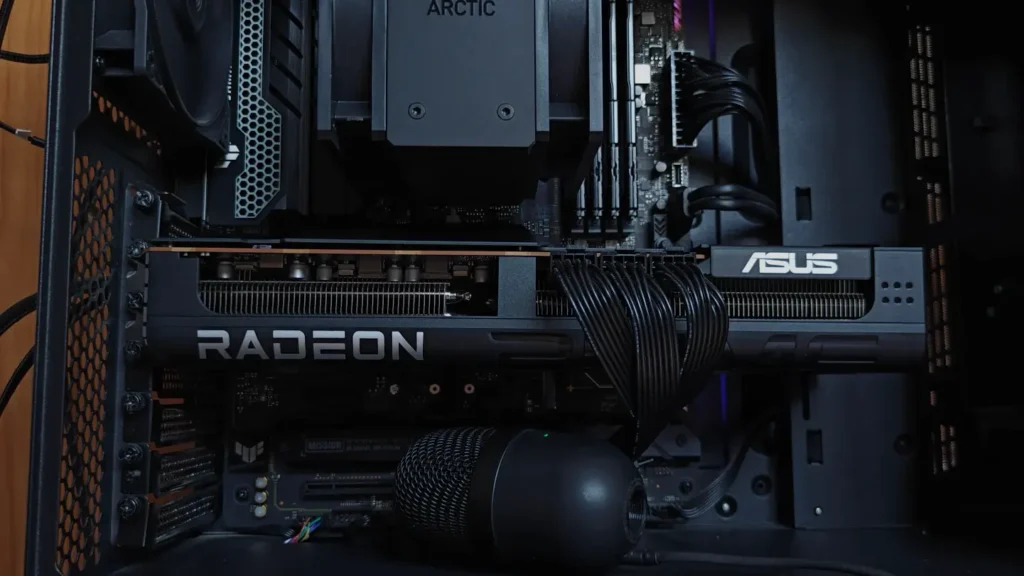
The ASUS Prime version I bought is one of the more affordable RX 9070 XT models. It does not have an enormous premium cooler, an extravagant design, or a huge factory overclock.
That never bothered me.
I did not buy it for RGB lighting or a few extra MHz. I bought it because I wanted strong 4K gaming performance without paying for one of the most expensive partner models.
In terms of FPS, the card delivered exactly what I wanted.
At stock settings, however, I simply did not like how it behaved.
Power consumption could get close to 300 watts in demanding situations, and during a maximum-performance overclock test I even saw peaks approaching 350 watts.
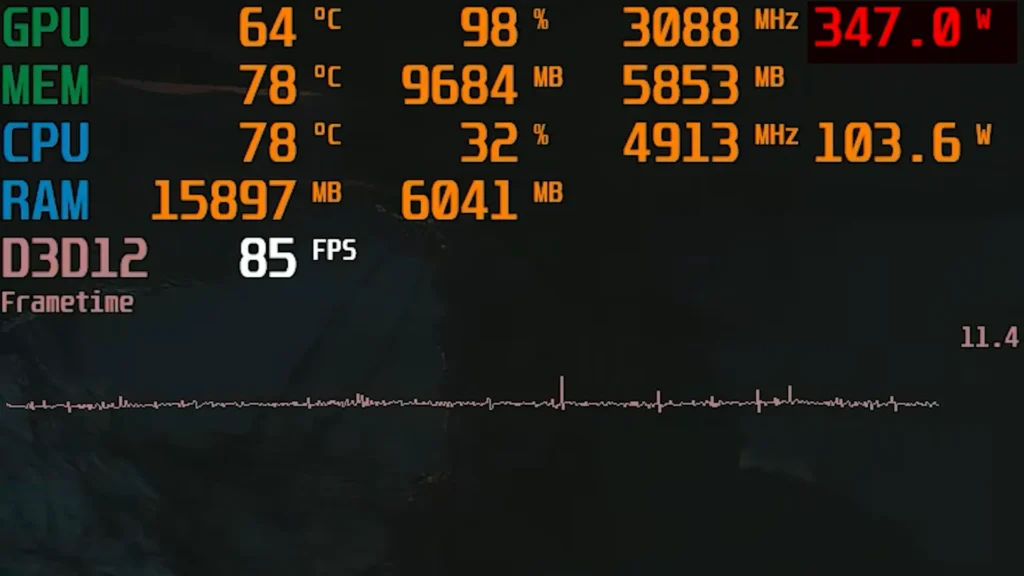
The fans became more noticeable as the power increased.
Then there was the coil whine.
If you have owned several graphics cards, you have probably encountered it before. It can sound like buzzing, whining, or a high-frequency electrical noise, especially when the GPU is producing very high frame rates.
Coil whine does not automatically mean something is wrong with the card.
But when you build a relatively quiet PC, it can become difficult to ignore.
That was the part that bothered me most.
I could accept a powerful GPU consuming a lot of energy when necessary. What I did not want was to hear it every time I launched a demanding game.
At one point I genuinely thought about returning the ASUS Prime.
Instead, I started experimenting with AMD’s built-in tuning controls.
That turned out to be the better decision.
My RX 9070 XT Undervolt Changed Everything
AMD includes GPU tuning directly inside Adrenalin Edition, so I did not need MSI Afterburner or another third-party utility for the basic adjustments I wanted.
I created a manual profile with undervolting and a negative power limit.
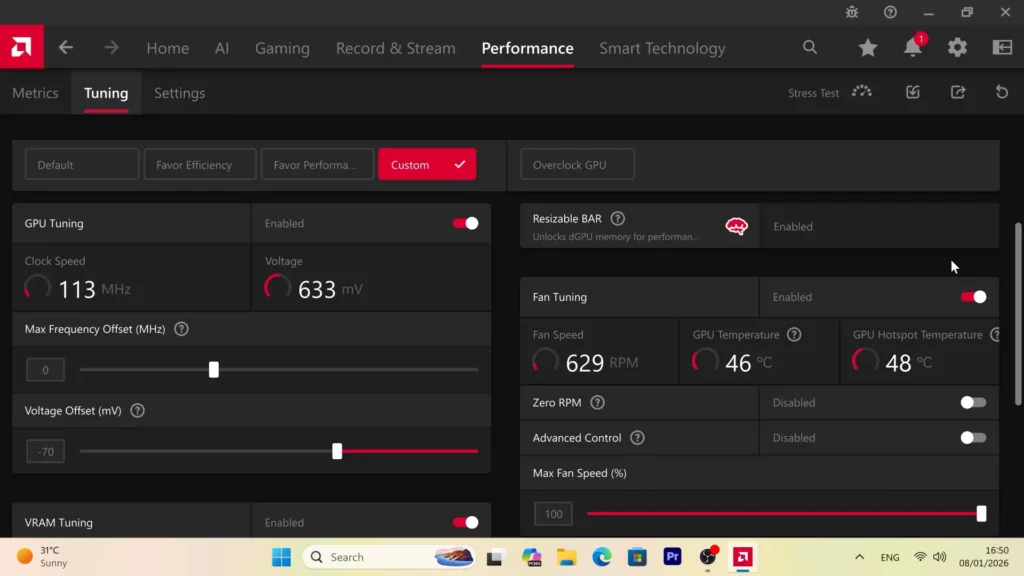
The biggest change was simple:
Power Limit: -30%
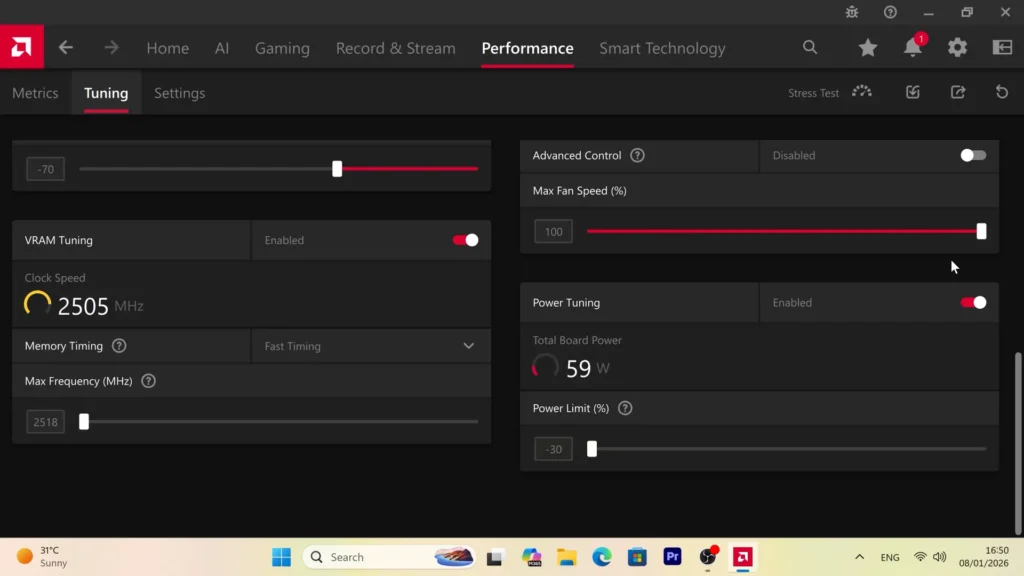
I also adjusted the voltage, maximum frequency, and fan settings.
I am deliberately not presenting my exact voltage as a universal value because GPU samples differ.
A setting that runs perfectly on my card might crash on another RX 9070 XT.
That is why I think undervolting should be approached gradually.
My goal was never to win an efficiency competition.
I did not care about saving another 10 watts if that meant wondering whether a game would crash after an hour.
I wanted something I could use every day without thinking about it.
Once I found a stable profile, the results were better than I expected.
In many demanding games, the card now stays around 220 watts.
The frame-rate difference compared with a much more aggressive profile is normally only around 3–5 FPS.
That is a trade I will take every time.
If one configuration gives me 100 FPS while using much more power and another gives me 95–97 FPS at roughly 220 watts, I know which one I prefer.
I cannot realistically feel the difference between those frame rates during normal gameplay.
I can definitely hear the difference in fan noise.
The lower power draw also means less heat inside the case, which helps the rest of the cooling system.
The biggest surprise was the coil whine.
On my card, it became dramatically less noticeable after tuning.
In some situations I can barely hear it at all.
That alone made the RX 9070 XT much more pleasant to use.
Default Behavior vs My Everyday Profile
| Higher-Power Profile | My Everyday Profile | |
|---|---|---|
| GPU Power | Around 300W or higher in demanding loads | Around 220W in many games |
| Performance | Maximum | Usually ~3–5 FPS lower |
| GPU Temperature | Higher | Lower |
| Fan Noise | More noticeable | Much quieter |
| Coil Whine | Clearly noticeable on my card | Much harder to hear |
| Main Goal | Maximum FPS | Efficiency and low noise |
These numbers come from my own setup, so they should not be treated as guaranteed results for every RX 9070 XT.
Case airflow, room temperature, game load, driver version, and silicon quality can all change the outcome.
But the general lesson has been very clear in my case:
The RX 9070 XT does not need to run near its maximum power to feel like a high-end gaming GPU.
That was probably the most important thing I learned after buying it.
Why I Stopped Using Zero RPM
I made one more change that might seem slightly unusual.
I disabled Zero RPM.
With Zero RPM enabled, the GPU fans can stop completely when the card is under a light load.
The benefit is obvious: no moving fans, no fan noise.
But I noticed that my card could approach roughly 50°C during desktop use while the fans were stopped.
That temperature is perfectly safe.
I simply prefer something else.
With the fans spinning slowly, the GPU normally sits closer to 35°C in light workloads.
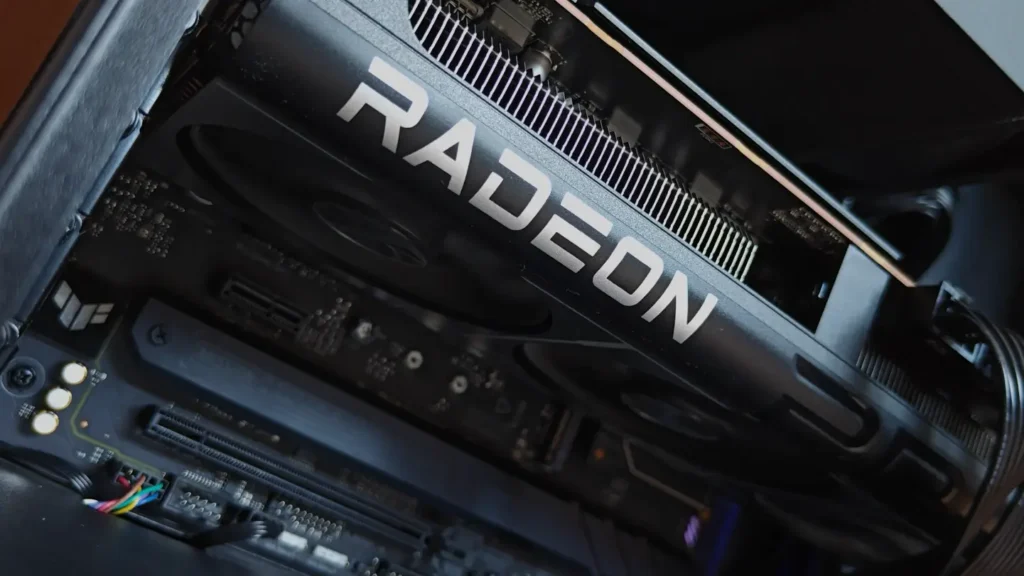
At that speed, I cannot hear the fans from my normal sitting position anyway.
So for me, there is little practical benefit in allowing the card to warm up by another 10–15 degrees just to display 0 RPM.
There is an argument that keeping the fans running constantly creates additional wear over the years.
That is possible.
I am comfortable with the trade-off.
I spend a lot of time at this PC, sometimes writing or editing for hours, and I like seeing the GPU remain cool and stable even when I am not gaming.
More importantly, the computer still feels almost silent.
Even while writing the original script for my video about this card, I could barely hear anything coming from the GPU.
That was a huge contrast with my first experience after installing it.
Undervolting Fixed Most of My Initial Complaints
This is the part that still surprises me.
When I first bought the ASUS Prime RX 9070 XT, I thought its weaknesses were simply part of owning a powerful GPU.
High power draw.
More heat.
More noise.
Annoying coil whine.
After tuning it, most of those complaints became much smaller.
The card still has plenty of performance for 4K gaming, but now it behaves much closer to the GPU I originally wanted.
Cooler.
Quieter.
More efficient.
And still fast enough that I do not miss the few frames I gave up.
That does not solve every weakness of the RX 9070 XT.
There are still things I do not like, especially around AI software compatibility, ray tracing in some games, and a couple of strange driver issues I encountered during everyday use.
But the hardware itself turned out to be much better than my first impression suggested.
And that is where the rest of this long-term experience gets more interesting.
4K Gaming After Months of Use
I already covered the RX 9070 XT’s gaming performance in much more detail in my previous testing, so I do not want to repeat the same benchmark discussion here.
What matters more in a long-term review is whether the card still feels fast after the excitement of buying new hardware is gone.
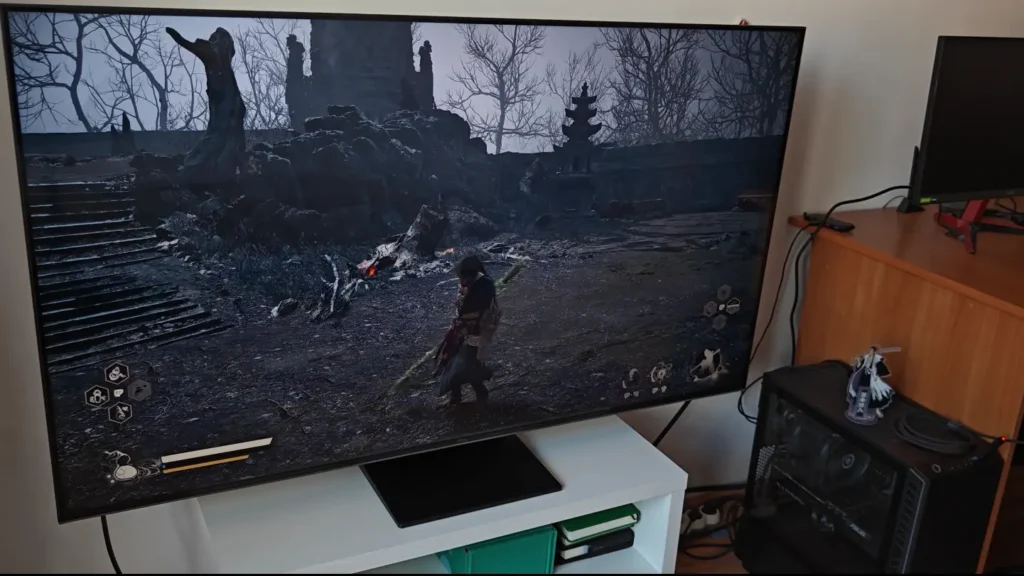
For me, it does.
I mainly use the RX 9070 XT for 4K gaming, and that is still where the card makes the strongest case for itself.
In traditional rasterized games, performance has been excellent. I rarely feel that the GPU itself is the main limitation, especially when a game includes a good upscaling option.
FSR 4 has become a surprisingly important part of that experience.
I was much more skeptical about older versions of FSR. Depending on the game, the extra performance could come with image-quality compromises that were easy to notice on a large 4K screen.
FSR 4 feels much more convincing.
When it is implemented properly, I can use upscaling without constantly thinking about the visual trade-off. That makes demanding games much easier to run at 4K without immediately reducing every graphics setting.
For the way I play, that matters more than chasing native resolution in every title.
I would rather have a stable and smooth experience with good image quality than insist on native 4K just because it sounds better on paper.
Ray tracing is more complicated.
There are games where the RX 9070 XT handles it reasonably well, especially when combined with upscaling.
There are also titles where turning on heavier ray tracing effects costs more performance than I am willing to lose.
That is why I would not judge this card only by one average ray tracing chart.
If ray tracing is one of your biggest priorities, check the exact games you plan to play.
For me, strong rasterized performance, 4K resolution, and FSR 4 matter more.
In that type of workload, I have very few complaints.
The PassMark Result Was Interesting, but Not Very Important
I also tested the card in PassMark and got a score of around 30,600 points.
What made the result more interesting is that my usual undervolting profile and -30% power limit were still enabled.
So even while running a much more efficient setup, the card produced a very strong synthetic benchmark result.
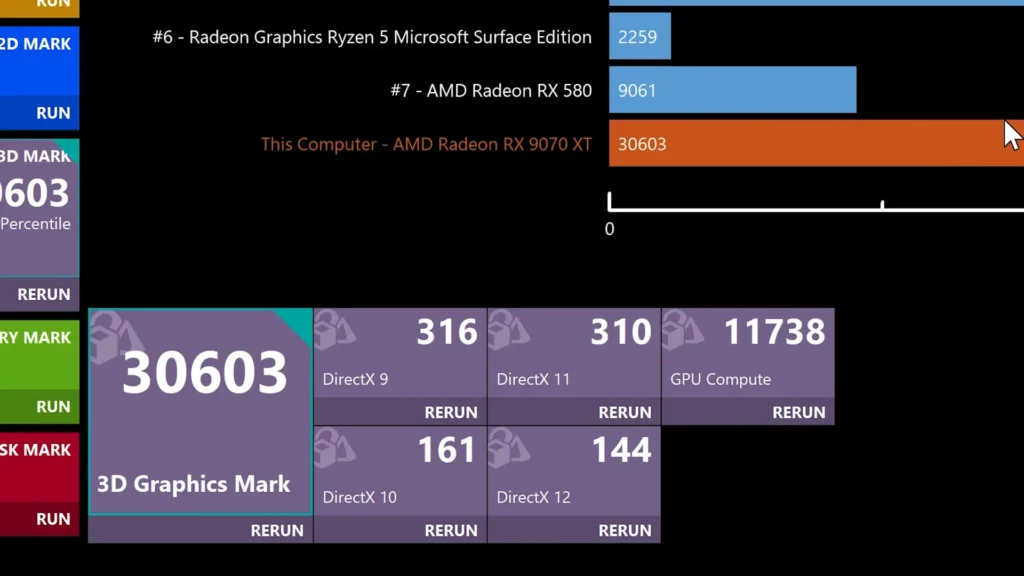
That was nice to see.
But I would not make a buying decision based on it.
Synthetic benchmarks are useful when you want to check whether a GPU is behaving normally.
If your result is dramatically lower than expected, that can point to a problem with temperatures, power settings, drivers, PCI Express configuration, or the rest of the system.
Beyond that, I care much more about how the card behaves in the applications I actually use.
A GPU can score extremely well in one benchmark and still have poor performance in a badly optimized game.
It can also look fantastic in a chart while being too loud for your PC or lacking support for software you need.
My own RX 9070 XT is a perfect example.
I could run it at higher power and probably improve the benchmark score.
I simply do not see much value in doing that.
The card already feels fast enough.
Adobe Premiere Pro Performance
Gaming is only part of what I use this PC for.
I regularly edit videos for my YouTube channel in Adobe Premiere Pro, and many of those projects use 4K footage.
A typical timeline can include multiple video layers, text, transitions, graphics, Lumetri Color adjustments, and GPU-accelerated effects.
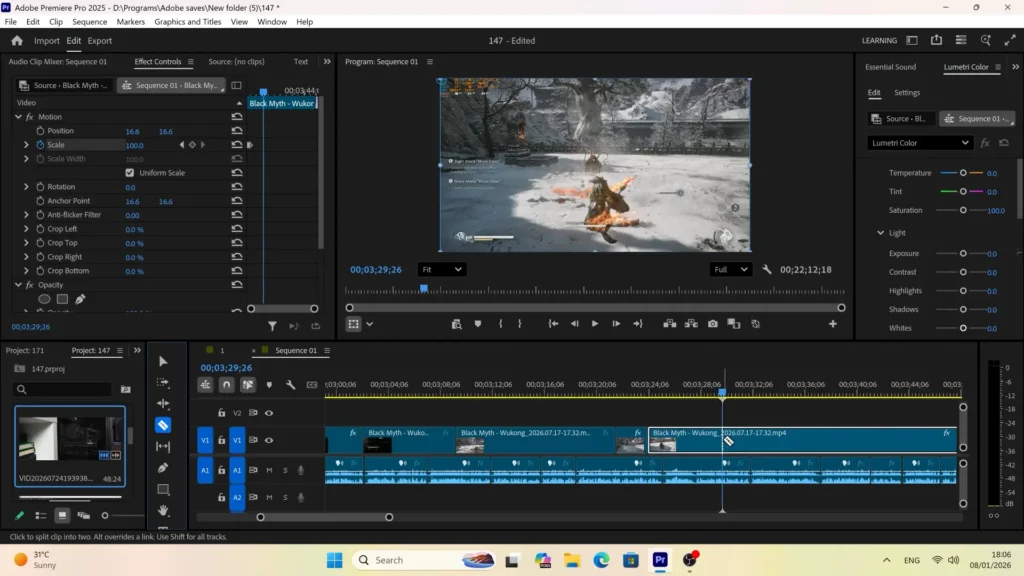
Before buying the card, I was slightly concerned about moving deeper into an AMD workflow because NVIDIA still has a very strong reputation in content-creation software.
After months of actual use, I am much less worried about that.
The RX 9070 XT has been completely usable for my normal Premiere Pro projects.
Its 16GB of VRAM gives me plenty of room for the type of 4K work I do, and timeline playback is normally comfortable.
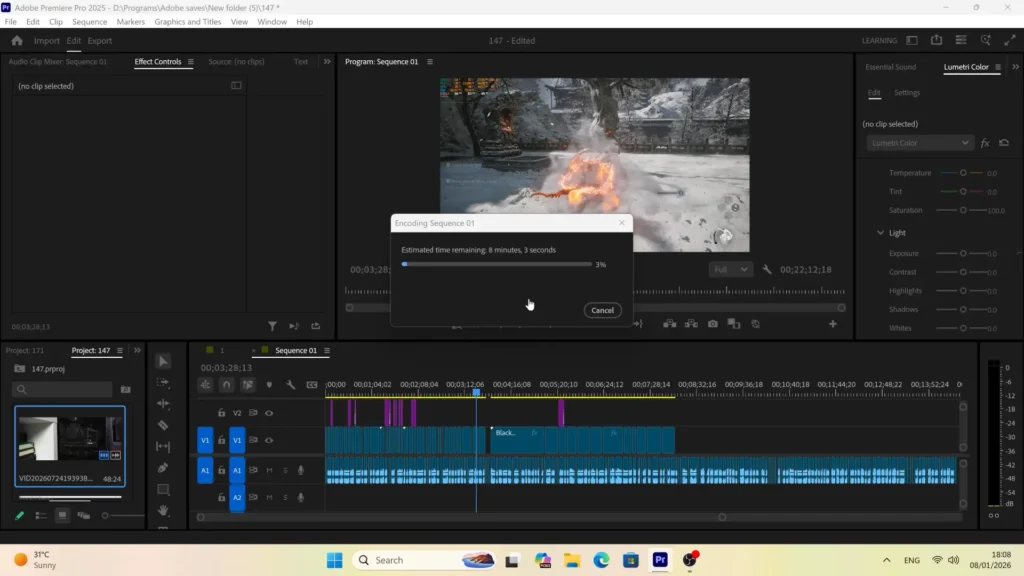
Most of the time, preview playback is smooth enough that I can edit without thinking about the GPU.
Hardware-accelerated exporting also works well.
The card supports encoding and decoding for common formats such as H.264, HEVC, and AV1, which makes it useful for both editing and recording.
I have had some heavier projects where Premiere becomes slower to respond, especially when several demanding effects are stacked together.
But that does not happen often in my normal work.
And more importantly, not every Premiere Pro slowdown is caused by the graphics card.
The CPU still matters.
So does system memory.
Storage speed matters.
The source codec can make a huge difference.
Project structure matters too.
For example, long-GOP footage can be much more demanding to edit than footage encoded in an editing-friendly format, even if both files look similar when played back.
That is why I do not like the idea that installing a faster GPU automatically makes every part of Premiere Pro faster.
Some operations benefit heavily from GPU acceleration.
Others depend much more on the processor.
In my own workflow, the RX 9070 XT has enough performance that I do not feel limited by it very often.
Is NVIDIA Still Better for Some Editing Workflows?
Yes, depending on the software.
I would not tell someone to ignore NVIDIA if their main income depends on professional editing, specialized plugins, or applications with better CUDA optimization.
There are still cases where an NVIDIA GPU can be faster or have better compatibility.
That is especially important if you rely on one very specific effect, codec, plugin, or production tool.
In that situation, I would research that exact application before choosing a graphics card.
But for ordinary YouTube production, 4K editing, hardware encoding, color correction, and common GPU-accelerated effects, the RX 9070 XT has been more than good enough for me.
I do not feel like I am constantly fighting the hardware.
That is the main thing I wanted to know before buying it.
Recording Gameplay With AMD Adrenalin
Another useful part of the RX 9070 XT is AMD’s built-in recording functionality.
I can record gameplay directly through Adrenalin without installing another program just to capture basic footage.
For my videos, I normally record at 4K 60 FPS.
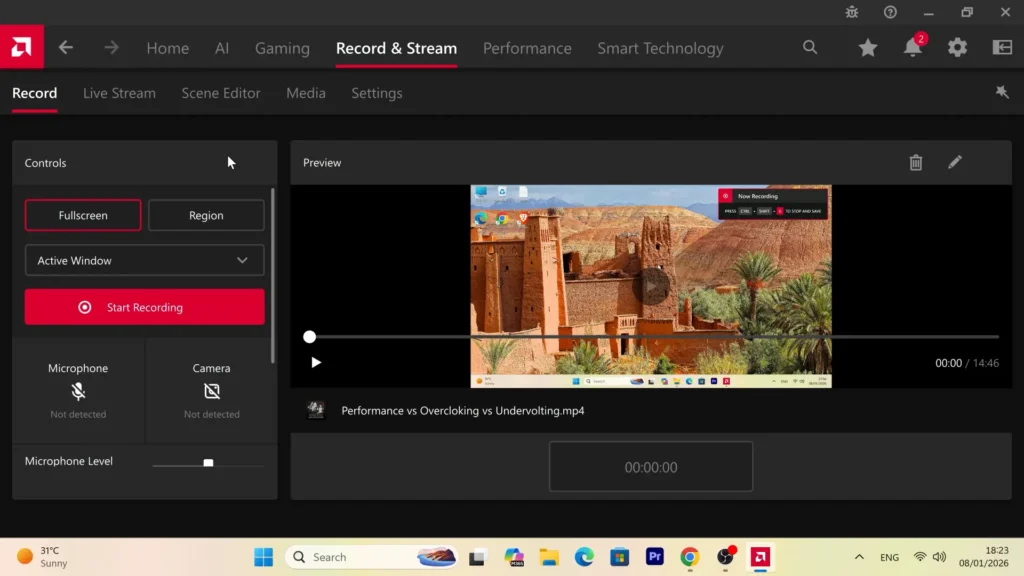
My television can operate at a much higher refresh rate, but there is little reason for me to create huge recording files at 120 FPS when the final YouTube video will normally be delivered at 60 FPS.
Recording at 60 frames per second also makes the editing process easier.
File sizes stay more manageable, and I do not need as much storage space for raw gameplay footage.
The card gives me several codec options.
H.264 is still the easiest choice when compatibility matters most.
HEVC can offer better compression in some situations.
AV1 is especially interesting because it can provide very good image quality at a relatively low bitrate.
I do not automatically use AV1 for everything, though.
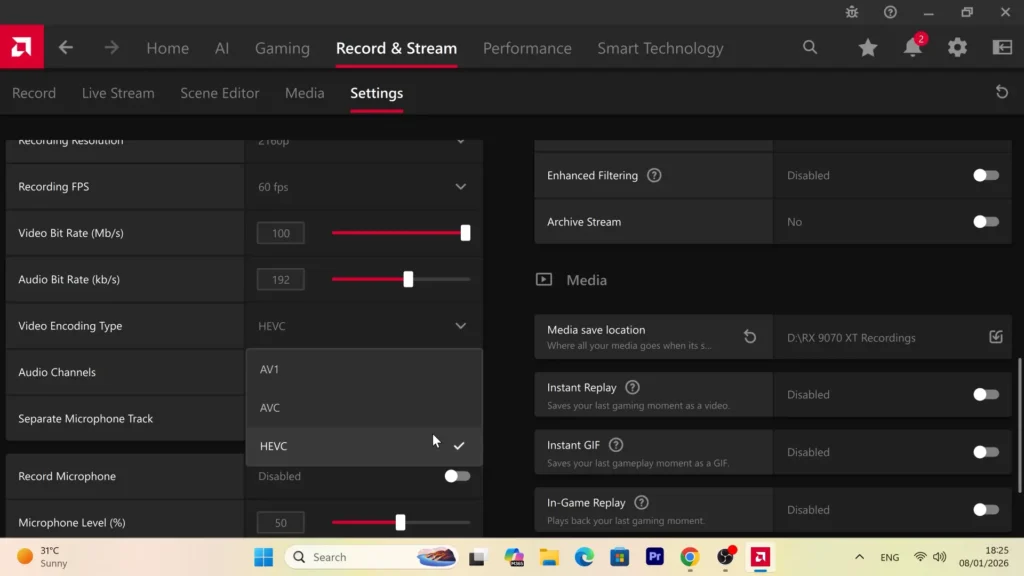
Before choosing a recording format for an important project, I prefer to make sure that my editing software and the rest of the workflow handle it properly.
A technically better codec is not very useful if it creates unnecessary problems later in Premiere Pro.
Having all three options available is what I like most.
I can simply choose the one that best fits the project.
AI Software Is Where I Notice AMD’s Biggest Limitation
This is the part where my experience becomes much less positive.
If your main workload involves AI software, NVIDIA is still the safer choice in many cases.
The problem is not the RX 9070 XT’s hardware.
It has plenty of raw performance.
It also has 16GB of VRAM, which can be very useful for high-resolution image and video processing.
The bigger issue is software support.
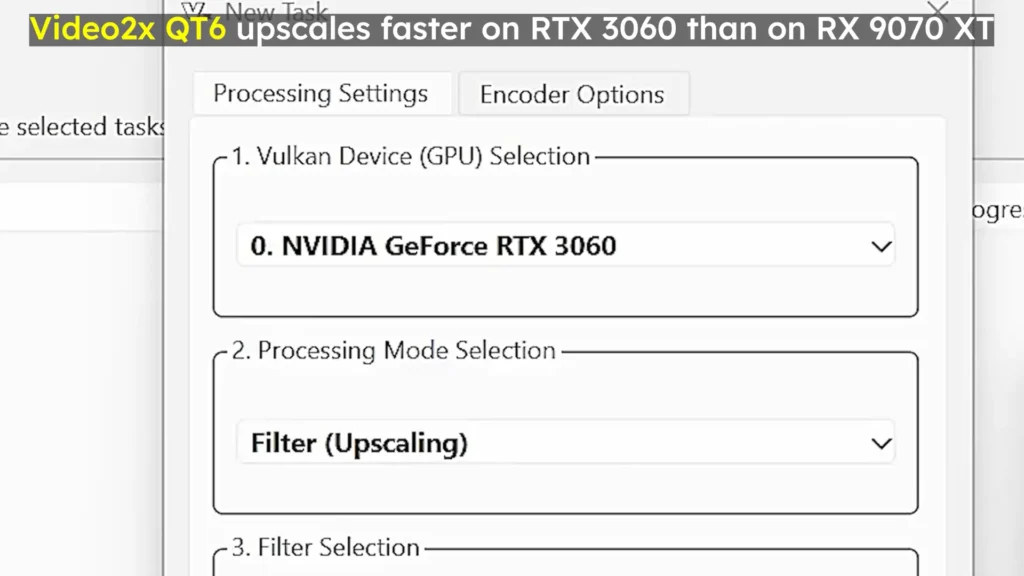
A huge amount of AI software has been developed around CUDA, and CUDA is exclusive to NVIDIA GPUs.
That gives NVIDIA an ecosystem advantage that AMD cannot solve just by releasing faster hardware.
I test different photo and video tools for my channel, including upscaling software.
Some applications work very well on AMD.
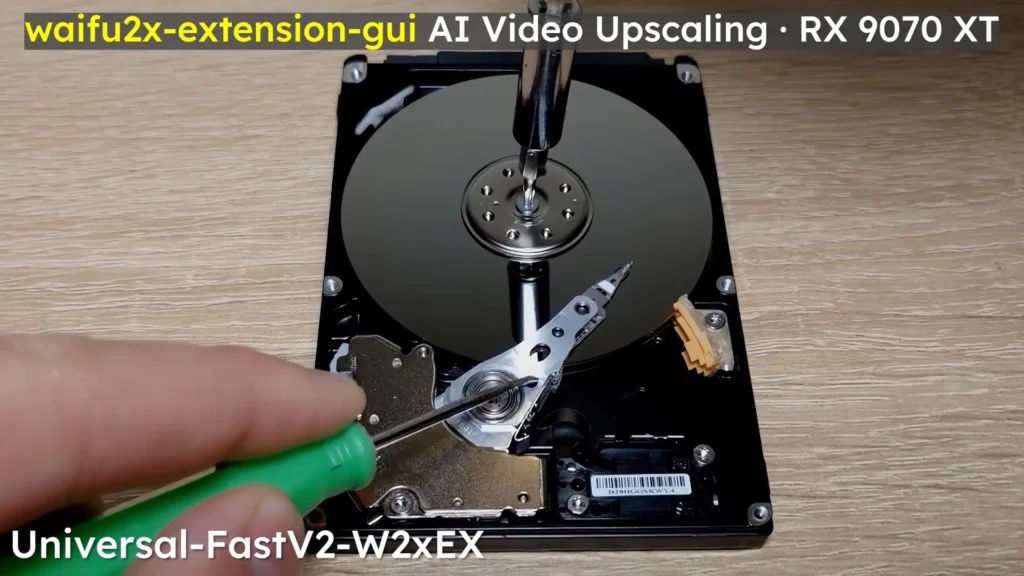
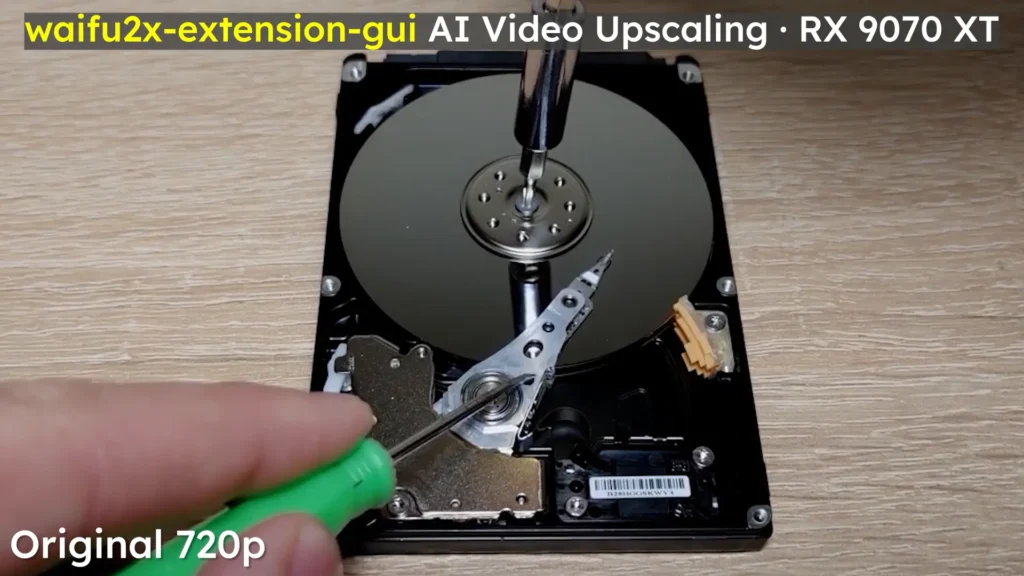
I have also seen good performance from the RX 9070 XT in standard Topaz Video AI models, depending on the version and the model being used.
The problem appears when you move beyond the most widely supported workloads.
Newer or more experimental AI models may be optimized mainly for NVIDIA.
Some applications run more slowly on Radeon hardware.
Others have limited features.
And some may not support AMD GPUs at all.
That is something I have to think about every time I test a new AI program.
Why CUDA Still Matters
This is why comparing only theoretical computing performance can be misleading.
A GPU can have excellent specifications and still be the wrong tool if the software cannot use it properly.
Before buying an AMD card specifically for AI work, I would check whether the programs you need support technologies such as DirectML, Vulkan, ROCm, OpenCL, or another AMD-compatible backend.
Do not assume that 16GB of VRAM automatically means every AI application will work well.
The software matters just as much.
For gaming and normal video editing, I am very happy with the RX 9070 XT.
For AI-heavy work, I would be more careful.
If I were building a system primarily around AI applications rather than gaming, something like an RTX 5070 Ti would probably be the safer choice for compatibility.
For my mixed workload, I can live with AMD’s limitations.
But this is one area where I occasionally wish CUDA were available.
The card has enough power.
The software ecosystem is still the bigger obstacle.
AMD Drivers After 10 Months: Mostly Stable, but Not Perfect
Driver stability was one of the things I was most curious about before moving to the RX 9070 XT.
AMD still has a reputation among some PC users for unstable drivers, random crashes, and strange compatibility problems. After using this card for almost ten months, my experience has been much better than that stereotype suggests.
I have not dealt with constant game crashes.
I have not had regular system instability.
Premiere Pro works normally.
Games usually launch and run without any serious issues.
Gameplay recording through Adrenalin has also been reliable enough for my normal use.
If I judged the card only by major problems, I would actually describe the driver experience as good.
What I have noticed are a few smaller bugs.
None of them are serious enough to make me regret buying the GPU, but they are worth mentioning because these are exactly the kinds of problems that often never appear in short reviews.
You usually discover them only after living with the hardware for a while.
A Strange Mouse Cursor Problem When Working With Text
The first issue affects something very simple: the mouse cursor.
Sometimes, when I move the pointer over certain text fields or document areas, the cursor becomes partly transparent or much harder to see.
I notice this most often when I am editing or publishing articles on my website.
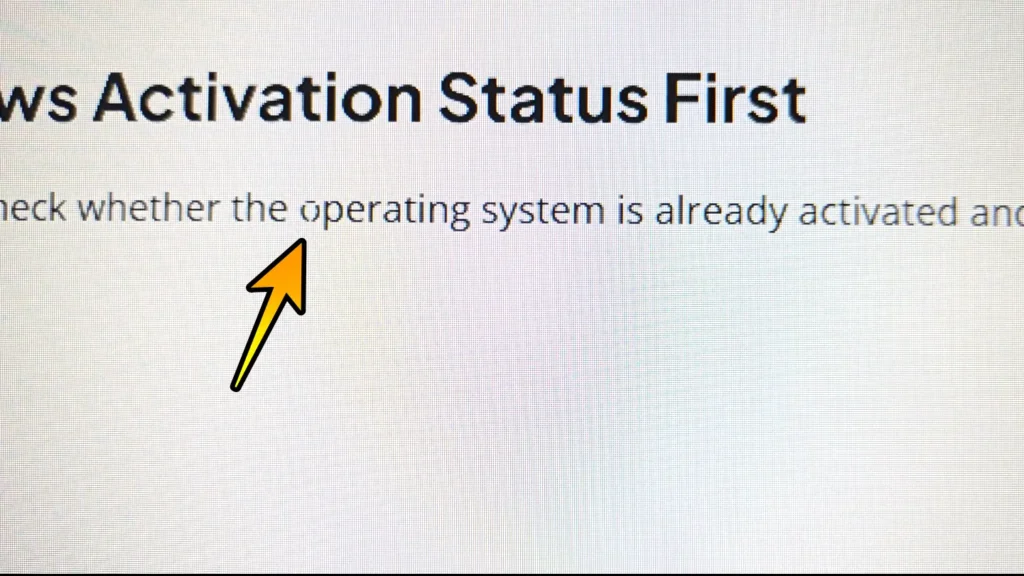
It does not happen constantly, and it does not break anything.
The browser does not crash.
The text remains editable.
I can continue working normally.
It is just annoying.
And because I spend a lot of time working with text, even a small visual bug becomes noticeable after a while.
This is also a good example of why I do not like judging driver quality only by crash reports.
A system can be technically stable and still have small issues that affect everyday comfort.
For gaming, this cursor problem means almost nothing to me.
For writing and website work, I notice it much more.
My Adrenalin Tuning Profile Sometimes Resets
The second issue is more relevant because I rely heavily on my custom undervolting profile.
My setup uses two displays connected to the RX 9070 XT:
- a Full HD monitor,
- and a 4K television.
Sometimes, after changing between displays, restarting the PC, or changing the active screen configuration, my manual tuning settings return to their default values.
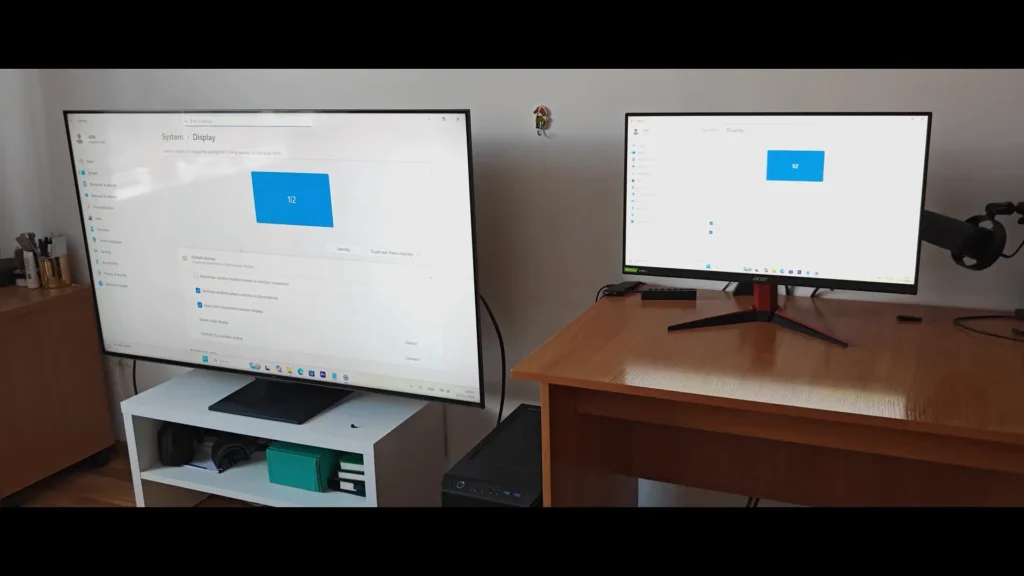
I have not found one exact sequence that causes it every single time.
That makes the issue slightly more frustrating because I cannot reproduce it whenever I want.
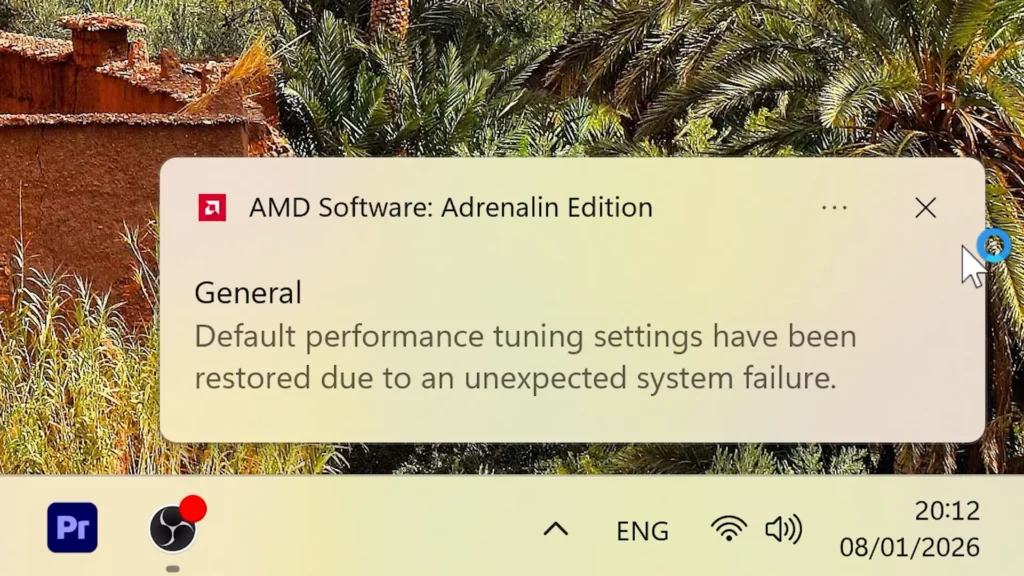
The good news is that AMD Adrenalin lets me save the entire tuning profile.
I keep my stable configuration saved, so restoring it takes only a few seconds.
Open the tuning page, load the profile, and everything is back.
That prevents the problem from becoming a major inconvenience.
Still, I would rather not have to check it at all.
If I create a stable profile and save it, I expect the software to keep using it until I decide to change something.
Someone using only one monitor may never see this issue.
My two-display setup could be part of the reason it happens.
That is also why driver experiences can vary so much between users.
One person may use a single 1440p monitor and never encounter a problem.
Another may use a Full HD display together with a 4K TV, switch between them frequently, and see behavior that the first user never notices.
NVIDIA Was Not Completely Problem-Free for Me Either
Before the RX 9070 XT, I used an RTX 3060.
I had a different strange problem with that card.
Sometimes, when browsing the web and moving between pages, the browser would appear to freeze for several seconds.
It was not something that happened every minute, but I noticed it often enough that it became irritating.
Interestingly, I have not experienced the same browser issue with the RX 9070 XT.
That experience made me much more skeptical of simple statements such as:
“AMD drivers are bad.”
Or:
“NVIDIA drivers are always stable.”
My own experience with both brands has been much more complicated.
The AMD card gave me the cursor bug and occasional tuning resets.
The NVIDIA card had its own browser-related problem.
Neither GPU made the PC unusable.
Both had software quirks.
For me, that is a more realistic way to look at graphics drivers.
I care less about which company supposedly has the better reputation and more about whether a specific issue affects the programs I actually use.
So far, AMD’s driver problems have been small enough that they do not outweigh the benefits of the card.
Samsung vs SK Hynix Memory
My ASUS Prime RX 9070 XT came with Samsung memory.
Other cards can use SK Hynix chips instead.
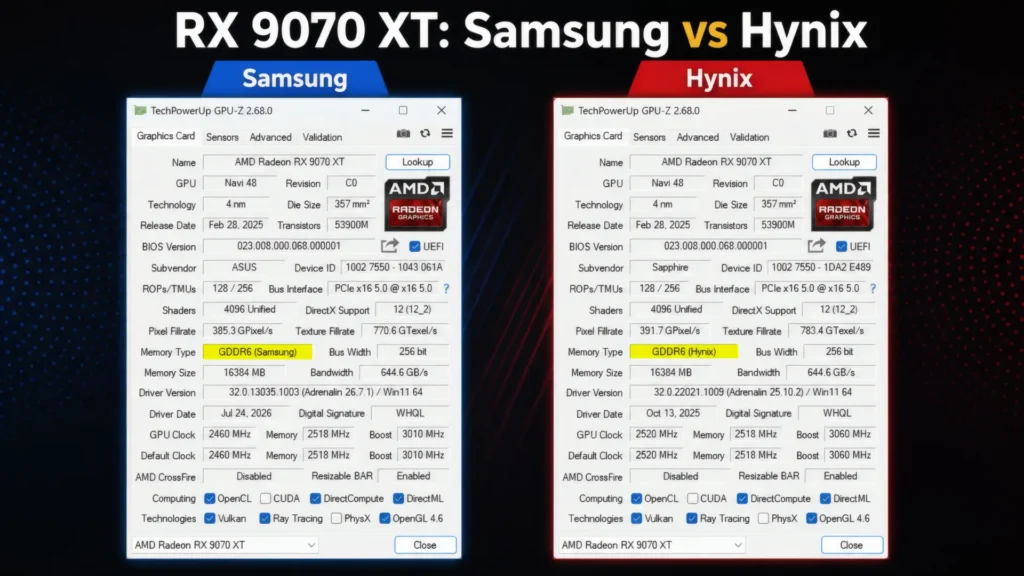
Even two RX 9070 XT cards with the same model name can sometimes ship with different memory depending on the production batch.
In most cases, you cannot choose which one you receive.
That has created a lot of discussion about whether Samsung or Hynix memory is better.
Some users prefer Hynix because it may have slightly better overclocking potential in certain cases.
There are also reports of Samsung memory running cooler in some card designs.
I would not make a buying decision based on that alone.
For normal gaming, the difference is usually very small.
Memory temperature also depends on much more than the memory manufacturer.
The cooler matters.
Thermal pads matter.
Case airflow matters.
Fan speed matters.
Room temperature matters.
Your power settings and memory overclock can change the result too.
My Samsung-equipped card has stayed cool, and I have had no problems with the memory.
That is good enough for me.
If I were choosing between two otherwise identical cards and one happened to use the memory I preferred, fine.
But I would not pay a large premium just because a seller says one version has Samsung or Hynix chips.
At that point, you are probably paying extra for a difference you may never notice.
Maybe I am praising my own card a little too much here, but at least its memory has never given me a reason to complain.
ASUS Prime RX 9070 XT Size and Build
One thing I appreciate about the ASUS Prime is that it is relatively manageable compared with some of the enormous graphics cards on the market.
It fitted inside my case without any problems.
I currently do not use a separate GPU support bracket, and I have not noticed obvious sag.
Of course, this depends on the case, motherboard position, and the way the card is mounted.
If your GPU visibly bends downward, I would still use a simple support bracket.
They are inexpensive, and there is little reason to leave unnecessary pressure on the PCI Express slot.
The Prime is also one of the more affordable RX 9070 XT models.
That was part of the reason I bought it.
I did not see much value in spending significantly more money just for a small factory overclock.
More expensive models can absolutely offer real benefits.
You may get:
- a larger cooler,
- quieter fans,
- stronger power delivery,
- dual BIOS,
- better materials,
- more RGB,
- or slightly higher factory clocks.
But the performance difference between normal RX 9070 XT models is usually much smaller than the price difference.
That is why I now care much more about cooling and noise than a small factory overclock.
A premium model that is noticeably quieter can be worth paying for.
A premium model that is only a few percent faster is much harder for me to justify.
My ASUS Prime proved this quite clearly.
Its gaming performance was never the problem.
Its stock noise and power behavior were.
Once I tuned those, the cheaper model became much easier to appreciate.
What I Can Say About Linux Support
I did not use this RX 9070 XT as my main Linux GPU for an extended period, so I do not want to pretend that I can give a full Linux review from personal experience.
In general, AMD GPUs are often considered a convenient option for modern Linux distributions because open-source AMD graphics drivers are integrated into the Linux ecosystem.
But support for a newer architecture can depend heavily on the software stack.
Kernel version matters.
Mesa version matters.
Firmware packages matter.
The distribution matters.
The display server can matter too.
If I planned to build a Linux system around a new Radeon GPU, I would use a recent distribution with an updated kernel and graphics stack.
I would not install an old Linux image and assume that support for a relatively new GPU would be perfect.
For Windows, I can describe almost ten months of first-hand experience.
For Linux, I prefer to keep the conclusion more limited.
The general support situation looks promising, but I have not tested it deeply enough to make stronger claims.
Efficiency Ended Up Becoming One of My Favorite Things About the Card
This is probably the most ironic part of my experience with the RX 9070 XT.
Power consumption was one of the reasons I originally disliked it.
Now, efficiency is one of the reasons I enjoy using it.
At maximum or near-default performance settings, the card can use a lot of power.
My own testing showed consumption moving closer to 300 watts in demanding loads, and even higher during more aggressive overclocking.
But I no longer use the card that way every day.
With my -30% power limit and undervolting profile, many demanding games stay close to 220 watts.
The frame-rate loss is normally small enough that I barely care.
That gives me something I value more than a slightly higher benchmark score: flexibility.
I can run the GPU efficiently most of the time.
If I eventually need maximum performance, I still have the option to restore a more aggressive profile.
This is also why I do not completely agree with the argument that buying the regular RX 9070 and overclocking it is always the smarter choice.
The regular 9070 can be overclocked.
The XT can be overclocked too.
And the XT can also be undervolted while keeping its stronger GPU configuration.
Right now, I would rather save power and reduce noise than gain another few frames.
Maybe that will change in several years when games become more demanding.
For now, having the extra performance available without needing to use it all the time feels like the best balance.
What I Like Most About the RX 9070 XT
After months of using the card, the positives are much easier for me to define than they were at the beginning.
1. Strong 1440p and 4K Gaming Performance
This is still the biggest reason to buy the RX 9070 XT.
The card is fast enough for high-refresh-rate 1440p gaming and also makes a lot of sense for 4K.
That is how I use it most of the time.
In rasterized games, performance is excellent, and with FSR 4 available in more demanding titles, I rarely feel like I need to reduce settings aggressively just to keep the game smooth.
For my own setup, this is the part of the card that has aged best.
I bought it mainly for gaming performance, and it still gives me exactly what I expected in that area.
2. 16GB of VRAM
I also like having 16GB of video memory.
That gives the card more breathing room for high-resolution textures, 4K gaming, video editing, and other GPU-heavy workloads.
More VRAM does not automatically make a graphics card future-proof, and I would never choose a GPU based only on memory capacity.
Still, I would rather have 16GB available than run into a limitation several years from now because a game or application suddenly needs more memory.
For the type of mixed gaming and content-creation workload I use, the capacity feels appropriate for this performance class.
3. FSR 4 Is a Real Improvement
FSR 4 has probably changed my opinion of AMD upscaling more than anything else.
With older FSR versions, I was often aware that I was using an upscaler.
Depending on the game, image stability or fine detail could make the difference obvious enough that I preferred native resolution.
With FSR 4, I am much more comfortable leaving upscaling enabled.
On a large 4K display, that matters.
The extra performance is useful, but the image quality needs to be good enough that I stop thinking about it while playing.
That is much closer to the experience I get now.
4. The Card Responds Very Well to Tuning
This is still my favorite part of the RX 9070 XT.
At stock settings, the ASUS Prime was not the card I wanted it to be.
After undervolting and reducing the power limit, it became much closer to my ideal setup.
I can keep most of the gaming performance while reducing power draw, temperature, fan noise, and coil whine.
That flexibility is extremely useful.
I do not need to run the GPU at maximum power every day, but the additional performance is still available if I ever want it.
5. It Works Well for My Content-Creation Workflow
The RX 9070 XT has also been completely capable for the type of video work I do.
I regularly edit 4K footage in Premiere Pro, use hardware encoding, record gameplay, and work with GPU-accelerated effects.
The card handles those tasks well enough that I do not feel like I made a bad decision by choosing AMD.
That does not mean it is the best GPU for every professional workflow.
But for a system that spends part of the day gaming and another part editing videos, I am satisfied with the balance.
Where the RX 9070 XT Still Falls Short
The experience is much better than my first impression, but there are still weaknesses I would want to know about before buying the card today.
Ray Tracing Depends Too Much on the Game
AMD has improved ray tracing considerably, but I still would not choose the RX 9070 XT specifically because of its ray tracing performance.
Some games run very well.
Others become much more demanding as soon as heavier ray-traced effects are enabled.
That inconsistency is the important part.
If you mainly play rasterized games, this may not matter very much.
If your idea of a new GPU is enabling the highest ray tracing preset in every major AAA release, I would compare the RX 9070 XT with NVIDIA alternatives in the exact games you care about.
A single average number does not tell the whole story here.
AI and CUDA Remain the Bigger Concern
For me, AI compatibility is a more significant limitation than ray tracing.
The hardware itself is powerful.
The 16GB of VRAM is useful.
But there are still applications and models that work better on NVIDIA or rely directly on CUDA.
Since I test different software for my channel, I occasionally run into tools where Radeon support is slower, incomplete, or simply less convenient.
That is not something an overclock can fix.
It is an ecosystem problem.
For someone building a PC mainly for gaming with occasional AI use, I would not consider it a deal breaker.
For a workstation where AI is the main purpose, I would research every important application before choosing AMD.
A Few Driver Bugs Still Annoy Me
The tuning-profile reset is not a major problem, but I should not need to reload a saved profile because I changed display configurations.
The transparent mouse cursor issue is even smaller, yet I notice it because I spend a lot of time writing and editing text.
Neither problem has made the system unstable.
Neither has caused me to lose work.
They are simply bugs I would like to see fixed.
My overall driver experience has been good enough that I no longer worry about the old idea that buying an AMD GPU automatically means constant troubleshooting.
It has not been that kind of experience at all.
Stock Power and Noise Could Be Better
This criticism applies especially to my ASUS Prime model.
The card was louder than I wanted at its default behavior, and its power consumption was one of the first things that disappointed me.
I solved most of that through tuning.
But not everyone wants to buy a new graphics card and immediately start adjusting voltage, frequency, power limits, and fan curves.
For those users, the cooler design of the exact model matters a lot.
That is something I would pay more attention to if I were buying again.
Who Should Buy the RX 9070 XT?
The RX 9070 XT makes the most sense to me as a high-performance gaming card for 1440p or 4K.
If you mainly care about rasterized performance, want 16GB of VRAM, and plan to use FSR 4 in demanding games, there is a lot to like.
It also works well in a mixed-use PC.
That is basically how my own system is used.
I play games.
I edit 4K videos.
I record gameplay.
I write and publish website content.
I occasionally test AI tools.
For that combination, the RX 9070 XT has been a very good fit.
It gives me the gaming performance I wanted without forcing me into the most expensive GPU tier.
When I Would Choose NVIDIA Instead
There are still several situations where I would look more seriously at an NVIDIA card.
The biggest one is software compatibility.
If your work depends heavily on CUDA, NVIDIA-exclusive plugins, specific AI models, or professional applications optimized mainly for GeForce hardware, I would not assume that Radeon will provide the same experience.
I would check those programs individually.
The same applies to ray tracing.
If maximum ray tracing performance is one of your biggest priorities, compare real benchmarks from the games you actually play.
In those situations, something like an RTX 5070 Ti could be the safer option depending on price.
I would not make the decision based on brand loyalty.
The better GPU is the one that works best with your actual games and software.
RX 9070 vs RX 9070 XT: Does Undervolting the XT Make Sense?
One argument I have seen is that the regular RX 9070 may be the smarter purchase because you can overclock it and get closer to XT-level performance.
Depending on the price difference, that can absolutely be a good option.
But I do not think the argument is as simple as “buy the regular card and overclock it.”
The RX 9070 XT can also be tuned.
In my case, I am doing the opposite.
I bought the faster model and deliberately reduced its power consumption for everyday use.
That might sound pointless at first.
Why pay for additional performance and then limit it?
Because I am not removing anything permanently.
For normal gaming, the efficient profile gives me the balance I want.
If I need more performance later, I can restore a higher-power configuration in seconds.
The additional GPU resources are still there.
This gives me more flexibility than buying a slower card and hoping an overclock closes the gap.
Of course, pricing matters.
If the RX 9070 is dramatically cheaper where you live, it can offer better value.
If the difference is small, I would rather have the XT.
Is a Premium RX 9070 XT Worth Paying More For?
After owning the ASUS Prime, I would focus less on factory clock speeds and more on cooler quality.
A premium model may give you a larger heatsink, quieter fans, better power delivery, dual BIOS, higher-quality materials, or other useful features.
Those improvements can matter.
A tiny factory overclock matters much less to me.
The real-world FPS difference between partner cards is usually not large enough to transform the gaming experience.
Noise can.
If one model costs a little more but is clearly quieter under load, I can understand paying extra for it.
If the only difference is a small boost-clock increase and more RGB lighting, I would save the money.
My own card taught me that the experience around the GPU can matter more than another few percent of theoretical performance.
Final Verdict: Would I Buy the RX 9070 XT Again?
Yes, but with a much better understanding of what I was buying.
My first impression of the ASUS Prime RX 9070 XT was mixed.
The performance was excellent, but the high power draw, noise, and coil whine made me question whether I wanted to keep it.
Undervolting fixed most of that.
With my everyday profile, the card is much quieter and more efficient while still delivering almost all of the gaming performance I care about.
That is the version of the RX 9070 XT I actually enjoy using.
The card is not perfect.
Ray tracing still depends too much on the individual game.
AI software compatibility remains behind NVIDIA in some important areas.
Adrenalin has given me a couple of small but annoying bugs.
And I still think some RX 9070 XT models could behave better at stock settings.
But those weaknesses have not outweighed what the GPU does well.
For 4K gaming, Premiere Pro, gameplay recording, and normal everyday use, it gives me the performance I need.
FSR 4 has improved the overall gaming experience.
The 16GB of VRAM is useful for both games and content creation.
And the ability to reduce power consumption so dramatically without sacrificing much performance has become one of my favorite things about the card.
The funny part is that when I first bought it, I thought I might return it.
Now I plan to keep using it for the next several years.
I did not need to make the RX 9070 XT faster to start liking it.
I just had to stop running it as if every last frame per second mattered.