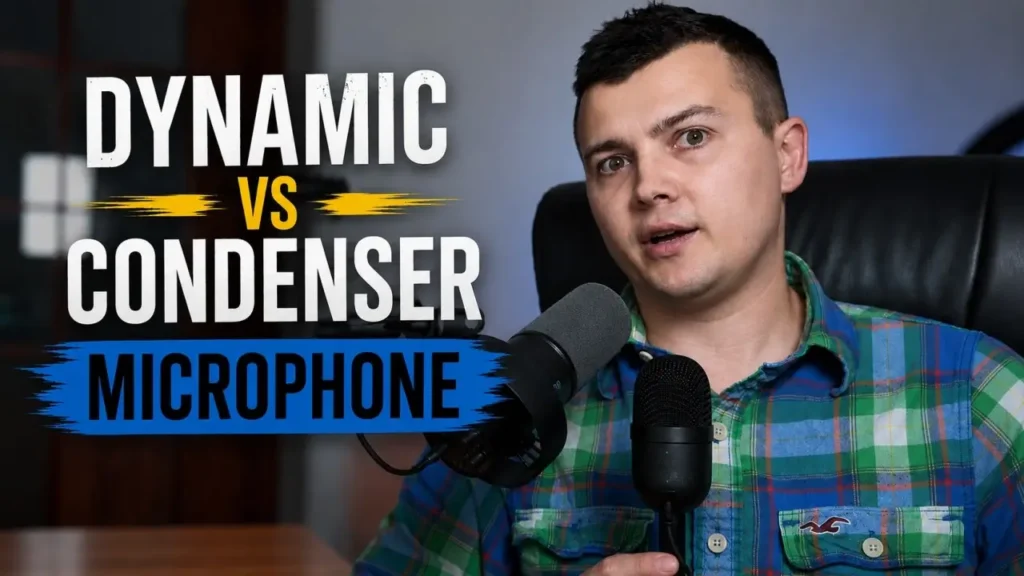
If you are choosing an affordable microphone for YouTube, streaming, podcasts, Discord, or voiceovers, the FIFINE K688 and Razer Seiren Mini are two very different options.
I have now used both microphones in my own YouTube workflow, and instead of comparing specifications on paper, I wanted to see how they perform in a normal home recording setup.
That means no artificial studio environment and no aggressive audio processing to make one microphone sound better than the other.
I tested them while reading an actual YouTube script, checked how they handled keyboard and mouse noise, and also experimented with different recording distances.
After using both, I don’t think this comparison is as simple as saying that one microphone is better.
The FIFINE K688 is much better at focusing on my voice and rejecting surrounding noise, while the Razer Seiren Mini is easier to use when I need to sit farther away from the microphone.
Here is my experience with both.
Disclosure: FIFINE provided the K688 microphone and boom arm for review. However, the company had no control over my testing or conclusions, and this comparison reflects my own experience with both microphones.
FIFINE K688 vs Razer Seiren Mini: Quick Comparison
| FIFINE K688 | Razer Seiren Mini | |
|---|---|---|
| Microphone type | Dynamic | Condenser |
| Background noise rejection | Better | Picks up more room noise |
| Best recording position | Close to the microphone | More flexible at longer distances |
| Keyboard and mouse noise | Less noticeable | More noticeable |
| Voice focus | Strong | More sensitive to surroundings |
| Best for my use | Voiceovers, tutorials, streaming | Simple recordings and setups where I sit farther away |
| Ease of use | Requires better positioning | Very simple |
| Will I continue using it? | Yes | Yes |
The important thing here is that these microphones follow two different philosophies.
The K688 is designed around keeping the microphone relatively close and focusing strongly on the speaker.
The Seiren Mini is more sensitive and can be easier to use when the microphone cannot be positioned directly in front of you.
How I Tested Both Microphones
I wanted this comparison to reflect how I would actually use a microphone while creating videos.
Both microphones were connected to my OnePlus 11 smartphone, and I intentionally used almost no audio processing during the main comparison.
Interestingly, I have found that both microphones can sound surprisingly clean when connected directly to my smartphone. In some situations, I actually prefer their out-of-the-box sound this way compared with a typical PC setup.
For the voice comparison, I didn’t simply repeat “one, two, three” into each microphone.
Instead, I read sections from one of my real YouTube scripts.
For me, this is a much more useful test because it represents the kind of recording I actually do: tutorials, voiceovers, and longer spoken sections.
I also tested everyday background sounds by typing on my keyboard, clicking the mouse, and creating small noises around my desk.
Finally, I performed a simple distance test to hear what happens when I move farther away from each microphone.
I normally use a FIFINE U1 pop filter with the Razer Seiren Mini, but I removed it during this comparison so neither microphone would have an additional advantage.
Razer Seiren Mini: Simple and Convenient
The Razer Seiren Mini has been my personal microphone, and one thing I still appreciate about it is how easy it is to use.
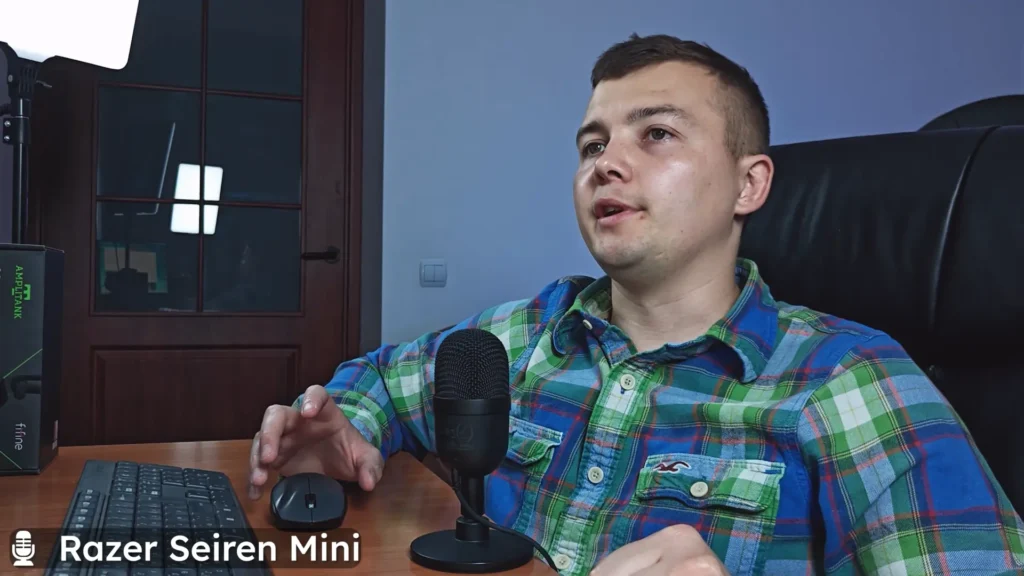
It is a compact USB condenser microphone that doesn’t require a complicated setup.
Connect it, position it reasonably well, and you can start recording.
For a beginner YouTube creator, streamer, or someone who simply wants better voice quality for calls or Discord, that simplicity can be a significant advantage.
But there is another benefit that became even more obvious after I started comparing it with a dynamic microphone.
You Don’t Have to Sit Extremely Close to It
The Seiren Mini can still capture my voice reasonably well when I move farther away.
This can be useful for video.
Sometimes I don’t want a large microphone directly in front of my face, especially when I am recording myself on camera.
Depending on the framing, I may want to move slightly farther away from both the camera and microphone.
The Seiren Mini gives me more freedom in those situations.
Unfortunately, that sensitivity also creates its biggest disadvantage.
The Razer Seiren Mini Picks Up More Background Noise
A sensitive condenser microphone doesn’t only hear your voice.
It also hears more of the room around you.
During my testing, keyboard typing, mouse clicks, and other desk noises were easier to hear with the Razer Seiren Mini.
That doesn’t mean the microphone sounds bad.
In a quiet room with decent microphone placement, I can still get very good results from it.
However, a normal home setup isn’t always perfectly quiet.
There may be a PC running nearby, a keyboard directly in front of you, mouse clicks, desk vibrations, or other sounds in the room.
If you create YouTube tutorials or stream while sitting at a computer, these noises can become annoying.
And this is exactly where the FIFINE K688 becomes interesting.
FIFINE K688: Much More Focused on My Voice
The FIFINE K688 is a dynamic microphone, and the difference in recording style becomes obvious very quickly.
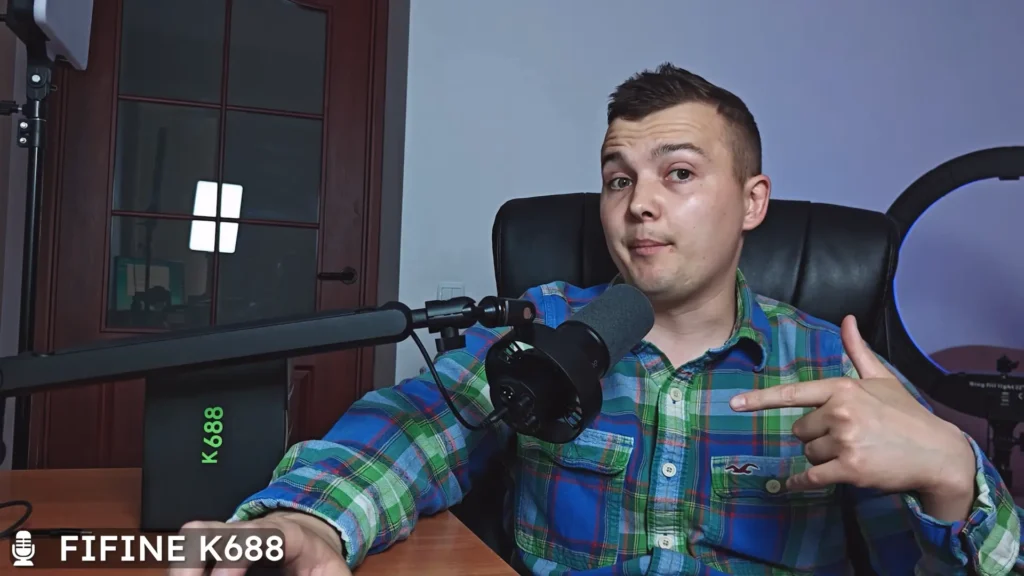
This is how I normally use the FIFINE K688 for voice recording and YouTube videos.It works best when I keep it relatively close to my mouth.
In exchange, it does a much better job of concentrating on my voice instead of capturing everything happening around me.
This was probably the biggest practical difference I noticed between the two microphones.
During my background noise test, I typed on the keyboard, clicked the mouse, and created normal desk noises.
The K688 did a noticeably better job of rejecting those sounds.
My voice remained much more dominant in the recording.
For my particular workflow, that can be extremely useful.
Why Background Noise Rejection Matters for My YouTube Videos
A large part of my channel consists of tutorials and PC-related content.
When I record a voiceover or explanation while sitting at my computer, I am surrounded by potential sources of noise.
There is a keyboard directly in front of me.
I am constantly using a mouse.
The computer itself is running nearby.
There may also be smaller noises in the room that I don’t even notice until I listen to the recording later.
The less of that noise the microphone captures in the first place, the easier the audio is to work with.
This is one of the main reasons I like the K688.
Instead of trying to fix everything later with noise reduction, the recording already starts with better separation between my voice and the surrounding environment.
FIFINE K688 vs Razer Seiren Mini: Background Noise Test
This was probably the easiest part of the comparison to judge.
If background noise rejection is the priority, I prefer the FIFINE K688.
The Razer Seiren Mini isn’t terrible at rejecting surrounding sounds, but it simply captures more of the environment.
The K688 keeps the focus much more strongly on my voice.
Of course, no microphone will completely eliminate a noisy room.
Positioning still matters.
The distance between your mouth and the microphone matters.
And a better recording environment will always help.
But in my normal setup, I could clearly hear the difference.
For streaming, podcasts, tutorials, or voiceovers recorded close to a PC, this is a major advantage for the K688.
There Is a Trade-Off: Recording Distance
The K688 isn’t better in every situation.
Dynamic microphones generally make the most sense when you can stay relatively close to them.
I noticed this clearly during my distance test.
When I moved farther away from the K688, the recording changed significantly.
For a podcast or voiceover, that isn’t necessarily a problem. I can simply put the microphone on the boom arm and position it close to my mouth.
But it becomes more important when recording video.
Sometimes I want to sit farther from the camera.
Sometimes I don’t want a microphone positioned prominently in the shot.
And sometimes I simply want a more relaxed recording setup.
In those situations, the Razer Seiren Mini can actually be more convenient because it doesn’t require me to stay as close to it.
This is why I don’t see the K688 as a replacement for the Seiren Mini in every possible situation.
Raw Audio Isn’t the Whole Story
Another important thing to understand is that most of my comparison intentionally used very little audio processing.
I wanted people to hear the microphones instead of hearing my Premiere Pro effects.
However, that’s not necessarily how I would prepare audio for a finished YouTube video.
Normally, I can make some adjustments inside Adobe Premiere Pro.
Even relatively small changes can improve the final sound.
And from my experience, the K688 responds very well to proper positioning and light audio processing.
Its completely raw sound doesn’t necessarily show everything the microphone can do.
After adjusting the physical setup and adding a few small effects in Premiere Pro, I think the K688 can sound significantly better.
That makes it even more interesting for my voiceover workflow.
The Same Applies to the Razer Seiren Mini
It would also be unfair to judge the Razer purely on completely raw audio.
Good microphone positioning makes a difference.
A pop filter can help.
Basic EQ, volume adjustment, and other processing can improve the final result.
I normally use my FIFINE U1 pop filter with the Razer Seiren Mini, although I deliberately removed it for this particular comparison.
So despite the advantages of the K688, I still consider the Razer Seiren Mini a perfectly usable microphone.
The difference is that the K688 gives me a better starting point when reducing unwanted room noise is one of my main priorities.
Which One Is Better for YouTube?
For the type of YouTube content I create, I would divide it like this.
I Prefer the FIFINE K688 For:
- Voiceovers
- Tutorials
- Streaming
- Podcast-style recordings
- Recording close to my computer
- Situations where keyboard and mouse noise may be present
- Videos where isolating my voice is the priority
I Prefer the Razer Seiren Mini For:
- Simple USB recording
- Situations where I need to sit farther from the microphone
- Camera setups where I don’t want the microphone close to my face
- Recording in a reasonably quiet room
- Situations where convenience is more important than maximum background noise rejection
That is why I can see myself continuing to use both microphones on my channel.
Is the FIFINE K688 Better Than the Razer Seiren Mini?
For voice isolation and background noise rejection, I prefer the FIFINE K688.
That’s the area where the difference was most obvious in my testing.
When I am sitting directly in front of my PC recording a tutorial or voiceover, I would rather have a microphone that concentrates on my voice instead of capturing my keyboard, mouse, and everything else around me.
However, I wouldn’t say that this automatically makes the K688 the better microphone for everyone.
The Razer Seiren Mini has one very useful advantage: flexibility.
I can position it farther away and still get a usable recording.
For some video setups, that can actually be more important than maximum background noise rejection.
My Experience After Using Both
After testing the FIFINE K688 and Razer Seiren Mini, I think the biggest mistake would be choosing between them purely by looking at specifications.
How you record matters much more.
If you are comfortable keeping the microphone close to your mouth and want your voice to stand out from the room around you, the K688 makes a lot of sense.
If you want something simple and compact and need more freedom with microphone distance, the Seiren Mini still has clear advantages.
For my own YouTube channel, I expect to continue using both.
For tutorial voiceovers and situations where I want cleaner voice isolation, I will probably reach for the FIFINE K688 more often.
When I need to sit farther away or want a less intrusive microphone position, the Razer Seiren Mini can still be the more practical choice.
Final Thoughts
The FIFINE K688 vs Razer Seiren Mini comparison is really a comparison between two different recording styles.
The Razer Seiren Mini is compact, simple, sensitive, and easy to work with.
The FIFINE K688 requires more attention to microphone placement, but in return it does a much better job of keeping the focus on my voice and reducing distracting background sounds.
For my workflow, that gives the K688 a real advantage for voiceovers, tutorials, and other recordings made directly at my desk.
But I’m not retiring the Razer Seiren Mini.
There are still situations where its ability to work from a greater distance makes my recording setup easier.
So before choosing between them, I would think about three things:
How noisy is your room? How close can you keep the microphone? And what type of content are you recording?
Those questions are much more important than simply asking which microphone is better.
If you want to hear the difference yourself, you can watch my full FIFINE K688 vs Razer Seiren Mini real-world microphone test, where I compare the voice quality, background noise, and recording distance of both microphones.
Frequently Asked Questions
Is the FIFINE K688 better than the Razer Seiren Mini?
It depends on how you record. In my testing, the FIFINE K688 was noticeably better at rejecting surrounding noise and keeping the focus on my voice. The Razer Seiren Mini was more convenient when I needed to position the microphone farther away.
Which microphone is better for YouTube voiceovers?
For my own tutorial and voiceover workflow, I prefer the FIFINE K688 because reducing keyboard, mouse, and room noise is particularly important to me.
Does the FIFINE K688 pick up keyboard noise?
Yes, it can still capture keyboard noise, but in my test it rejected those sounds noticeably better than the Razer Seiren Mini.
Is the Razer Seiren Mini still good for YouTube?
Yes. I have used it for my own YouTube content and still plan to use it. It is compact, easy to set up, and works particularly well when I need more distance between myself and the microphone.
Should a dynamic microphone be close to your mouth?
In my experience with the K688, it performs best when positioned relatively close. Moving farther away has a noticeable effect on the recording.
Do I need to process the audio from the FIFINE K688?
You don’t have to, but I found that proper positioning and some light adjustments in Adobe Premiere Pro can noticeably improve the final sound.
Which microphone will I continue using?
Both. For voiceovers and recordings where background noise rejection matters, I prefer the FIFINE K688. For situations where I need to sit farther away from the microphone, the Razer Seiren Mini remains useful.