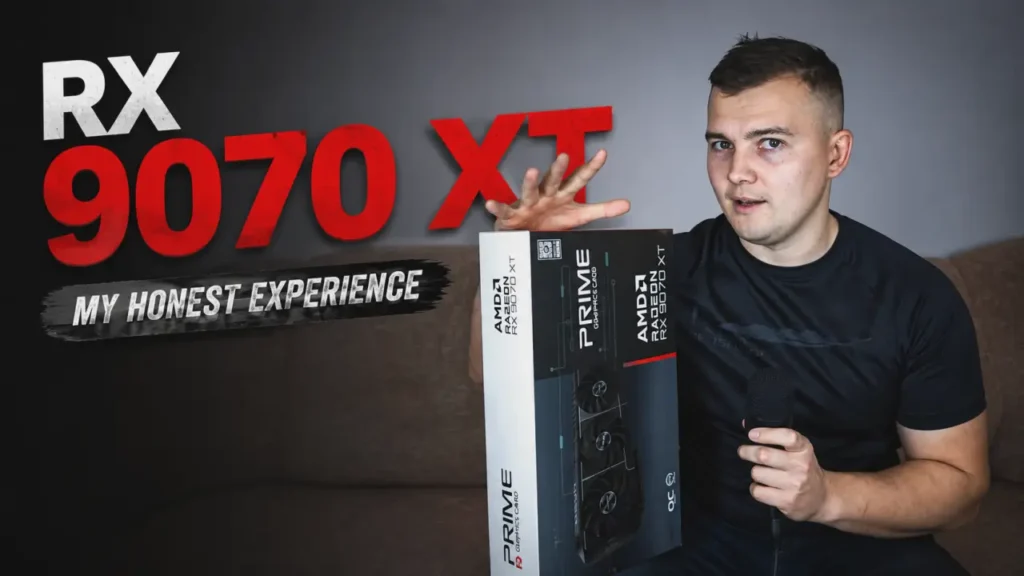
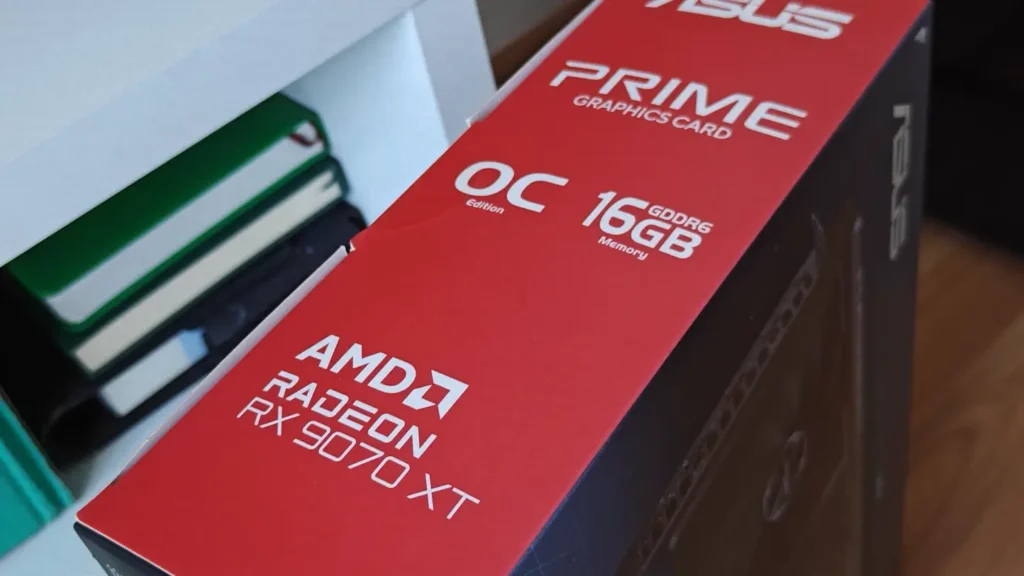
I have been using the ASUS Prime Radeon RX 9070 XT for almost ten months. During this time, I have played many modern games in 4K on a 120 Hz display, tested different performance profiles, experimented with undervolting, and compared technologies such as FSR 4, ray tracing, and Frame Generation.
The RX 9070 XT is often described as a high-performance 4K graphics card. However, the meaning of “4K graphics card” can vary significantly depending on the user’s expectations.
Some players expect a 4K GPU to run every modern game at native 4K, maximum graphics settings, full ray tracing, and more than 100 real frames per second.
In reality, even powerful graphics cards often require some compromises in the most demanding games.
That does not automatically mean a graphics card is unsuitable for 4K gaming.
A good 4K experience may involve using FSR 4, reducing a few demanding graphics settings, disabling ray tracing in poorly optimized games, or enabling Frame Generation when the original frame rate is already high enough.
In this article, I will share my real long-term experience with the RX 9070 XT rather than simply repeating specifications or showing a few short benchmark runs.
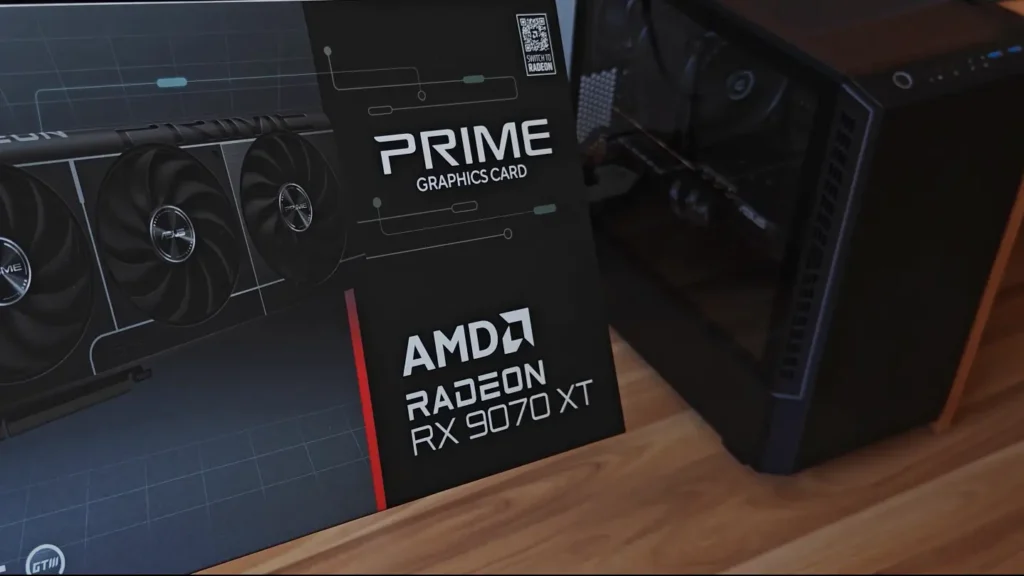
I tested the graphics card in several demanding games:
- Black Myth: Wukong
- Resident Evil Requiem
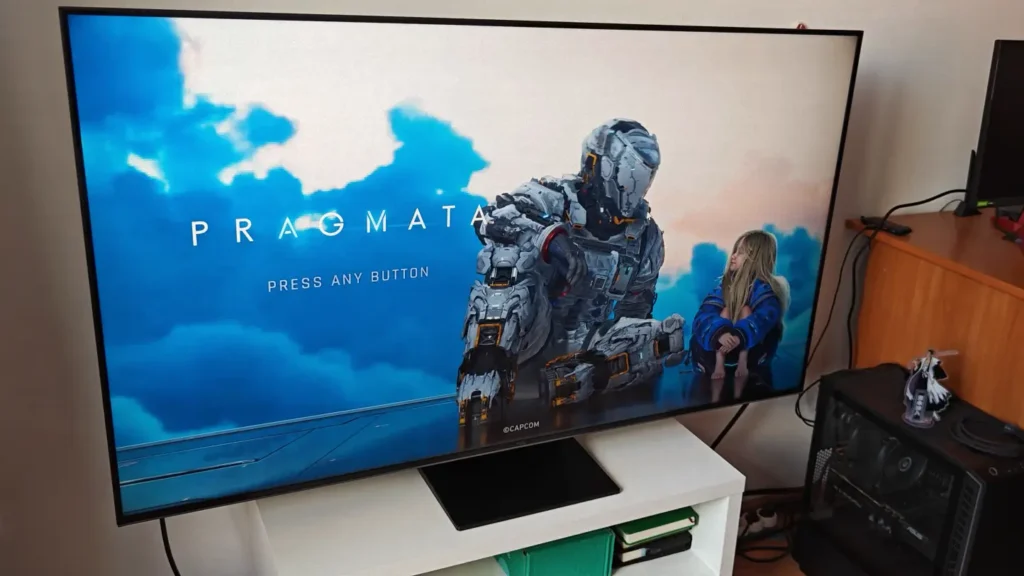
- PRAGMATA
I will compare FSR 4 and FSR 4.1, Frame Generation, ray tracing, GPU power consumption, processor overclocking, frametime stability, temperatures, and video memory usage.
Most importantly, I will explain which graphics settings I would actually use while playing these games.
RX 9070 XT 4K Gaming Results at a Glance
The following table summarizes the main results from my testing.
| Game | Main settings | Approximate performance |
|---|---|---|
| Black Myth: Wukong | 4K output, FSR 4, optimized settings, no Frame Generation | 75–100 FPS |
| Black Myth: Wukong | 4K output, FSR 4, Frame Generation enabled | 80–120 displayed FPS |
| Resident Evil Requiem | 4K output, Ultra, FSR 4.1 Quality, Normal ray tracing | 80–90 FPS |
| Resident Evil Requiem | 4K output, Ultra, FSR 4.1 Balanced, ray tracing disabled | Around 100 FPS, sometimes close to 120 |
| PRAGMATA | 4K output, Ultra, FSR 4 Balanced, ray tracing enabled | 90–100 FPS |
These results should not be treated as universal benchmark numbers.
Performance can change depending on the tested area, driver version, processor, graphics card model, cooling, background applications, and individual game updates.
However, the table provides a useful overview of the experience I received with my system.
My RX 9070 XT Test System
Before looking at the individual game tests, it is important to understand the system used for testing.
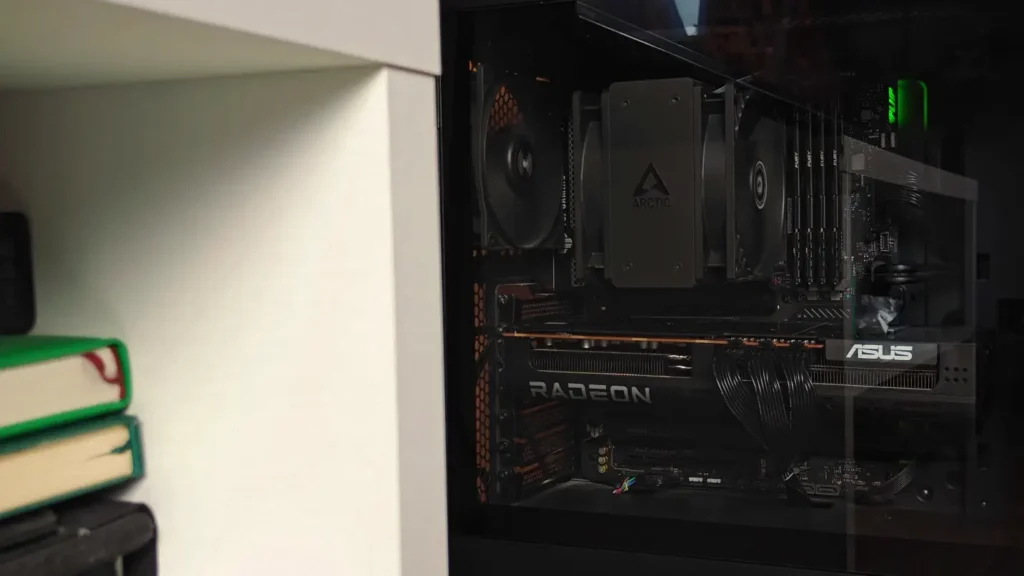
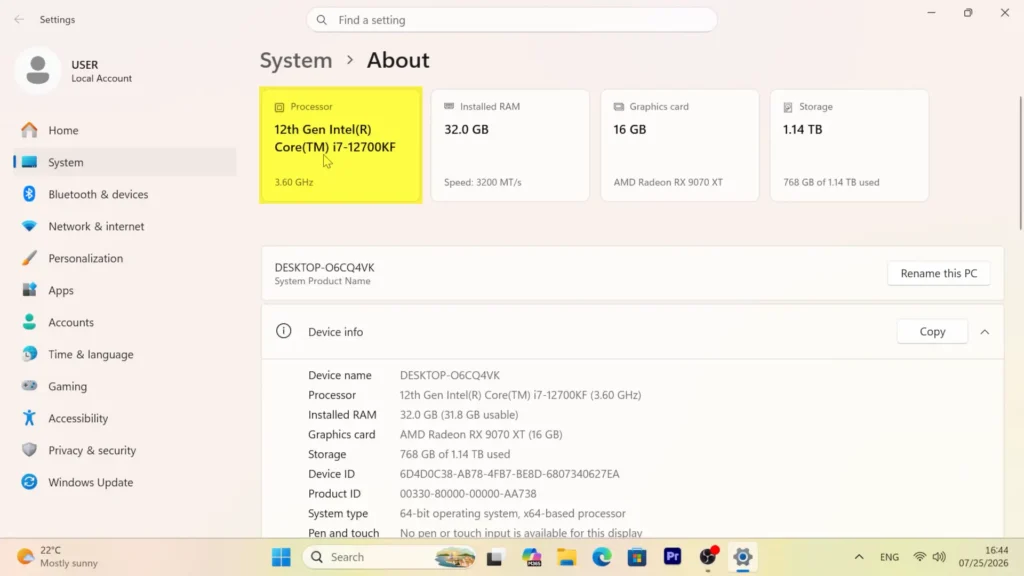
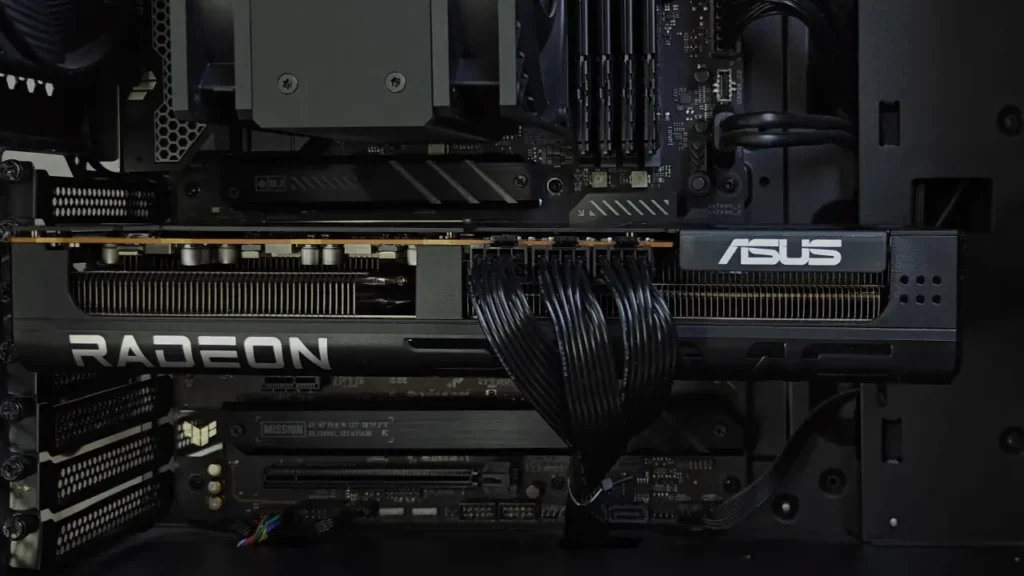
My ASUS Prime RX 9070 XT is paired with an Intel Core i7-12700KF processor.
The CPU normally uses the Extreme automatic performance profile available in the BIOS of my ASUS TUF Gaming Z790 motherboard.
Under a heavy multi-core workload, all processor cores can operate at slightly more than 4.8 GHz at the same time.
The system also includes 32 GB of Kingston Fury DDR4 memory running at 3200 MHz.
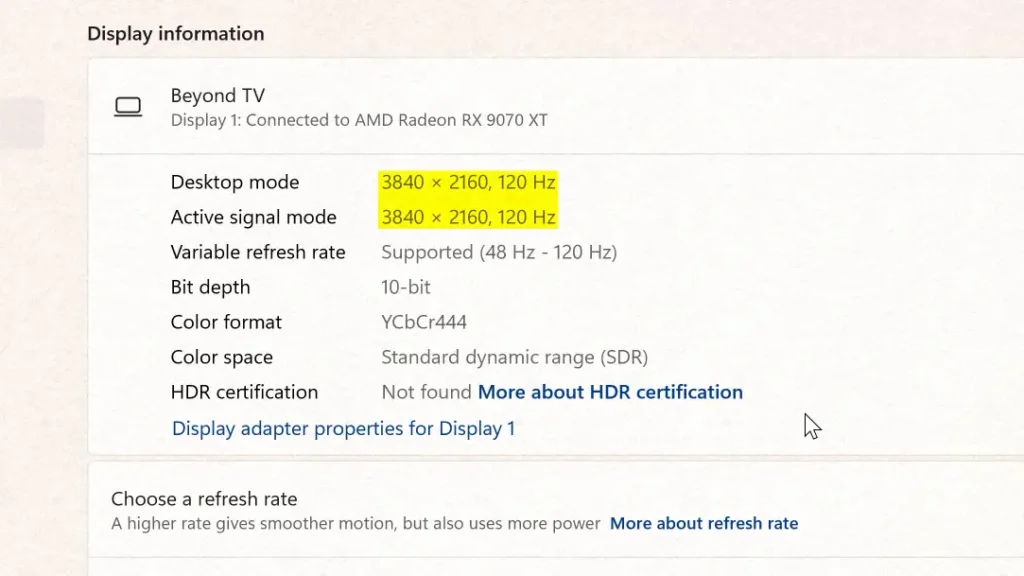
Most of my games are displayed on a TCL C805 Mini-LED television. It supports:
- 3840 × 2160 resolution
- A refresh rate of up to 120 or 144 Hz
- AMD FreeSync
- HDR
- Local dimming
I also have a regular Full HD monitor connected to the graphics card at the same time.
Using two displays with significantly different resolutions can occasionally affect how my AMD tuning profile behaves. I will discuss this issue in more detail in a separate article about the non-gaming side of my long-term RX 9070 XT experience.
For this article, the important detail is that all gameplay tests were played and recorded with a 4K output resolution.
If you are setting up a new gaming display, I also recommend checking my monitor settings guide for adjusting refresh rate, resolution, HDR, and other important display options.
FSR 4 or FSR 4.1 was enabled in every supported game. Frame Generation was only enabled when specifically mentioned.
Most tests were performed using my normal undervolting profile because this is how I have used the graphics card since purchasing it.
Testing only the default configuration would not accurately represent my real experience. I rarely use the card with its default power behavior because undervolting provides a much better balance of performance, temperature, noise, and power consumption in my system.
RX 9070 vs RX 9070 XT: What Is the Difference?
Before looking at the game tests, it is worth explaining the main differences between the Radeon RX 9070 and RX 9070 XT.
Both graphics cards include:
- 16 GB of GDDR6 video memory
- A 256-bit memory bus
- 64 MB of Infinity Cache
However, the RX 9070 XT contains more processing resources.
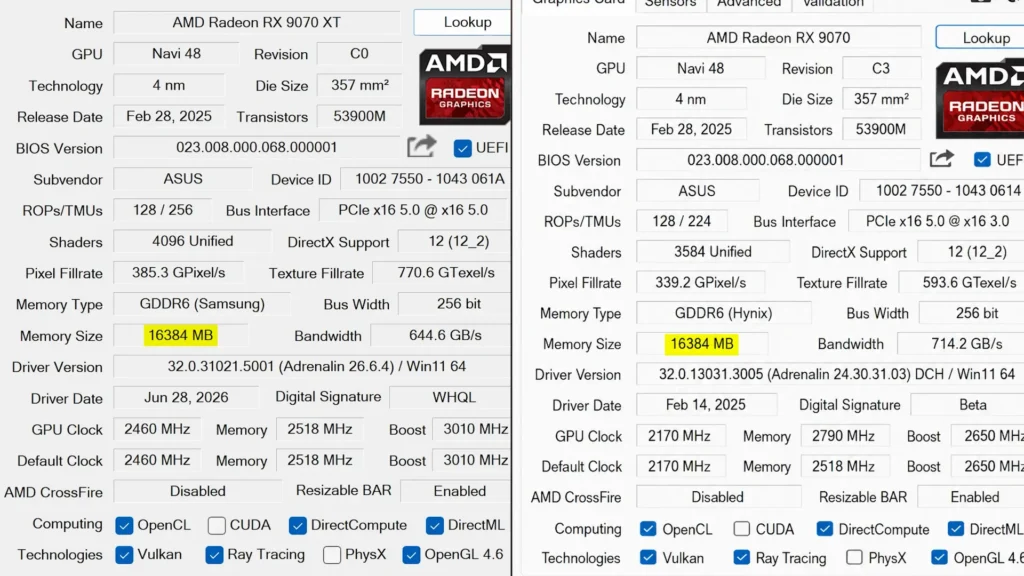
The RX 9070 XT has 64 compute units and 4,096 stream processors. The regular RX 9070 has 56 compute units and 3,584 stream processors.
The XT model also operates at higher clock speeds, giving it more performance potential in demanding games.
The main disadvantage is higher power consumption.
The reference power level of the RX 9070 XT is approximately 304 watts, while the regular RX 9070 is rated closer to 220 watts.
Many RX 9070 XT models use three 8-pin PCIe power connectors. Regular RX 9070 models commonly use two connectors, although the exact configuration depends on the manufacturer and individual graphics card model.
For a typical RX 9070 XT gaming system, a high-quality 750-watt power supply is generally a reasonable recommendation.
A 650-watt power supply may be sufficient for many RX 9070 systems.
However, the appropriate power supply also depends on:
- The processor
- CPU and GPU power limits
- Cooling equipment
- Storage devices
- Overclocking
- Other installed components
The RX 9070 XT is therefore not simply a regular RX 9070 with a higher power limit.
It contains additional GPU resources and offers higher performance potential.
At the same time, my testing shows that the RX 9070 XT does not always need to consume more than 300 watts to provide an excellent gaming experience.
With a stable undervolting profile, it is possible to reduce power consumption considerably while retaining almost all of the card’s gaming performance.
Black Myth: Wukong RX 9070 XT 4K Performance
Black Myth: Wukong was one of the most demanding games I tested on the RX 9070 XT.
All of my main tests used a 4K output resolution with FSR 4 enabled.
I did not use ray tracing during the primary performance comparisons.
With maximum graphics settings and ray tracing enabled, the frame rate dropped to approximately 30 FPS in my test area.
Although the game remained technically playable, I did not consider this a useful result for my 120 Hz display.
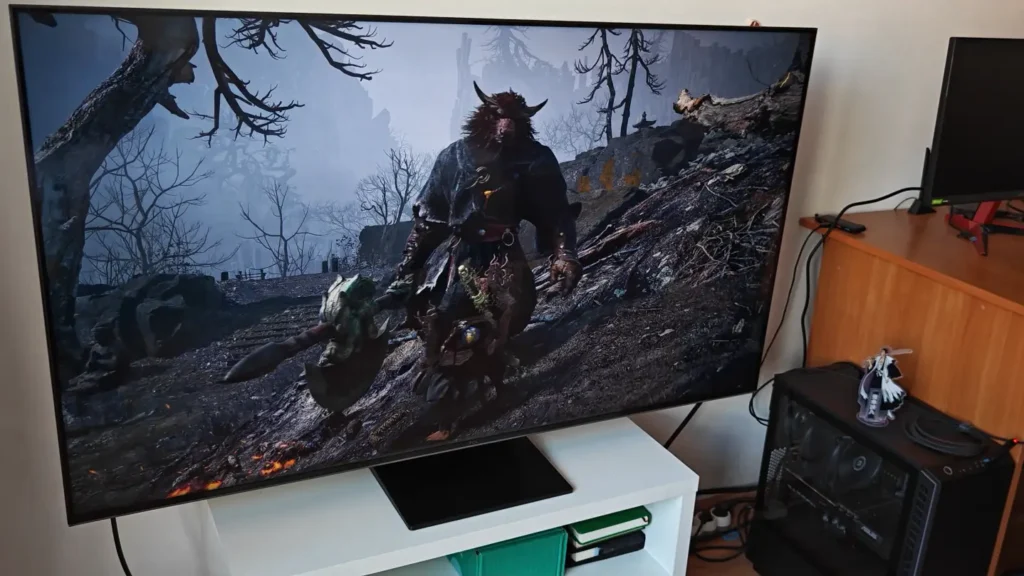
Black Myth: Wukong already looks excellent without ray tracing.
For me, smoother camera movement, lower input latency, and a more stable frame rate were more valuable than the additional ray-traced effects.
This is a good example of why enabling every available graphics option does not always produce the best overall gaming experience.
Black Myth: Wukong With Frame Generation
For the first test, I used a mixture of High and Cinematic graphics settings.
The configuration included:
- 4K output resolution
- FSR 4 enabled
- Frame Generation enabled
- Ray tracing disabled
- My normal RX 9070 XT undervolting profile
The result was impressive.
The game looked smooth on my 120 Hz display, and image quality remained excellent.
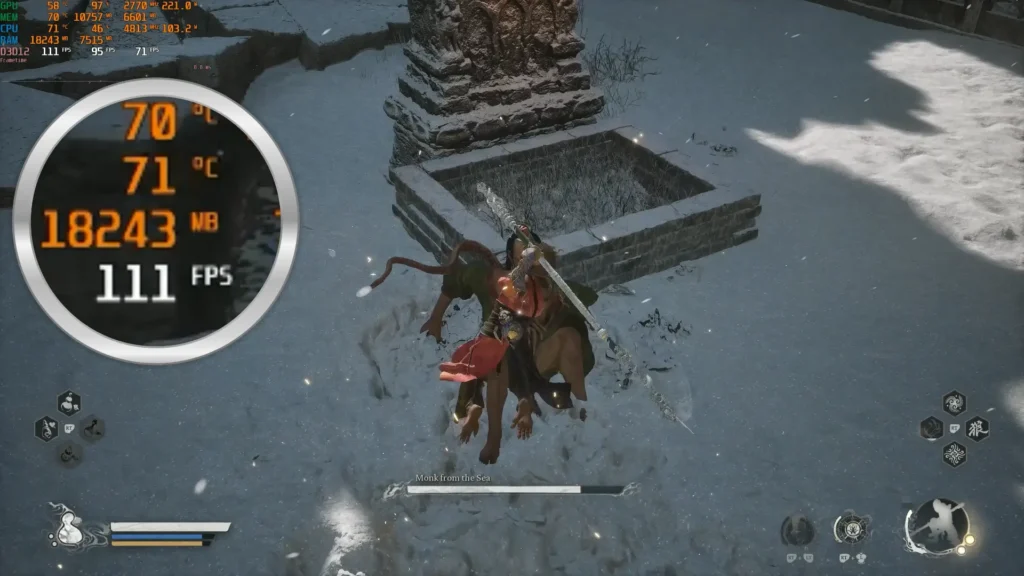
During normal combat and boss fights, I did not notice serious Frame Generation artifacts.
The frametime graph also appeared surprisingly stable.
However, Frame Generation works best when the original frame rate is already reasonably high.
In my opinion, a game should produce at least approximately 50 to 60 real frames per second before Frame Generation is enabled.
When the original frame rate is too low, generated frames cannot completely hide slow input response, unstable movement, or high latency.
The FPS counter may display a much higher number, but the game can still feel less responsive than expected.
When the base frame rate is already around 50, 60, or more FPS, Frame Generation becomes far more useful.
It can produce visibly smoother camera movement and animation, especially on a 120 Hz or 144 Hz display.
In my test, the displayed frame rate normally stayed close to 100 FPS.
In some locations, it increased to approximately 120 FPS. I also observed occasional drops closer to 80 FPS in more demanding areas.
Considering how demanding Black Myth: Wukong can be, this was an excellent result for the RX 9070 XT at 4K.
The reported GPU temperature stayed close to 60°C.
It is important to distinguish this standard GPU temperature reading from the hotspot temperature.
The hotspot became much more relevant when I later tested the card using the automatic GPU performance preset available in my version of AMD Software: Adrenalin Edition.
Does Frame Generation Cause Visual Artifacts?
Frame Generation is not perfect.
Its problems are easiest to notice when the camera is moved very quickly from side to side or sharply upward and downward.
During this type of movement, I occasionally noticed brief image instability or slight visual separation.
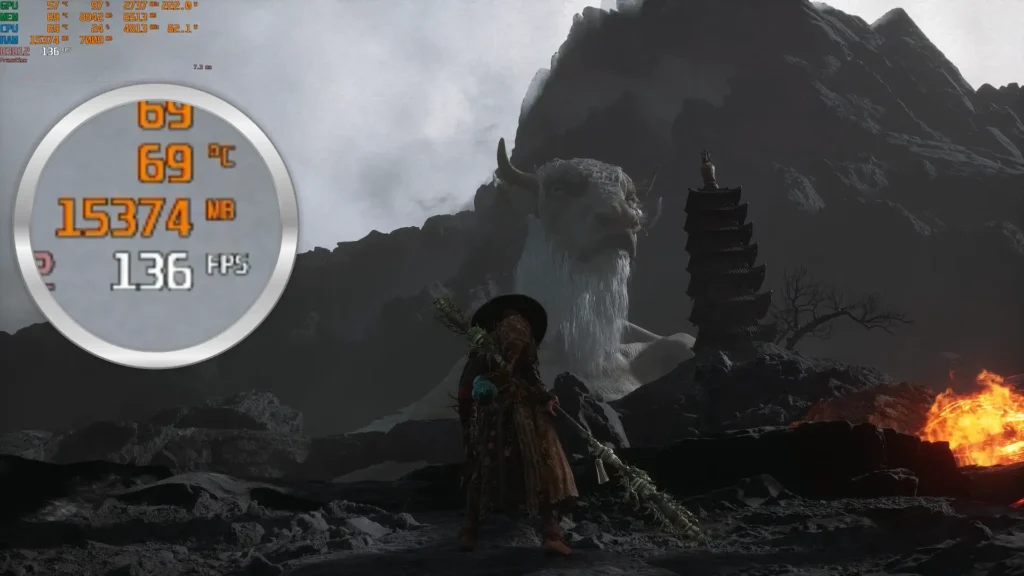
The problem was not constantly visible during normal gameplay.
In most combat encounters, I had to actively look for it.
Black Myth: Wukong was the first game I seriously played for an extended period with Frame Generation enabled.
Before using it in this game, I strongly preferred real frames and normally avoided frame-generation technologies.
My experience changed my opinion slightly.
I still believe real frames provide better responsiveness.
However, when the base frame rate is already high enough, Frame Generation can make a demanding single-player game look considerably smoother without seriously reducing the quality of the overall experience.
Black Myth: Wukong Without Frame Generation
For the second Black Myth: Wukong test, I completely disabled Frame Generation.
I also reduced several graphics settings that consumed a noticeable amount of performance without producing a major visual improvement during normal gameplay.
The goal was to find a balanced configuration for players who prefer real frames, lower latency, and more direct controls.
The game still used a 4K output resolution with FSR 4 enabled.
Ray tracing remained disabled, and my normal RX 9070 XT undervolting profile was active.
With these settings, the frame rate generally stayed between approximately 75 and 100 FPS.
During many combat encounters, it remained close to 85 FPS.
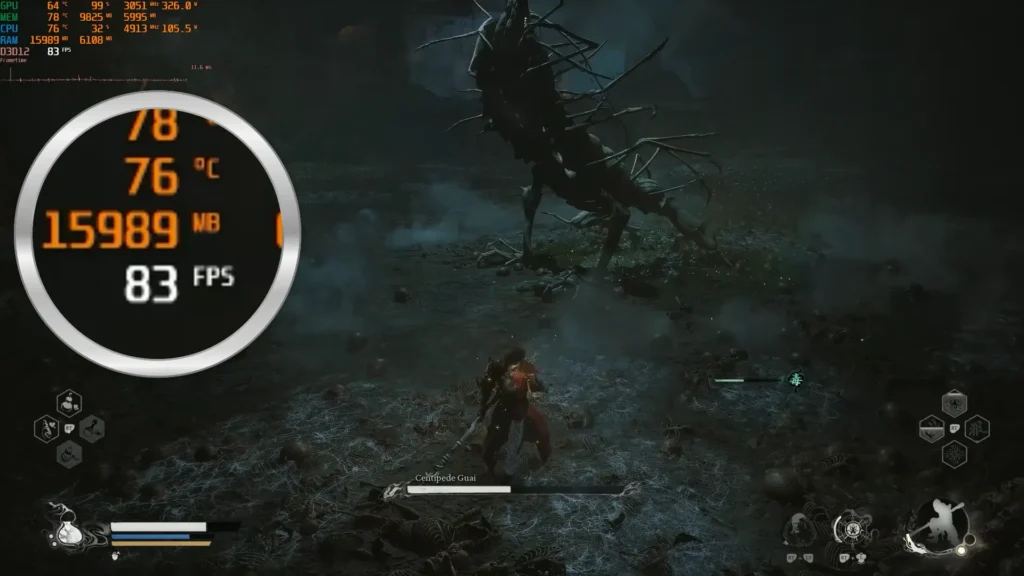
This was a very strong result for a game as demanding as Black Myth: Wukong.
The frametime graph was not quite as flat as it appeared with Frame Generation enabled. However, the game still felt smooth and responsive.
In some situations, it actually felt better.
Every displayed frame was real, so the connection between controller input and movement on the screen felt more immediate.
This is one of the most important differences between a high real frame rate and a high displayed frame rate created with Frame Generation.
Frame Generation can make motion look smoother, but it cannot fully replace the responsiveness of real frames.
AMD FreeSync also helped maintain a smooth experience as the frame rate changed between scenes.
Even when performance moved from around 100 FPS to the mid-70s, I did not experience severe tearing or distracting stutter.
The reported GPU temperature remained almost identical to the previous test.
For me, this was probably the best overall configuration for completing the game without Frame Generation.
The image quality remained excellent, the controls felt responsive, and 75 to 100 real frames per second is a very impressive result for this type of game at 4K.
Frame Generation or Real Frames: Which Is Better?
There is no single correct answer because the better option depends on the game and the player.
Frame Generation is most useful when:
- The original frame rate is already around 50 to 60 FPS or higher
- You are playing on a high-refresh-rate display
- The game is a slower single-player title
- Maximum responsiveness is not the main priority
- You want smoother camera movement
Real frames are usually better when:
- You want the lowest possible input latency
- You play fast or competitive games
- The base frame rate is already sufficiently high
- Frame Generation creates visible artifacts
- You prefer more direct controls
In Black Myth: Wukong, I could comfortably use either option.
With Frame Generation, the game looked smoother on my 120 Hz display and often appeared to run close to 100 or 120 FPS.
Without Frame Generation, the displayed frame rate was lower, but the controls felt more immediate and the experience remained smooth.
For relaxed exploration and controller-based gameplay, I would consider enabling Frame Generation.
For faster combat or situations where I wanted maximum responsiveness, I would disable it and use optimized graphics settings.
Does CPU Overclocking Improve 4K Gaming Performance?
After testing Black Myth: Wukong with and without Frame Generation, I wanted to see whether a stronger processor overclock could improve performance.
My Intel Core i7-12700KF normally uses the Extreme automatic performance profile available in the BIOS of my ASUS motherboard.
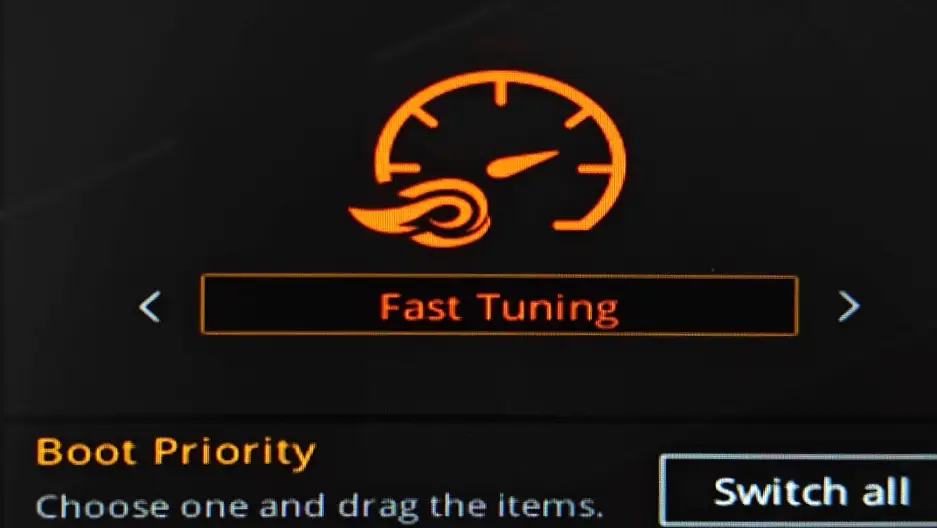
For this test, I switched to the higher Super Extreme profile.
This increased CPU frequency and power consumption. It also placed noticeably more pressure on my Arctic Freezer 36 tower cooler.
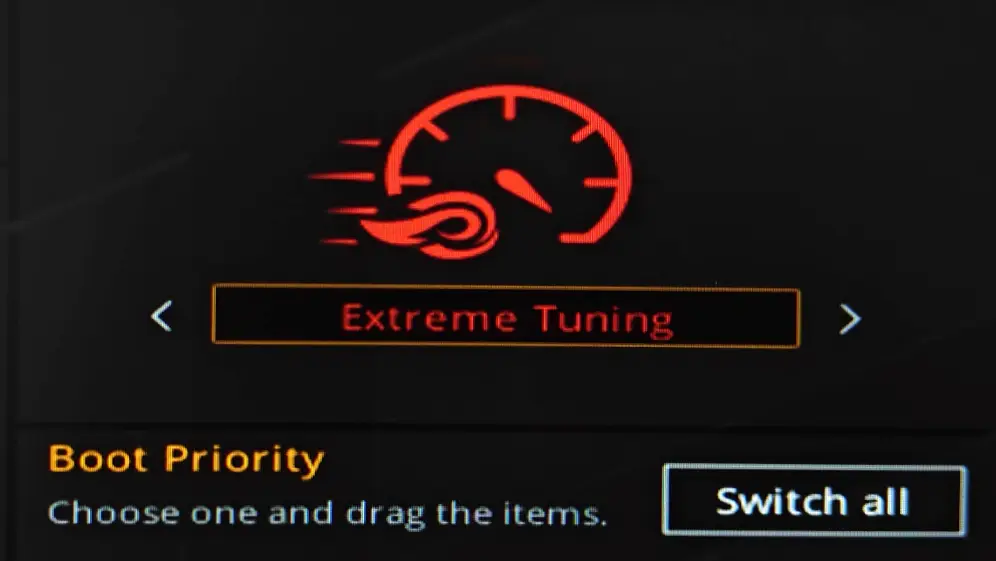
I enabled Frame Generation again and tested the same area of Black Myth: Wukong.
The result was clear.
I did not see a meaningful performance improvement.
The frame rate remained very similar, while processor temperature increased noticeably.
This result makes sense because Black Myth: Wukong was primarily limited by the graphics card at 4K.
Rendering a game at 3840 × 2160 places a very heavy workload on the GPU. When the graphics card is already operating near full utilization, increasing processor frequency may produce little or no visible improvement.
This does not mean the CPU never matters at 4K.
A weak, outdated, or heavily limited processor can still reduce performance. Some games are also much more dependent on CPU speed than others.
Strategy games, simulation titles, large multiplayer games, and competitive shooters can behave very differently.
However, with a capable processor such as the Core i7-12700KF, the difference between a normal overclock and a more aggressive overclock can become very small in demanding GPU-limited games.
At Full HD, CPU performance usually has a much larger effect.
At 1440p, the processor can still make a visible difference.
At 4K, the graphics card is more often the main limitation.
In my system, the stronger CPU profile mainly increased heat and power consumption without providing a useful improvement in gaming performance.
Do You Need a New Processor for the RX 9070 XT?
My results suggest that many users do not need to replace a capable older processor simply because they upgraded to an RX 9070 XT.
The Core i7-12700KF is no longer the newest gaming CPU, but it remains powerful enough for my 4K gaming setup.
A newer processor, such as a modern Ryzen X3D model, can still provide better performance in some situations.
Potential advantages may include:
- Higher minimum frame rates
- Better results in CPU-heavy games
- Improved competitive gaming performance
- Higher frame rates at 1080p or 1440p
- Better performance in simulation and strategy games
- Reduced CPU-related stuttering
However, the practical difference may be much smaller when playing demanding games at 4K with high graphics settings.
If you already own a strong processor and mainly play GPU-limited games in 4K, replacing the motherboard, processor, and possibly memory may not provide the best value.
Other upgrades may have a larger effect on the overall experience, including:
- A better monitor or television
- A larger SSD
- Improved case airflow
- A quieter cooling system
- A better power supply
- More system memory
The ideal upgrade depends on the rest of the system, but my tests did not show a strong reason to replace the i7-12700KF for this type of 4K gaming.
Maximum CPU and GPU Performance Test
The next test was designed to show what happens when both the processor and graphics card are pushed much harder.
I used the highest automatic CPU performance profile and enabled the automatic GPU performance preset available in my version of AMD Software: Adrenalin Edition.
This represented the opposite of my normal daily configuration.
Instead of prioritizing efficiency, temperature, and noise, the system was configured to maximize performance.
Frame Generation was disabled during this test so that I could compare real frame-rate differences more clearly.
I expected the performance increase to be relatively small, but the power-consumption difference was much larger than expected.
The frame rate increased by a maximum of approximately five FPS.
The exact difference changed slightly depending on the scene, but the improvement was never large enough to transform the gaming experience.
The game was already running smoothly with my undervolting profile, so gaining a few additional frames did not make it feel significantly better.
The frametime remained stable, but power consumption increased dramatically.
RX 9070 XT Power Consumption: 220 W vs 350 W
With my normal undervolting profile, the RX 9070 XT consumed approximately 220 watts in this test.
With the automatic GPU performance preset enabled, power consumption could rise close to 350 watts.
That is a difference of approximately 130 watts.
In return, the graphics card produced only around five additional frames per second at most.
This is a poor efficiency trade-off.
The automatic performance preset increased power consumption by well over 50 percent, while gaming performance improved by only a small percentage.
This shows why the highest possible GPU frequency is not always the best configuration for daily use.
Modern graphics cards often operate near the inefficient end of their voltage and frequency curve when manufacturers try to extract every final percentage of performance.
Reducing voltage and power consumption can therefore produce a much more balanced result.
A stable undervolting profile allows the GPU to retain most of its performance while consuming less power.
It can also reduce:
- Fan speed
- GPU temperature
- Hotspot temperature
- Coil whine
- Electricity consumption
- Heat inside the computer case
The exact result will vary from one graphics card to another, but the RX 9070 XT clearly has significant efficiency potential.
GPU Temperature and Hotspot Temperature
With the automatic performance preset enabled, the reported GPU temperature increased to approximately 64°C.
At first, this number does not appear concerning.
A standard GPU temperature reading of 64°C is normally completely acceptable under load.
However, the reported GPU temperature does not show the full thermal situation.
The hotspot temperature is also important.
The hotspot represents the hottest measured area inside the GPU.
It is usually higher than the standard GPU temperature reading, sometimes by a significant margin.
During the maximum-performance test, the highest hotspot temperature I recorded was approximately 92°C.
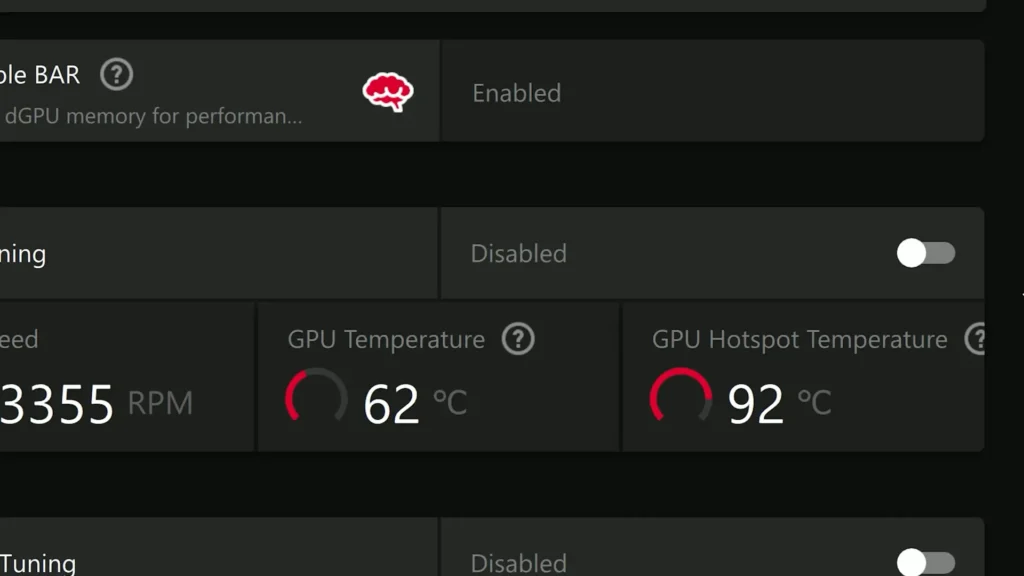
This was not an immediate failure temperature, and the graphics card was not about to stop working simply because it reached that number.
However, 92°C was still much hotter than I wanted for normal daily use.
The higher temperature also caused the cooling system to work harder and made the graphics card less comfortable acoustically.
The most important question was whether the additional heat provided a meaningful performance benefit.
In this case, it did not.
Undervolting the RX 9070 XT
After completing the maximum-performance test, I loaded my normal undervolting profile again.
Power consumption returned to approximately 220 watts.
The maximum hotspot temperature dropped to around 75°C.
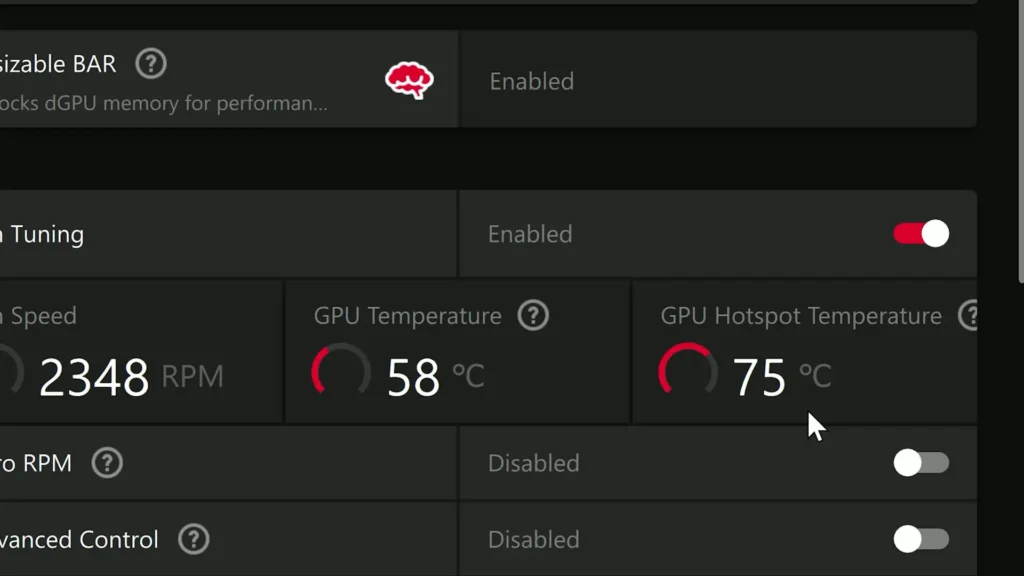
The frame rate remained very similar, and the overall gaming experience did not change significantly.
The comparison was therefore simple.
Automatic GPU performance preset
- Power consumption reached close to 350 watts
- The hotspot reached approximately 92°C
- Performance improved by around five FPS at most
My normal undervolting profile
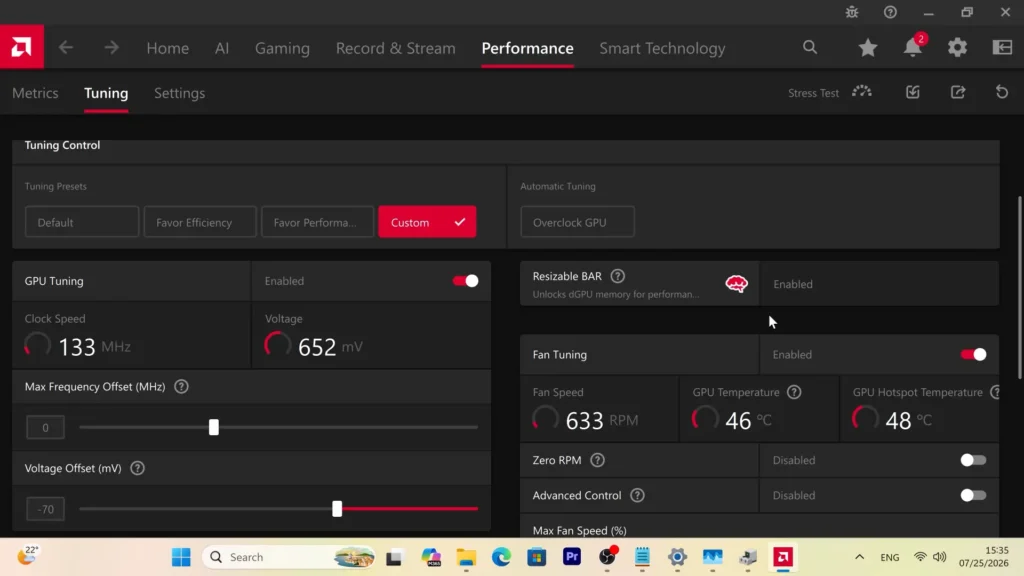
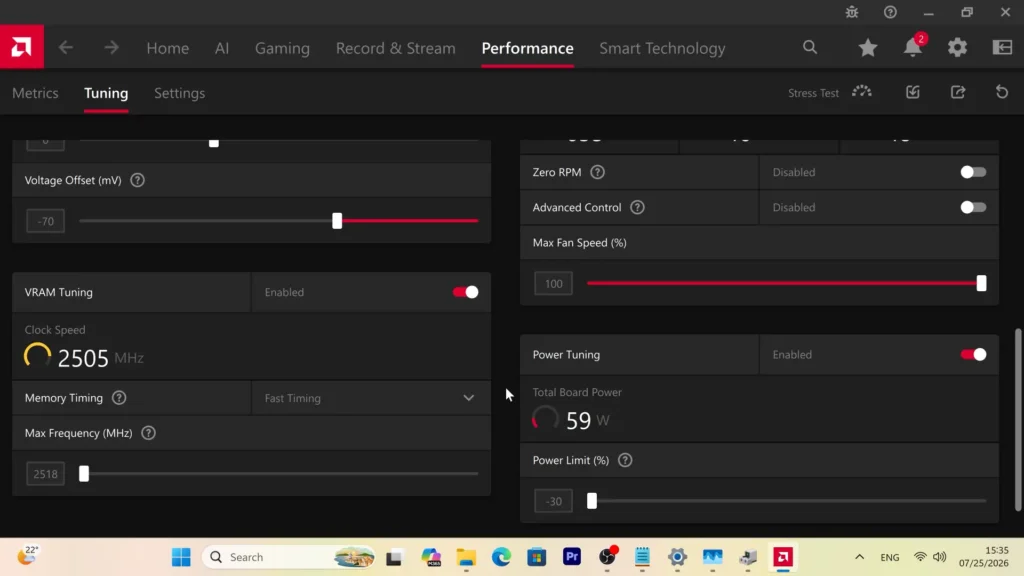
- Power consumption stayed close to 220 watts
- The hotspot remained close to 75°C
- Gaming performance was almost the same
For me, the undervolting profile was clearly the better option.
A reduction from approximately 92°C to 75°C at the hotspot is significant.
The graphics card becomes cooler, quieter, and much more efficient.
At the same time, the real gaming experience changes very little.
This test is one of the main reasons I recommend experimenting with a safe undervolting profile on the RX 9070 XT.
You should not copy another person’s exact voltage and frequency values without testing them.
Every graphics card can behave slightly differently because of silicon quality, cooling, power delivery, case airflow, and other factors.
A stable profile on one RX 9070 XT may not be stable on another model.
The better approach is to reduce voltage gradually, test demanding games, monitor temperatures, and check for crashes or visual artifacts.
Even a conservative undervolt can improve efficiency.
Is the Automatic Performance Preset Worth Using?
For normal daily gaming, I do not think the automatic GPU performance preset is worth using on my RX 9070 XT.
It may still be useful in specific situations.
For example, it can help when:
- Running a short benchmark
- Comparing maximum performance
- Testing cooling capacity
- Trying to achieve the highest possible score
- Measuring the full potential of the graphics card
However, these are temporary testing scenarios.
For long gaming sessions, the additional power consumption and heat are difficult to justify when performance improves by only a few frames per second.
This does not mean the automatic performance preset is necessarily unsafe.
AMD Software is designed to keep the graphics card within its operating limits.
The main issue is efficiency rather than immediate safety.
A profile can be technically safe while still being unnecessarily hot, loud, and power-hungry.
For daily use, I prefer a configuration that provides nearly the same frame rate with much lower power consumption.
What the Black Myth: Wukong Tests Show
The Black Myth: Wukong tests reveal several important things about the RX 9070 XT.
First, the card can provide an excellent 4K experience when the settings are chosen realistically.
It is not necessary to enable maximum ray tracing if the performance cost is too high.
Second, FSR 4 can deliver strong image quality at 4K and make demanding games much easier to run.
Third, Frame Generation can work well when the original frame rate is already high enough.
Fourth, a more aggressive CPU overclock does not automatically improve performance in a GPU-limited 4K game.
Finally, the RX 9070 XT can consume far less power than its automatic performance preset suggests.
My undervolting profile provided almost the same gaming performance at approximately 220 watts instead of close to 350 watts.
For me, this balance of performance, temperature, noise, and efficiency is far more important than extracting the final few frames per second.
Resident Evil Requiem RX 9070 XT 4K Performance
Resident Evil Requiem produced some of the best performance and frametime results in my testing.
The game appeared to be very well optimized for the RX 9070 XT, especially compared with Black Myth: Wukong.
For the first test, I used the following settings:
- 4K output resolution
- Ultra graphics settings
- FSR 4.1 in Quality mode
- Ray tracing set to Normal
- Frame Generation disabled
- My normal RX 9070 XT undervolting profile
In the opening street scene, where Grace moves through an area with many people, the frame rate stayed close to 80 FPS.
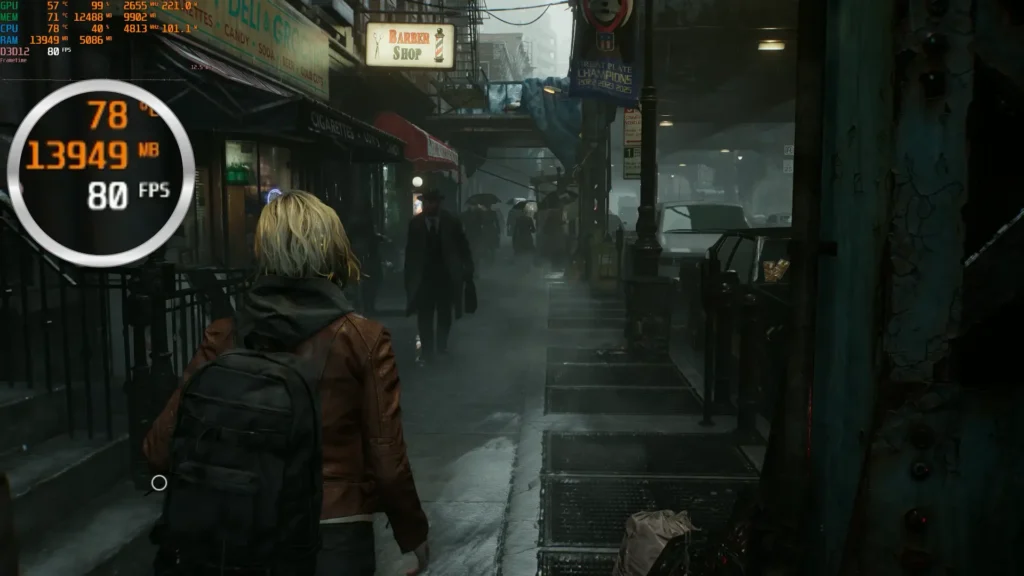
After moving indoors, performance increased closer to 90 FPS.
This was an excellent result considering that the game was running at 4K with Ultra settings and ray tracing enabled.
The reported GPU temperature remained approximately 57 to 58°C.
This was lower than I expected.
The frametime graph was also extremely stable.
There were no major spikes, severe drops, or obvious signs of inconsistent frame delivery during the tested scenes.
This matters because average FPS does not always describe how smooth a game feels.
A title can average 90 FPS but still feel unpleasant if frametime constantly changes or large spikes appear during movement.
Resident Evil Requiem did not show this problem in my tests.
The combination of high frame rate and stable frametime made the game feel smooth and responsive.
Ray Tracing Performance in Resident Evil Requiem
Ray tracing performance is often discussed as though it depends only on the graphics card manufacturer.
In reality, the result also depends heavily on the game engine, developer implementation, selected effects, driver support, and overall optimization.
Black Myth: Wukong was extremely demanding with ray tracing enabled.
In my test area, maximum ray tracing reduced performance to approximately 30 FPS.
Resident Evil Requiem behaved very differently.
With ray tracing set to Normal and FSR 4.1 Quality mode, the RX 9070 XT still produced approximately 80 to 90 FPS in the tested scenes.
This was a very good result for 4K gaming.
It also shows why one ray tracing benchmark cannot represent every game.
A graphics card may struggle in one title and perform very well in another.
Some games use only a limited number of ray-traced effects.
Others use more demanding global illumination, reflections, shadows, or multiple effects at the same time.
The quality of implementation also matters.
For this reason, ray tracing performance should always be evaluated game by game.
In Resident Evil Requiem, ray tracing was genuinely usable on the RX 9070 XT.
I could keep the game at a 4K output resolution, use high graphics settings, and still maintain a smooth experience.
Resident Evil Requiem VRAM Usage
With Ultra settings, FSR 4.1 Quality mode, and ray tracing enabled, my performance overlay reported approximately 13 GB of video memory usage.
That is a substantial amount of VRAM.
It also demonstrates why the 16 GB memory capacity of the RX 9070 XT is useful for 4K gaming.
High-resolution textures, ray tracing data, geometry, shader resources, and large game environments can all increase video memory usage.
A graphics card does not necessarily need to use every allocated gigabyte actively at the same time.
Some games reserve additional memory when it is available.
However, a reading of approximately 13 GB still shows that modern 4K games can place serious pressure on graphics cards with smaller memory capacities.
A 12 GB graphics card can still run many demanding games.
However, the user may occasionally need to reduce texture quality, ray tracing, or resolution to avoid memory-related limitations.
With 16 GB, the RX 9070 XT provides more flexibility.
It allows me to use high-resolution textures and ray tracing without immediately approaching the card’s full memory limit in every game.
Resident Evil Requiem Without Ray Tracing
For the second Resident Evil Requiem test, I disabled ray tracing and changed FSR 4.1 from Quality mode to Balanced mode.
The remaining graphics settings stayed at their maximum level.
This configuration was very close to the one I would normally use while playing the game.
The settings included:
- 4K output resolution
- Ultra graphics settings
- FSR 4.1 Balanced mode
- Ray tracing disabled
- Frame Generation disabled
- FreeSync enabled
- My normal RX 9070 XT undervolting profile
With these settings, the RX 9070 XT generally produced around 100 FPS.
In more demanding scenes, performance could fall below this number.
In lighter areas and some boss fights, the frame rate could rise closer to 120 FPS.
The result was extremely smooth on my 120 Hz display.
The frametime graph was almost perfectly stable, making this one of the smoothest results I recorded during my testing.
The game did not show serious micro-stuttering, frequent frametime spikes, or distracting performance drops.
Without ray tracing, my performance overlay also reported approximately two or three gigabytes less video memory usage.
Instead of around 13 GB, the reading was generally closer to 10 or 11 GB.
The visual difference was not large enough to make me miss ray tracing during normal gameplay.
The game still looked excellent.
For me, the higher frame rate, lower latency, reduced VRAM usage, and more direct controls were more valuable than the additional ray-traced effects.
Is FSR 4.1 Balanced Mode Good Enough for 4K?
At a 4K output resolution, FSR 4.1 Balanced mode produced very good image quality in Resident Evil Requiem.
Quality mode still uses a higher internal rendering resolution and can preserve more fine detail.
However, Balanced mode provides a larger performance improvement.
At 4K, even Balanced mode starts from a relatively high internal resolution compared with the same mode at 1440p or Full HD.
This helps the reconstructed image retain more detail around textures, edges, hair, vegetation, and distant objects.
I did not notice any major image-quality problems that made the game unpleasant to play.
There may still be visible differences during direct comparisons, especially around:
- Hair
- Thin geometry
- Reflections
- Vegetation
- Transparency effects
- Fast-moving objects
However, during normal gameplay, FSR 4.1 Balanced mode provided a convincing result.
This is one of the reasons I consider modern upscaling essential for high-performance 4K gaming.
Using an intelligent upscaler does not automatically mean the experience is poor or that the graphics card is incapable of 4K.
The more important question is whether the final image still looks good and whether the additional performance improves the overall experience.
In Resident Evil Requiem, the answer was clearly yes.
My Preferred Resident Evil Requiem Settings
For this game, I would personally choose the configuration without ray tracing.
My preferred setup would be:
- 4K output resolution
- Ultra graphics settings
- FSR 4.1 Balanced mode
- Ray tracing disabled
- Frame Generation disabled
- FreeSync enabled
- My normal undervolting profile
This configuration produced approximately 100 FPS in many scenes and could approach 120 FPS in lighter areas.
It also provided excellent frametime stability.
The image quality remained very good, and the controls felt direct.
Ray tracing was usable, but I did not consider the visual improvement large enough to justify the lower frame rate and higher VRAM usage during normal gameplay.
Other players may prefer the ray tracing configuration.
The game still performed well with ray tracing enabled, so the choice depends on personal priorities.
For better image quality and additional lighting effects, FSR 4.1 Quality mode with ray tracing set to Normal is a good option.
For higher performance, lower latency, and reduced VRAM usage, FSR 4.1 Balanced mode without ray tracing is the better choice.
PRAGMATA RX 9070 XT 4K Performance
The next game I tested was PRAGMATA.
I used one main configuration:
- 4K output resolution
- Ultra graphics settings
- FSR 4 Balanced mode
- Ray tracing enabled
- Frame Generation disabled
- My normal undervolting profile
Frame Generation was not necessary because the game already ran very well.
Performance generally stayed between approximately 90 and 100 FPS.
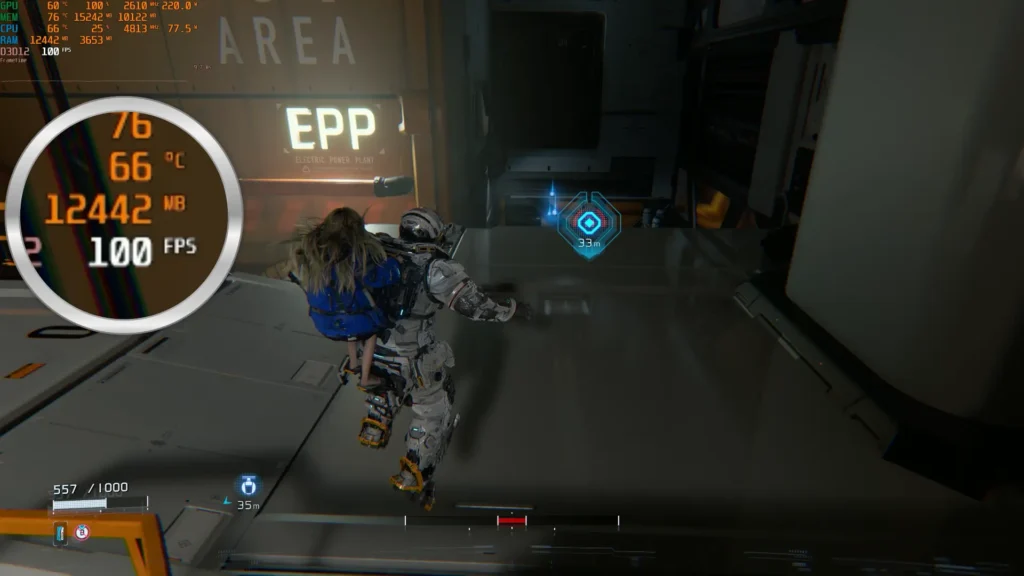
This was one of the best ray tracing results I observed on the RX 9070 XT.
The frametime graph was also excellent.
Frame delivery appeared more stable than in Black Myth: Wukong, and the game moved smoothly without obvious micro-freezes or serious performance drops during the tested sections.
The reported GPU temperature remained between approximately 58 and 60°C.
The hotspot temperature stayed close to 75°C.
These were very comfortable results, especially considering the use of Ultra settings and ray tracing at a 4K output resolution.
The RX 9070 XT handled this workload without requiring maximum power consumption or an aggressive performance preset.
PRAGMATA Ray Tracing Performance
PRAGMATA demonstrates that ray tracing can work very well on the RX 9070 XT when the game is properly optimized.
With ray tracing enabled, Ultra settings, and FSR 4 Balanced mode, performance remained close to 90 to 100 FPS.
That is a strong result for 4K gaming.
The game did not require Frame Generation to reach a smooth frame rate.
This is important because the displayed FPS represented real rendered frames.
The controls therefore remained responsive, and motion looked smooth without relying on generated images.
The difference between PRAGMATA and Black Myth: Wukong was significant.
In Black Myth: Wukong, ray tracing reduced the frame rate too heavily for my preference.
In PRAGMATA, I could leave ray tracing enabled and still enjoy performance close to 100 FPS.
This is why broad statements such as “this graphics card is bad at ray tracing” or “this graphics card is excellent at ray tracing” are often too simplistic.
The real result depends on:
- The game engine
- Which ray-traced effects are used
- The quality of implementation
- Driver support
- Graphics settings
- The selected upscaling mode
Ray tracing performance should therefore be evaluated game by game rather than through one benchmark alone.
PRAGMATA VRAM Usage
The most interesting part of the PRAGMATA test was video memory usage.
My performance overlay reported up to approximately 15 GB of allocated video memory.
That is very close to the full 16 GB capacity of the RX 9070 XT.
This does not automatically mean the game actively required every gigabyte.
Allocated memory and actively used memory are not always the same.
A game may reserve additional VRAM when it is available to reduce loading, cache more assets, or improve memory management.
However, a reading close to 15 GB is still important.
It shows that modern 4K games can allocate a very large amount of video memory when Ultra textures and ray tracing are enabled.
On a graphics card with 12 GB of VRAM, the user may sometimes need to make compromises.
These could include:
- Reducing texture quality
- Disabling ray tracing
- Lowering output resolution
- Choosing a more aggressive upscaling mode
- Closing background applications that use GPU memory
The 16 GB capacity of the RX 9070 XT provides more breathing room.
It does not guarantee that every future game will run perfectly at maximum settings.
However, it is a more comfortable amount for modern 4K gaming than 8 or 12 GB.
Is 16 GB of VRAM Enough for 4K Gaming?
Today, 16 GB is a strong and practical amount of video memory for a high-performance 4K graphics card.
It gives the RX 9070 XT enough flexibility for demanding games with high-resolution textures, advanced effects, and ray tracing.
In my tests:
- Resident Evil Requiem reported approximately 13 GB of VRAM usage with ray tracing enabled
- PRAGMATA reported up to approximately 15 GB of allocated video memory with Ultra settings and ray tracing
These numbers show that 4K gaming is becoming increasingly demanding.
A graphics card with 12 GB can still provide a good experience.
However, 16 GB may reduce the need to lower texture quality or other memory-intensive settings.
Additional VRAM can also be useful outside gaming.
It may help with:
- GPU-accelerated effects in complex 4K video-editing projects
- AI image processing
- AI video applications
- 3D rendering
- High-resolution texture work
- Other GPU-accelerated creative workloads
I cannot guarantee that 16 GB will be enough for every future game at maximum settings.
No one can make that promise.
Game requirements continue to increase, and some poorly optimized titles may use excessive memory.
However, based on my current experience, 16 GB is a comfortable amount for the RX 9070 XT and one of the card’s most important strengths.
What Resident Evil Requiem and PRAGMATA Show
These two games demonstrate that the RX 9070 XT can deliver excellent 4K performance, including usable ray tracing.
Resident Evil Requiem ran at approximately 80 to 90 FPS with ray tracing enabled and FSR 4.1 Quality mode.
Without ray tracing and with FSR 4.1 Balanced mode, performance generally increased to around 100 FPS and sometimes approached 120 FPS.
PRAGMATA ran at approximately 90 to 100 FPS with Ultra settings, ray tracing, and FSR 4 Balanced mode.
Both games also produced excellent frametime results.
This is important because smoothness depends on more than average frame rate.
Stable frame delivery can make 85 FPS feel better than an unstable 100 FPS.
The tests also showed why 16 GB of VRAM is relevant for modern 4K gaming.
Resident Evil Requiem reported approximately 13 GB of usage with ray tracing, while PRAGMATA allocated close to 15 GB.
Overall, these games produced some of the best results in my RX 9070 XT testing.
They show that the card can be a very capable 4K GPU when the game is well optimized and the settings are chosen intelligently.
FSR 4 and FSR 4.1 Image Quality
FSR 4 is one of the strongest features of the Radeon RX 9070 XT.
Compared with older versions of AMD’s upscaling technology, the reconstructed image generally looks more stable and convincing.
Fine details such as hair, vegetation, thin objects, moving edges, and distant geometry usually look better than they did with earlier FSR generations.
This matters especially in motion.
A still screenshot can make many upscaling technologies look impressive, but the real test is how the image behaves while the camera is moving.
Older reconstruction methods could produce distracting shimmering, unstable edges, excessive softness, or visible breakup around moving objects.
FSR 4 reduces many of these problems.
Quality mode normally provides the best image because it uses a higher internal rendering resolution.
However, Balanced mode can still look very good when the final output is 4K.
This was clear in both Resident Evil Requiem and PRAGMATA.
The image remained sharp enough for normal gameplay, while performance improved significantly.
I have also used FSR Performance mode in especially demanding games.
For example, I tested it in Cronos: The New Dawn.
At first, Performance mode may sound too aggressive for a high-performance graphics card.
However, at a 4K output resolution, Performance mode starts from a higher internal resolution than it would at 1440p or Full HD.
This can help the reconstructed image retain more detail.
The final result looked better than I expected.
I would not always recommend FSR Performance mode at 1440p or Full HD because the internal rendering resolution becomes much lower.
At 4K, however, it can still be a useful option when a game is extremely demanding.
Is FSR 4.1 Much Better Than FSR 4?
FSR 4.1 also produced good image quality in my tests.
However, I did not notice a revolutionary difference compared with the original FSR 4 during normal gameplay.
This does not mean there are no improvements.
The differences may be easier to notice in:
- Direct frame-by-frame comparisons
- Difficult motion scenes
- Thin geometry
- Hair and vegetation
- Distant objects
- Transparency effects
- Rapid camera movement
During regular gameplay, both FSR 4 and FSR 4.1 already provided a strong experience.
The most important point is that the upscaling quality was good enough that I did not feel the need to use native 4K in every game.
This can extend the practical life of the RX 9070 XT.
Future games will continue to become more demanding.
I may not always be able to use native 4K, maximum settings, and ray tracing.
However, if FSR 4 continues to receive good support, I can reduce the internal rendering resolution while still receiving a sharp 4K output image.
For a graphics card intended for long-term use, this is extremely important.
Is Using FSR Really 4K Gaming?
Some players argue that a game is not truly running in 4K when an upscaler is enabled.
Technically, the internal rendering resolution is lower than native 4K.
That is true.
However, the final image is still displayed at 3840 × 2160, and modern reconstruction methods can produce excellent results.
The more useful question is not whether every pixel was rendered natively.
The better question is whether the final image looks good and whether the performance improvement creates a better overall experience.
In many modern games, I would rather use FSR 4 Quality or Balanced mode and achieve 80 to 120 FPS than use native 4K and receive a much lower frame rate.
Native resolution is still valuable.
It can provide the cleanest possible image in some games.
However, it should not be treated as the only acceptable way to play at 4K.
Modern graphics are increasingly designed around reconstruction, temporal data, and intelligent upscaling.
For me, the RX 9070 XT qualifies as a 4K graphics card because it can deliver a convincing 4K output and strong performance in demanding games.
It does not need to render every title at native 4K to provide a good 4K gaming experience.
Frame Generation: When Is It Worth Using?
Before using the RX 9070 XT, I was not a major supporter of Frame Generation.
I preferred real frames, lower latency, and more direct controls.
I still believe real frames are better.
However, my experience with Black Myth: Wukong changed my opinion slightly.
When the original frame rate is already around 50 or 60 FPS, Frame Generation can make the image look much smoother on a 120 Hz display.
It works particularly well in:
- Slower third-person games
- Single-player adventures
- Games played with a controller
- Titles where maximum responsiveness is not essential
The technology is much less useful when the original frame rate is very low.
Frame Generation does not magically turn 25 FPS into a perfect 60 FPS experience.
The FPS counter may display a much higher number, but control response and latency still depend heavily on the original frame rate.
This is why base performance matters so much.
If a game already runs at 50, 60, or more real frames per second, generated frames can make camera movement and animation look smoother.
If the game runs at only 25 or 30 FPS, the result may still feel slow or unresponsive.
When I Would Avoid Frame Generation
I would normally avoid Frame Generation in competitive multiplayer games.
In fast online shooters, input response is usually more important than a smoother displayed FPS number.
I would also disable it when:
- The base frame rate is too low
- The game shows obvious visual artifacts
- The controls feel delayed
- Frame pacing becomes unstable
- I already have a sufficiently high real frame rate
Frame Generation should be treated as an optional enhancement rather than a solution for poor basic performance.
My simple rule is to first achieve at least around 50 to 60 real FPS.
After that, Frame Generation can become a useful bonus.
This approach worked well in Black Myth: Wukong.
Why 1% Lows and Frametime Matter
Average frame rate does not show the complete gaming experience.
A game can average 100 FPS and still feel unpleasant if it regularly produces large frametime spikes or sudden drops.
Another game may average only 85 FPS but feel smoother because each frame is delivered more consistently.
This is why I paid close attention to frametime during testing.
Stable frametime means the time between individual frames remains relatively consistent.
When frametime suddenly increases, the player may notice a stutter even if the average FPS still looks high.
One-percent-low performance is also useful because it shows how a game behaves during its slower moments.
A high average frame rate combined with weak one-percent lows can indicate unstable performance.
However, one-percent-low results depend heavily on the test method.
They can change based on:
- The tested game area
- Driver version
- Background applications
- CPU performance
- Storage speed
- Shader compilation
- Recording software
- Graphics settings
- Test duration
For this reason, one-percent-low numbers should not be treated as absolute results that apply to every system.
They are most useful when multiple configurations are tested under the same conditions.
RX 9070 XT Frametime Results
Resident Evil Requiem and PRAGMATA produced the most stable frametime results in my testing.
Both games felt smooth and consistent.
Black Myth: Wukong was more demanding, but it still provided a comfortable experience with realistic graphics settings.
I have seen claims that Radeon graphics cards can sometimes provide strong one-percent-low results in certain games.
That may be true in some comparisons.
However, I would not say that every AMD graphics card always has better minimum performance than every NVIDIA card.
The result depends on the specific game, driver, processor, graphics settings, and test method.
What I can say is that my RX 9070 XT provided a smooth gaming experience in the titles I tested, especially when the game itself was properly optimized.
Is the RX 9070 XT Really a 4K Graphics Card?
After almost ten months of use, my answer is yes.
The RX 9070 XT is a strong 4K graphics card, but expectations need to be realistic.
It will not run every modern game at native 4K, maximum settings, maximum ray tracing, and 120 real FPS.
That expectation is unrealistic for many current graphics cards.
In some games, ray tracing should be disabled.
In others, FSR 4 Balanced mode provides a much better balance between image quality and performance.
Frame Generation can also be useful when the original frame rate is already high enough.
The card performed especially well in Resident Evil Requiem and PRAGMATA.
Black Myth: Wukong was more demanding, but it still ran very well after adjusting a few settings.
The 16 GB of VRAM also gives the card useful flexibility in modern 4K games.
This was important because my performance overlay reported approximately 13 GB of VRAM usage in Resident Evil Requiem with ray tracing enabled, while PRAGMATA allocated close to 15 GB.
The Biggest Strengths of the RX 9070 XT
The strongest parts of my experience were:
- Excellent 4K performance with optimized settings
- Very good FSR 4 image quality
- 16 GB of video memory
- Stable frametime in well-optimized games
- Usable ray tracing in selected titles
- Significant undervolting potential
- Strong performance without maximum power consumption
The card also became much more attractive when efficiency was prioritized.
In one Black Myth: Wukong test, my undervolting profile reduced power consumption from close to 350 watts to approximately 220 watts while keeping almost the same performance.
The hotspot temperature also dropped from approximately 92°C to around 75°C.
That was a major improvement in efficiency.
The Main Limitations
The RX 9070 XT is not perfect.
Ray tracing performance can vary significantly between games.
Frame Generation can create visual instability during rapid camera movement.
FSR support still depends on game developers.
Some users may prefer NVIDIA because of CUDA, specific professional applications, or broader support in certain GPU-accelerated workloads.
The RX 9070 XT can also consume a large amount of power when used with an aggressive performance preset.
For this reason, I strongly prefer a stable undervolting profile for daily use.
Final Verdict
After almost ten months of use, I consider the RX 9070 XT a very capable 4K graphics card.
It cannot run every modern game at native 4K, maximum settings, maximum ray tracing, and 120 real FPS.
However, with realistic graphics settings, FSR 4, and a well-tested undervolting profile, it can provide excellent image quality and smooth performance in demanding games.
Black Myth: Wukong required more careful optimization, while Resident Evil Requiem and PRAGMATA delivered excellent results, including usable ray tracing.
The 16 GB of VRAM also provides valuable flexibility for high-resolution textures and demanding graphics settings.
My conclusion is simple:
The RX 9070 XT is a genuine 4K graphics card, but it should be used intelligently.
Native 4K and maximum settings are not always the best choices.
A balanced configuration can provide smoother gameplay, lower power consumption, quieter operation, and a better overall experience.
For my system and the games I play, the RX 9070 XT has been a very successful purchase.
Gaming performance is only one part of my long-term experience with this graphics card.
In a separate article, I will explain how I reduced power consumption, lowered the hotspot temperature, made the card quieter, and significantly reduced coil whine.
I will also discuss Adobe Premiere Pro, AI applications, AMD drivers, and the real problems I discovered after almost ten months of use.