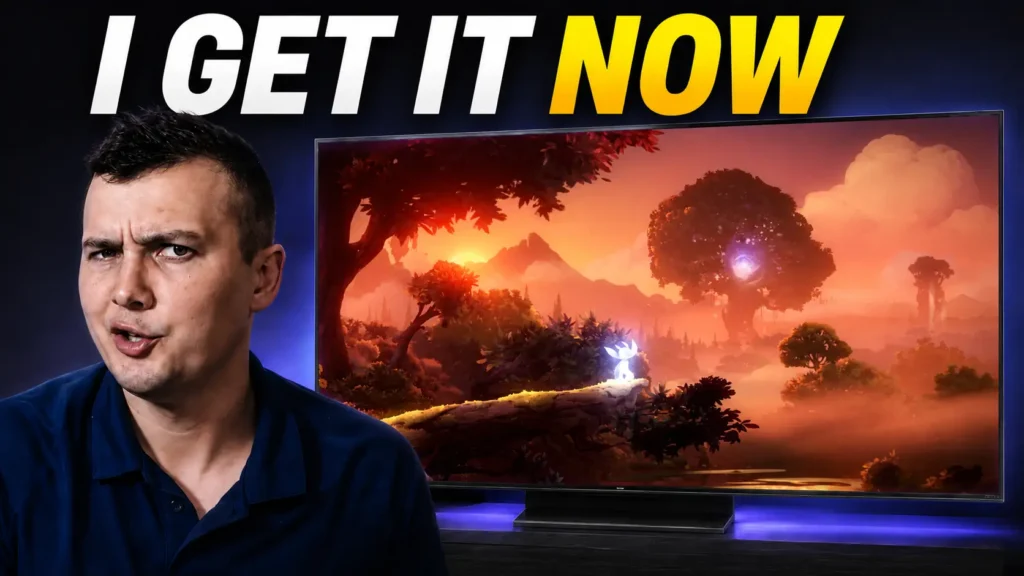
After using a Mini LED TV almost every day for several months, I have a much better idea of what this technology does exceptionally well — and where its limitations become noticeable. My experience is based on the 55-inch TCL C805, which I use for 4K gaming, HDR movies and regular PC work.
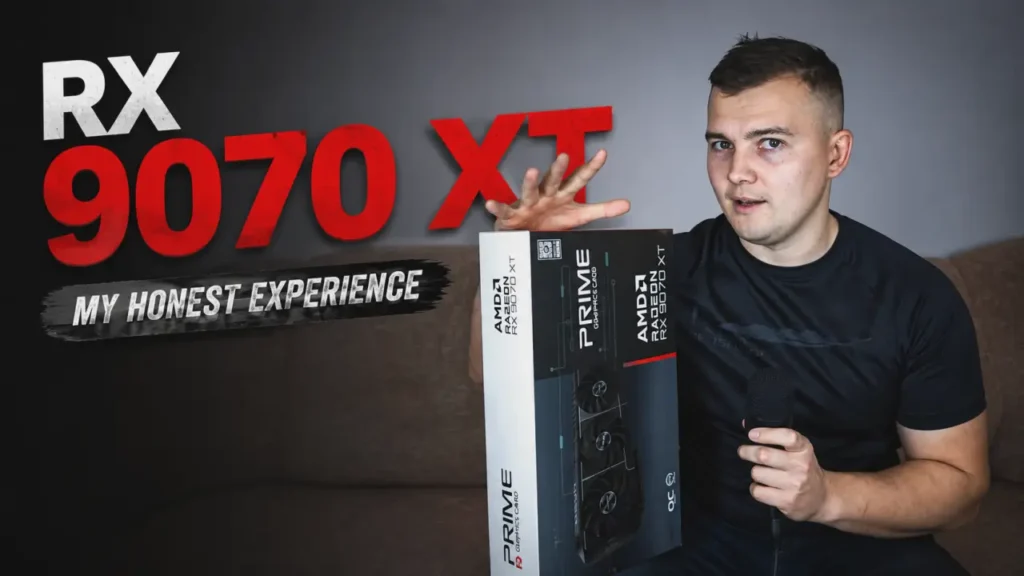
For years, my main PC display was a fairly typical Full HD IPS gaming monitor. It worked well, it was fast enough for gaming, and I was already familiar with how it looked. But after upgrading my graphics card from an RTX 3060 to an RX 9070 XT, keeping a 1080p screen started to feel like I was leaving a large part of the new GPU’s potential unused.
That pushed me toward a display upgrade.
Initially, I was considering a 1440p gaming monitor. At the same time, however, I became increasingly interested in proper 4K HDR. I wanted more than simply additional pixels. Better black levels, stronger contrast and genuinely bright highlights were becoming just as important to me as resolution.
There was also one game that heavily influenced my decision: Hollow Knight: Silksong.
With its dark environments, bright effects and high-contrast visual style, it was exactly the type of game that made me want a screen capable of producing much deeper blacks than my old IPS monitor.
OLED was obviously one of the first technologies I considered. The advantages are well known: excellent black levels, pixel-level light control, extremely fast response times and no traditional LCD blooming.
But I eventually went in another direction.
Instead of OLED, I bought a 55-inch TCL C805 QD-Mini LED television.
After using it almost every day for gaming, movies, general PC use and even some work, I have a much better understanding of what Mini LED does exceptionally well — and where the technology still has some very noticeable limitations.
This is not a laboratory review or a professional calibration guide. It is my long-term experience of actually living with a large Mini LED display connected to a gaming PC.
And overall, the experience has been far more interesting than I expected.
Why I Chose Mini LED Instead of OLED
I want to make one thing clear from the beginning: I have nothing against OLED.
OLED displays can look incredible.
The ability to switch individual pixels completely off gives them essentially perfect blacks, while their extremely fast pixel response is a major advantage for motion clarity. If your main priorities are black levels, response time and eliminating blooming entirely, OLED remains extremely difficult to beat.
For me, however, price was an important consideration.
Large OLED displays were more expensive than what I wanted to spend, and I also preferred not having to think about burn-in when using the television as a PC screen.
OLED durability has improved considerably over the years, and modern displays include multiple protection mechanisms. Nevertheless, burn-in is not something that has completely disappeared.
Since my display would be connected to a computer, it could regularly show static elements such as the Windows taskbar, browser controls, editing software interfaces and game HUDs.
I simply preferred having one less thing to think about.
That made Mini LED particularly appealing.
Instead of replacing LCD technology, Mini LED improves its backlight. Hundreds — or in some displays thousands — of individual lighting zones can be controlled separately, allowing dark portions of an image to become significantly darker while bright areas remain very bright.
That sounded like a good match for what I wanted: excellent HDR impact, deep blacks, high brightness and no OLED-style burn-in concern.
Interestingly, my first attempt at buying a Mini LED screen was not the TCL at all.
Before getting this TV, I purchased the AOC Q27G3XMN gaming monitor three separate times. On paper, it looked almost ideal: a VA panel, Mini LED backlighting and gaming-focused specifications.
Unfortunately, every unit I tried produced noticeable coil whine at higher refresh rates.
After returning the third one, I changed my strategy entirely.
Instead of trying another desktop monitor, I bought a 55-inch television.
It turned out to be one of the most significant upgrades I have made to my gaming setup.
TCL C805 Specifications and My Current Setup
The model I use is the 55-inch TCL C805, which TCL markets as a QD-Mini LED television.
It combines an LCD VA panel with Mini LED backlighting and a Quantum Dot layer. The 55-inch version has 384 local dimming zones and supports high refresh rates, HDMI 2.1 features and variable refresh rate.
Here is a quick overview of the parts that matter most for my use.
| Feature | TCL C805 55-inch |
|---|---|
| Resolution | 3840 × 2160 (4K UHD) |
| Panel type | VA LCD |
| Backlight | Mini LED |
| Color technology | Quantum Dot |
| Local dimming zones | 384 on the 55-inch model |
| Maximum refresh rate | Up to 144 Hz |
| PC setting I normally use | 4K at 120 Hz |
| Variable refresh rate | Supported |
| Gaming setup | FreeSync enabled |
| Main usage | PC gaming, HDR games, movies, desktop work and video editing |
The VA panel is an important part of the experience.
Even before local dimming enters the equation, VA technology usually provides much stronger native contrast than a conventional IPS panel. That means Mini LED is not starting from a weak black level and trying to fix everything with software-controlled backlighting.
The panel already has good contrast.
Local dimming then builds on top of that.
This combination is one of the main reasons the TCL can look so dramatically different from my old IPS monitor.
How Mini LED Local Dimming Actually Works
To understand both the strengths and weaknesses of this technology, it helps to understand what local dimming is doing.
A normal LCD screen uses a backlight behind the LCD layer. The liquid crystal pixels control how much light passes through, but they cannot completely block it.
That is why black often looks more like dark grey on many LCD monitors, particularly in a dark room.
Mini LED changes the backlighting system.
Instead of having the entire backlight operate at approximately the same level, the LEDs are separated into a large number of independently controlled areas.
When one section of an image is dark, the display can reduce the amount of light behind it.
When another section contains something bright, the corresponding LEDs can increase their output.
Imagine a scene with a nearly black room and one bright lamp.
On a basic LCD, the backlight still has to illuminate the whole panel.
With local dimming, the zones behind most of the dark room can become much dimmer while the area around the lamp becomes extremely bright.
That creates a much more convincing difference between darkness and light.
However, these areas are still zones. They are not individual pixels.
That distinction explains both why Mini LED can look so impressive and why problems such as blooming still exist.
Brightness Was the First Thing That Surprised Me
The most immediate difference between the TCL and my old monitor was not actually black level.
It was brightness.
This TV can get extremely bright.
It was easily the brightest display I had personally used, and the effect was especially noticeable when switching directly from my IPS monitor.
Bright objects suddenly looked genuinely bright instead of simply appearing white.
Reflections had more impact.
Lights in dark environments stood out much more convincingly.
White areas looked exceptionally clean.
And, perhaps most importantly, HDR finally started to make sense to me.
I had technically used HDR before, but this was the first display where I felt that enabling it could fundamentally change the visual presentation of a game rather than merely modify the colors.
Specifications can tell you about peak brightness, but they do not fully explain what this looks like during actual gameplay.
The real magic happens when very high brightness is combined with very dark parts of the same image.
HDR Gaming Is Where Mini LED Really Shines
Resident Evil 2, Resident Evil 3 and Resident Evil 4 were some of the games that immediately demonstrated why I liked this display.
These games contain plenty of dark corridors, rooms and outdoor scenes where most of the picture can be relatively dim.
Then you encounter a lamp, fire, flashlight, reflection or another intense source of light.
That contrast is what makes HDR interesting.
It is not simply about making the entire picture brighter.
Good HDR allows different parts of a scene to exist at dramatically different brightness levels.
With Mini LED local dimming, a dark corridor can remain dark while a lamp looks genuinely intense.
Because the TCL uses a VA panel with good native contrast, the backlight algorithm is also not responsible for creating the entire sense of depth by itself.
The combination works surprisingly well.
There are moments in games such as Alan Wake 2 and Resident Evil where the experience reminds me far more of OLED than of a traditional IPS LCD.
That does not mean Mini LED is equivalent to OLED.
It is not.
An OLED screen controls light on a pixel-by-pixel basis. A Mini LED television controls groups of pixels through its backlight zones.
But visually, the gap can sometimes feel much smaller than I originally expected, especially when looking directly at the screen in a dark scene.
The blacks can become extremely deep while bright objects remain substantially brighter than what I was accustomed to seeing.
That is a powerful combination.
The Biggest Gaming Weakness: VA Ghosting
Hollow Knight: Silksong was one of the main reasons I originally wanted a better display.
Ironically, it also became the game that exposed one of the biggest weaknesses of my TV.
After playing for a while, I noticed a short trail behind some moving objects.
It was most visible during fast movement when very dark and bright shades crossed each other.
At first, I assumed I had configured something incorrectly.
Variable refresh rate was working.
Gaming features were enabled.
The frame rate was high.
Nothing seemed obviously wrong.
Eventually, I realized that I was seeing dark-level ghosting, a behaviour that can occur on VA LCD panels.
Not every VA screen behaves identically, and the visibility of smearing depends heavily on particular pixel transitions. Some combinations of dark shades are much slower than others.
In my case, the issue is easiest to see in very fast 2D games with large amounts of black or near-black content.
Silksong is an excellent example.
Interestingly, I almost never notice the same problem while playing Resident Evil, Alan Wake 2 or Cronos: The New Dawn in 4K HDR.
Technically, it may still be present in some scenes, but during normal gameplay it does not attract my attention.
Silksong was different.
I experimented with the television’s settings and found that raising the black level from approximately 50 to around 58–60 made the ghosting dramatically less visible.
Unfortunately, this introduced a much bigger problem.
The image lost contrast.
Black became brighter, dark scenes looked more washed out and I was effectively removing one of the main reasons I bought the display in the first place.
So I returned the black level to its normal setting.
Over time, I simply became accustomed to the motion behaviour.
I also noticed that it bothered me less at 120 Hz than at 144 Hz.
As a result, my preferred PC configuration is now 4K at 120 Hz.
I am not saying that there is anything inherently wrong with using 144 Hz on this TV. I simply find 120 Hz to offer the best overall balance for my particular setup.
After months of use, I probably do not notice dark smearing during 90 percent of my gaming sessions.
But it exists, and anyone considering a VA Mini LED specifically for fast games with very dark graphics should know about it.
Blooming: Is It Really a Big Problem?
If there is one drawback most commonly associated with Mini LED, it is blooming.
The reason is simple.
One local dimming zone controls many pixels.
If a tiny white object appears against a completely black background, the television has to illuminate the zone behind that object.
Pixels surrounding it are therefore receiving some of that backlight as well.
The result can be a faint halo.
My TCL C805 absolutely can produce blooming.
But there is an important distinction between being able to create the problem in a test and regularly noticing it in real content.
During normal gaming or movie watching from my usual viewing position, blooming bothers me surprisingly little.
There are two situations where it becomes much easier to notice.
The first is something like a white mouse cursor moving over an almost completely black desktop.
That is essentially a worst-case scenario for local dimming.
The second is viewing the screen from an angle.
Blooming becomes significantly more obvious as you move away from the centre.
From directly in front of the television, however, I rarely think about it.
That is one reason I believe it is important to separate understanding a technological limitation from constantly searching for one.
Mini LED remains an LCD technology.
A certain amount of haloing around difficult objects is a logical consequence of controlling groups of pixels rather than each pixel individually.
If you want absolutely zero blooming under any circumstances, OLED is the better solution.
Mini LED makes a different trade-off.
Local Dimming: Medium or High?
The TCL offers several levels of local dimming, and I spent a lot of time experimenting with them.
Eventually, I stopped changing settings constantly and settled on a relatively simple configuration.
Most of the time, I prefer Medium local dimming.
It provides a good balance between strong blacks, bright highlights and consistent visibility of smaller objects.
High is more aggressive.
It can make HDR look extremely dramatic and is particularly impressive in movies. Large highlights have more impact and the overall contrast can look fantastic.
However, I noticed an interesting side effect while gaming.
Small bright elements can sometimes become darker than expected.
White interface text is a good example.
You can have a large explosion or lamp that becomes incredibly bright while a small white HUD element next to it looks strangely subdued.
That appears to be the local dimming algorithm prioritizing black level and large highlights.
Medium is usually more predictable.
For my eyes, it preserves most of the contrast advantage while handling small objects more naturally.
My current settings are roughly the following.
| Content / Usage | Local Dimming | Other Preferences |
|---|---|---|
| General SDR desktop use | Medium | Balanced brightness, BT.1886 when useful |
| SDR gaming | Medium | Sometimes darker gamma for extra contrast |
| HDR gaming | Medium or High | Depends on the game and UI behaviour |
| HDR movies | High | I prefer the stronger HDR impact |
| Anime | Medium or High | High can look more vibrant and dramatic |
| PC gaming refresh rate | — | 4K 120 Hz |
| Variable refresh rate | — | FreeSync enabled |
| Windows HDR | — | Enabled only when I actually want HDR |
Those are personal preferences rather than universal calibration settings.
A different room, panel, viewing distance or type of content could easily change what looks best.
Accurate and Enjoyable Are Not Always the Same Thing
One lesson I learned from experimenting with this TV is that there is a difference between technical accuracy and personal enjoyment.
A display like the C805 can produce extremely saturated, vivid colors.
When you first start using something like this, there is a temptation to increase everything.
More brightness.
More saturation.
More contrast.
A stronger HDR effect.
Initially, it can look spectacular.
But going too far quickly creates problems.
Skin tones become unnatural.
Fire can look absurdly bright.
Red becomes almost fluorescent.
At a certain point the picture stops looking impressive and begins looking heavily processed.
For that reason, I actually use relatively conservative color settings despite enjoying the vibrant character of the TV.
Strong HDR does not mean that every object should look radioactive.
The best image, at least to me, still needs some balance.
Gamma Settings and Desktop Use
Gamma is another area where my preferences change depending on what I am doing.
For ordinary PC use, text, Adobe Premiere Pro and situations where I want to retain more shadow detail, I often use BT.1886.
On this particular television and in my room, I find it to be a useful middle ground.
When playing SDR games purely for enjoyment, however, I sometimes prefer a substantially darker picture.
I have even used gamma 2.6 in certain games simply because I enjoy the added perceived contrast.
That is absolutely not something I would recommend as a universal setting.
You lose shadow detail.
Dark parts of an image can become harder to see.
But in the right game and environment, I sometimes prefer how dramatic it looks.
HDR is different.
When HDR is active, I am not trying to force my SDR gamma preferences onto the image. HDR content uses its own transfer function, so I treat it separately.
In other words, these settings describe how I use the television.
They should not be interpreted as professional calibration advice.
One Underrated Strength of Mini LED: White
Black levels receive most of the attention whenever OLED and Mini LED are discussed.
But there is another part of the picture that surprised me almost as much.
White.
White objects on the TCL look exceptionally clean to me.
My older IPS monitor has always had a slightly warm or yellowish character. That can obviously be changed through calibration, but when I place the screens next to each other, the visual difference is immediately noticeable.
The TCL can produce an intense, clean-looking white while simultaneously maintaining extremely dark blacks elsewhere on the screen.
That combination contributes a lot to the sense of contrast.
It is particularly noticeable with bright interfaces, snow, clouds, reflections and small highlights.
Before owning this television, I mostly thought about Mini LED as a technology for improving black levels.
Now I associate it just as strongly with brightness and highlight intensity.
What About Viewing Angles?
Because the C805 uses a VA panel, I expected relatively poor viewing angles.
That expectation came partly from my experience with the AOC Mini LED monitor I tried before buying the television.
In practice, the TCL performs better than I expected.
The image still changes when viewed from a significant angle, so this is definitely not an OLED-level experience.
However, it is completely comfortable from my normal seating position, and even small changes in position do not bother me.
The larger issue is that blooming becomes easier to see when moving off-axis.
That means viewing angle affects more than just color and contrast.
It can also make the limitations of local dimming substantially more visible.
For one person sitting approximately in front of the screen, this is not a major concern for me.
A household where several people regularly watch from very different positions may evaluate it differently.
Mini LED vs OLED After Living With Mini LED
I want to be transparent about my OLED experience.
I do not own a full-size OLED monitor or OLED television.
Therefore, I am not going to pretend that I have spent months comparing this TCL side-by-side with an LG OLED.
I have not.
The OLED display I use every day is the AMOLED LTPO panel in my OnePlus 11 smartphone.
Obviously, comparing a phone with a 55-inch television is not scientific.
But it does provide a familiar reference for perfect blacks and pixel-level contrast.
What I can confidently say is that the TCL does not remind me of a conventional IPS LCD in dark scenes.
Its visual character can get surprisingly close to what I associate with OLED, especially when viewing the screen directly from the front.
The difference is how the two technologies achieve that effect.
OLED creates light at the pixel level.
Every pixel can turn itself off.
That means there are no local dimming zones and therefore no blooming from the backlight.
Pixel response is also extremely fast.
Mini LED keeps the LCD structure but combines it with much more sophisticated backlight control.
Its main advantages, at least from my experience, are extremely high brightness, deep blacks, powerful HDR, large screen sizes at relatively attractive prices and the absence of the same burn-in concerns associated with OLED.
In exchange, you still have LCD-specific limitations.
Blooming can occur.
VA dark-level ghosting can occur.
Viewing angles are generally weaker.
Local dimming algorithms occasionally make strange decisions.
Neither technology is magically perfect.
The more useful question is which set of characteristics matters more for the way you actually use your display.
Glossy Mini LED Is Also Interesting
My TCL has a glossy screen, which is something I personally enjoy.
Black levels look very good both during the day and at night, and the glossy finish helps give the picture a clean, high-contrast appearance.
There is also an interesting difference compared with some glossy QD-OLED screens I have seen discussed.
On the TCL, I do not notice a purple-looking tint appearing in black areas simply because there is ambient light in the room.
That is another reason I do not think it is useful to treat every display technology as a simple ranking from worst to best.
Each combination of panel type, coating, backlight and room conditions can behave differently.
Using a 55-Inch TV as a PC Gaming Display
When I bought the C805, I originally thought of it primarily as a way to get better image quality for games.
What surprised me was how frequently I started using it.
Sometimes I spend more time on the television than on my conventional desktop monitor.
At 4K resolution, a 55-inch screen creates a completely different sense of scale.
Games feel more cinematic, particularly when played with a controller from a comfortable distance.
Titles such as Alan Wake 2, Resident Evil and other graphically rich releases benefit enormously from the combination of screen size, resolution and HDR.
Paired with the RX 9070 XT, it changed how I use my PC for gaming.
Instead of thinking of the television as a secondary screen, I now treat it as one of the main parts of my setup.
I normally run it at 3840 × 2160 and 120 Hz.
FreeSync stays enabled almost all the time.
Whenever I specifically want HDR, I enable HDR in Windows 11.
And that is essentially it.
After spending months experimenting with local dimming, gamma, black level, brightness and other options, my everyday configuration has become surprisingly simple.
I no longer spend every evening changing ten different settings.
I simply use the display.
For me, that is one of the best compliments I can give a piece of technology.
Is Mini LED Good for Normal PC Work?
Gaming is the main reason I bought this television, but it is not the only thing I use it for.
I also use it for ordinary Windows desktop work, text and Adobe Premiere Pro.
For those tasks, I generally avoid excessively aggressive picture settings.
Medium local dimming gives me a more consistent experience, and I prefer seeing enough detail in dark areas rather than maximizing contrast at all costs.
A large 4K panel also provides a huge amount of usable desktop space.
Of course, 55 inches is not a conventional desk-monitor size.
Your seating distance and setup matter.
But once positioned correctly, it can work surprisingly well as a multipurpose PC display.
The lack of OLED-style burn-in anxiety is also valuable to me here because desktop applications regularly contain static interface elements.
I can leave Premiere, Windows or a browser open without thinking about whether a particular menu has remained on the screen for too long.
That freedom is part of the appeal.
The Problems Are Real — They Just Do Not Ruin the Experience
It would be easy to describe Mini LED only through its strengths.
That would not accurately represent my experience.
VA ghosting exists.
Blooming exists.
Viewing angles are inferior to OLED.
Small bright objects can occasionally confuse the local dimming algorithm.
Different settings can improve one aspect of the image while making another worse.
But none of those drawbacks has made me regret buying the television.
In fact, after using it almost daily, I no longer think of Mini LED as a compromised version of OLED.
I see it as a separate display technology with a different list of priorities.
OLED prioritizes perfect pixel-level light control and extremely fast response.
Mini LED can prioritize brightness, large-screen value and powerful HDR while still producing impressively deep blacks.
Which approach is better depends on the user.
Who Should Consider a Mini LED TV or Monitor?
Based on my experience, Mini LED makes the most sense for someone who values HDR brightness but still wants excellent contrast.
It is particularly attractive if you play a lot of games with dark environments and bright effects.
Resident Evil and Alan Wake 2 are almost perfect examples.
The technology also makes sense for people who want to use one display for several purposes.
Gaming.
Movies.
HDR content.
Desktop work.
Video editing.
You get many of the visual benefits people associate with premium displays without adopting exactly the same limitations as OLED.
At the same time, I would think carefully before buying a VA Mini LED panel primarily for extremely fast dark 2D games.
If motion clarity during near-black transitions is your number-one priority, VA ghosting deserves serious consideration.
Likewise, if you demand perfect blacks around tiny bright objects and frequently watch from large angles, OLED is probably the safer choice.
But if extremely high brightness, strong HDR and deep blacks matter more, Mini LED can be incredibly compelling.
Is Mini LED Worth It?
After months of use, my answer is yes — at least for the type of experience I wanted.
I originally bought this television because I wanted deeper blacks.
That was the goal.
What I did not expect was how much I would appreciate everything else.
The brightness is probably the biggest surprise.
HDR is substantially more convincing than on displays I had used previously.
The contrast is excellent.
White looks clean and intense.
Colors can be extremely vibrant.
And playing PC games in 4K on a 55-inch screen is simply a very different experience from using a conventional 24- or 27-inch desktop monitor.
The TCL C805 is not perfect, and Mini LED itself is not perfect.
But perfection is probably the wrong standard.
Every display technology has trade-offs.
What matters is whether those trade-offs interfere with the things you personally care about.
For me, most of them do not.
Frequently Asked Questions
Is Mini LED better than OLED?
Not universally.
OLED has clear advantages in black level, viewing angles, blooming and pixel response because every pixel produces its own light.
Mini LED, on the other hand, can deliver extremely high brightness, excellent HDR and deep blacks while avoiding the same type of burn-in concern.
The better choice depends on what matters most to you.
Does Mini LED have perfect blacks?
Not in the same way OLED does.
Mini LED can reduce or switch off sections of its backlight, which allows black areas to become extremely dark. However, each local dimming zone controls multiple pixels.
OLED can control each individual pixel independently.
That is why OLED still has the technical advantage when perfect black is the priority.
Is blooming noticeable during gaming?
It can be, but how distracting it is depends heavily on the content and viewing position.
On my TCL C805, I rarely notice blooming during ordinary gameplay when sitting directly in front of the television.
It becomes much easier to see with a small white object on a completely black background or when viewing the screen from an angle.
Does the TCL C805 have VA ghosting?
My 55-inch C805 can show dark-level ghosting in specific situations.
I notice it most in fast 2D games containing many very dark shades, with Hollow Knight: Silksong being the clearest example from my own use.
In games such as Resident Evil and Alan Wake 2, I rarely notice it during normal gameplay.
Should I use Medium or High local dimming?
I normally use Medium for general PC use, SDR gaming and many HDR games.
For HDR movies, I often prefer High because it gives bright highlights more impact.
High can occasionally dim small white interface elements more aggressively, so the best setting depends on the content.
Why do I use 4K 120 Hz instead of 144 Hz?
The television supports refresh rates up to 144 Hz, but I personally prefer 4K at 120 Hz from my PC.
In my experience, VA ghosting is slightly less noticeable at 120 Hz, and the overall setup works extremely well with FreeSync enabled.
This is a personal preference rather than an indication that 144 Hz is defective.
Final Thoughts
I bought the TCL C805 because I wanted better black levels than my old IPS monitor could provide.
I got that.
But the more important discovery was how much the rest of the display changed my gaming experience.
High brightness makes HDR highlights genuinely stand out.
Local dimming gives dark scenes much more depth.
The VA panel provides strong native contrast.
Quantum Dot color can look exceptionally vibrant.
Clean whites make the difference between bright and dark areas feel even more dramatic.
And 4K gaming on a 55-inch screen turns a powerful graphics card into something you can actually appreciate visually.
There are disadvantages.
Dark-level VA ghosting can appear in specific games.
Blooming cannot be eliminated entirely.
Viewing angles are not comparable with OLED.
Local dimming can sometimes treat small bright objects strangely.
But after using Mini LED almost every day, those issues have not outweighed its strengths for me.
If perfect black, perfect viewing angles and extremely fast pixel response are your highest priorities, OLED still offers obvious advantages.
If you want exceptional brightness, impressive HDR, deep blacks and a large display without having to think about OLED-style burn-in, Mini LED is an extremely interesting alternative.
For my own setup, buying a large Mini LED television instead of another conventional gaming monitor turned out to be exactly the right decision.
And after months of experimenting with it, I am no longer wondering whether Mini LED can replace OLED.
I think that is the wrong question.
The more useful question is much simpler:
Which technology gives you the combination of strengths that matters most for the way you actually use your display?
For me, right now, the answer is Mini LED.