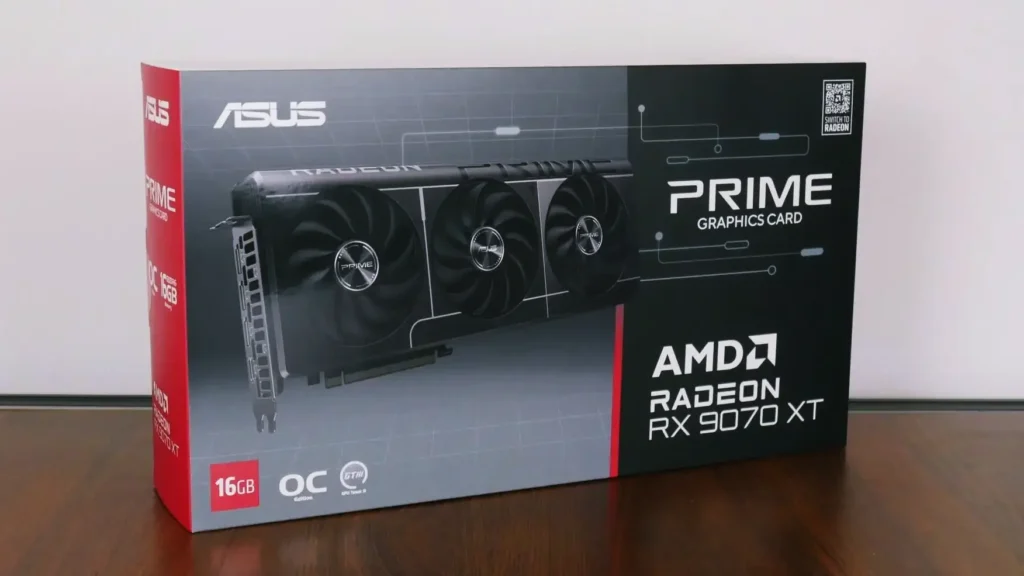
When I bought my ASUS Prime Radeon RX 9070 XT OC, I wasn’t planning to limit its performance. After all, what’s the point of buying a powerful graphics card if you’re going to slow it down?
But after experimenting with AMD Adrenalin, I started wondering whether the card really needed to consume over 300 watts during gaming.
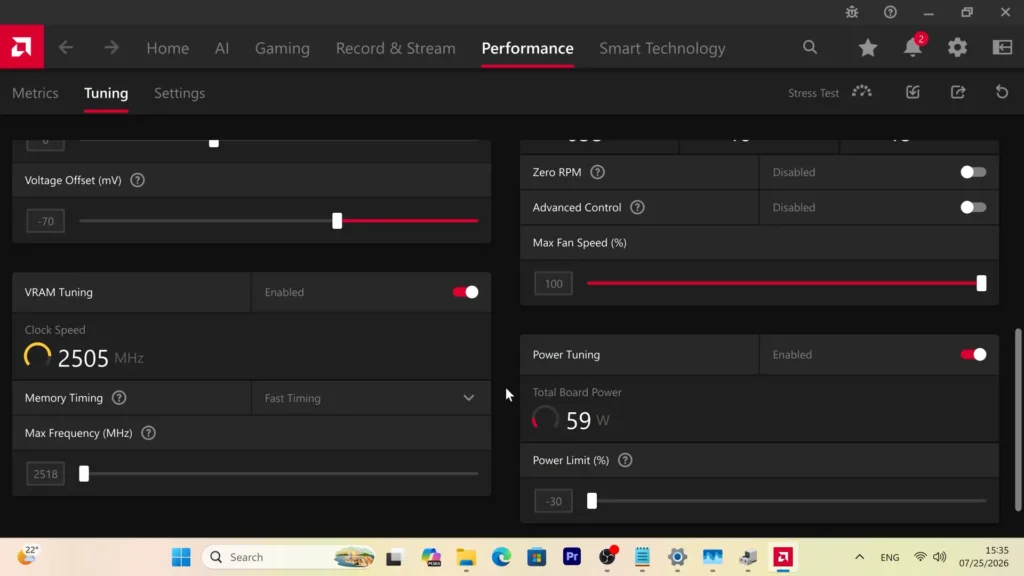
So I tried reducing its power limit. Eventually, I settled on a −30% Power Limit, with the GPU reporting approximately 220W during gaming.
That’s a pretty interesting number for an RX 9070 XT.
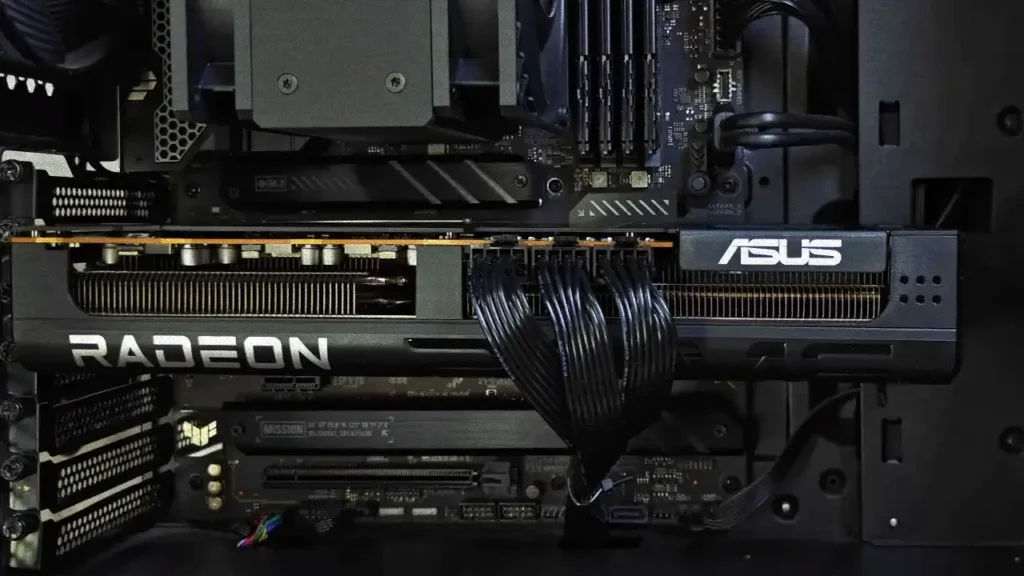
The card was still powerful enough for my gaming needs, and I liked the idea of using less electricity and generating less heat without replacing any hardware.
But there’s an obvious question: how much performance was I giving up?
I hadn’t performed a complete stock-versus-tuned benchmark comparison on my own card, so I didn’t want to make claims about losing only 2%, 5%, or 10% FPS without proper measurements.
Instead, I looked at independent testing to better understand the trade-offs.
And the results were interesting enough that I thought they were worth sharing.
Why I Decided to Reduce the Power Limit on My RX 9070 XT
My desktop runs an Intel Core i7-12700KF, 32GB of DDR4 RAM, and an ASUS Prime RX 9070 XT OC with 16GB of GDDR6 memory.
It’s a capable setup, and the graphics card provides plenty of performance for modern games, including high-resolution gaming.
According to AMD, the standard Radeon RX 9070 XT has a Typical Board Power (TBP) of 304W.
You can find that figure in AMD’s official RX 9070 XT specifications.
Some factory-overclocked models have different power targets, so 304W shouldn’t automatically be treated as the exact stock consumption of every RX 9070 XT.
My ASUS Prime OC, for example, has factory-overclocked GPU frequencies and its own firmware configuration.
None of this was particularly surprising. Modern high-performance graphics cards consume a lot of power, especially when running demanding games.
What interested me was whether all that power was really necessary.
Imagine playing a game at 100 FPS. If reducing GPU power consumption brought performance down to 94 or 95 FPS, would I even notice the difference?
Depending on the game, probably not.
But if the same adjustment reduced performance from 60 FPS to 45 FPS, I’d consider that a poor trade.
I wanted to find a balance where the card would remain fast enough without constantly operating near its maximum power allowance.
That eventually led me to the −30% setting.
Undervolting vs. Power Limiting: What’s the Difference?
Before discussing the results, there’s something worth explaining.
People often use the word “undervolting” for almost any attempt to make a GPU consume less power.
Technically, undervolting and reducing the power limit are different things.
Undervolting involves reducing the GPU’s operating voltage. If the chip can maintain similar frequencies with less voltage, its efficiency may improve.
The problem is that every GPU is slightly different. A voltage setting that’s completely stable on one RX 9070 XT might cause problems on another.
Reduce the voltage too far, and you may encounter crashes, driver timeouts, or reduced performance.
Power limiting is simpler.
Instead of changing how much voltage the GPU needs at a given operating point, you reduce the maximum power budget available to it.
For example, a −30% Power Limit means you’re lowering the configured power target by 30%.
It doesn’t mean every game will suddenly consume exactly 30% less electricity.
If the GPU wasn’t reaching its power limit in the first place, the adjustment might have little effect.
But in a demanding game where the GPU is heavily loaded, lowering the power target usually forces the card to operate within a smaller power budget, often at lower clock speeds.
The two methods can also be combined.
Undervolting may help the GPU maintain better performance within that reduced power budget, which is where things become particularly interesting.
For my own ASUS card, the settings and result I can confidently report here are the −30% Power Limit and the approximately 220W reading I’ve observed. I’m not going to invent an exact voltage offset or claim benchmark improvements I haven’t measured.
My ASUS Prime RX 9070 XT at Approximately 220W
With my lower-power configuration enabled, I’ve seen my RX 9070 XT reporting approximately 220W during gaming.
For context, AMD specifies 304W as the standard RX 9070 XT’s typical board power.
| GPU configuration | Power |
|---|---|
| AMD RX 9070 XT reference specification | 304W TBP |
| My ASUS Prime RX 9070 XT OC, reduced power settings | ~220W observed during gaming |
The difference between those figures is 84W, but there’s an important limitation to this comparison.
The first number is an official reference specification. The second is an observed reading from my own graphics card under a particular gaming workload.
This is not a controlled before-and-after test.
To calculate the actual power saving on my ASUS card, I’d need to test the same game, in the same scene, using the same graphics settings and measurement method, first at stock settings and then with my tuned profile.
I’d also need to distinguish GPU-reported power from total system power measured at the wall.
So while the approximately 220W result is encouraging, I wouldn’t advertise it as proof that every RX 9070 XT can save exactly 84W.
That would be misleading.
The more interesting question is how much performance a card can retain when its power budget is reduced to this general range.
Fortunately, there’s some useful independent research on that.
Independent Testing: How Much FPS Does the RX 9070 XT Lose?
In April 2025, German technology publication ComputerBase tested how the Radeon RX 9070 XT responds to lower power targets and undervolting.
Their test card was a Sapphire Radeon RX 9070 XT Pulse with a 304W stock power target.
That’s not the same model as my ASUS Prime, but it’s useful for understanding the behavior of the RX 9070 XT GPU.
They compared stock settings with several reduced power targets, both with and without additional undervolting.
One of the games tested was Cyberpunk 2077 at 4K.
Here are three relevant configurations from their results.
| Configuration | Average FPS | Reported GPU board power |
|---|---|---|
| Stock | 70.8 | 304W |
| Power Target −30% | 63.4 | 212W |
| Power Target −30% + 75mV undervolt | 66.6 | 212W |
Source: ComputerBase RX 9070 XT Power Target and Undervolting Test, April 2025. These are ComputerBase’s results, not measurements from my ASUS card. Power readings came from GPU monitoring rather than an external wall-power meter.
With the power target reduced by 30%, the reported board consumption fell from 304W to 212W.
Average FPS dropped from 70.8 to 63.4, a reduction of approximately 10.5%.
That’s a noticeable performance loss, but significantly smaller than the percentage reduction in power consumption.
The next result is even more interesting.
By combining the −30% power target with a −75mV undervolt, ComputerBase achieved 66.6 FPS at the same 212W power budget.
That’s approximately 5.9% below stock performance.
In this particular test, the graphics card retained roughly 94% of its original average FPS while operating at a substantially reduced board-power target.
I find that a very attractive trade-off.
However, these results shouldn’t be treated as universal.
ComputerBase also tested Doom Eternal, Starfield, and Final Fantasy XVI, and the behavior varied between games.
The optimal balance depends on the workload, the exact graphics card, and the stability of the voltage settings.
There’s another important detail from their testing: an aggressive −125mV undervolt completed a short Cyberpunk 2077 benchmark but failed longer stability tests in 3DMark.
They eventually settled on −75mV for their comparison.
That illustrates why copying someone else’s undervolting settings isn’t always a good idea.
A configuration that performs well in a short benchmark isn’t necessarily stable during extended gaming sessions.
How I Recommend Tuning the RX 9070 XT in AMD Adrenalin
One advantage of AMD graphics cards is that you can perform basic power tuning without installing additional utilities.
AMD Software: Adrenalin Edition includes the necessary controls.
You can find them under Performance → Tuning.
The exact interface may change between driver versions, and not every control is available on every graphics card.
For anyone trying this for the first time, I’d recommend a fairly simple approach.
Start by Testing the Card at Stock Settings
Before touching the power limit, play a demanding game or run a repeatable benchmark.
Record the average FPS, GPU power consumption, temperature, and clock speeds.
If possible, also record 1% lows or another consistent frame-time metric.
Having a baseline is important. Otherwise, you won’t know whether the adjustments are actually helping.
Reduce the Power Limit Gradually
Enable the appropriate manual tuning controls in AMD Adrenalin, then look for the Power Tuning section.
Instead of immediately setting −30%, I’d try several values.
| Power Limit | What I’d look for |
|---|---|
| Default | Baseline performance and power consumption |
| −10% | Whether power drops with very little FPS loss |
| −20% | A possible balance between efficiency and performance |
| −30% | Lower consumption, but potentially greater FPS loss |
These aren’t guaranteed performance levels. They’re simply useful configurations to compare.
A −20% limit might be the best option for one person, while someone else may be perfectly happy at −30%.
After each adjustment, repeat the same test.
Pay particular attention to whether the game still feels smooth rather than focusing exclusively on average FPS.
Add Undervolting Only After Establishing a Baseline
Once you’ve tested different power limits, you can experiment with a modest voltage adjustment if your card and driver support it.
AMD provides automatic undervolting on supported GPUs, along with manual tuning controls.
I’d start with small adjustments and test stability before going further.
Don’t assume that a −75mV offset is guaranteed to work just because ComputerBase used it successfully.
Their test card and your card aren’t identical.
I’d also avoid simultaneously changing GPU voltage, maximum clock speed, memory frequency, and fan behavior.
When too many variables change at once, troubleshooting becomes unnecessarily difficult.
Finally, save a stable profile so you can switch back to your preferred settings without rebuilding everything.
AMD explains the available options in its official Adrenalin Performance Tuning Guide.
Lower Power Consumption, Temperatures, and Noise
One reason I like power limiting is that lower electrical consumption generally means less heat for the GPU cooler to dissipate.
That can be useful even if electricity costs aren’t your main concern.
A graphics card that produces less heat may run at lower temperatures, require lower fan speeds, or reduce the amount of warm air entering the room.
Of course, the actual results depend on the cooler, case airflow, ambient temperature, and fan curve.
My ASUS Prime uses a triple-fan cooling design, and it’s already a fairly substantial graphics card.
I wouldn’t claim that my particular tuning profile lowers temperatures by 10°C or reduces fan noise by a certain number of decibels without measuring those things properly.
But reduced power consumption gives the cooling system less heat to deal with, which is a practical benefit.
Another useful option is limiting frame rates.
For example, if a game is rendering 180 FPS but you’re perfectly happy with 120 FPS, setting an FPS cap may reduce GPU utilization and power consumption.
AMD Radeon Chill and in-game frame-rate limiters can help with this.
It’s a different approach from reducing the power limit, but the two can complement each other.
And sometimes, simply limiting the frame rate gives you the efficiency improvement you’re looking for without any voltage adjustments.
Is It Actually Worth Saving 80W?
Let’s consider a simple example.
Suppose your graphics card consumes 300W in a game at stock settings and 220W after tuning.
That’s an 80W difference under the same workload.
If you play for three hours a day, the theoretical GPU-side energy saving is:
80W × 3 hours = 0.24kWh per day
Over a year, that becomes approximately 87.6kWh.
Whether that’s financially significant depends on local electricity prices and how frequently you play.
And remember, this is an illustrative calculation. It’s not a measurement of annual energy savings from my PC.
Real-world wall-power savings can differ because of other system components and power-supply efficiency.
Personally, I think the more compelling benefits are efficiency and reduced heat rather than the electricity bill alone.
There’s also something satisfying about knowing your GPU can deliver a comfortable gaming experience without necessarily operating at its maximum power budget.
But I wouldn’t sacrifice a noticeable amount of smoothness just to save a few watts.
The whole point is finding a balance that works for the games you actually play.
My Verdict: Is RX 9070 XT Undervolting Worth Trying?
After experimenting with my ASUS Prime RX 9070 XT OC, I’ve become a fan of lower-power GPU configurations.
My card has shown approximately 220W during gaming with the Power Limit set to −30%, and I like having that option available.
That doesn’t mean −30% is the ideal setting for everyone.
It also doesn’t mean my exact configuration will produce the same performance-per-watt results as ComputerBase’s Sapphire test card.
Their benchmarks are useful evidence of what the RX 9070 XT can achieve, but a proper comparison on my own ASUS would still be necessary to establish its precise FPS and efficiency differences.
For someone who wants every last frame, stock settings may remain the better choice.
For someone who values efficiency, lower heat output, or quieter operation, experimenting with the power limit is absolutely worthwhile.
I’d recommend starting at −10%, testing −20%, and only going further if the performance trade-off makes sense.
Undervolting can provide additional benefits, but it requires more care and proper stability testing.
And if you find a game where the lower-power configuration isn’t delivering the performance you want, restoring the stock profile is straightforward.
That’s what I appreciate about modern GPU tuning.
You don’t have to choose permanently between maximum performance and efficiency.
You can adjust the card depending on what you’re doing.
For me, the interesting part isn’t that my RX 9070 XT can operate at around 220W. It’s that a graphics card this powerful gives me the freedom to decide how much power I’m willing to spend on additional frames.
And after seeing the independent results, I think more RX 9070 XT owners should at least experiment with that balance.