About six months ago, I made a video about Zorin OS.
I expected it to be like most operating system experiments I’ve done over the years: install the OS, test the interface, try a few applications, check the performance, make a video about it and eventually move on.
But something unexpected happened after that video.
Artyom Zorin, one of the co-founders of Zorin OS, contacted me and provided me with a license for Zorin OS Pro.
That gave me an idea.
Instead of simply installing the Pro version, exploring the additional features for a few days and then returning the laptop to Windows, I decided to keep it installed.
And I really mean keep using it.
Not for a weekend.
Not for a week.
For more than six months.
During that time, Zorin OS became the normal operating system on my Dell Latitude 7470. I used it for browsing the web, watching YouTube, watching movies and anime, browsing eBay, saving screenshots, checking listings and doing the kind of simple everyday things I would normally do on a secondary laptop.
That is why I wanted this Zorin OS Pro review to be a little different.
There are already plenty of reviews that show you what the desktop looks like, where the settings menu is located or how quickly an application opens immediately after installing the system.
That information can be useful, but it doesn’t necessarily tell you what an operating system is like after the novelty disappears.
After several months, you start noticing very different things.
You notice the shortcuts you use every day.
You notice whether sleep mode works properly.
You notice whether the laptop feels responsive after you open the lid.
You notice applications that behave a little strangely.
You notice whether you still miss Windows.
And perhaps most importantly, you eventually stop thinking about the operating system itself.
That is exactly what happened to me with Zorin OS.
Before I continue, I also want to be transparent: the Zorin OS Pro license used for this test was provided to me by Artyom Zorin. However, everything in this article is based on my own experience using Zorin OS on this laptop.
There was no requirement for me to say that I liked it, and as you’ll see, my experience definitely wasn’t perfect.
Why I Installed Zorin OS on an Old Dell Latitude
The laptop I used for this experiment is a Dell Latitude 7470.
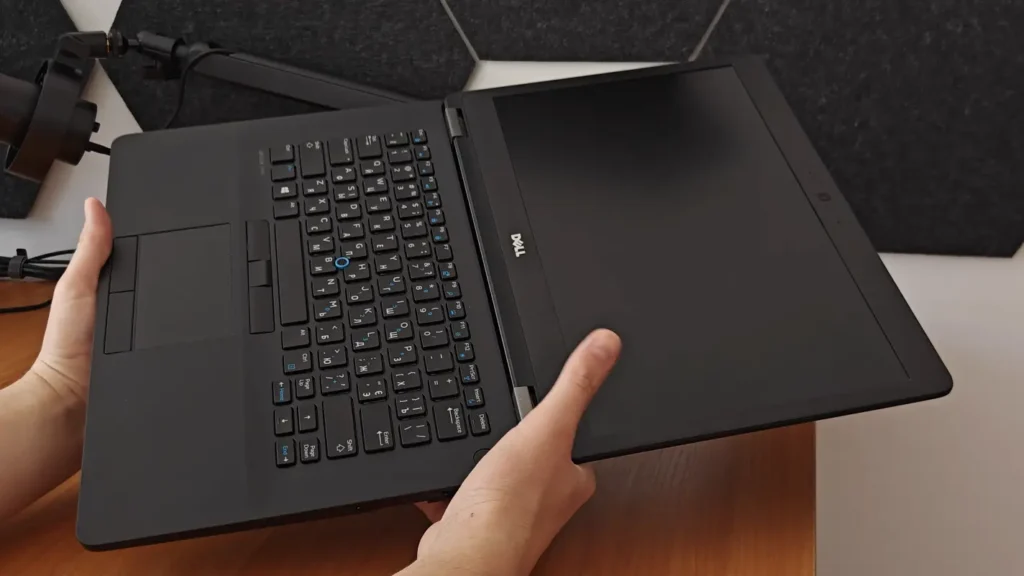
My configuration has:
- Intel Core i5-6300U
- 8GB of DDR4 RAM running in dual channel
- 256GB M.2 SSD
- Full HD IPS display
- Around 300 nits of brightness
- Roughly 72% sRGB coverage
By modern standards, none of this sounds particularly impressive.
The Core i5-6300U is an old dual-core processor, and this laptop comes from a completely different era compared with modern machines using Ryzen 7000, Ryzen 8000 or Intel Core Ultra processors.
But that is exactly why I think this Dell is an interesting machine for testing Zorin OS.
This laptop is old, but it isn’t useless.
The keyboard still feels good. The Full HD IPS display is perfectly acceptable for everyday work. It has an SSD, DDR4 memory and enough performance for web browsing, video playback and other relatively light tasks.
If you gave this computer to someone who didn’t know when it was released, they probably wouldn’t look at it and immediately think that it belongs in the trash.
The interesting part is that the Core i5-6300U is officially too old for Windows 11.
That creates a strange situation.
The hardware itself is still useful, but officially it no longer fits into Microsoft’s modern Windows ecosystem in the way newer laptops do.
This is where Linux becomes much more interesting to me.
I don’t necessarily see Linux as something that has to replace Windows everywhere. My main desktop still uses Windows 11, and for my work that makes sense.
What I wanted to know was something simpler:
Can Zorin OS turn an older laptop like this into a computer that still feels normal, modern and comfortable to use?
I didn’t want the Dell to feel like a hobby project.
I didn’t want to spend all my time fixing things in the terminal.
I didn’t want to constantly remind myself that I was “using Linux.”
I simply wanted to open the laptop and use it.
For the most part, that is exactly what happened.
Installation Wasn’t the Interesting Part — Living With It Was
One thing I’ve realized after testing different operating systems is that installation tells you very little about the long-term experience.
You can install almost any modern Linux distribution, look at the desktop and decide that it feels fast and clean.
But that initial impression only lasts for a short time.
The more interesting question is what happens several months later.
Do you still like the interface?
Are you constantly searching online for fixes?
Does an application you use every day behave strangely?
Do you eventually get tired of the differences and reinstall Windows?
Or do you stop thinking about all of this completely?
In my case, the last option happened surprisingly often.
I didn’t spend six months constantly experimenting with Zorin OS.
Most of the time, I simply used the laptop.
And for me, that is actually one of the strongest arguments in its favor.
Zorin OS Boot Time Surprised Me — And Not in a Good Way
If there was one area where I expected Linux to immediately impress me, it was startup time.
That didn’t happen.
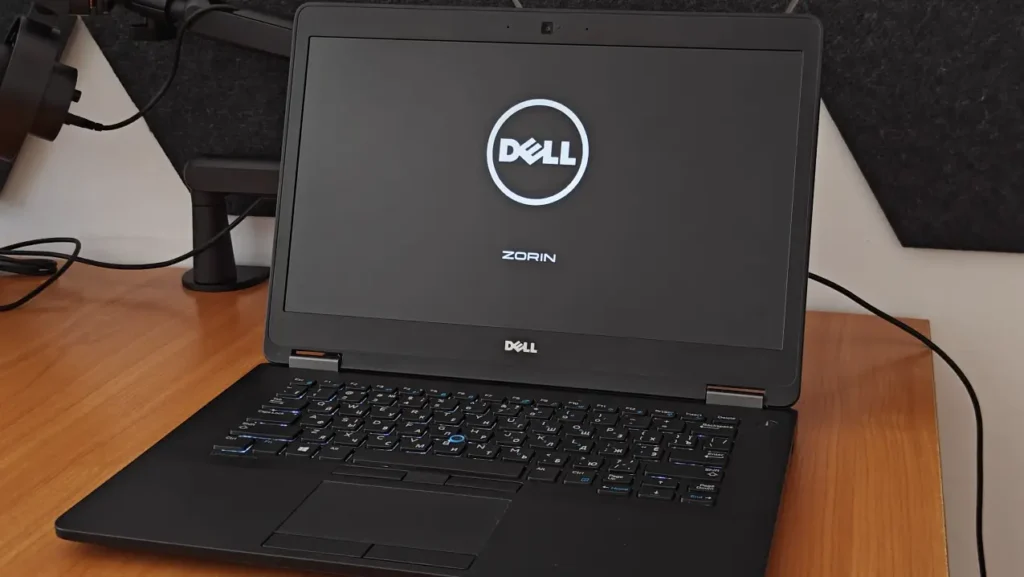
From a completely powered-off state, my Dell Latitude 7470 takes around 35 seconds to reach the Zorin OS desktop.
Thirty-five seconds isn’t terrible.
I can obviously wait half a minute for a laptop to start.
But it was slower than I expected, particularly because this Dell has an M.2 SSD.
I had an older ThinkPad X240 that gave me some interesting comparison points.
That machine, despite having a regular SATA SSD, could boot FydeOS in approximately 12 seconds.
Windows 11 IoT took around 18 seconds.
Meanwhile, the newer Latitude with Zorin OS needs approximately 35 seconds.
That was not what I expected when I started the experiment.
There is an important caveat here.
I can’t completely rule out my SSD being part of the reason. This isn’t a controlled laboratory benchmark where every component is identical and only the operating system changes.
So I’m not going to claim that Zorin OS always needs 35 seconds to boot.
I can only tell you what happens on my machine.
And on my machine, Linux did not magically turn the laptop into a super-fast booting computer.
Does it affect my overall opinion of Zorin OS?
Not really.
I don’t restart this laptop ten times per day, so in real usage the difference isn’t particularly important.
But it’s still something worth mentioning because it goes against one of the assumptions people sometimes have about Linux on older computers.
Installing Linux does not automatically make every aspect of an old laptop faster.
Waking From Sleep Isn’t Completely Instant Either
I also noticed another small performance quirk after the laptop has been sleeping.
If I close the lid, leave the laptop for some time and then return later, everything works.
The laptop wakes up.
The system resumes.
I don’t have some catastrophic sleep problem that makes Zorin OS unusable.
But it often needs around ten seconds before everything feels completely normal again.
If I open the lid and immediately begin moving the mouse, the cursor can feel noticeably laggy.
After several seconds, it settles down and the system becomes responsive again.
This is one of those problems that sounds extremely minor when I describe it.
And honestly, it is minor.
But this is exactly why long-term testing is useful.
If I had installed Zorin OS, used it for one day and recorded a review, I probably wouldn’t have mentioned this at all.
When you repeat the same action dozens or hundreds of times over several months, small behaviors become much easier to notice.
This doesn’t make me dislike Zorin OS.
It just means the experience isn’t completely perfect.
The Interface Is One of Zorin OS’s Biggest Strengths
The interface is where Zorin OS makes a very strong first impression, but what’s more important is that my opinion didn’t really change after six months.
Zorin Appearance allows you to choose between different desktop layouts, and the Pro version includes additional choices.
I experimented with it at the beginning, but eventually I chose a layout that feels relatively close to Windows 11.
Then I stopped thinking about it.
And I mean that as a compliment.
Coming from Windows, I never felt that I had to learn an entirely different philosophy for using a computer.
The taskbar is where I expect it to be.
Applications are easy to find.
Settings are understandable.
The file manager doesn’t feel confusing.
Basic navigation works pretty much the way I expect.
Of course, Zorin OS is still Linux underneath, so I’m not saying that everything is identical to Windows.
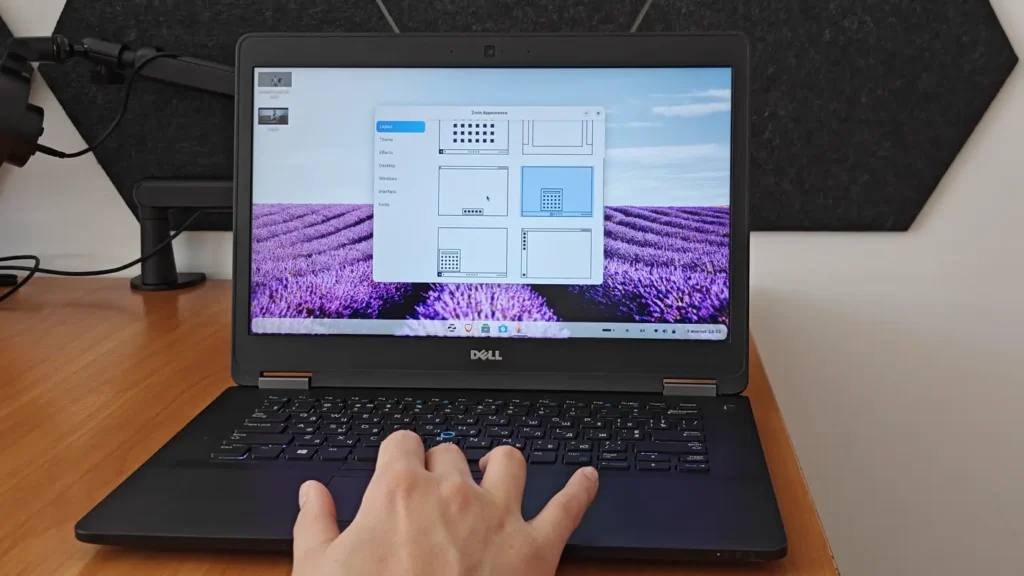
But the basic desktop experience feels familiar enough that I think most Windows users could sit down in front of the system and start using it without much explanation.
That is important because Linux can sometimes have an image problem among regular Windows users.
People imagine command lines, complicated configuration files and completely unfamiliar interfaces.
You can certainly go deep into Linux if you want to.
But my experience with Zorin OS was almost the opposite.
Most of the time, I didn’t need to think about Linux at all.
Switching Between Ukrainian and English Took Some Adjustment
One small difference I noticed immediately involved keyboard layouts.
I regularly use Ukrainian and English, so switching languages is something I do constantly.
On Windows, I had already built years of muscle memory around my normal shortcut.
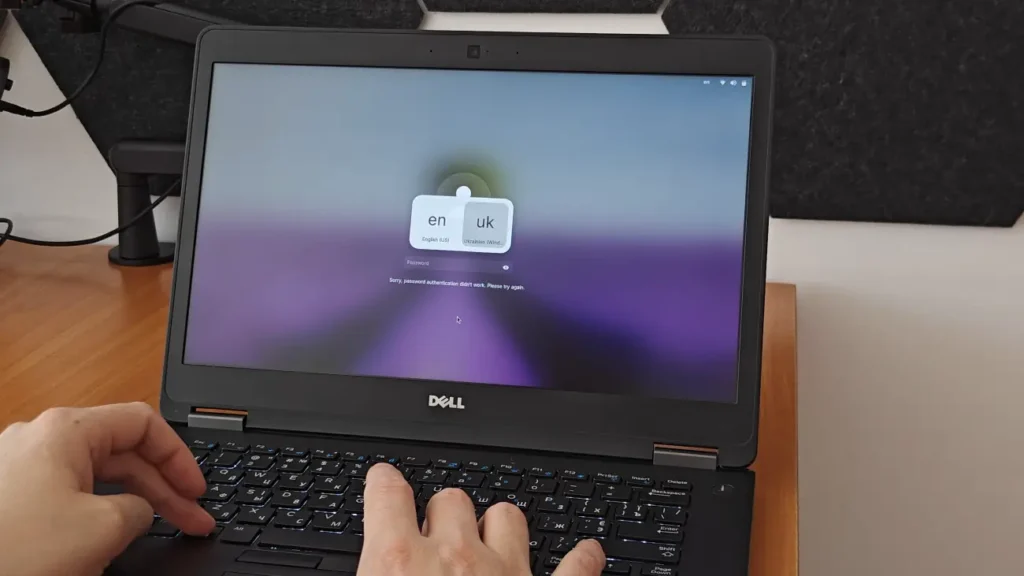
On Zorin OS, I started using Windows key + Space.
At first, that felt strange.
It also caused one particularly funny problem.
Sometimes I would enter my password and Zorin OS would tell me that it was incorrect.
I would stare at the screen for a moment wondering what had happened.
Then I’d realize that the wrong keyboard layout was active.
My password wasn’t wrong.
My keyboard layout was.
If you regularly use multiple languages, that is probably something you’ll encounter at least once.
But something interesting happened after several months.
Win + Space stopped feeling strange.
Now I use it automatically.
I don’t think about the shortcut before pressing it.
It has simply become muscle memory.
Even when I switch back to one of my Windows machines, moving between the two systems isn’t really a problem anymore.
This is a good example of how some Linux “differences” become much less important once you actually use the system long enough.
One Tiny Feature I Actually Prefer: Screenshots
This may sound ridiculous compared with all the big features people normally discuss in an operating system review, but one of my favorite things about Zorin OS is the screenshot tool.
I take a lot of screenshots.
I browse eBay frequently, compare laptop listings, save specifications, collect information and sometimes keep images for future reference.
So screenshots are not something I use once every few weeks.
I use them constantly.
On Zorin OS, I press Print Screen and immediately get a simple choice.
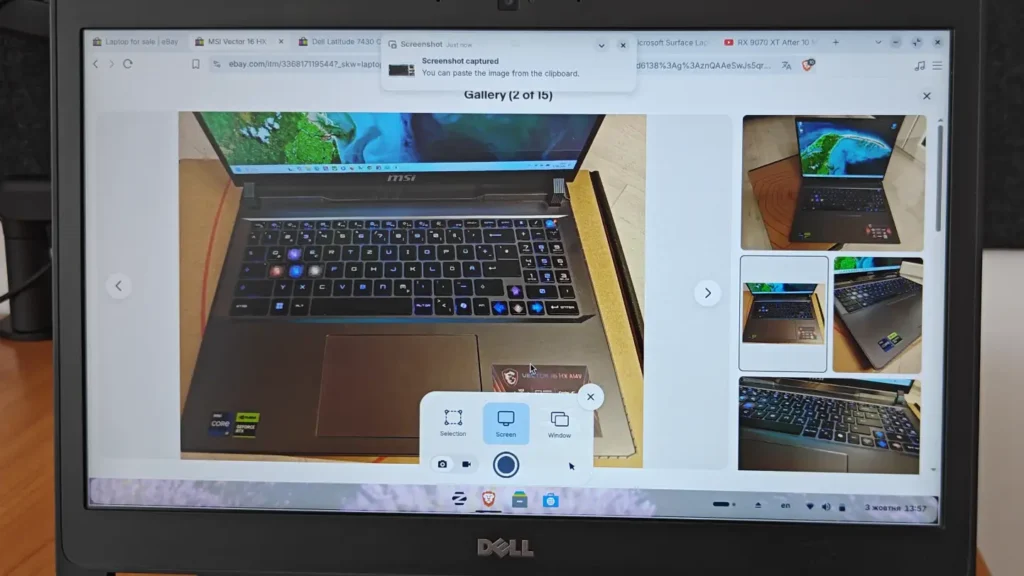
I can capture:
- the entire screen,
- a specific window,
- or a selected area.
That’s basically everything I need.
There is no complicated process.
I don’t need to remember a three-key shortcut.
I press one button and select what I want.
It’s a tiny detail, but I genuinely like it.
This is also something that long-term reviews often reveal.
When you first install an operating system, you naturally pay attention to the big things.
The design.
Animations.
Memory usage.
Performance.
Compatibility.
But after several months, you start appreciating completely different things.
A screenshot tool you use five times per day can have a bigger effect on your experience than a flashy feature you opened once during the first week.
Performance Depends a Lot on the Power Profile
Zorin OS gives me three power profiles on this Dell:
Power Saver, Balanced and Performance.
Technically, all three work.
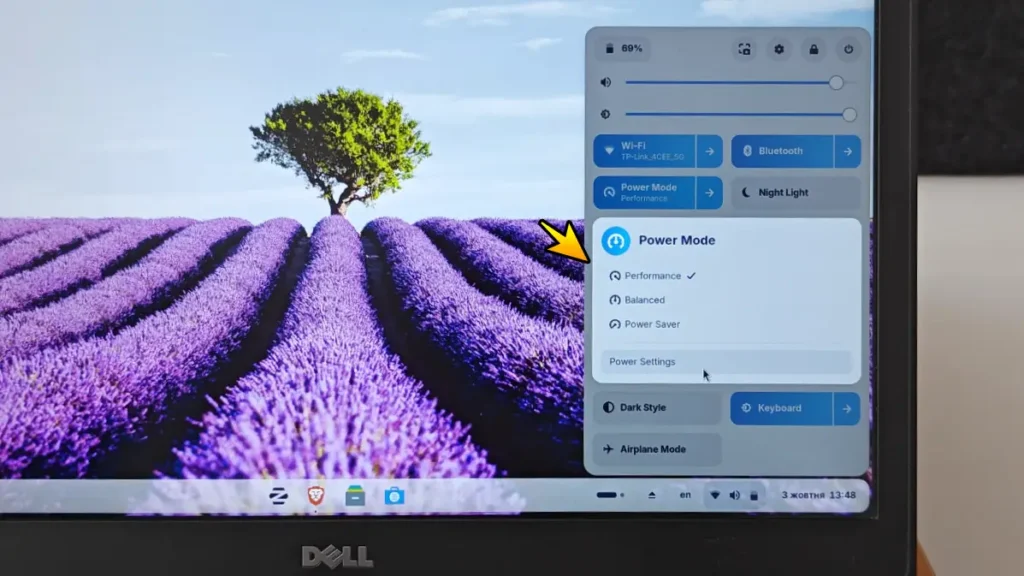
In reality, I use Performance mode almost all the time.
The reason is simple.
On this particular laptop, Balanced mode doesn’t feel as responsive as I want it to.
Power Saver makes that even more noticeable.
I saw this most clearly during video playback.
When watching videos in VLC, Balanced mode could sometimes produce small stutters or what looked like dropped frames.
Switching to Performance mode fixed the issue.
After experimenting with the profiles, I eventually stopped switching between them and simply left the laptop in Performance mode.
That became my normal configuration.
Again, I think context is important here.
The Core i5-6300U is an old dual-core processor.
I’m not running Zorin OS on a modern eight-core Ryzen laptop and complaining that basic video playback is difficult.
This CPU is approaching ten years old.
It’s entirely possible that the lower power profiles are simply too aggressive for hardware like this.
So I wouldn’t automatically blame Zorin OS itself.
But I also think reviews sometimes become too focused on explaining why a problem happens rather than describing what the user actually experiences.
From my perspective as the person using the laptop, the conclusion is simple:
Performance mode feels better, so that is what I use.
Performance Mode Comes With the Obvious Battery Trade-Off
Of course, there’s no free performance.
Keeping the laptop in Performance mode means higher power consumption.
And that means worse battery life compared with running a more conservative power profile.
For me, that is an acceptable compromise.
This isn’t a new ultrabook where I expect ten or fifteen hours away from the charger.
It is an old Dell Latitude.
I would much rather lose some battery runtime and have the computer feel responsive than gain extra battery life while constantly noticing little pauses and stutters.
This is also a good example of why the “best” operating system configuration depends heavily on the hardware.
Someone installing Zorin OS on a much newer laptop may be perfectly happy using Balanced mode all the time.
On my Latitude 7470, Performance mode gives me the experience I prefer.
VLC Has Been One of My Strangest Zorin OS Problems
VLC gave me another issue that has nothing to do with raw performance.
Sometimes, when I’m watching a video, the playback controls disappear.
Normally, that’s expected.
Most video players hide the controls when you stop moving the mouse.
The strange part is that sometimes I move the mouse and the controls still don’t return properly.
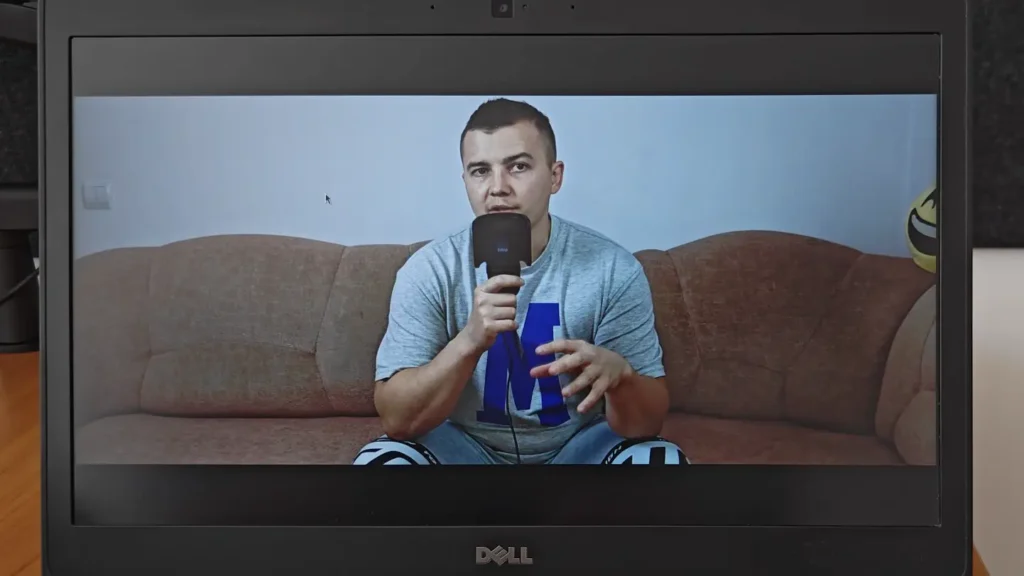
That makes something as simple as pausing a video or jumping to another point on the timeline unnecessarily awkward.
Eventually I noticed something strange.
Moving the cursor toward the upper-left part of the window usually makes the controls appear again.
So I have a workaround.
I know what to do.
But that doesn’t mean I think the behavior is normal.
I didn’t experience the same problem with VLC on Windows.
Would I reinstall the entire operating system because of it?
Of course not.
But this is the type of Linux quirk that is worth talking about.
People sometimes describe operating systems as either completely reliable or completely broken.
Real life is usually somewhere in between.
Zorin OS works well enough that I’ve kept using it for more than six months.
At the same time, there are a few odd behaviors that occasionally remind me I’m not using Windows.
What I Actually Do on This Laptop
It’s also important to understand what I use this Dell for.
This is not my primary workstation.
I’m not trying to edit large Premiere Pro projects on it.
I’m not doing heavy 3D work.
I’m not using it as a gaming laptop.
Most of my usage is much simpler.
I browse the web.
I watch YouTube.
I watch anime and other video content.
I browse eBay.
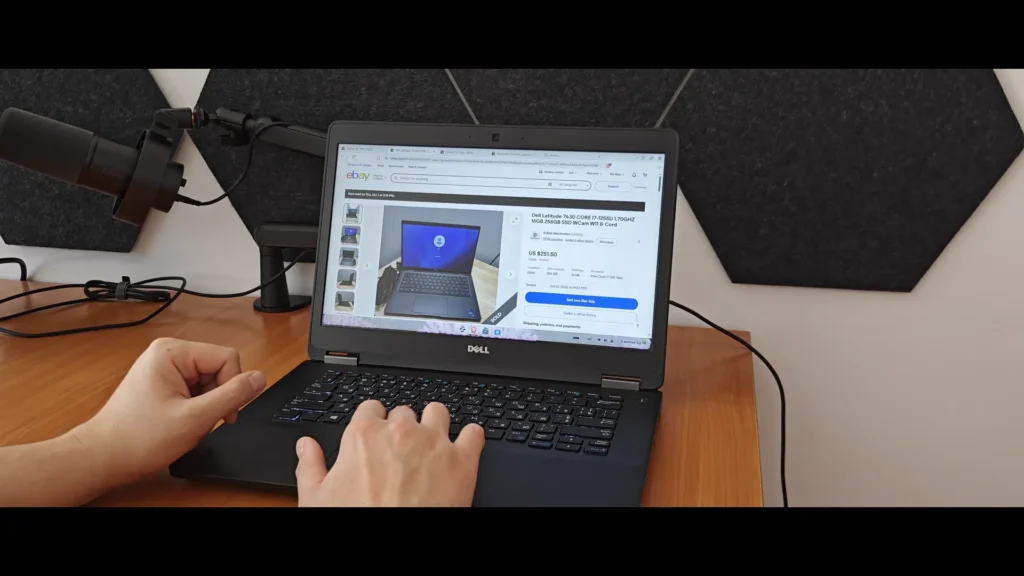
I compare laptops.
I save information and screenshots.
I do normal everyday computer tasks.
For this type of workload, Zorin OS works extremely well.
In fact, most of the time I don’t feel like I’m missing Windows at all.
I open the laptop.
I open my browser.
I do what I wanted to do.
Then I close the laptop.
There is no constant battle with the operating system.
And that is one reason I think Zorin OS makes so much sense on secondary computers.
Software Compatibility Is Still the Biggest Question
If I were recommending Zorin OS to a Windows user, software compatibility would be the first serious topic I would bring up.
Linux has many applications of its own, and there are also different compatibility solutions that can run some Windows programs.
But I don’t think anyone should install Linux with the assumption that every Windows application will work exactly the same way.
That simply hasn’t been my experience.
I tried different applications.
Some worked.
Some didn’t.
And sometimes you don’t really know what will happen until you try.
That can make compatibility feel a little like a lottery.
If almost everything you do happens inside a browser, this may not matter very much.
YouTube works.
Web applications work.
Online services work.
Basic media consumption works.
For many users, that already covers a huge percentage of what they do on a computer.
But if your workflow depends on a specific Windows application, you should check that application before switching.
Adobe Premiere Pro Is the Reason Windows Still Matters to Me
The clearest example in my case is Adobe Premiere Pro.
Premiere is what I use for editing my YouTube videos.
And for that reason alone, Linux cannot completely replace Windows for me.
Premiere Pro simply isn’t a realistic option in my Zorin OS workflow.
There are other video editors available for Linux, but that isn’t really the point.
I already have a workflow.
I know Premiere.
My projects use Premiere.
My main desktop is configured around it.
Changing my operating system would also mean changing an important part of the way I work.
That doesn’t make sense for me just because I want to use Linux.
And this is where I think people sometimes make operating system discussions unnecessarily extreme.
You don’t have to choose one platform and declare everything else terrible.
My main desktop runs Windows 11.
I recently bought an HP Dragonfly G3 specifically for situations such as power outages, where I might need to continue working away from my desktop. That machine also runs Windows.
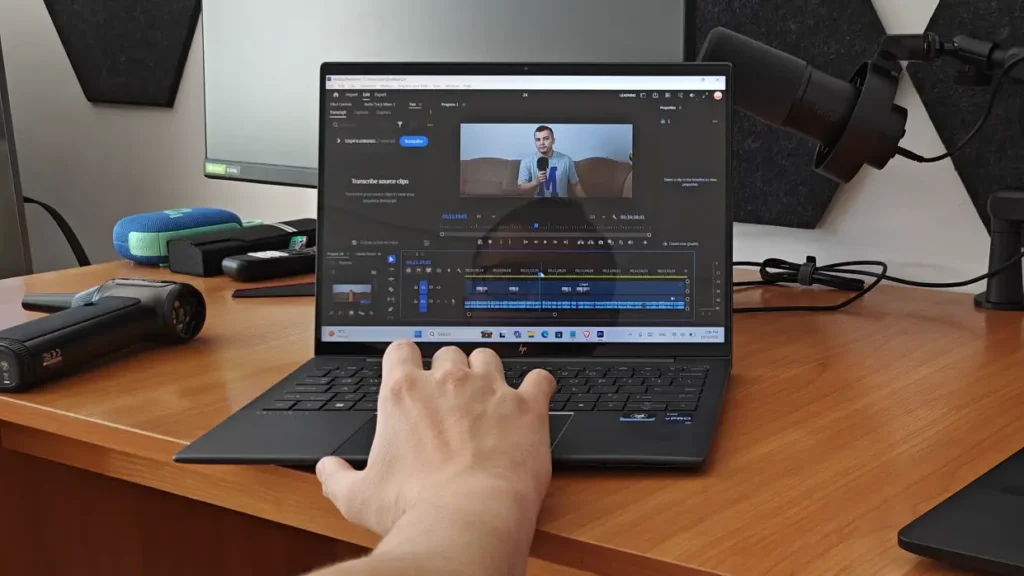
Meanwhile, my older Dell Latitude runs Zorin OS.
And I like that setup.
Each computer does what I need it to do.
Zorin OS Doesn’t Need to Replace Windows to Be Useful
This is probably one of the biggest conclusions I reached during this experiment.
When people discuss Linux, the conversation often becomes:
“Can Linux replace Windows?”
For me, that question isn’t particularly useful.
A better question is:
“Can Linux make this particular computer better for what I use it for?”
On the Dell Latitude 7470, my answer is yes.
I don’t need Premiere Pro here.
I don’t need every Windows application.
I don’t need this laptop to behave exactly like my desktop.
I need a reliable machine for browsing, media consumption and basic daily tasks.
Zorin OS does that job very well.
The fact that another computer in my house runs Windows doesn’t somehow reduce the value of Linux on this one.
I Even Kept the Password Protection Enabled
Another small thing I decided to do was keep password protection enabled.
You can configure a Linux installation in different ways, but I wanted to use the laptop normally rather than removing every security step simply for convenience.
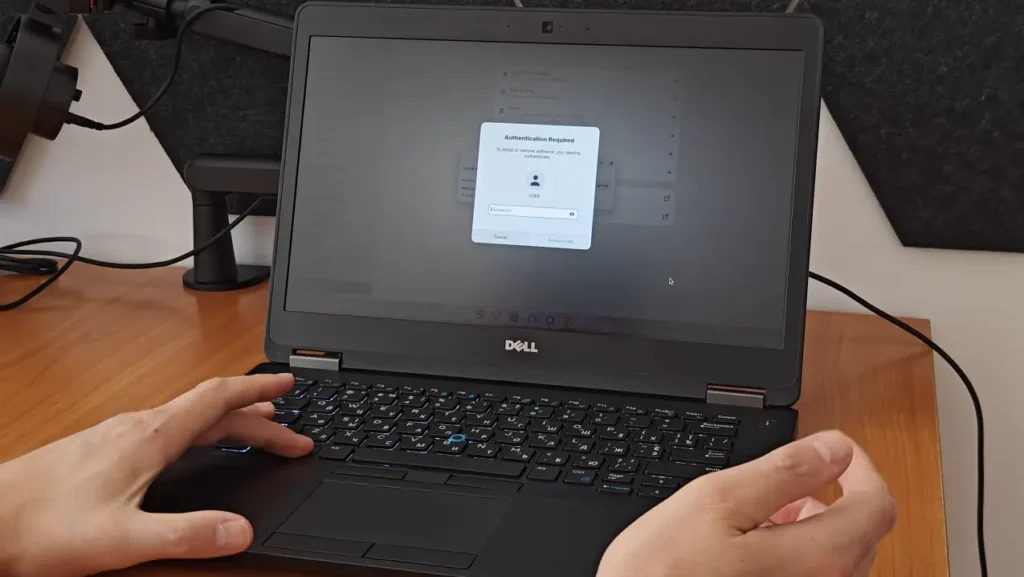
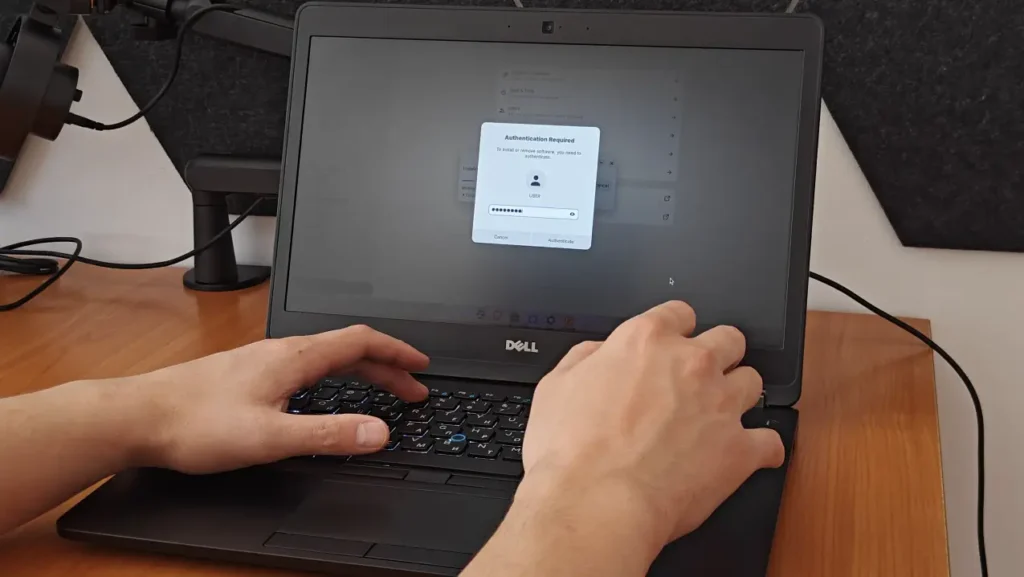
So I enter my password when necessary.
And after several months, it doesn’t bother me at all.
At the beginning, it was another reminder that the system behaved a little differently.
Now it’s just part of using the laptop.
For a portable device, having basic password protection also makes sense anyway.
What I Don’t Like About Zorin OS After Six Months
At this point, it would be easy to make the review sound overly positive.
So let me summarize the things I genuinely don’t like.
First, the boot time on my Dell is slower than I expected.
Around 35 seconds isn’t disastrous, but I expected an old laptop running Linux to do better.
Second, waking from sleep isn’t always instantly smooth.
The system resumes, but I sometimes have to wait several seconds before mouse movement and general responsiveness return to normal.
Third, I basically have to use Performance mode.
Balanced and Power Saver work, but the machine simply feels noticeably better in Performance mode.
Fourth, VLC behaves strangely from time to time.
The disappearing playback controls are not a serious problem, but they are annoying.
And finally, Windows application compatibility remains a limitation.
If your workflow depends on specific Windows software, you can’t assume that Zorin OS will automatically provide a replacement.
Those are real disadvantages.
I don’t want to hide them.
But there is another side to the story.
None of Those Problems Made Me Uninstall It
This is probably the most important part of my entire Zorin OS Pro review.
Six months later, Zorin OS is still installed.
I’m still using it.
And at the moment, I don’t have any particular reason to remove it.
For me, that says more than a benchmark chart could.
It’s easy to say that an operating system is impressive after using it for two hours.
Everything is new.
You’re paying attention to the animations.
You’re testing settings.
You’re trying applications.
The real test happens after the excitement disappears.
If the operating system starts getting in the way, eventually you replace it.
I didn’t.
Zorin OS Gave This Old Dell a Second Life
The Dell Latitude 7470 is a particularly good example of why I think Linux still has an important role.
This machine is old enough that its processor isn’t officially supported for Windows 11.
But look at the rest of the laptop.
The keyboard still works perfectly well.
The IPS display is decent.
The SSD is fast enough for normal use.
Eight gigabytes of RAM is enough for what I do.
The chassis is still usable.
The computer itself isn’t broken.
Replacing a perfectly functional machine simply because the processor doesn’t appear on a supported Windows 11 list doesn’t feel particularly logical to me.
Zorin OS allows me to keep using that hardware with a modern operating system.
And it does this without making the computer feel like a strange retro project.
That part matters.
It Still Feels Like a Modern Operating System
There are lightweight Linux distributions that can run on extremely old hardware.
That’s great.
But I didn’t necessarily want the lightest operating system possible.
I wanted something that still looked and felt modern.
Zorin OS achieves that balance very well for me.
The interface looks polished.
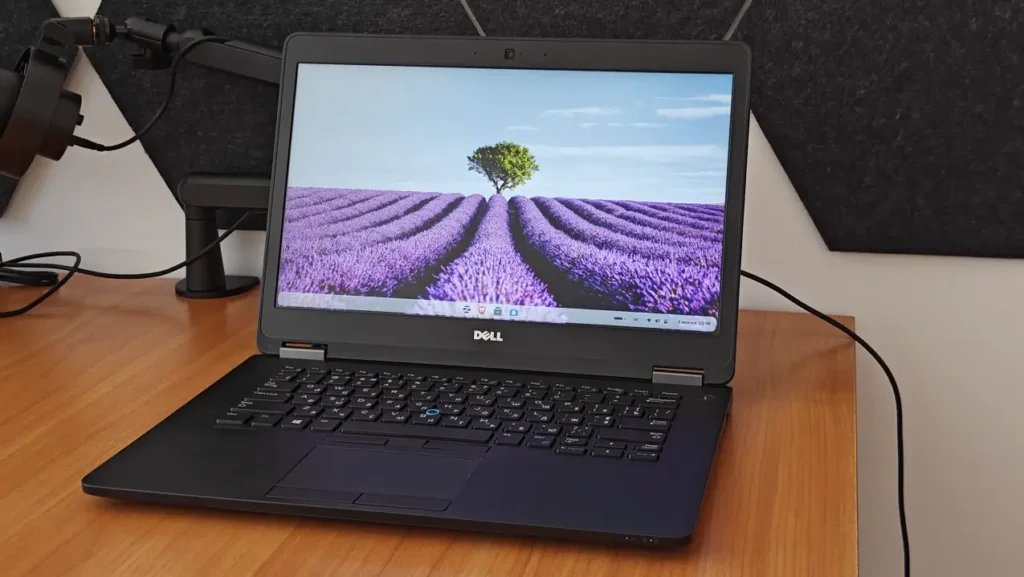
The desktop feels familiar.
The applications I need for basic tasks are available.
The system receives updates.
And I don’t feel like I’ve downgraded the entire computing experience just to keep an old laptop alive.
That was exactly what I wanted when I started this experiment.
Is Zorin OS Pro Worth It?
My experience is specifically with Zorin OS Pro because that is the license I received.
The Pro edition gives you additional desktop layouts and other extras, but I think it’s important to separate my opinion about Zorin OS as an operating system from the question of whether every person needs the Pro edition.
What impressed me most over these six months wasn’t one exclusive Pro feature.
It was the overall experience.
The familiar interface.
The fact that I could keep using an older laptop comfortably.
The simple everyday workflow.
The fact that after months of use, I stopped thinking about Linux.
For someone who likes Zorin OS and wants the additional features included with Pro, the paid version can make sense.
But my biggest takeaway is really about Zorin OS itself.
I’ve already covered the differences between the free and paid editions in my Zorin OS Pro review, including whether the extra features are actually worth paying for.
After more than six months of use, my focus here is a little different: what Zorin OS is actually like to live with long term.
Would I Recommend Zorin OS to a Windows User?
Yes.
But I would recommend trying it in a specific way.
I wouldn’t tell someone who has used Windows for twenty years to immediately erase their main Windows installation.
I wouldn’t tell them to move all their work to Linux on day one.
And I definitely wouldn’t promise that every Windows program they use will work.
Instead, I would recommend finding an older laptop.
Maybe you have one in a drawer.
Maybe a family member replaced one.
Maybe you can buy a used business laptop inexpensively.
Install Zorin OS on that machine.
Then actually use it.
Don’t just explore the settings for an afternoon.
Use it for several weeks.
Browse the web.
Watch YouTube.
Watch movies.
Write documents.
Take screenshots.
Do the boring everyday things you normally do on a computer.
That will tell you much more about whether Linux works for you than watching twenty Linux distribution comparison videos.
Six Months With Linux Changed the Way I Think About It
Before this experiment, it was easy to think about Linux mainly in terms of distributions.
Ubuntu.
Zorin OS.
Linux Mint.
Fedora.
Different desktops.
Different interfaces.
Different features.
When you test operating systems for a short time, those differences become the entire experience.
After six months, I stopped caring nearly as much.
I wasn’t waking up in the morning thinking:
“Today I’m going to use Linux.”
I was just opening my Dell.
That may sound like a small distinction, but I think it’s actually the most important thing I learned.
An operating system is at its best when you stop thinking about the operating system.
You just use the computer.
Final Thoughts: Would I Keep Using Zorin OS?
Absolutely.
Zorin OS Pro wasn’t perfect on my Dell Latitude 7470.
Boot times could be better.
Sleep recovery could be smoother.
I wish Balanced mode felt as responsive as Performance mode.
VLC occasionally annoys me.
And Windows software compatibility still prevents Linux from replacing Windows completely in my workflow.
But none of those issues outweigh the things Zorin OS gets right for this particular computer.
My Dell is still useful.
It still feels modern enough.
It still does everything I expect from a secondary laptop.
And six months after installing Zorin OS, I have no immediate plans to reinstall Windows on it.
That is probably the strongest recommendation I can give.
If you have an older Windows laptop that is still physically in good condition but is starting to feel left behind by modern Windows requirements, I think Zorin OS is absolutely worth trying.
You don’t need to become a Linux enthusiast.
You don’t need to abandon Windows.
You don’t even need to think of it as some major technological experiment.
Install it.
Use the laptop normally.
Give yourself enough time to get used to the small differences.
And see what happens.
Because after using Zorin OS for more than six months, the biggest change for me is surprisingly simple.
I don’t really think about Linux anymore.
Zorin OS is just the operating system on my Dell Latitude.
And I think that’s exactly how it should be.