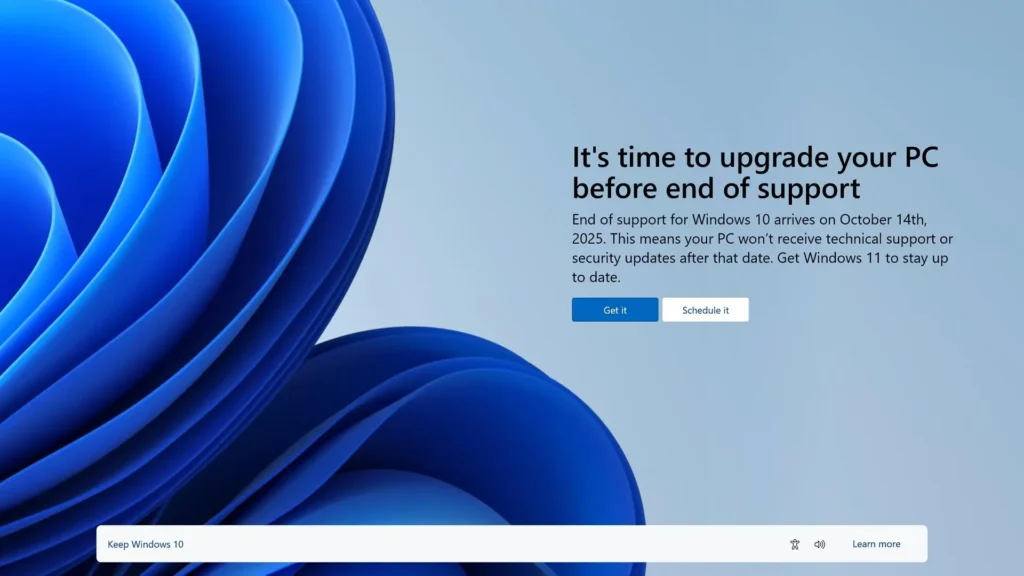
Windows 10 is officially reaching the end of its life, and millions of users are now facing the same difficult question:
Should you keep using your old laptop, or move to newer hardware?
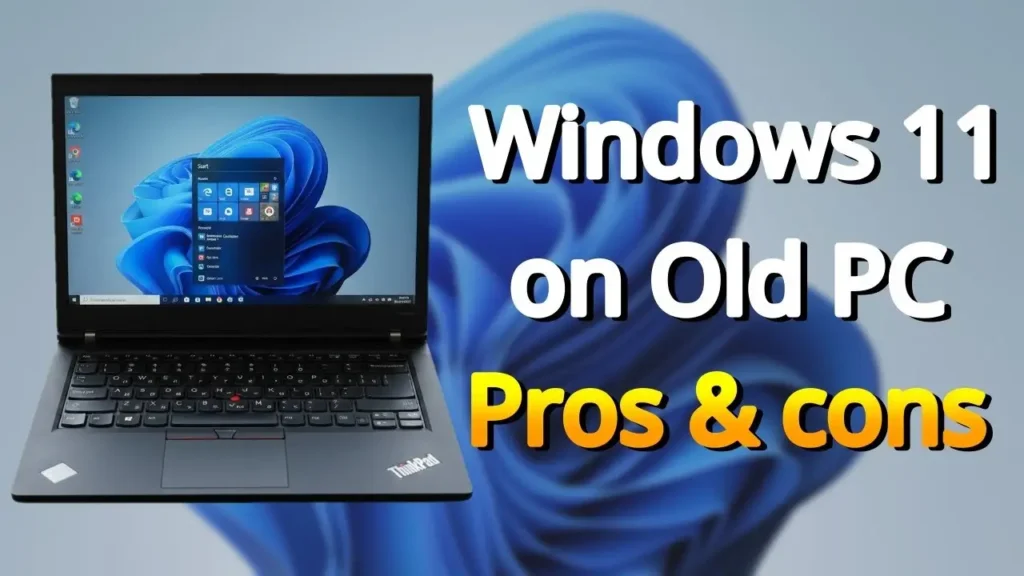
For many people, installing Windows 11 on unsupported hardware looks like the perfect solution. With a few registry tweaks or bypass tools, older laptops that were never officially supported can still run Microsoft’s latest operating system.
At first glance, it feels like a victory.
You get:
- the modern Windows 11 interface,
- new multitasking features,
- Microsoft Store support,
- newer Office applications,
- and continued access to the latest software ecosystem.
For users trying to avoid electronic waste or save money, this approach makes perfect sense.
But in 2026, things are becoming more complicated.
The unofficial tricks that worked relatively safely a few years ago are becoming increasingly unstable as Microsoft continues pushing Windows 11 toward newer hardware, AI-focused features, TPM security requirements, and stricter CPU support.
In some situations, unsupported Windows 11 systems may still work surprisingly well.
In others, they can become unstable, painfully slow, or potentially risky for important work and personal data.
This article takes a realistic look at:
- the real risks,
- the practical advantages,
- who should avoid unsupported Windows 11,
- and whether Linux distributions may now be the safer long-term solution for older hardware.
Why People Still Install Windows 11 on Unsupported PCs
Before talking about the risks, it is important to understand why so many users continue bypassing Windows 11 requirements in the first place.
And honestly, many of the reasons are completely understandable.
Modern Interface and Features
Windows 11 simply looks more modern than Windows 10.
Users gain access to:
- Snap Layouts,
- improved virtual desktops,
- the redesigned File Explorer,
- updated Microsoft Store apps,
- and a cleaner overall interface.
Even older laptops can sometimes feel more modern purely because of the redesigned UI.
For many users, this alone makes the upgrade tempting.
Software and App Compatibility
By 2026, some newer applications are increasingly optimized for Windows 11.
This includes:
- newer Office versions,
- Microsoft Store apps,
- AI-related Windows features,
- and certain productivity tools.
While most classic desktop software still works on Windows 10, Microsoft is clearly pushing its ecosystem toward Windows 11.
For some users, staying on Windows 10 may eventually feel limiting.
Avoiding Electronic Waste
This is probably the strongest argument.
Many unsupported laptops are still perfectly functional:
- Intel 6th gen systems,
- Intel 7th gen ultrabooks,
- older Ryzen laptops,
- business ThinkPads,
- and lightweight office machines.
Throwing away otherwise usable hardware simply because Microsoft changed system requirements feels wasteful.
And honestly, many of these laptops are still completely fine for:
- web browsing,
- office work,
- YouTube,
- email,
- and light productivity.
That is why unsupported Windows 11 installations became so popular.
The Situation Changed in 2026
However, Microsoft has gradually started changing the rules of the game.
Windows 11 is no longer just “Windows 10 with a new interface.”
The operating system is increasingly designed around:
- newer CPUs,
- TPM 2.0,
- AI acceleration,
- modern scheduling,
- and newer instruction sets.
This is where unsupported hardware starts becoming more problematic.
Risk #1 — Future Update Compatibility
One of the biggest concerns in 2026 is long-term update stability.
In earlier years, bypassing Windows 11 requirements was relatively simple.
Most unsupported systems still received updates normally.
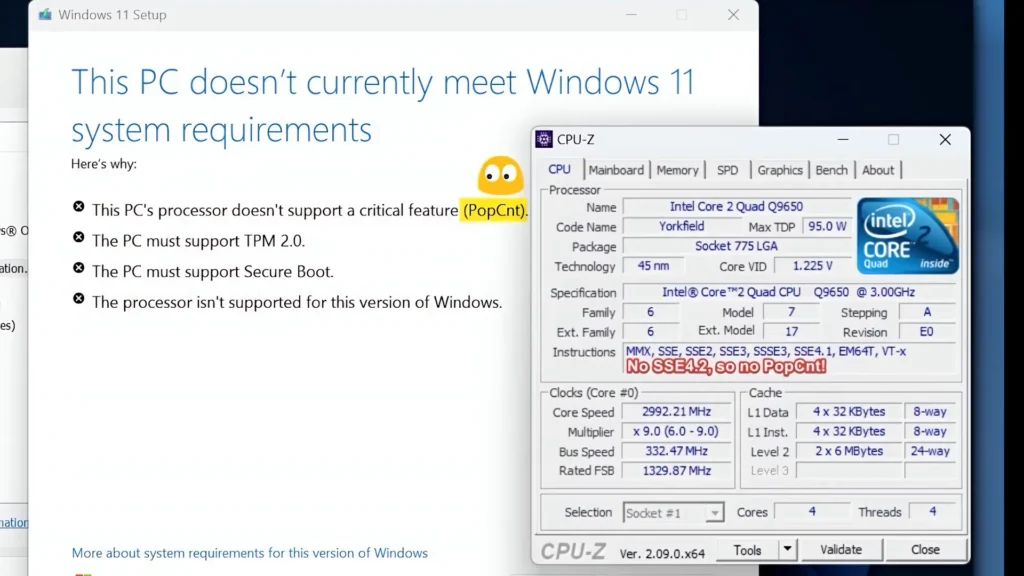
But more recent Windows builds are becoming increasingly dependent on newer CPU instructions and hardware assumptions.
This means unsupported systems may eventually face:
- installation failures,
- broken updates,
- driver conflicts,
- or boot problems after major updates.
Some newer builds already rely more heavily on modern CPU instructions such as POPCNT and other hardware-level features.
For modern processors, this is not an issue.
For older hardware, compatibility may become increasingly uncertain.
A future Windows update may not necessarily “destroy” your PC, but unsupported systems could become progressively less stable over time.
This is especially risky for:
- work laptops,
- study devices,
- or systems containing important personal data.
Risk #2 — Security Problems
Security is another major concern.
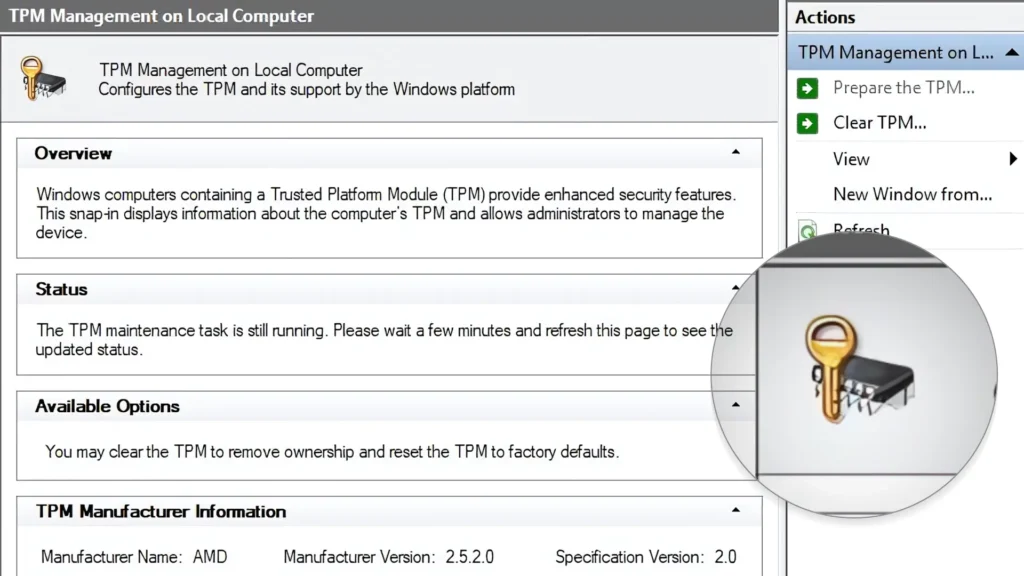
Windows 11 was originally designed around stronger hardware-based security.
This includes:
- TPM 2.0,
- Secure Boot,
- virtualization-based security,
- and modern CPU protections.
When users bypass these requirements, some of those security assumptions may no longer function correctly.
This does not automatically make unsupported Windows 11 systems “unsafe,” but it can create situations where:
- certain protections are disabled,
- updates behave unpredictably,
- or security patches fail to install correctly.
Older hardware is also increasingly targeted because it often lacks modern security capabilities.
This becomes especially important if:
- you store sensitive files,
- use online banking,
- work remotely,
- or rely on the laptop professionally.
Risk #3 — BitLocker and TPM Bypass Issues
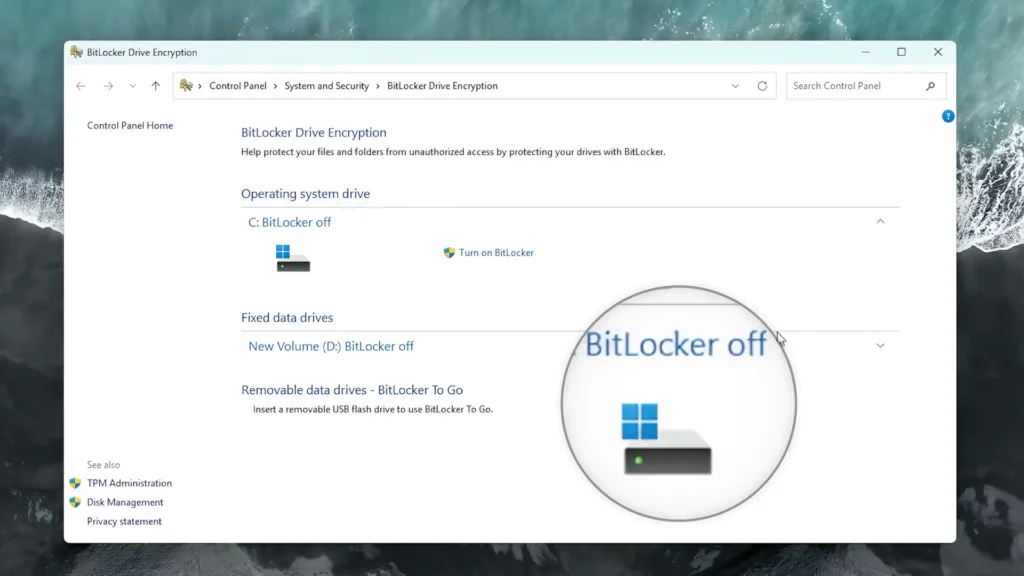
One of the most overlooked risks involves BitLocker encryption.
Modern Windows 11 systems rely heavily on TPM hardware for encryption management.
On officially supported devices, this process is generally seamless.
However, unsupported systems using TPM bypasses may occasionally encounter:
- recovery key problems,
- encryption instability,
- or update-related issues.
Although catastrophic failures are rare, users running unofficial configurations should absolutely:
- keep backups,
- store recovery keys safely,
- and avoid relying on unsupported setups for irreplaceable data.
For casual users, this may never become a problem.
For business or work-related systems, it is a much more serious concern.
Risk #4 — AI Features and Background Services
Windows 11 in 2026 is increasingly becoming an AI-focused operating system.
Features such as:
- Copilot,
- AI-assisted search,
- background indexing,
- smart recommendations,
- and newer system services
are clearly designed with modern hardware in mind.
Many older CPUs simply were not built for these workloads.
As a result, unsupported systems may experience:
- higher CPU usage,
- overheating,
- fan noise,
- battery drain,
- and random slowdowns.
This becomes especially noticeable on:
- dual-core ultrabooks,
- 4GB RAM systems,
- and older Intel U-series processors.
Modern Windows background activity can feel surprisingly heavy on aging hardware.
RAM Limitations in 2026
Another major issue is memory usage.
In 2026, Windows 11 combined with:
- modern browsers,
- Office apps,
- AI features,
- cloud sync,
- and background services
can consume large amounts of RAM.
While Windows 11 technically runs on 4GB systems, the real-world experience can be frustrating.
Users may experience:
- browser slowdowns,
- tab refreshing,
- stuttering,
- lag during multitasking,
- and long loading times.
Realistically:
- 8GB RAM is now the minimum comfortable amount,
- while 16GB provides a significantly smoother experience.
Older laptops with soldered 4GB RAM are becoming increasingly difficult to recommend for Windows 11.
SSD vs HDD — A Massive Difference
Storage type now matters more than ever.
An unsupported laptop with:
- an SSD,
- decent cooling,
- and 8GB RAM
may still feel reasonably usable.
But the same laptop running on an old mechanical HDD can become painfully slow.
Windows 11 performs constant background activity:
- indexing,
- updates,
- Defender scans,
- AI services,
- and cloud synchronization.
Traditional hard drives struggle badly under this workload.
If someone insists on running Windows 11 on older hardware, upgrading to an SSD is almost mandatory in 2026.
Driver Support Problems
Driver support is another growing issue.
Many unsupported laptops rely on legacy drivers that were never fully optimized for Windows 11.
This can lead to:
- Wi-Fi instability,
- sleep mode bugs,
- broken brightness controls,
- audio glitches,
- fingerprint reader failures,
- or missing GPU acceleration.
Business laptops from 2014–2017 are especially vulnerable to these kinds of issues.
The laptop may technically “run” Windows 11, but the overall experience can feel inconsistent.
This is one reason many users eventually become frustrated after the initial excitement of installing Windows 11 fades away.
Battery Life on Older Laptops
Battery life is another underrated problem.
Older laptops already suffer from:
- battery degradation,
- weaker cooling,
- and lower power efficiency.
Modern Windows 11 background activity can make this worse.
Some unsupported systems experience:
- noticeably shorter battery life,
- higher idle CPU usage,
- and increased fan activity.
For lightweight mobile usage, Linux distributions can sometimes provide significantly better efficiency on aging hardware.
Who Can Still Use Unsupported Windows 11 Safely?
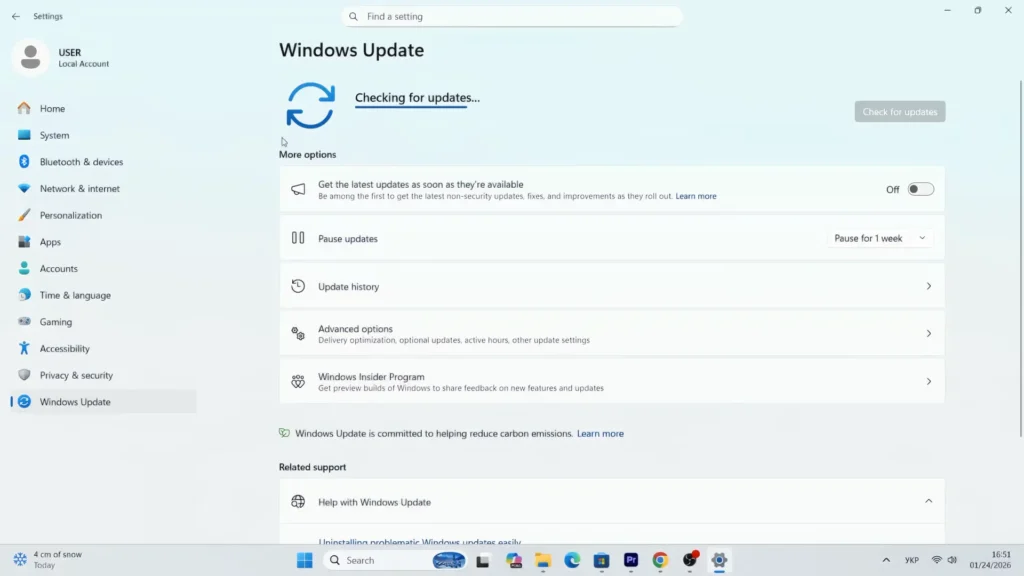
Despite all these concerns, unsupported Windows 11 is not automatically a disaster.
In some cases, it still makes perfect sense.
Probably Fine For:
Secondary laptops
If the device is mainly used for:
- YouTube,
- browsing,
- media consumption,
- or casual tasks,
unsupported Windows 11 may remain completely usable.
Testing and experimentation
Tech enthusiasts who enjoy experimenting with:
- Windows builds,
- tweaks,
- virtualization,
- or bypass methods
can still have fun with unsupported systems.
SSD-based systems with 8GB+ RAM
Older laptops equipped with:
- SSD storage,
- decent thermals,
- and enough memory
often handle Windows 11 surprisingly well.
In my own testing, unsupported Windows 11 systems with SSD storage and 8GB RAM usually remained usable for basic everyday tasks.
Modern unsupported CPUs
Some unsupported processors are still relatively powerful.
For example:
- Intel 7th gen Core i7 chips,
- or first-generation Ryzen systems
may still deliver decent real-world performance despite lacking official support.
Who Should Avoid Unsupported Windows 11?
For some users, unsupported Windows 11 is probably not worth the risk anymore.
Avoid It If:
This is your primary work laptop
If you rely on the system professionally:
- stability matters,
- update reliability matters,
- security matters.
Unsupported systems are simply less predictable long term.
You store important personal files
Without proper backups, unsupported systems become risky.
This is especially important if:
- BitLocker,
- unofficial TPM bypasses,
- or unstable updates
are involved.
Your laptop still uses an HDD
In 2026, Windows 11 on an HDD is usually a poor experience.
The system may feel:
- sluggish,
- noisy,
- and frustratingly slow.
You only have 4GB RAM
Modern Windows usage is increasingly heavy.
Systems with 4GB RAM are now extremely limited for:
- multitasking,
- browsers,
- Office apps,
- and AI-related background activity.
Linux Is Becoming a More Practical Alternative
This is where Linux distributions become increasingly interesting.
And no, this is not about “Linux fanboyism.”
The reality is simply that lightweight Linux systems are often better optimized for aging hardware.
Modern Linux distributions such as:
- Linux Mint,
- Zorin OS,
- MX Linux,
- and Linux Lite
can often provide:
- lower RAM usage,
- faster boot times,
- better battery life,
- and smoother performance on older laptops.
For users trying to revive older hardware with lightweight software, Linux distributions like Zorin OS may also be an excellent option.
Unlike unsupported Windows 11 setups, Linux distributions are usually:
- officially supported on older hardware,
- less demanding,
- and more stable long term.
Of course, Linux is not perfect for everyone.
Some professional software still works better on Windows, especially:
- Adobe products,
- specialized business applications,
- and certain games.
But for:
- browsing,
- office work,
- media consumption,
- and lightweight productivity,
Linux is becoming a genuinely practical solution.
So, Is Unsupported Windows 11 Still Worth It?
Honestly, the answer depends entirely on your hardware and expectations.
If you have:
- an SSD,
- 8GB+ RAM,
- decent cooling,
- and realistic expectations,
unsupported Windows 11 may still work surprisingly well for several more years.
But if you are trying to run modern Windows 11 builds on:
- old HDDs,
- dual-core systems,
- or heavily outdated laptops,
the experience may become increasingly frustrating.
Microsoft is clearly moving Windows toward:
- AI acceleration,
- modern security,
- and newer hardware assumptions.
That trend will probably continue.
For casual experimentation or secondary systems, unsupported Windows 11 can still be fun and useful.
For important daily-use machines, however, the long-term risks are becoming harder to ignore.
Final Thoughts
The idea of keeping older hardware alive is genuinely admirable.
Many unsupported laptops are still physically capable of handling basic computing tasks.
And honestly, bypassing Windows 11 requirements helped many users extend the life of perfectly functional devices.
But in 2026, the situation is becoming more complicated.
Unsupported Windows 11 systems now face increasing pressure from:
- modern security requirements,
- AI-related background workloads,
- driver limitations,
- and evolving update compatibility.
This does not mean unsupported systems instantly become unusable.
But it does mean users should approach them realistically.
For some people, unsupported Windows 11 may still remain completely fine.
For others, Linux distributions may now offer a safer, lighter, and more stable long-term experience.
And for users relying on their laptops professionally every single day, moving toward newer supported hardware may eventually become unavoidable.
The most important thing is understanding the trade-offs before committing to unsupported configurations.
Because in 2026, unsupported Windows 11 is no longer just a simple “hack.”
It is a long-term compromise.