Artificial intelligence image upscaling has improved dramatically over the last few years. Tasks that once required expensive software subscriptions or powerful cloud servers can now be performed locally on a regular desktop PC for free.
In this guide, we compare the best Upscayl AI models for different types of low-resolution images.
One of the most interesting tools in this category is Upscayl — a free and open-source AI image upscaler available for Windows, Linux, and macOS.
Unlike many online AI services that require subscriptions, account creation, or cloud processing, Upscayl allows you to upscale and restore photos entirely on your own computer. This makes it especially appealing for creators, photographers, retro gaming enthusiasts, and anyone trying to recover old low-resolution images.
However, after testing the software extensively, I discovered something important:
Upscayl is not just a “one-click AI enhancer.”
The final result depends heavily on selecting the correct AI model for the specific type of image you are working with.
Some models are excellent for restoring blurry text. Others are much better for portraits, vintage photos, landscapes, or retro games.
To find out which models actually perform the best, I tested 8 completely different low-resolution images:
- YouTube thumbnails
- Portrait photography
- Hardware photos
- Retro video game screenshots
- Historical architecture
- Blurry text documents
- Vintage-style photography
- Extremely tiny macro images
The results were honestly surprising.
In several cases, the AI managed to restore details that looked completely unreadable in the original files. In other cases, certain AI models failed badly, producing artifacts, distorted textures, or unrealistic sharpening.
This article covers:
- how Upscayl works,
- the strengths of each AI model,
- the best settings to use,
- which models perform best for specific image types,
- and the most important mistakes to avoid.
If you want to restore old photos, improve screenshots, clean up retro game captures, or simply understand which Upscayl models are actually worth using, this guide should save you a lot of time.
What Is Upscayl?
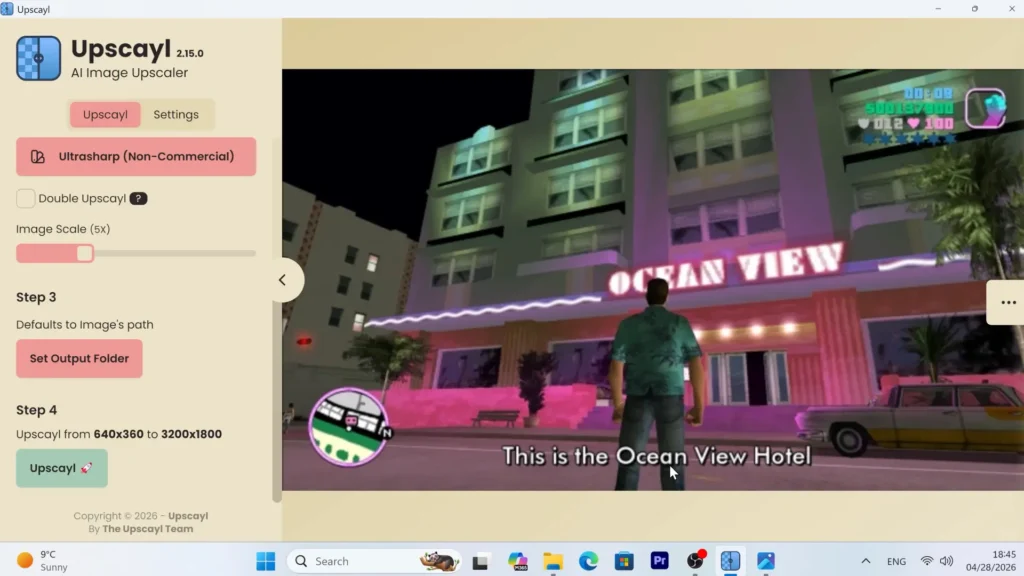
Upscayl is a free and open-source AI image upscaler that uses machine learning models to increase image resolution while reconstructing lost detail.
The software works entirely offline and supports:
- Windows
- Linux
- macOS
Unlike traditional image resizing tools that simply stretch pixels, AI upscalers attempt to “predict” missing details using trained neural networks.
This means Upscayl can often:
- sharpen blurry edges,
- improve texture detail,
- reduce pixelation,
- smooth jagged lines,
- and restore readability in low-resolution images.
The software is especially useful for:
- old photos,
- YouTube thumbnails,
- retro games,
- screenshots,
- documents,
- wallpapers,
- hardware photography,
- and compressed internet images.
One of the biggest advantages of Upscayl is that it runs locally on your GPU.
For users trying to revive older hardware with lightweight software, Linux distributions like Zorin OS can also be an excellent option.
This means:
- no subscription fees,
- no cloud processing,
- better privacy,
- and no internet connection required after installation.
For creators working with large image collections, this can be incredibly useful.
Best Upscayl AI Models Explained
Before testing the images, it is important to understand how the different AI models inside Upscayl work.
Each model is trained differently and optimized for specific image types.
Choosing the wrong model can completely ruin an image.
Upscayl Standard
This is the default balanced model.
It aims to provide a clean upscale without excessive sharpening.
Best for:
- general-purpose photos,
- casual image restoration,
- balanced results.
Weaknesses:
- can struggle with blurred backgrounds,
- sometimes inconsistent with texture reconstruction.
Upscayl Lite
Lite is optimized for speed.
It provides surprisingly good results while using fewer resources and completing tasks much faster.
Best for:
- retro games,
- simple screenshots,
- weaker hardware,
- quick upscaling.
Weaknesses:
- slightly less detailed than stronger models.
High Fidelity
High Fidelity focuses on realism and smooth texture reconstruction.
Instead of aggressive sharpening, it tries to maintain a natural appearance.
Best for:
- realistic photography,
- architecture,
- portraits,
- hardware photos.
Weaknesses:
- can sometimes look softer than Ultrasharp.
Remacri
Remacri was consistently one of the strongest performers in almost every test.
This model is excellent at preserving detail while avoiding excessive artifacts.
Best for:
- text restoration,
- logos,
- hardware,
- realistic photos,
- blurry low-resolution images.
Weaknesses:
- slightly slower processing time.
Ultramix
Ultramix attempts to balance sharpness and realism.
It works well in many situations but is not always the best choice.
Best for:
- portraits,
- balanced image restoration,
- moderate blur.
Weaknesses:
- less specialized than Remacri or High Fidelity.
Ultrasharp
Ultrasharp aggressively pushes detail reconstruction.
This can work well on extremely blurry images, but it can also create visible artifacts.
Best for:
- severely blurry images,
- aggressive sharpening.
Weaknesses:
- distorted faces,
- overprocessed textures,
- unnatural detail.
Digital Art
Digital Art is specifically designed for illustrations, drawings, and stylized graphics.
It smooths edges and creates a more “painted” appearance.
Best for:
- anime,
- illustrations,
- digital artwork,
- cartoons.
Weaknesses:
- poor with text,
- poor with realistic textures,
- may distort logos or UI elements.
Best Upscayl Settings
After extensive testing, I found that most users do not need to change many settings.
The default configuration already works very well.
However, there are a few settings worth understanding.
Recommended Scale
For most images, a 5× upscale is more than enough.
This provides a major improvement in resolution without generating excessively large files.
In most cases:
- 5× gives cleaner results,
- processing times remain reasonable,
- and the output still looks natural.
Double Upscayl
Double Upscayl runs the AI process twice.
This can be useful for extremely tiny images, icons, or heavily compressed crops.
However, it should be used carefully.
Because the upscale process runs twice, the total pixel count becomes enormous.
A normal 5× upscale effectively becomes a massive 25× increase in total pixels.
Potential problems include:
- extremely large file sizes,
- excessive VRAM usage,
- slower processing,
- software instability,
- and crashes on weaker hardware.
For normal photos, Double Upscayl is usually unnecessary.
But for microscopic low-resolution images, it can sometimes produce incredible results.
Output Formats
Upscayl supports:
- PNG
- JPG
- WEBP
PNG
Best for:
- maximum quality,
- text,
- screenshots,
- archival use.
Weakness:
- very large file sizes.
JPG
Best for:
- smaller files,
- casual sharing,
- photography.
Weakness:
- compression artifacts.
WEBP
Best for:
- modern web usage,
- excellent compression efficiency.
Weakness:
- not always ideal for archival work.
GPU Selection
If your computer has multiple graphics cards, make sure Upscayl is using the dedicated GPU instead of integrated graphics.
This can dramatically improve:
- processing speed,
- stability,
- and overall responsiveness.
Reset Option
If Upscayl starts behaving strangely or crashes frequently, the RESET UPSCAYL option can restore the software to factory defaults.
In many cases, this solves configuration-related problems instantly.
Real-World AI Upscaling Tests
Now let’s move on to the practical tests.
I intentionally selected very different types of images because AI models behave differently depending on:
- texture complexity,
- blur type,
- lighting,
- compression,
- text,
- and artistic style.
The differences between the models became extremely obvious during these tests.
Test 1 — YouTube Thumbnail Restoration
The first image was one of my own older YouTube thumbnails.
The original resolution was only 320×180 pixels.
On a modern 4K monitor, the image looked extremely blurry.
The text was difficult to read, and the logos had obvious jagged edges.
This type of image is a surprisingly difficult challenge for AI because it combines:
- text,
- logos,
- gradients,
- shadows,
- and graphical elements.
Best Models
The two strongest performers were:
- Remacri
- Upscayl Standard
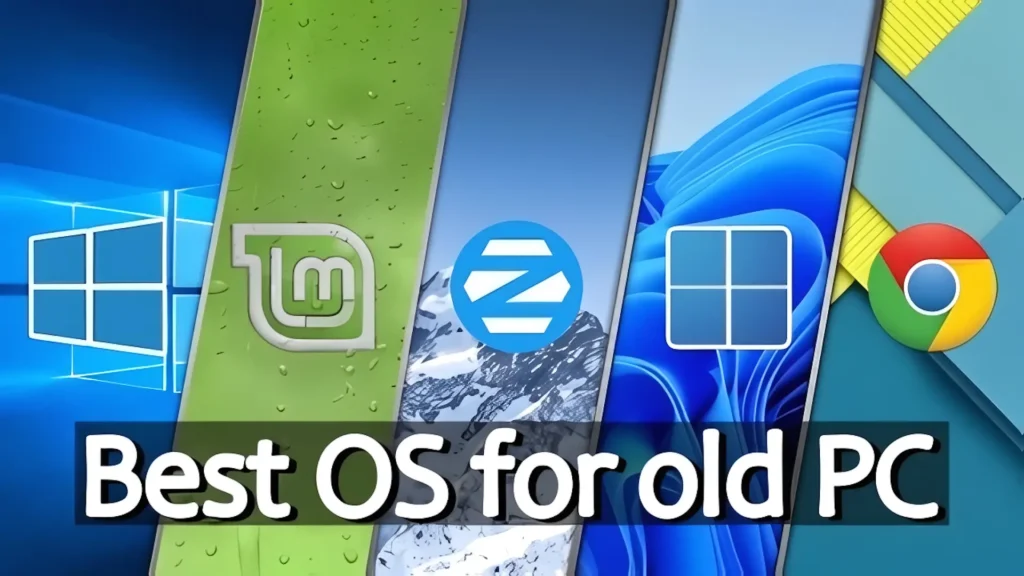
Both models restored the thumbnail extremely well.
The text became readable again, the logos looked sharp, and the small visual details were reconstructed surprisingly accurately.
One particularly impressive detail was the restoration of tiny water droplets near the Linux Mint logo.
These details were almost invisible in the original image.
Worst Model
The Digital Art model performed poorly here.
Instead of restoring realistic detail, it added heavy shadows and exaggerated edge smoothing.
The Google Chrome logo became less round and more distorted.
The entire thumbnail started looking cartoonish.
This was the first clear example showing that stronger stylization does not automatically produce better results.
Test 2 — Portrait Photography
The second image was a portrait photo with a blurred mountain background.
The original resolution was 640×360 pixels.
This type of image is difficult because AI must understand “depth of field.”
The background is intentionally blurry.
A good AI model should preserve that blur while sharpening the subject.
Best Models
Three models performed extremely well:
- Remacri
- Ultramix
- Ultrasharp
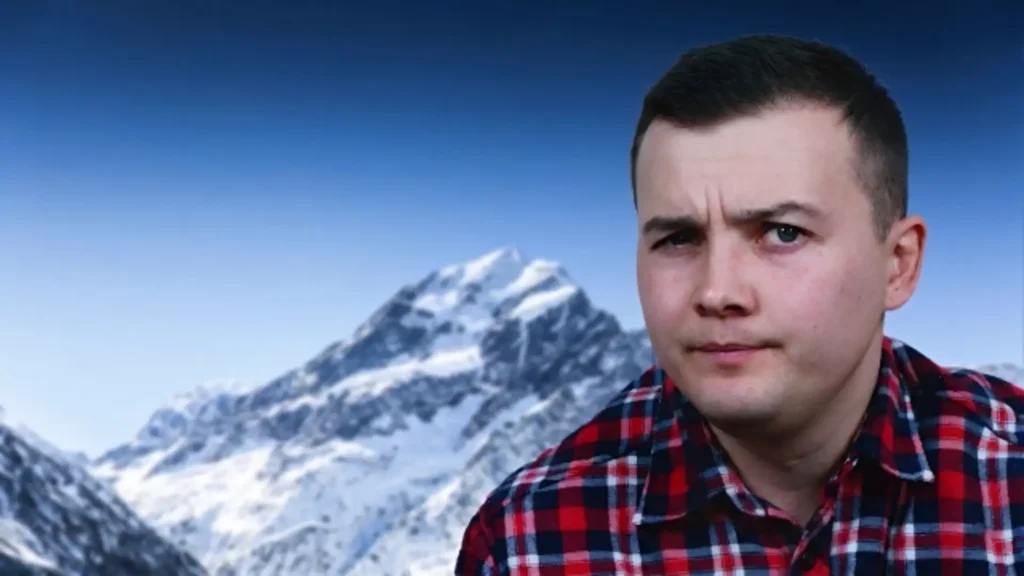
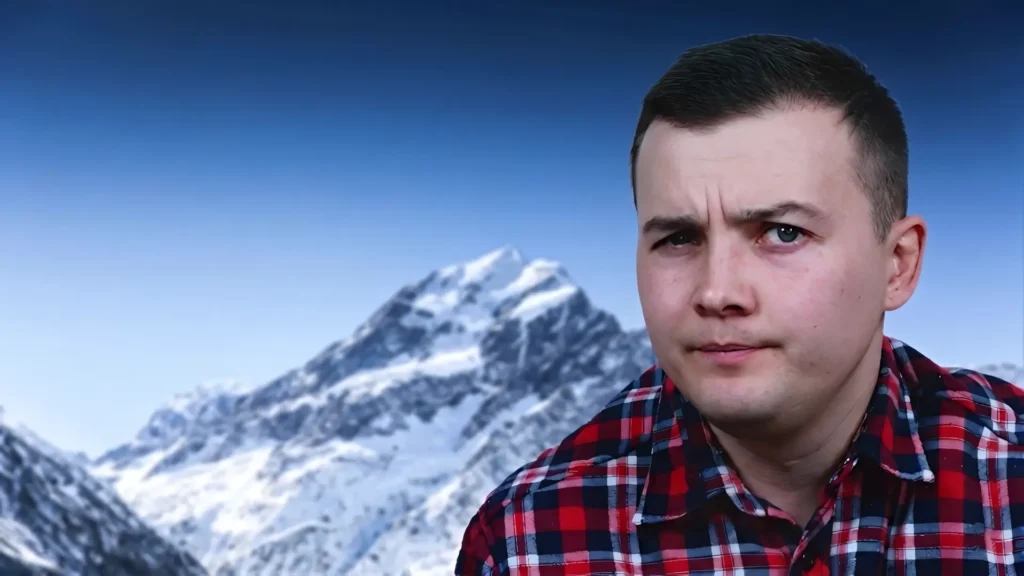
These models successfully:
- preserved the soft mountain blur,
- sharpened facial features,
- improved skin detail,
- and restored clothing texture.
The final image looked much cleaner while still maintaining a realistic camera-like appearance.
Weakest Model
The Standard model struggled with this image.
Instead of keeping the background consistently blurry, it sharpened random parts of the mountains.
This created an unnatural appearance because some sections looked sharp while others remained soft.
This test demonstrated something important:
Portrait photography requires AI models that understand separation between foreground and background.
Remacri handled this particularly well.
Test 3 — Hardware Photography
Next, I tested a photo of a classic hard drive.
Unlike the previous examples, this image already had decent HD resolution.
The challenge here was precision.
Hardware photography contains:
- tiny engravings,
- fine metal textures,
- screws,
- reflective surfaces,
- and sharp geometric lines.
Best Models
The strongest results came from:
- Remacri
- High Fidelity
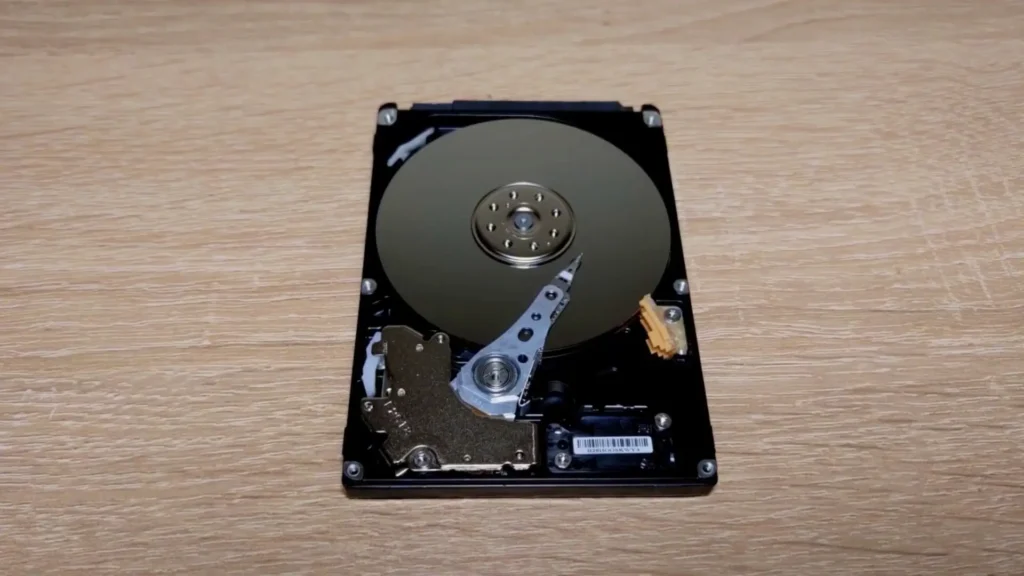
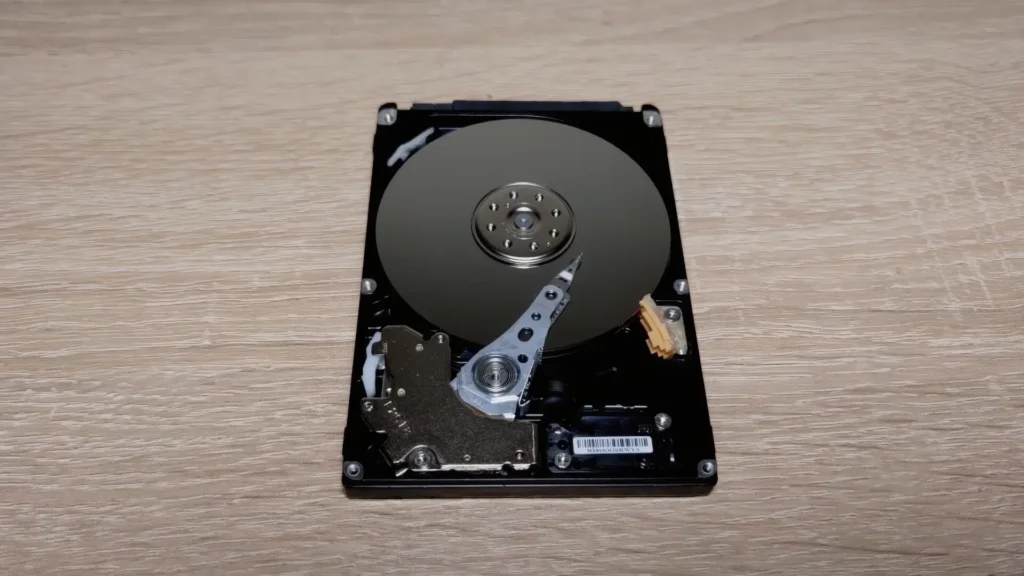
These models restored tiny details incredibly well.
One particularly impressive example was the small “1631” engraving on the hard drive arm.
The AI reconstructed this detail with surprising accuracy.
At the same time, the metal surfaces remained smooth and realistic.
Weakest Models
More aggressive models performed much worse.
They added excessive sharpening artifacts that actually reduced readability.
Small textures became noisy and distorted.
Instead of improving precision, the AI started inventing fake detail.
This is extremely important for technical photography.
If accuracy matters more than aggressive sharpness, High Fidelity and Remacri are significantly safer choices.
Test 4 — GTA Vice City Screenshot
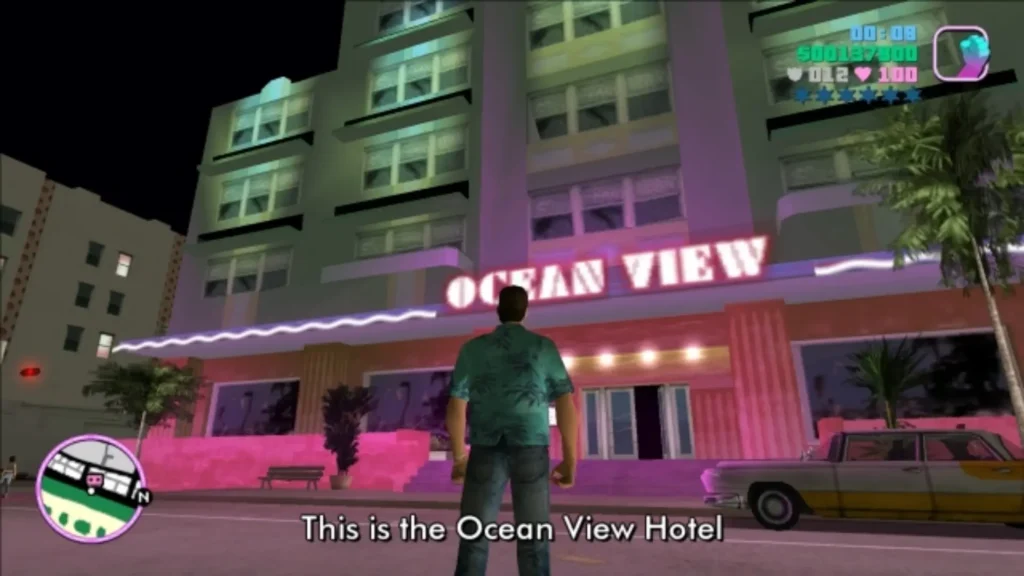
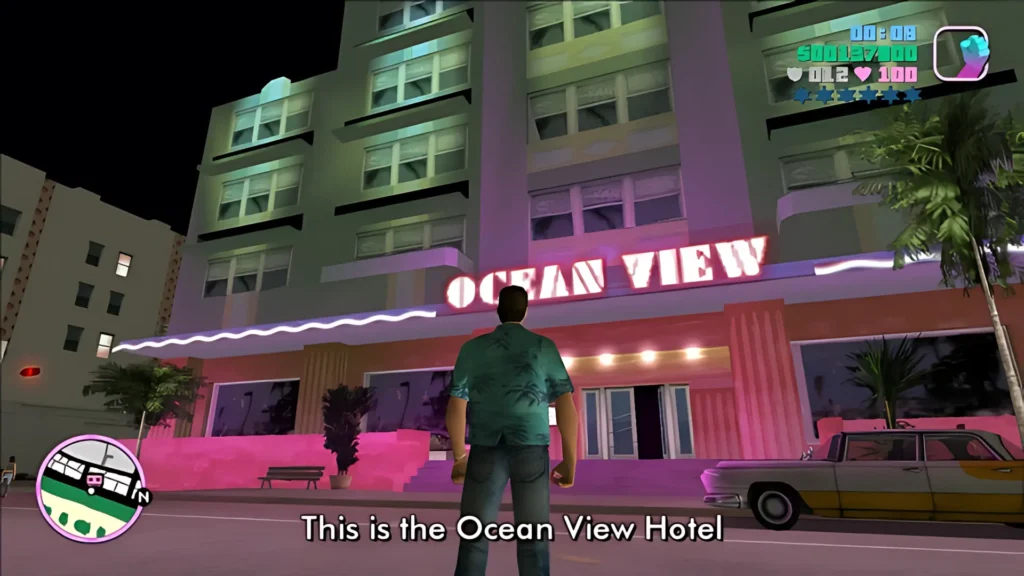
The next image was a classic GTA: Vice City screenshot featuring Tommy Vercetti standing near the Ocean View Hotel.
The original resolution was only 640×360 pixels.
Retro games are interesting because:
- textures are low resolution,
- geometry is jagged,
- and UI elements are tiny.
Modern displays make these problems even more noticeable.
Best Models
The best realistic results came from:
- Upscayl Lite
- High Fidelity
Upscayl Lite
Lite preserved the original retro atmosphere very well.
It smoothed jagged edges while keeping the classic PlayStation 2-era aesthetic intact.
High Fidelity
High Fidelity produced an almost “HD remaster” appearance.
Textures on buildings, cars, and clothing became much cleaner.
The overall image looked significantly more polished.
Digital Art Result
Digital Art created a visually interesting result.
The screenshot looked almost hand-painted.
However, the model struggled badly with:
- HUD text,
- minimap details,
- and tiny interface elements.
The AI oversmoothed these details until they became inaccurate.
This makes Digital Art more suitable for stylized wallpapers than accurate game restoration.
Test 5 — Historical Architecture
The next test was one of the hardest.
The image showed detailed frescoes inside Wernigerode Castle.
The original resolution was 720×480 pixels.
This scene contained:
- hundreds of tiny details,
- human faces,
- textures,
- geometric patterns,
- and painted surfaces.
This type of image can easily break AI models.
Best Models
The clear winners were:
- High Fidelity
- Remacri
These models preserved:
- facial structures,
- architectural textures,
- and fine painting detail.
The result looked realistic and natural.
Most importantly, the AI avoided overprocessing the artwork.
Worst Model
Ultrasharp failed badly here.
Although it attempted to generate extreme detail, it distorted many human faces.
Some people in the paintings became almost unrecognizable.
This is a major weakness of aggressive AI sharpening.
Faces are extremely difficult for AI systems.
When a model pushes too much “detail,” it often creates unnatural facial structures.
For historical photos or artwork, realistic models like High Fidelity are significantly safer.
Test 6 — Restoring Blurry Text
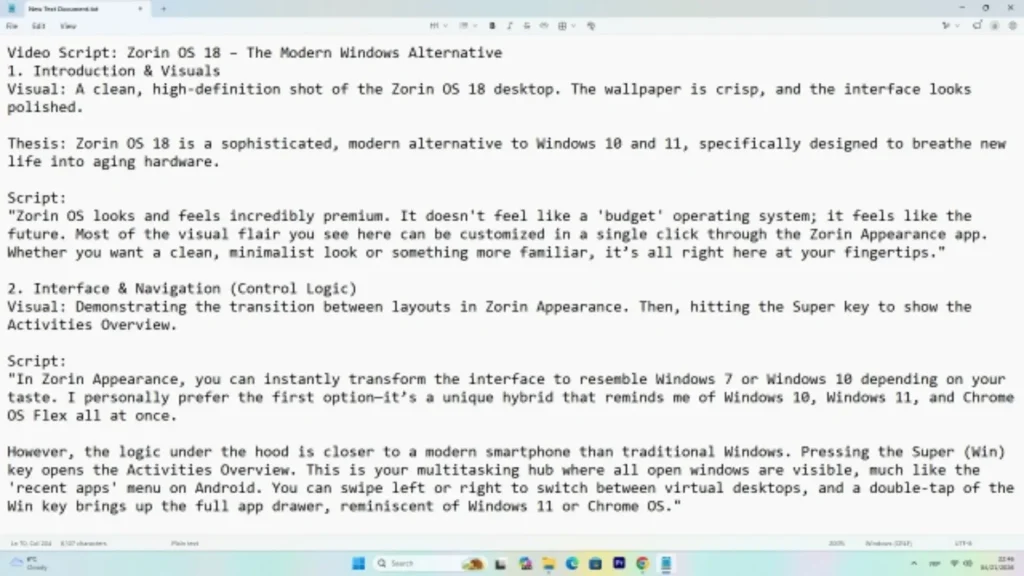
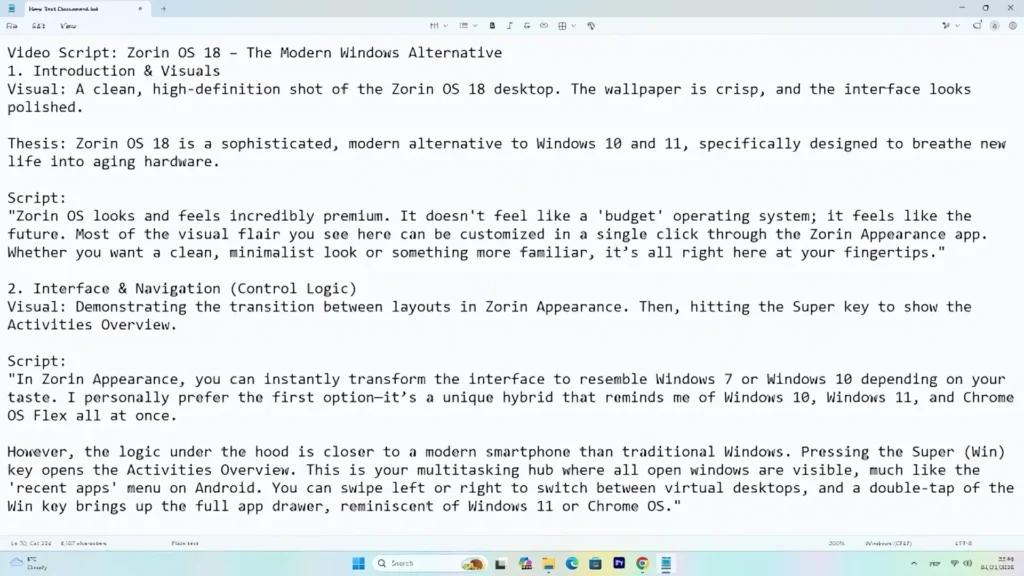
The sixth test involved a blurry screenshot containing text from a Zorin OS script.
The original resolution was only 640×360 pixels.
At this resolution, the text was extremely difficult to read.
This test was particularly important because many users try to restore:
- screenshots,
- scanned documents,
- blurry PDFs,
- and compressed text images.
Best Models
Again, the strongest performers were:
- High Fidelity
- Remacri
These models reconstructed the letters extremely well.
The final image became:
- sharp,
- readable,
- and surprisingly clean.
This result was honestly impressive.
In some situations, AI upscaling could potentially recover important information from otherwise unusable screenshots.
Weakest Models
Most other models failed this test.
They introduced:
- wavy letters,
- artifacts,
- incorrect line shapes,
- and inconsistent edges.
Instead of improving readability, they made the text look messy.
This test clearly demonstrated that:
If you need to restore documents or screenshots, Remacri and High Fidelity are by far the safest options.
Test 7 — Vintage Photography
The seventh image featured the Tyne Bridge in England.
The original image had a vintage appearance with:
- film grain,
- scratches,
- and aged textures.
The resolution was only 576×380 pixels.
This created an interesting challenge.
Should the AI preserve the old-film atmosphere or attempt to modernize the image?
Best Models
The strongest results came from:
- Standard
- High Fidelity
- Remacri
Standard
Standard was surprisingly good here.
It partially cleaned the old-film effect while maintaining realistic detail.
The image looked cleaner but still authentic.
High Fidelity and Remacri
Both models preserved the balance between:
- vintage atmosphere,
- sharpness,
- and realism.
The bridge structures remained clean and detailed.
Weaknesses
More aggressive models struggled with small objects.
Cars and pedestrians started turning into blurry shapes.
Tiny details disappeared under excessive sharpening.
This test showed that realistic AI restoration is often better than aggressive enhancement.
Test 8 — Extreme Macro Challenge
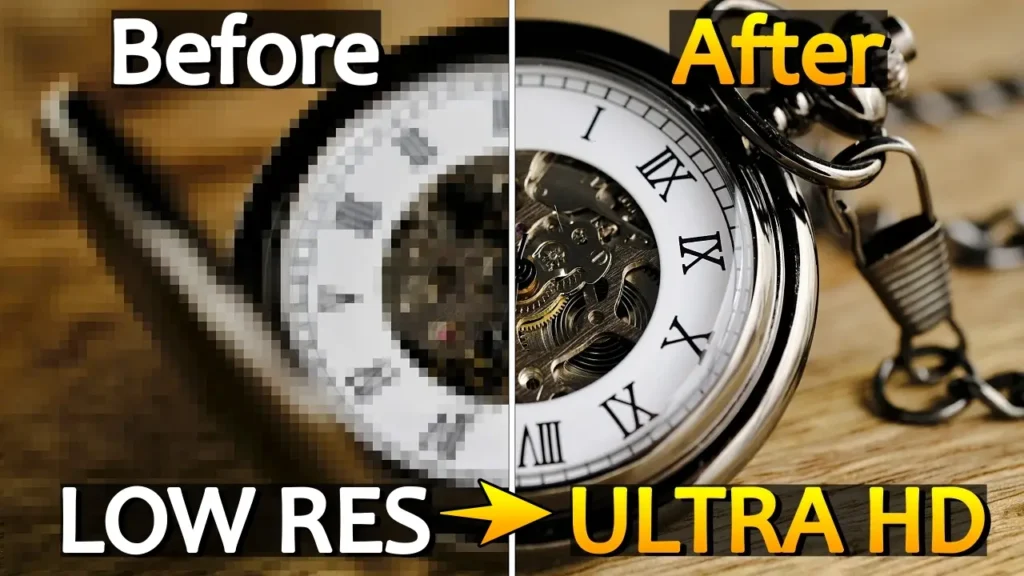
The final test was by far the hardest.
The image showed a mechanical pocket watch.
The original resolution was only 216×144 pixels.
At this size, the image was almost unusable.
Most of the photo looked like random blocks of color.
This was the perfect stress test for Upscayl.
Best Result
Only one combination truly succeeded:
- Remacri
- Double Upscayl enabled
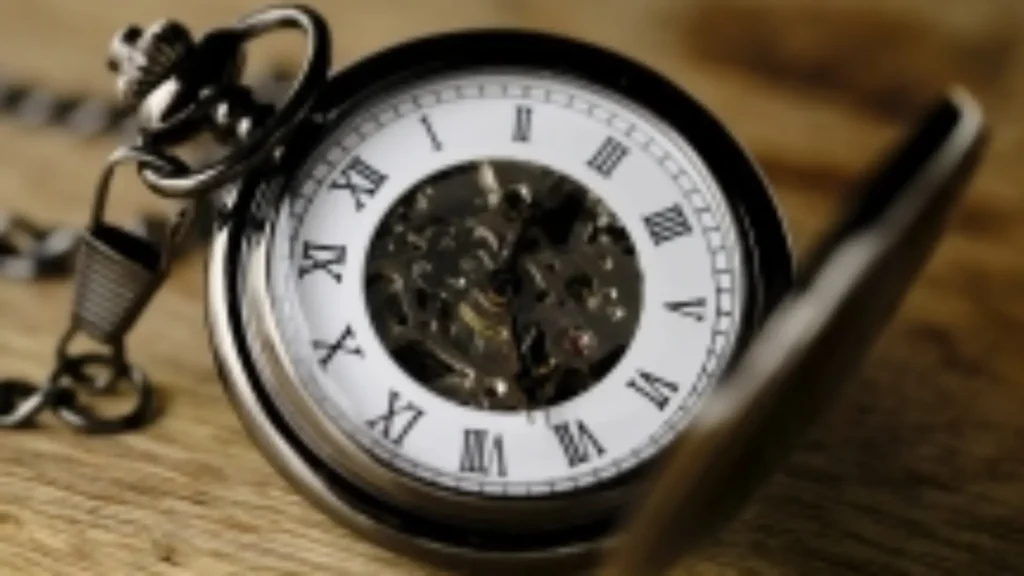
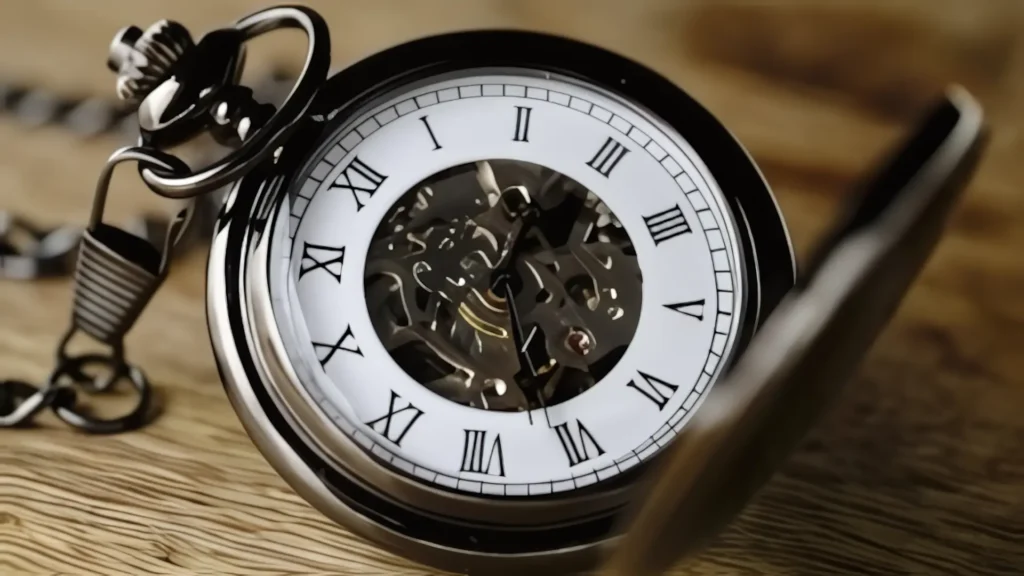
The result was honestly shocking.
The AI managed to restore:
- Roman numerals,
- watch edges,
- and overall object structure.
Although the internal gears were still imperfect, the image became recognizable and usable.
Failure of Other Models
Every other model struggled badly.
Most failed to reconstruct the numbers correctly.
The watch mechanism became a distorted mess.
This demonstrated something very important:
When dealing with microscopic low-resolution images, model precision becomes far more important than aggressive sharpening.
Remacri clearly dominated this category.
Overall Results — Which Upscayl Models Are Best?
After testing all eight images, several patterns became extremely obvious.
Best Overall Model — Remacri
Remacri consistently delivered the most balanced results.
It performed exceptionally well in:
- text restoration,
- realistic photography,
- hardware,
- thumbnails,
- portraits,
- and extremely tiny images.
Most importantly, it avoided excessive artifacts.
If you only want to learn one model, Remacri is probably the safest choice.
Best Realistic Model — High Fidelity
High Fidelity was excellent for:
- architecture,
- portraits,
- hardware photography,
- and natural textures.
It maintained realism better than aggressive sharpening models.
Best Fast Model — Upscayl Lite
Lite delivered surprisingly good results while remaining fast and lightweight.
It worked particularly well for:
- retro games,
- screenshots,
- and general cleanup.
Most Aggressive Model — Ultrasharp
Ultrasharp produced very strong sharpening.
However, it frequently introduced:
- distorted textures,
- artifacts,
- and unrealistic facial details.
It can still be useful for heavily blurred images, but it should be used carefully.
Most Stylized Model — Digital Art
Digital Art created unique artistic results.
However, it was unreliable for:
- text,
- logos,
- realistic photos,
- and UI elements.
It works much better for:
- illustrations,
- anime,
- and stylized graphics.
Important Limitations of AI Upscaling
Despite the impressive results, AI upscaling still has limitations.
AI does not magically recover the exact original data.
Instead, it predicts missing detail.
This means:
- some textures may become inaccurate,
- facial details can distort,
- tiny objects may disappear,
- and artifacts can appear.
The quality of the original image still matters enormously.
The more information the source image contains, the better the final result will usually be.
This was especially obvious in the pocket watch test.
Even though Remacri produced an impressive upscale, the original high-resolution photo still contained dramatically more real detail.
AI restoration is powerful — but it is not true reconstruction of lost reality.
Is Upscayl Worth Using?
After extensive testing, my answer is absolutely yes.
Upscayl is one of the most impressive free AI tools currently available.
The fact that it:
- works offline,
- costs nothing,
- supports multiple operating systems,
- and runs locally on consumer GPUs
makes it extremely valuable.
For creators, photographers, retro gaming enthusiasts, and anyone restoring old media, Upscayl can save enormous amounts of time.
However, understanding the AI models is essential.
Choosing the wrong model can easily make an image look worse.
Best Upscayl Model Recommendations
Here are my final recommendations after all tests.
| Image Type | Best Model |
|---|---|
| Text and screenshots | Remacri |
| Portraits | Remacri / Ultramix |
| Hardware photography | High Fidelity / Remacri |
| Retro games | Lite / High Fidelity |
| Vintage photos | Standard / High Fidelity |
| Architecture and art | High Fidelity |
| Extremely tiny images | Remacri + Double Upscayl |
| Digital art and anime | Digital Art |
Final Thoughts
It is honestly incredible how quickly AI image restoration technology has evolved.
Only a few years ago, these kinds of tools were locked behind:
- expensive software,
- cloud subscriptions,
- or professional studio workflows.
Now, anyone with a modern PC can upscale and restore old photos completely for free.
Upscayl proves that open-source software can compete surprisingly well with premium AI services.
The software is not perfect, and some models still struggle badly with:
- faces,
- tiny objects,
- and heavily compressed textures.
However, when used correctly, the results can be genuinely impressive.
The biggest lesson from these tests is simple:
The AI model matters just as much as the image itself.
In many cases, choosing the right model was the difference between:
- a clean professional-looking restoration,
- and a distorted artificial mess.
If I had to recommend only one model overall, Remacri would easily be my top choice.
It consistently produced the best balance between:
- realism,
- sharpness,
- readability,
- and artifact control.
That said, High Fidelity was also excellent for realistic photography and architecture.
Meanwhile, Lite delivered surprisingly strong performance for retro games and fast upscaling.
Ultimately, the best model depends entirely on what kind of image you are trying to restore.
But one thing is clear:
Free local AI upscaling has become incredibly powerful.
And for creators working with old photos, retro media, blurry screenshots, or compressed internet images, Upscayl is definitely worth trying.
FAQ
Is Upscayl free?
Yes. Upscayl is completely free and open-source.
Does Upscayl work offline?
Yes. The software processes images locally on your computer.
Which Upscayl model is best for blurry text?
Remacri and High Fidelity produced the best results for restoring text and screenshots.
Which model is best for portraits?
Remacri and Ultramix handled portraits very well because they preserved background blur naturally.
Is Double Upscayl worth using?
Only for extremely tiny images. For normal photos, it usually creates unnecessarily large files.
Is Upscayl better than paid AI upscalers?
Premium tools like Topaz AI may still produce better results in some situations, but Upscayl is incredibly impressive considering it is completely free.
Can Upscayl restore old family photos?
Yes. Models like Standard, High Fidelity, and Remacri performed very well on vintage-style photos.
Which Upscayl model is best overall?
Based on all tests, Remacri delivered the most consistently strong results across different image types.