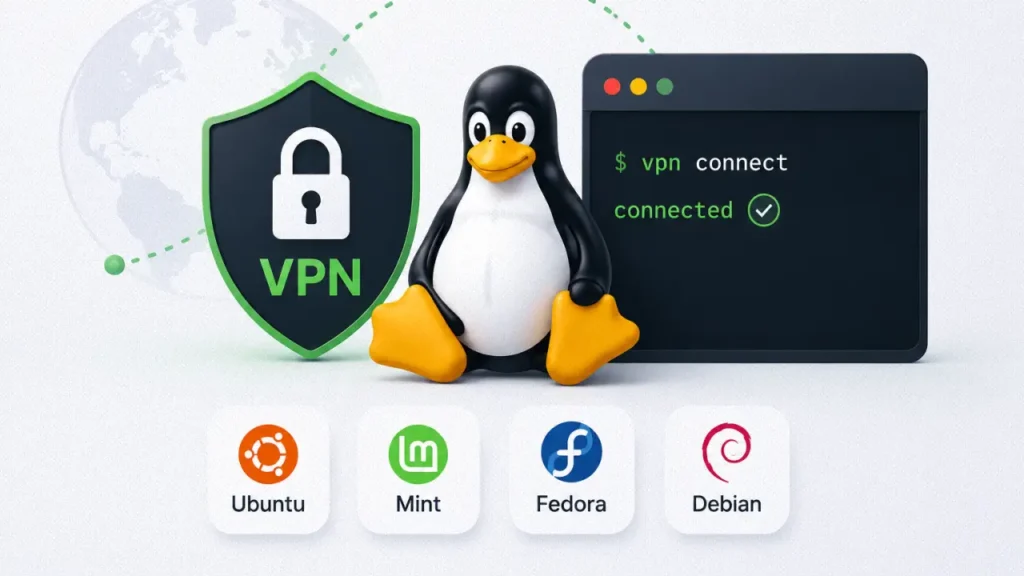
Looking for the best Linux VPNs? In this guide, I compare Proton VPN, Mullvad, NordVPN, Surfshark, and Private Internet Access (PIA) based on Linux support, WireGuard performance, terminal usability, GUI applications, privacy, and real-world experience.
Linux users often care more about:
- privacy;
- transparency;
- open-source software;
- terminal support;
- system control;
- lightweight applications.
Because of this, not every mainstream VPN service works equally well on Linux.
Some VPN providers still treat Linux support as a secondary feature, offering:
- outdated applications;
- missing GUI clients;
- weak WireGuard support;
- limited configuration options.
Others provide surprisingly polished Linux experiences with:
- native applications;
- terminal tools;
- WireGuard integration;
- kill switch support;
- reliable performance across Ubuntu, Fedora, Mint, Debian, and Arch-based distributions.
This article focuses on practical Linux usability instead of marketing hype.
This article may contain affiliate links in the future. If you purchase through these links, AndriyTech may earn a commission at no additional cost to you.
Why Linux Users Often Care More About VPN Privacy
Linux users are typically more privacy-conscious than average users.
Many people switch from Windows to Linux because they want:
- more control;
- less telemetry;
- open-source software;
- better system transparency.
For users moving away from Windows on older hardware, lightweight Linux distributions like Zorin OS can also provide a cleaner and more privacy-focused experience.
Because of this, Linux users often expect more from VPN providers.
A good Linux VPN should ideally offer:
- modern protocols like WireGuard;
- terminal support;
- native Linux applications;
- reliable kill switch functionality;
- DNS leak protection;
- transparent privacy policies.
Simply offering a basic OpenVPN configuration file is no longer enough in 2026.
What Makes a Good Linux VPN?
Linux VPN support varies significantly between providers.
Some VPN services advertise Linux compatibility but only provide:
- manual OpenVPN setup;
- outdated packages;
- incomplete documentation.
The best Linux VPNs usually offer:
- proper Ubuntu support;
- Fedora compatibility;
- Debian packages;
- WireGuard support;
- command-line tools;
- GUI applications;
- stable repositories;
- active Linux development.
For many users, WireGuard support is especially important because it usually provides:
- lower CPU usage;
- faster speeds;
- lower latency;
- modern encryption.
1. Proton VPN – Best Overall Linux VPN
Why It Stands Out
Proton VPN currently offers one of the strongest Linux experiences among mainstream VPN providers.
Unlike many competitors, Proton VPN has invested heavily into:
- Linux GUI applications;
- terminal integration;
- WireGuard support;
- open-source clients.
The service also has a strong reputation among privacy-focused users.
Best For
- Ubuntu users
- Fedora users
- Linux Mint
- Privacy-focused users
- Beginners moving from Windows
Pros
- Excellent Linux support
- GUI application available
- WireGuard support
- Open-source apps
- Strong privacy reputation
- Good documentation
Cons
- Free plan limitations
- Some advanced features depend on subscription tier
- Server selection smaller than some competitors
Linux Compatibility
Proton VPN works well across:
- Ubuntu;
- Linux Mint;
- Fedora;
- Debian;
- Arch-based systems.
Its Linux GUI has improved significantly over the past few years and feels much more polished than older Linux VPN applications.
Terminal Experience
The Proton VPN CLI tools are relatively beginner-friendly while still offering enough flexibility for advanced users.
This balance makes Proton VPN one of the easiest recommendations for Linux users in general.
Real-World Thoughts
If privacy, Linux compatibility, and long-term reliability matter most to you, Proton VPN is currently one of the safest mainstream choices.
2. Mullvad – Best Linux VPN for Privacy Enthusiasts
Why Privacy Users Love Mullvad
Mullvad has earned a strong reputation in the Linux and privacy communities.
Unlike heavily marketed VPN providers, Mullvad focuses more on:
- transparency;
- privacy;
- simplicity;
- minimal data collection.
One of Mullvad’s most unique features is that users can create accounts without traditional email registration.
Best For
- Advanced Linux users
- Privacy enthusiasts
- WireGuard users
- Minimalists
Pros
- Excellent privacy reputation
- Strong WireGuard implementation
- Lightweight applications
- Good Linux support
- Transparent pricing
Cons
- Smaller feature set
- Less focused on streaming
- Interface may feel too simple for some users
Linux Support
Mullvad performs particularly well on Linux because its applications feel lightweight and clean.
The service also works very well with:
- WireGuard;
- custom DNS setups;
- terminal workflows.
For advanced users who enjoy configuring their systems manually, Mullvad is an excellent option.
Real-World Thoughts
Mullvad feels less like a “consumer product” and more like a serious privacy tool.
It may not have the flashiest interface or biggest marketing campaigns, but privacy-focused Linux users often appreciate its philosophy.
3. NordVPN – Best Linux VPN for Beginners
Why NordVPN Is Still Popular
NordVPN remains one of the most user-friendly VPN providers overall.
While its Linux ecosystem is not as open-source-focused as Proton VPN or Mullvad, it still offers:
- stable Linux applications;
- terminal support;
- strong WireGuard performance.
Best For
- Linux beginners
- Users switching from Windows
- Streaming
- Gaming
Pros
- Fast servers
- Good WireGuard performance
- Large server network
- Stable Linux support
- Reliable streaming support
Cons
- Linux GUI support is more limited
- Less transparency than privacy-focused competitors
- Advanced users may prefer more open ecosystems
Linux CLI Support
NordVPN’s Linux terminal client is relatively simple to use.
Commands are straightforward, making it easier for users who are new to Linux command-line environments.
Real-World Thoughts
NordVPN is a good “easy recommendation” for Linux users who mainly want:
- speed;
- simplicity;
- streaming support;
- stable performance.
It may not satisfy the most hardcore privacy enthusiasts, but it works well for most users.
4. Surfshark – Best Budget Linux VPN
Why It’s Good for Budget Users

Surfshark has become extremely popular because it offers:
- affordable pricing;
- unlimited devices;
- decent Linux support;
- good overall performance.
For users running:
- multiple PCs;
- laptops;
- phones;
- tablets;
Surfshark can provide strong value.
Best For
- Budget-conscious users
- Multi-device setups
- Casual Linux users
- Students
Pros
- Affordable long-term plans
- Unlimited devices
- WireGuard support
- Decent Linux compatibility
- Beginner-friendly setup
Cons
- Linux experience less polished than Proton VPN
- Some advanced Linux features are limited
- Terminal tools are simpler than competitors
Real-World Thoughts
Surfshark may not be the most advanced Linux VPN, but for users who simply want a functional and affordable VPN across multiple devices, it’s a very solid choice.
5. Private Internet Access (PIA) – Best Linux VPN for Advanced Configuration
Why Some Linux Users Prefer PIA
Private Internet Access has remained popular among advanced users for years.
One reason is that PIA offers:
- extensive configuration options;
- advanced protocol controls;
- customizable networking settings.
Best For
- Advanced Linux users
- Networking enthusiasts
- Power users
- Custom VPN setups
Pros
- Highly configurable
- Good Linux compatibility
- Strong protocol support
- Large server network
- Long-standing reputation
Cons
- Interface feels less modern
- Can feel overwhelming for beginners
- Some users may prefer simpler solutions
Linux Experience
PIA works particularly well for users who enjoy:
- tweaking settings;
- custom routing;
- advanced networking setups.
Its Linux support has existed for a long time, which makes the ecosystem relatively mature.
Real-World Thoughts
PIA is not the cleanest or simplest Linux VPN, but advanced users may appreciate the additional control and customization.
OpenVPN vs WireGuard on Linux
This is one of the biggest topics in the Linux VPN space.
OpenVPN
OpenVPN is older but still widely supported.
Advantages:
- excellent compatibility;
- mature ecosystem;
- reliable stability.
Disadvantages:
- higher CPU usage;
- slower speeds;
- more overhead.
WireGuard
WireGuard has become extremely popular because it usually offers:
- faster speeds;
- lower latency;
- lower CPU usage;
- simpler configuration.
For most Linux users today, WireGuard is usually the better choice unless specific OpenVPN compatibility is required.
Do Linux Users Still Need VPNs?
Some Linux users assume Linux alone is enough for privacy.
In reality, Linux improves system transparency and control, but it does not automatically hide:
- ISP visibility;
- public Wi‑Fi exposure;
- IP addresses;
- region restrictions.
VPNs can still be useful for:
- privacy;
- streaming;
- public Wi‑Fi security;
- torrenting;
- reducing ISP visibility.
Best Linux VPNs for Most Users
| Use Case | Recommendation |
|---|---|
| Best Overall | Proton VPN |
| Best Privacy | Mullvad |
| Best for Beginners | NordVPN |
| Best Budget Option | Surfshark |
| Best Advanced Features | PIA |
My Personal Recommendation
For most Linux users, I’d personally lean toward Proton VPN because it currently offers one of the best balances between:
- Linux support;
- privacy;
- usability;
- WireGuard integration;
- GUI availability.
Advanced users who prioritize privacy and transparency may prefer Mullvad.
Users who mainly care about streaming, simplicity, and convenience may still prefer NordVPN.
At the end of the day, the “best Linux VPN” depends heavily on your workflow and priorities.
Some users care most about:
- terminal support;
- WireGuard;
- GUI applications;
- streaming;
- torrenting;
- privacy.
There is no perfect one-size-fits-all solution.
Final Thoughts
Linux users are often more demanding when it comes to VPN quality.
Unlike casual users, Linux enthusiasts usually notice quickly when a VPN provider offers:
- outdated applications;
- weak Linux support;
- missing WireGuard integration;
- poor terminal usability.
Fortunately, Linux VPN support has improved significantly over the past few years.
Services like Proton VPN and Mullvad now offer experiences that feel genuinely designed for Linux users instead of simply being “Windows ports.”
For most users, the best approach is usually:
- choosing a reputable provider;
- using WireGuard when possible;
- combining VPN usage with good browser and privacy practices;
- keeping expectations realistic.
A VPN alone will not make users anonymous online, but it can still be an important part of a cleaner and more privacy-focused Linux setup.
FAQ
Which VPN works best on Ubuntu?
Proton VPN, Mullvad, and NordVPN currently offer strong Ubuntu support.
Which Linux VPN has the best WireGuard support?
Mullvad and Proton VPN are among the strongest WireGuard-focused VPN providers for Linux users.
Is there a good free VPN for Linux?
Proton VPN Free is currently one of the safer mainstream free VPN options for Linux.
Do Linux users need a VPN?
Linux improves privacy and transparency, but it does not hide your IP address or internet traffic from ISPs.
Which Linux VPN is best for beginners?
NordVPN and Proton VPN are usually the easiest options for Linux beginners.
Which Linux VPN is best for advanced users?
Mullvad and PIA are often preferred by advanced users who want more control and customization.