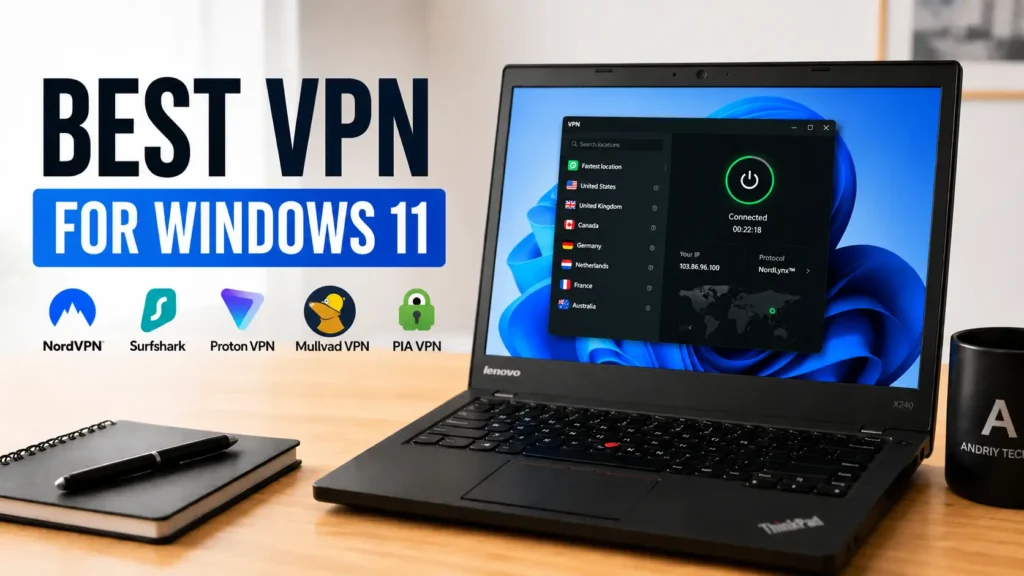
Looking for the best VPN for Windows 11? In this guide, I compare NordVPN, Surfshark, Proton VPN, Mullvad, and PIA based on privacy, gaming, streaming, Linux support, and real-world usability.
After researching the current VPN market and comparing real-world usability on Windows 11, these are the VPN services I’d personally consider using right now.
This article may contain affiliate links in the future. If you purchase through these links, AndriyTech may earn a commission at no additional cost to you.
This article focuses on:
- Privacy and telemetry concerns
- Gaming and latency
- Streaming performance
- Ease of use on Windows 11
- Linux compatibility
- Pricing and value
- Real-world usability instead of marketing hype
Unlike many generic “Top 20 VPN” articles, this guide keeps things simple and practical.
Why Windows 11 Users May Want a VPN
A VPN (Virtual Private Network) encrypts your internet connection and routes traffic through secure servers. While a VPN is not magic protection against everything online, it can still be extremely useful in everyday situations.
Users running customized or unsupported Windows 11 setups may also care more about privacy, telemetry, and system control.
Public Wi‑Fi Protection
Using public Wi‑Fi in hotels, cafés, airports, or universities can expose your traffic to risks if the network is poorly configured or monitored. A VPN helps encrypt your traffic and makes it harder for third parties to inspect what you’re doing.
ISP Tracking & Privacy
Internet providers in many regions can still collect browsing-related metadata or throttle certain services. VPNs can reduce visibility into your browsing activity.
Streaming & Region Restrictions
Many users use VPNs for accessing region-restricted content or improving privacy while streaming.
Gaming Benefits
VPNs won’t magically reduce ping in every game, but in some cases they can:
- Improve routing stability
- Reduce ISP throttling
- Protect against basic DDoS attacks
- Improve privacy while gaming
However, poor VPN services can also increase latency significantly, which is why choosing the right provider matters.
Windows Telemetry Concerns
Windows 11 still sends diagnostic and telemetry-related data to Microsoft. While most users don’t need to panic about this, privacy-focused users often combine:
- Windows privacy tweaks
- Browser hardening
- DNS changes
- VPN usage
for a cleaner and more private setup.
What Makes a Good VPN?
Not every VPN is worth using.
A good VPN should ideally offer:
- Modern protocols like WireGuard
- Stable Windows 11 applications
- Kill switch support
- No-log policy
- Fast servers
- Reliable streaming support
- Reasonable pricing
- Linux compatibility
- Transparent ownership and reputation
Many “free VPNs” still collect user data, inject ads, or offer extremely poor performance.
That’s why it’s usually better to use either:
- a reputable paid VPN;
- or a trustworthy limited free plan.
1. NordVPN – Best Overall VPN for Windows 11
Why It Stands Out
NordVPN remains one of the most polished VPN services available today.
The Windows 11 application is clean, stable, beginner-friendly, and offers a good balance between:
- performance;
- security;
- streaming support;
- gaming usability.
NordVPN also performs well with WireGuard-based connections through its NordLynx protocol.
Best For
- Most Windows 11 users
- Streaming
- General privacy
- Gaming
- Beginners
Pros
- Very fast servers
- Excellent Windows application
- Large server network
- Good streaming support
- Kill switch support
- Reliable speeds for gaming and downloads
Cons
- More expensive than some competitors
- Interface may feel slightly heavy on lower-end systems
Real-World Thoughts
For users who simply want a stable “install and use” VPN experience on Windows 11, NordVPN is still one of the easiest recommendations.
It’s not the cheapest option, but the overall experience is polished and consistent.
2. Surfshark – Best Budget VPN
Why It’s Popular
Surfshark has become extremely popular because it offers:
- competitive pricing;
- unlimited device support;
- modern interface;
- decent performance.
For users with multiple devices:
- gaming PC;
- laptop;
- phone;
- tablet;
Surfshark can be very cost-effective.
Best For
- Budget-conscious users
- Families
- Multi-device setups
- Casual streaming
Pros
- Affordable long-term plans
- Unlimited devices
- Good Windows UI
- Fast enough for most users
- Clean beginner-friendly setup
Cons
- Speeds can vary depending on region
- Some advanced users may prefer more configurable VPNs
Real-World Thoughts
Surfshark feels like one of the best value VPNs currently available.
It may not always match the absolute top-tier performance of premium competitors, but for many users the difference is small enough that the lower pricing makes it very attractive.
3. Proton VPN – Best Free VPN & Privacy-Focused Choice
Why Proton VPN Is Different
Proton VPN stands out because the company has a strong privacy-focused reputation and offers one of the best free VPN plans currently available.
Unlike many free VPN services, Proton VPN’s free plan avoids:
- aggressive ads;
- suspicious tracking;
- questionable monetization.
The company is also well-known in the privacy community.
Best For
- Privacy-focused users
- Linux users
- Free VPN users
- Secure browsing
Pros
- One of the best free VPN plans
- Strong privacy reputation
- Good Linux support
- Open-source applications
- Modern interface
Cons
- Free plan has limitations
- Premium speeds may vary depending on server load
- Smaller server network than some competitors
Linux Support
One area where Proton VPN performs particularly well is Linux support.
Many VPN providers still treat Linux users as an afterthought, but Proton VPN has improved significantly with:
- GUI support;
- WireGuard;
- better desktop integration.
For Linux users running:
- Ubuntu;
- Linux Mint;
- Fedora;
- Debian;
Proton VPN is one of the better mainstream options.
Real-World Thoughts
If privacy matters more to you than flashy marketing, Proton VPN is definitely worth considering.
Its free plan is also one of the few I’d realistically recommend to beginners.
4. Mullvad – Best VPN for Advanced Privacy Users
Why Privacy Enthusiasts Like Mullvad
Mullvad has built a strong reputation among advanced privacy-focused users.
Unlike many VPN providers that heavily focus on influencer marketing and aggressive promotions, Mullvad is known for a simpler and more transparent approach.
One interesting feature is that Mullvad allows account creation without requiring traditional email registration.
Best For
- Advanced privacy users
- Minimalists
- Linux enthusiasts
- Users who prefer transparency
Pros
- Excellent privacy reputation
- Transparent pricing
- Strong WireGuard support
- Lightweight applications
- Good Linux compatibility
Cons
- Smaller feature set than some competitors
- Interface may feel too simple for some users
- Streaming support is not always the main focus
Real-World Thoughts
Mullvad feels more like a privacy tool than a mainstream consumer product.
It may not be the ideal choice for users mainly interested in streaming libraries or flashy interfaces, but privacy-focused users often appreciate its cleaner philosophy.
5. Private Internet Access (PIA) – Best for Advanced Configuration
Why Some Users Still Prefer PIA
Private Internet Access has been around for a long time and remains popular among users who want more configuration options.
PIA offers:
- advanced settings;
- protocol customization;
- automation options;
- large server coverage.
Best For
- Advanced users
- Tinkerers
- Power users
- Torrenting
Pros
- Highly configurable
- Large server network
- Good pricing
- Strong protocol support
- Long-standing reputation
Cons
- Interface may feel overwhelming for beginners
- Design feels less modern than some competitors
- Speeds can vary depending on server choice
Real-World Thoughts
PIA is not necessarily the most beginner-friendly VPN today, but advanced users may appreciate the additional control.
If you enjoy tweaking settings and experimenting with networking configurations, PIA still has a place in the market.
VPNs I Would Personally Avoid
Not every VPN advertised online is trustworthy.
In general, I’d be cautious with:
- unknown free VPNs;
- VPNs with aggressive advertising;
- services with no transparency;
- apps filled with ads and trackers;
- providers promising unrealistic “100% anonymity.”
If a VPN sounds too good to be true, it usually is.
Does a VPN Improve Gaming Performance?
This is one of the biggest myths online.
A VPN will NOT magically reduce your ping in every game.
In fact, many VPNs can slightly increase latency because traffic is routed through additional servers.
However, in some situations VPNs may help:
- avoiding ISP throttling;
- improving unstable routing;
- protecting against DDoS attacks;
- improving consistency.
For competitive gaming, server choice matters heavily.
Using a nearby VPN server is usually the best approach.
Are Free VPNs Safe?
Some are.
Many are not.
This is extremely important.
A lot of free VPN applications make money through:
- ads;
- data collection;
- tracking;
- bandwidth restrictions.
That’s why I’d generally avoid random free VPNs from app stores.
If you absolutely need a free option, Proton VPN Free is currently one of the safer mainstream choices.
Best VPNs for Most Windows 11 Users
If I had to simplify the recommendations:
| Use Case | Recommendation |
|---|---|
| Best Overall | NordVPN |
| Best Budget | Surfshark |
| Best Free VPN | Proton VPN |
| Best Privacy | Mullvad |
| Best Advanced Features | PIA |
My Personal Recommendation
For most Windows 11 users, I’d personally lean toward:
- NordVPN for the best overall balance;
- Surfshark for value;
- Proton VPN for privacy-focused users and free usage.
Linux users may also appreciate Proton VPN or Mullvad because both services have a stronger privacy-oriented ecosystem compared to many mainstream VPN providers.
At the end of the day, the “best VPN” depends heavily on your actual needs.
Some users care mostly about:
- streaming;
- gaming;
- privacy;
- Linux support;
- pricing;
- simplicity.
There is no perfect one-size-fits-all solution.
Final Thoughts
VPNs are not magic tools that instantly make users anonymous online, but they can still be very useful for:
- improving privacy;
- securing public Wi‑Fi connections;
- reducing ISP visibility;
- accessing region-restricted content;
- adding another layer of protection.
The VPN market is extremely saturated with marketing and sponsored promotions, which is why it’s important to choose reputable services instead of random “free unlimited VPN” apps.
For Windows 11 users, the best approach is usually:
- choosing a trusted provider;
- using modern protocols like WireGuard;
- combining VPN usage with good browser and privacy practices;
- keeping expectations realistic.
If you’re building a cleaner and more privacy-focused Windows or Linux setup, a good VPN can still be a useful part of that workflow.
FAQ
Do I need a VPN on Windows 11?
Not every user absolutely needs a VPN, but many people use them for privacy, streaming, public Wi‑Fi protection, and reducing ISP tracking.
Which VPN is best for gaming?
NordVPN and Surfshark generally offer good gaming performance, but nearby servers usually matter more than marketing claims.
Which VPN is best for Linux?
Proton VPN and Mullvad are currently among the better Linux-friendly VPN providers.
Are free VPNs dangerous?
Some are safe, but many free VPNs collect user data or inject ads. It’s usually better to avoid unknown free VPN applications.
Can a VPN completely hide my activity?
No. VPNs improve privacy, but they do not make users completely anonymous online.
Which VPN would I personally choose?
For general Windows 11 usage, I’d probably choose NordVPN or Proton VPN depending on whether the priority is convenience or privacy.