One earbud quieter than the other is a very common problem with both wireless and wired earbuds.
In many cases, the issue appears completely randomly. One day everything works perfectly, and the next day the right or left earbud suddenly sounds muffled or almost impossible to hear.
At first, many people assume the problem is caused by:
- Bluetooth;
- software bugs;
- firmware issues;
- or broken earbuds.
But surprisingly, the issue is often much simpler.
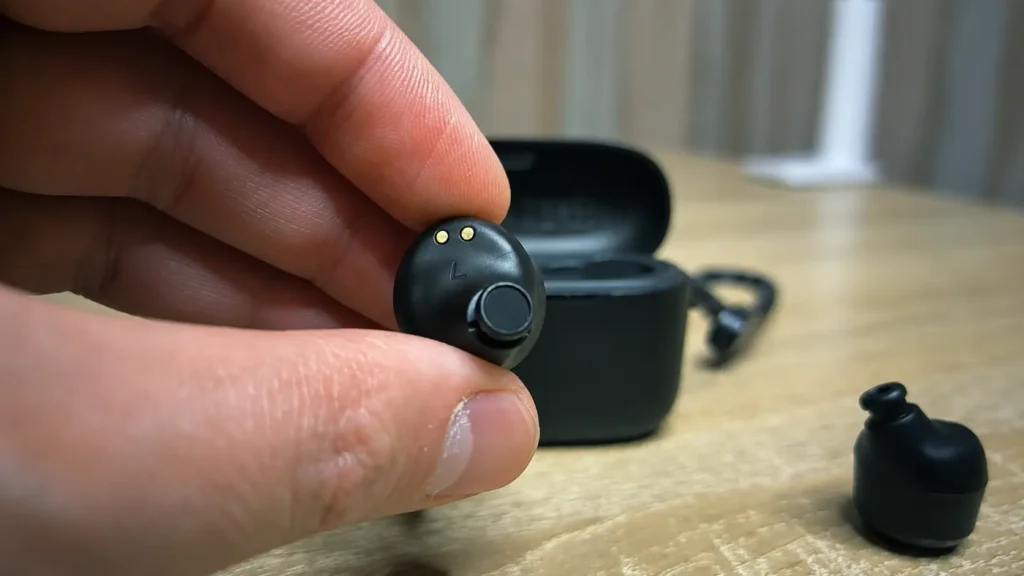
In many cases, one earbud becomes quieter because the speaker mesh is partially blocked by:
- earwax;
- dust;
- moisture;
- skin oils;
- or other debris.
And yes — sometimes a tiny amount of buildup is enough to create a massive difference in volume between both earbuds.
The good news is that this problem can often be fixed at home without replacing your earbuds.
In this guide, I will show you several things you should try before buying new earbuds, including the cleaning method that personally worked for me after a factory reset did not help.
Before Cleaning the Earbuds, Try These Quick Fixes
Before assuming the problem is hardware-related, start with a few simple software checks.
Sometimes the issue is surprisingly easy to fix.
1. Reconnect the Earbuds
Disconnect the earbuds completely from your phone, laptop, or tablet and reconnect them again.
Bluetooth glitches can occasionally cause audio imbalance issues.
2. Restart Your Device
A quick reboot may fix temporary audio problems, especially on smartphones.
This only takes a minute and is worth trying first.
3. Reset the Earbuds to Factory Settings
Many Bluetooth earbuds allow you to reset them completely.
The exact process depends on the manufacturer, but usually involves:
- placing both earbuds into the charging case;
- holding the touch buttons;
- or pressing the case button for several seconds.
If you are not sure how to do this, check the official manual for your earbuds.
In my case, I first tried resetting my Soundcore A20 earbuds, but the quieter earbud still sounded much lower afterward. That was the moment I realized the issue was probably not software-related anymore.
4. Check Audio Balance Settings
Sometimes the problem is not the earbuds themselves.
On Windows, Android, or iPhone, make sure the left/right audio balance is centered correctly.
For example:
- mono audio settings;
- accessibility options;
- or audio balance sliders;
can accidentally make one side quieter than the other.
Why One Earbud Becomes Quieter
If software fixes do not help, the problem is often caused by dirt buildup.
Most modern earbuds use a small protective speaker mesh. Over time, this mesh can slowly become clogged.
Even if the earbud still technically works, blocked airflow can make the sound:
- muffled;
- quieter;
- distorted;
- or uneven between both sides.
This is especially common if you:
- use earbuds daily;
- work out with them;
- wear them outdoors;
- or keep them in pockets or bags.
Sweat and moisture can also make debris stick to the speaker mesh more aggressively.
In many cases, the blockage may not even look very noticeable, but it can still reduce audio volume significantly.
Important Safety Warning Before Cleaning
Important: Always clean earbuds carefully and at your own risk. Never pour alcohol directly into the earbuds or charging ports. Excess liquid may permanently damage the speaker, battery, or internal electronics. If you are unsure, contact the manufacturer or a professional repair service first.
How to Clean Quiet Earbuds Properly
Now let’s move to the cleaning method that personally worked for me.
What You Need
For safe cleaning, I recommend using:
- cotton swabs;
- microfiber cloth;
- soft cleaning stick;
- 70% isopropyl alcohol.
Do not pour alcohol directly into the earbuds.
The goal is to use only a very small amount for surface cleaning.
Step 1: Remove the Silicone Tips
Start by removing the silicone ear tips carefully.
This is usually very easy and also gives you access to the speaker mesh underneath.
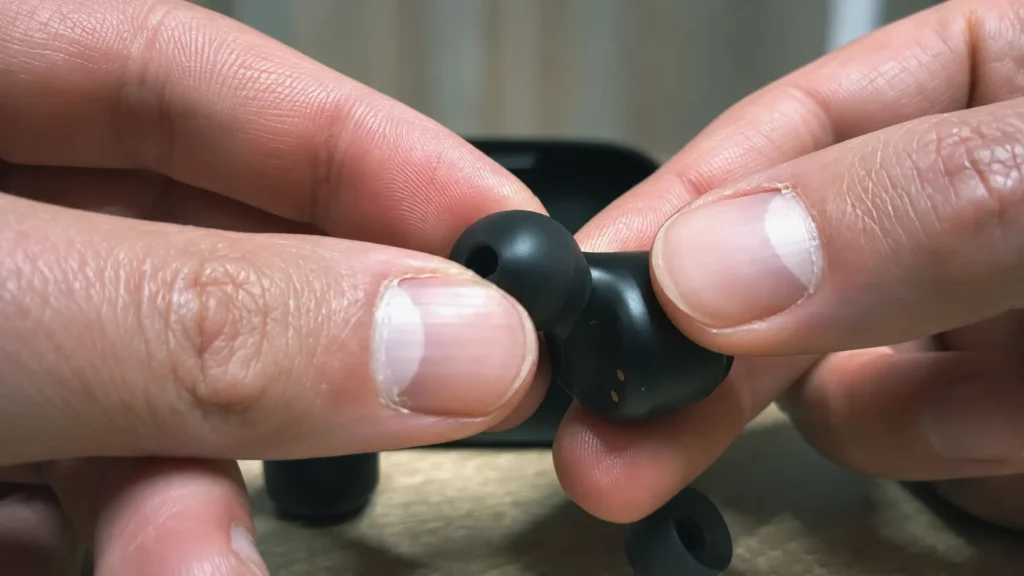
You can clean the ear tips separately using:
- warm water;
- mild soap;
- or alcohol wipes.
Make sure they are fully dry before reinstalling them later.
Step 2: Inspect the Speaker Mesh
After removing the ear tips, look closely at the speaker mesh.
Sometimes you can immediately notice:
- earwax;
- dust;
- discoloration;
- or clogged openings.
Even partial blockage can reduce sound volume significantly.
This is one of the most common reasons why one earbud becomes quieter over time.
Step 3: Clean the Mesh Carefully
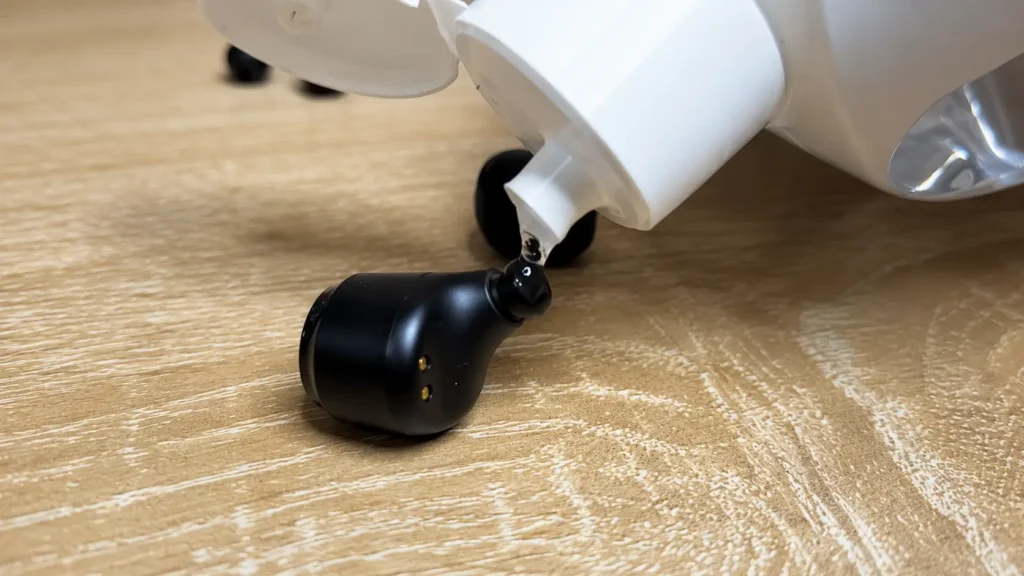
Lightly dampen a cotton swab with 70% isopropyl alcohol.
Important:
The cotton swab should not be dripping wet.
Gently clean the surface of the mesh using small circular motions.
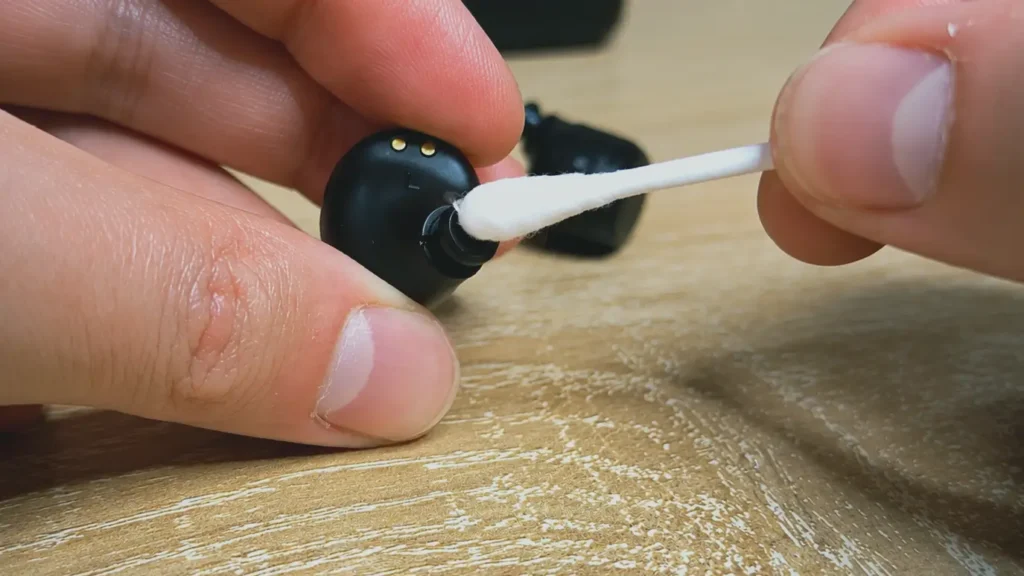
Do not:
- push debris deeper into the mesh;
- use sharp metal tools;
- apply excessive pressure;
- or allow liquid to enter the charging contacts or internal openings.
In my case, I also left the earbuds facing downward for some time after cleaning to reduce the chance of moisture reaching internal components.
Step 4: Let the Earbuds Dry Completely
This step is extremely important.
After cleaning:
- wipe the earbuds gently;
- leave them to dry fully;
- wait at least 30–60 minutes before using them again.
Never use earbuds immediately after cleaning with alcohol.
Even small amounts of remaining moisture may potentially damage internal components.
Step 5: Test the Sound Again
After everything dries completely:
- reinstall the silicone tips;
- reconnect the earbuds;
- and test the sound again.
For me, the volume returned to normal immediately after cleaning.
Honestly, I was surprised that such a small amount of dirt caused such a massive difference in sound quality.
What If Cleaning Does Not Help?
Unfortunately, cleaning will not fix every situation.
If one earbud is still much quieter afterward, the problem may be caused by:
- water damage;
- failing speaker driver;
- damaged battery;
- clogged internal filters;
- liquid corrosion;
- internal amplifier problems;
- Bluetooth hardware failure.
At that point, you can try:
- testing another device;
- updating firmware;
- contacting the manufacturer;
- or replacing the earbuds entirely.
Should You Remove the Earbud Mesh?
Some people online recommend removing the protective mesh completely.
I generally do not recommend this unless the earbuds are already unusable.
The mesh protects the internal speaker from:
- dust;
- earwax;
- moisture;
- and debris.
Removing it may temporarily improve sound volume, but it can also increase the risk of permanent damage later.
For most users, careful cleaning is a much safer option.
Can Earwax Really Make Earbuds Quieter?
Yes — absolutely.
This is actually one of the most common causes of uneven earbud volume.
The problem is especially common with:
- in-ear earbuds;
- workout earbuds;
- noise-cancelling earbuds;
- and heavily used Bluetooth earbuds.
Sometimes the buildup is so gradual that users do not even notice the sound becoming quieter until one side sounds dramatically lower than the other.
How to Prevent the Problem in the Future
To reduce the chance of this happening again:
- clean earbuds regularly;
- avoid storing them in dusty pockets;
- wipe moisture after workouts;
- clean silicone tips occasionally;
- store earbuds in their charging case.
Even basic maintenance can help earbuds stay cleaner much longer.
FAQ
Why Is One Earbud Quieter Than the Other?
In many cases, the speaker mesh becomes partially clogged with earwax, dust, or moisture. Software issues and audio balance settings can also sometimes cause uneven volume.
Is It Safe to Clean Earbuds With Alcohol?
Yes, but only carefully and in small amounts.
I recommend using 70% isopropyl alcohol with a lightly dampened cotton swab. Never pour liquid directly into the earbuds.
Why Do My Earbuds Sound Muffled?
Muffled sound is often caused by blocked speaker mesh, moisture buildup, or dirt inside the earbud opening.
Can Earwax Permanently Damage Earbuds?
Over time, heavy buildup may contribute to speaker issues or clogged filters. Regular cleaning helps reduce the risk.
Should I Remove the Mesh From My Earbuds?
Usually no.
Removing the mesh increases the risk of dust and moisture damaging internal components.
Final Thoughts
If one earbud suddenly becomes quieter than the other, do not panic immediately.
In many cases, the issue is not caused by broken hardware at all.
Before replacing your earbuds, try:
- reconnecting them;
- resetting them;
- checking audio balance settings;
- and carefully cleaning the speaker mesh.
For me personally, cleaning the earbuds solved the problem completely after factory reset did not help.
And based on how common this issue is, there is a good chance it may help you too.
Just remember:
- clean carefully;
- avoid excessive liquid;
- and never force anything into the speaker mesh.
Sometimes a simple cleaning is all it takes to make your earbuds sound normal again.