This Zorin OS Pro review is based on my experience using the operating system on an older Dell Latitude 7470 laptop.
Many people assume that an older laptop automatically becomes obsolete once it can no longer officially support the latest version of Windows. However, in many cases the hardware itself is still perfectly capable of handling everyday tasks such as web browsing, office work, media consumption, and even light content creation.
This is exactly where Linux distributions like Zorin OS come into the picture.
Zorin OS has built a strong reputation among users looking for a modern operating system that is easy to use, visually polished, and friendly to people coming from Windows. The free Core edition already offers a great experience, but there is also a paid version called Zorin OS Pro.
After spending time testing Zorin OS Pro on a Dell Latitude 7470 laptop, I wanted to answer a simple question:
Is Zorin OS Pro actually worth paying for, or should most users simply stick with the free version?
In this review, I will share my real-world experience, discuss the main features, highlight the advantages and disadvantages, and explain who should consider buying Zorin OS Pro.
Why More Users Are Looking Beyond Windows
For many years, Windows has been the default operating system for most computer users.
I still use Windows 11 on my main desktop PC, and for certain tasks it remains the best option. However, recent years have created a growing interest in alternatives.
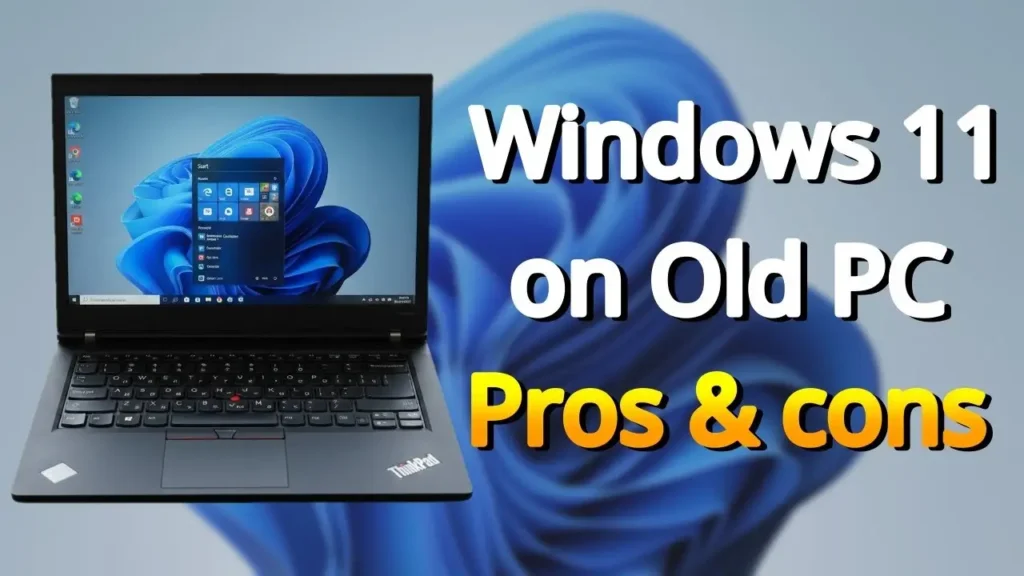
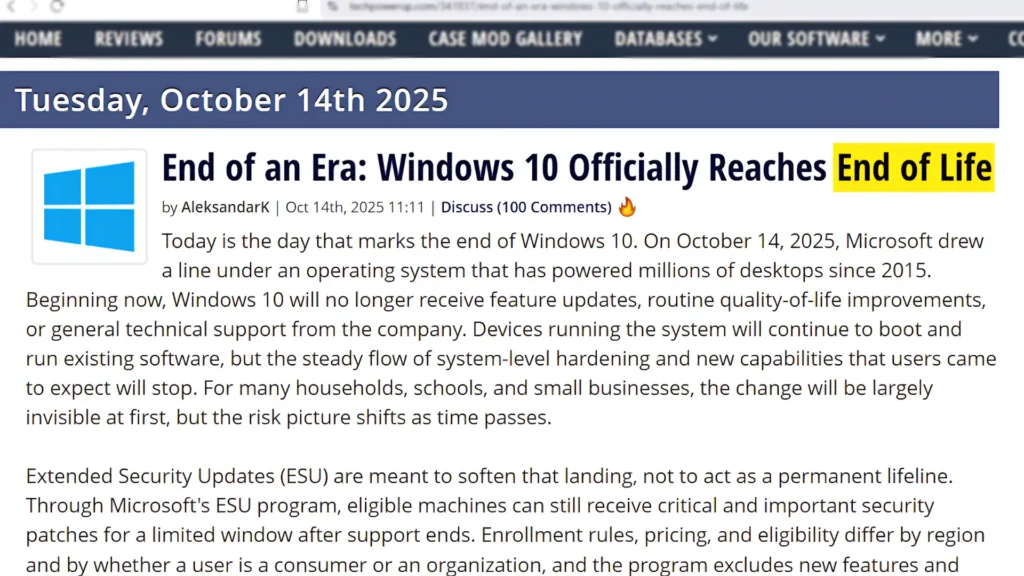
Windows 10 is reaching the end of its support lifecycle, while Windows 11 introduced hardware requirements that exclude many perfectly functional computers.
If you own a laptop such as a ThinkPad X240, Dell Latitude 7470, or countless other business laptops from previous generations, you have probably seen the message that your hardware is not officially supported.
The frustrating part is that many of these machines still provide excellent performance for everyday use.
They have good keyboards, decent displays, reliable build quality, and enough processing power for typical workloads.
Linux distributions generally take a different approach.
Instead of forcing users to upgrade hardware, they focus on making existing devices useful for longer.
Zorin OS is one of the best examples of this philosophy.
Testing Zorin OS Pro on a Dell Latitude 7470
For this review, I installed Zorin OS Pro on a Dell Latitude 7470.
Although this is not a new laptop, it remains a capable machine for productivity tasks, web browsing, writing, online meetings, and multimedia consumption.
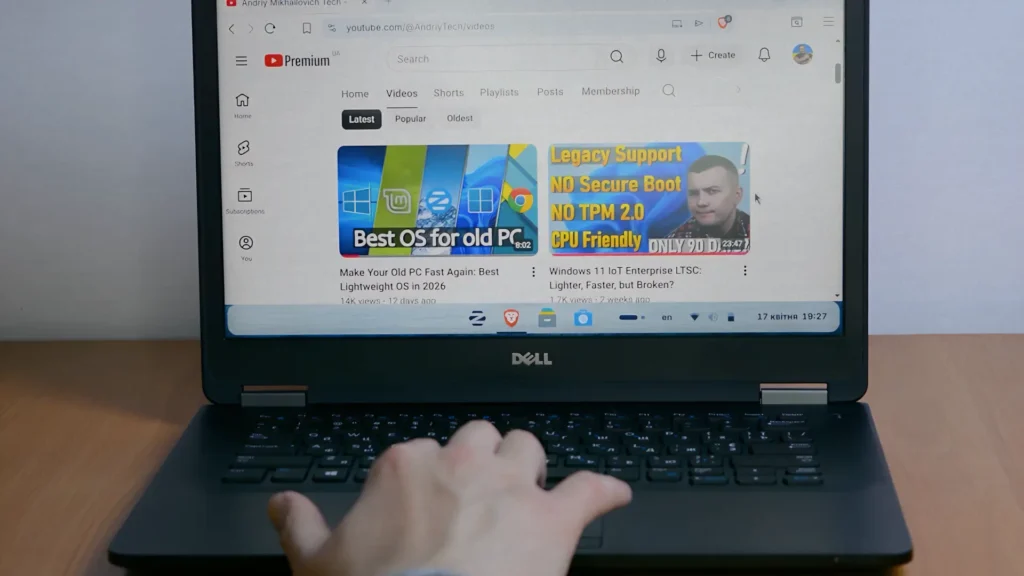
Installation was straightforward and required very little manual configuration.
One of the first things I noticed was how polished the overall experience felt.
Many people still associate Linux with complicated terminal commands and endless troubleshooting, but modern Linux distributions have changed significantly.
Zorin OS is clearly designed to make Linux approachable for everyday users.
The desktop environment feels modern, clean, and easy to navigate, even if you have never used Linux before.
Performance on Older Hardware
One of the strongest reasons to consider Zorin OS is performance.
Windows often becomes heavier over time due to background services, telemetry, bundled applications, and increasing system requirements.
On the Dell Latitude 7470, Zorin OS felt lightweight and responsive.
Applications opened quickly, multitasking was smooth, and overall responsiveness was excellent.
Simple activities such as:
- Web browsing
- YouTube streaming
- Office work
- PDF reading
- File management
all felt effortless.
The system never gave the impression that the hardware was outdated.
Instead, it felt like the laptop had gained a second life.
This is one of the biggest advantages Linux offers on older computers.
Zorin OS Lite for Even Older PCs
If your computer is older than the Dell Latitude 7470, there is another option worth mentioning.
While Zorin OS Core and Zorin OS Pro use the GNOME desktop environment, Zorin OS Lite uses XFCE.
XFCE is designed to consume fewer system resources while still providing a complete desktop experience.
This makes Zorin OS Lite an excellent choice for:
- Older laptops
- Budget PCs
- Low-end hardware
- Systems with limited RAM
Users often assume Linux is only for powerful machines or technical enthusiasts, but Zorin OS Lite proves otherwise.
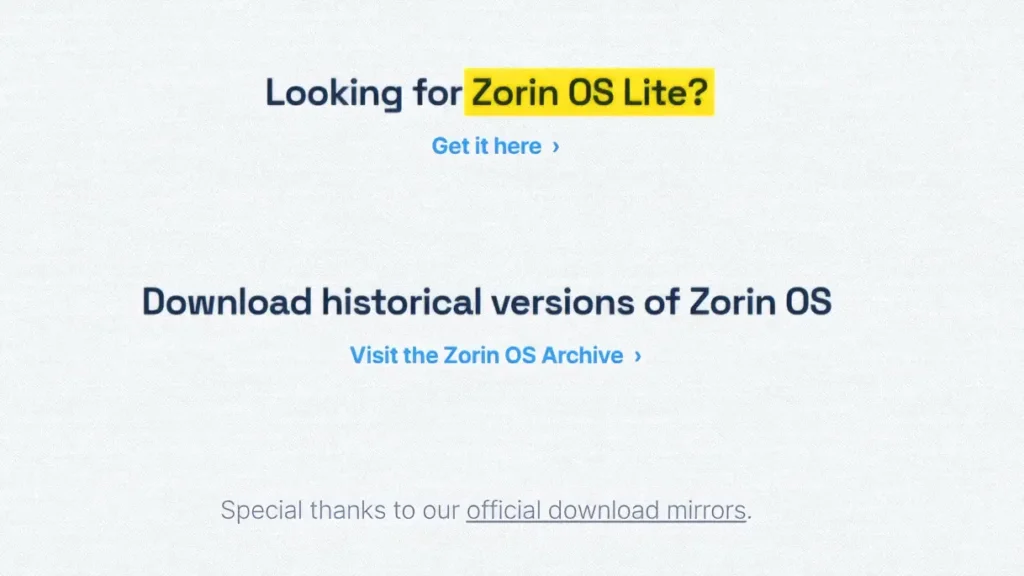
It can make aging hardware surprisingly usable.
One of the things I appreciate about Linux distributions such as Zorin OS is their ability to keep older hardware useful for much longer.
Linux Mint is another great example of this approach.
During my testing, Linux Mint performed surprisingly well on older laptops while remaining stable, lightweight, and easy to use.
Although Zorin OS offers a more polished out-of-the-box experience for Windows users, Linux Mint remains one of the strongest alternatives for aging hardware.
If you are interested in comparing both distributions, I also published a detailed Linux Mint on an old laptop guide based on my real-world experience.
Battery Life Improvements
Another positive surprise was battery life.
Compared to the previous Windows installation, battery performance improved noticeably.
This is especially important for older laptops where battery capacity has naturally degraded over time.
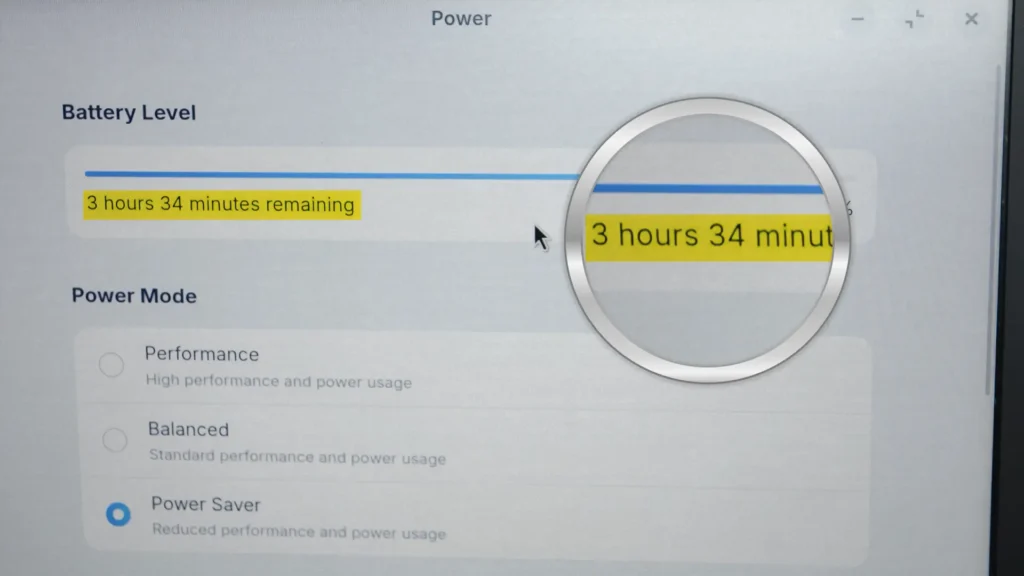
Every additional hour of usable battery life matters.
While results vary depending on hardware and usage patterns, many Linux users report similar improvements after switching from Windows.
For people who travel frequently or use their laptop away from a power outlet, this can be a significant advantage.
What Do You Get With Zorin OS Pro?
The biggest question surrounding Zorin OS Pro is what exactly you receive for your money.
The most obvious difference is access to additional desktop layouts.
However, the Pro version includes more than just visual changes.
You also receive:
- Premium desktop layouts
- Additional pre-installed applications
- Access to support from the Zorin team
- Extra productivity tools
- A more complete out-of-the-box experience
Importantly, Zorin OS Pro does not lock essential functionality behind a paywall.
The free version remains highly capable.
Instead, the Pro version focuses on convenience and additional customization.
Premium Desktop Layouts
The headline feature of Zorin OS Pro is the collection of premium desktop layouts.
These layouts allow the operating system to resemble various popular interfaces.
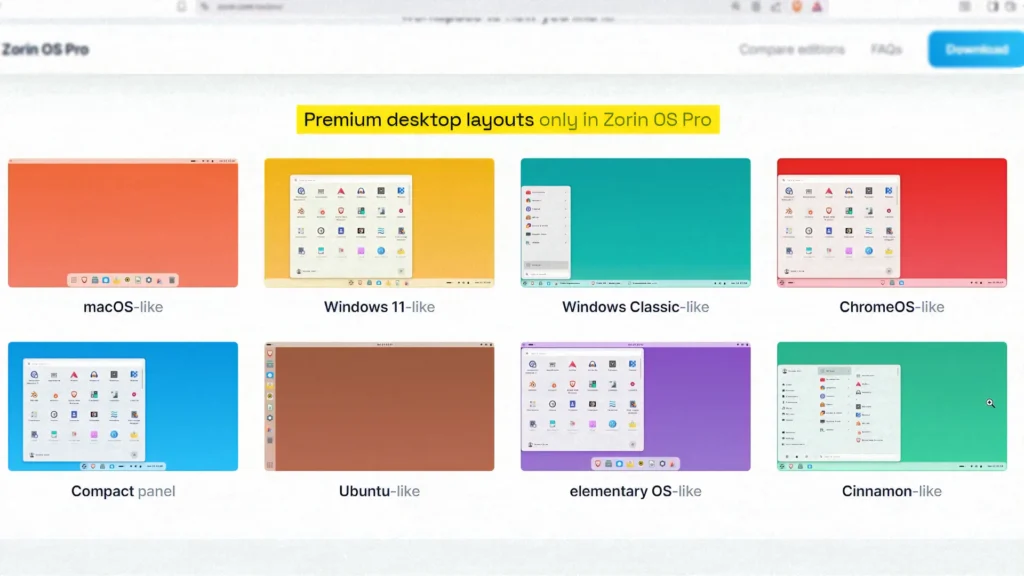
You can choose layouts inspired by:
- Windows 11
- Windows 7
- macOS
- ChromeOS
- Traditional desktop environments
For users transitioning from another operating system, this can significantly reduce the learning curve.
Instead of adapting to a completely unfamiliar interface, you can start with a layout that already feels comfortable.
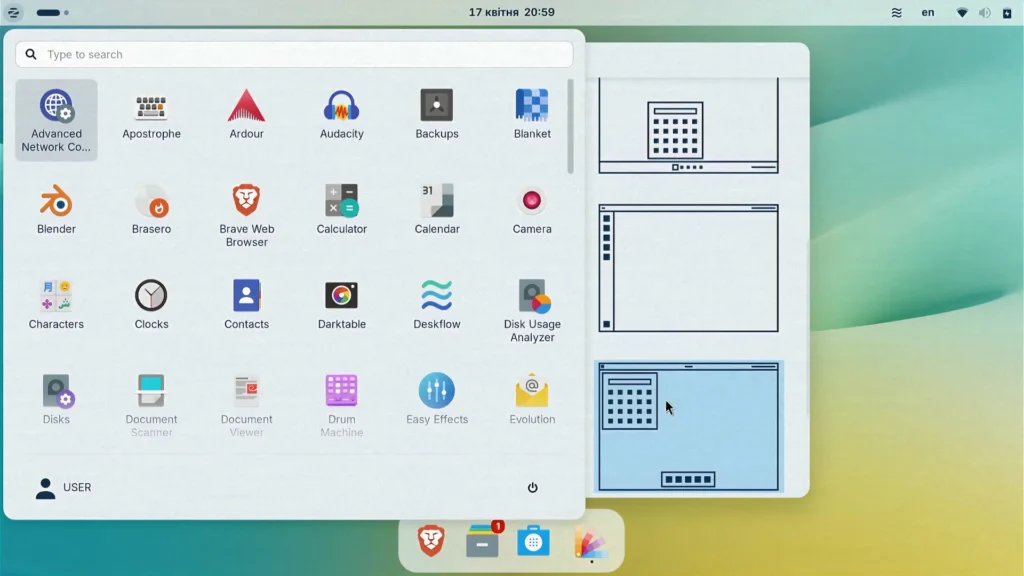
This may sound like a small feature, but it genuinely improves the user experience.
People often underestimate how important familiarity is when switching operating systems.
A Familiar Experience for Windows Users
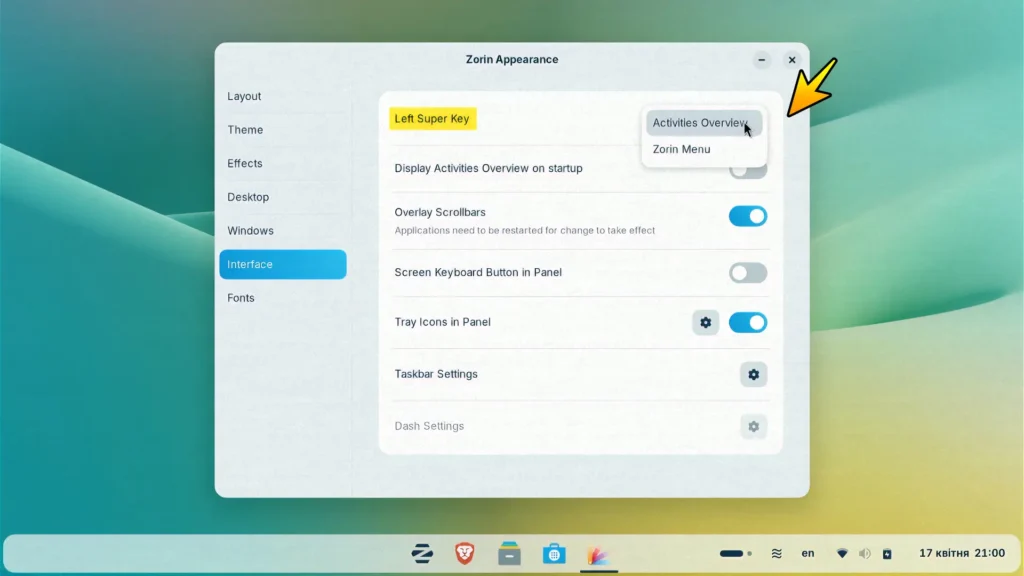
One feature I overlooked during my previous testing was the behavior of the Super key.
By default, it opens the Activities Overview.
For Linux users, this is perfectly normal.
For Windows users, it may initially feel unusual.
Fortunately, Zorin OS allows you to modify this behavior.
You can configure the key to open the Zorin Menu instead, creating a more traditional Windows-like experience.
These small customization options demonstrate the attention to detail that makes Zorin OS appealing.
Pre-Installed Applications
Another benefit of Zorin OS Pro is the collection of pre-installed software.
Rather than spending time searching for useful applications immediately after installation, many tools are already included.
This saves time and simplifies the setup process.
The software bundle covers common tasks such as:
- Office work
- Media playback
- Image editing
- Productivity
- Communication
None of these applications are revolutionary on their own.
Most can be installed manually for free.
The value comes from having everything configured and ready from the beginning.
For many users, convenience is worth paying for.
Are You Paying for Features or Convenience?
This is where opinions about Zorin OS Pro often differ.
Advanced Linux users may point out that most Pro features can be recreated manually.
Technically, they are correct.
Desktop layouts can be configured manually.
Applications can be installed manually.
Themes can be customized manually.
However, time also has value.
Many users simply want a polished system that works immediately after installation.
In that sense, Zorin OS Pro is less about exclusive functionality and more about convenience.
Whether that convenience justifies the price depends entirely on the individual user.
Zorin OS Pro vs Zorin OS Core
One of the most common questions people ask is whether Zorin OS Pro is actually worth paying for when the free Core version already offers a polished Linux experience.
The good news is that both editions are built on the same foundation. They use the same operating system, receive the same security updates, and provide access to important features such as Windows App Support and Zorin Connect. This means that users who choose the free version are not getting a crippled experience.
The biggest differences come down to convenience, customization, and support.
Zorin OS Pro includes additional desktop layouts inspired by Windows, macOS, ChromeOS, and other popular interfaces. These layouts can make the transition from another operating system feel much easier, especially for beginners. Pro users also receive a collection of pre-installed applications, allowing them to start working immediately after installation instead of spending time searching for software.
Another benefit is access to official support from the Zorin team. While experienced Linux users may never need assistance, beginners often appreciate having direct help available if they encounter a problem.
At the same time, it is important to understand that most Pro-exclusive features can be recreated manually by advanced users. Linux offers a high degree of customization, and many applications included with Pro can be installed for free.
In practice, the decision comes down to how much you value your time. If you enjoy tweaking and configuring Linux yourself, Zorin OS Core is probably all you need. If you prefer a polished experience with minimal setup and want to support the developers behind the project, Zorin OS Pro becomes much easier to justify.
Zorin OS Pro vs Zorin OS Core Comparison
| Feature | Zorin OS Core | Zorin OS Pro |
|---|---|---|
| Price | Free | Paid |
| Security Updates | Yes | Yes |
| Windows App Support | Yes | Yes |
| Zorin Connect | Yes | Yes |
| GNOME Desktop | Yes | Yes |
| Premium Desktop Layouts | No | Yes |
| Additional Applications | No | Yes |
| DeskFlow | No | Yes |
| Official Support | Community | Direct Support |
| Best For | Most Users | Convenience & Productivity |
DeskFlow: One Keyboard and Mouse for Multiple Computers
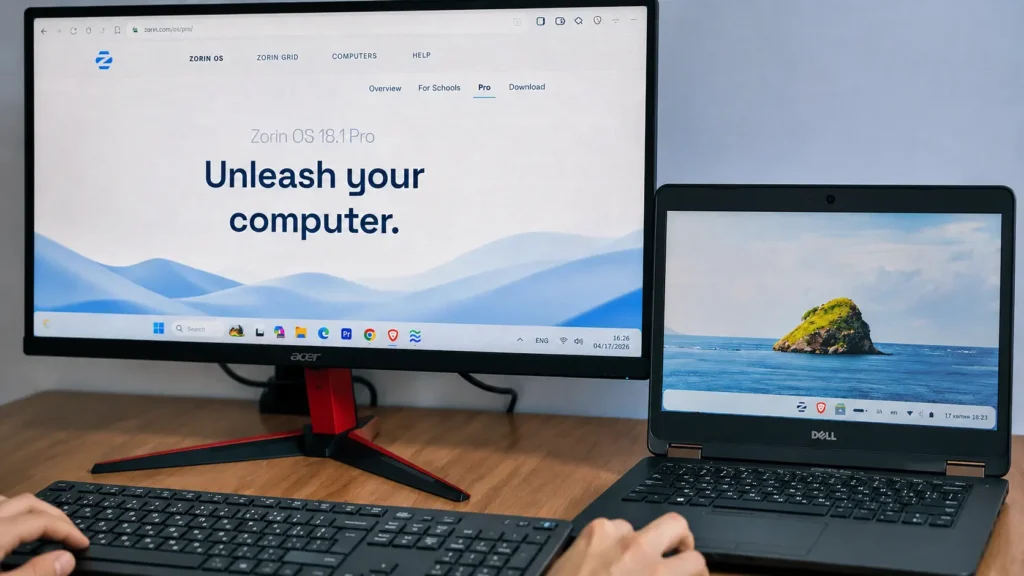
One feature I genuinely enjoyed was DeskFlow.
DeskFlow allows you to control multiple computers using a single keyboard and mouse.
In my setup, I used:
- A Windows desktop PC
- A Dell Latitude laptop running Zorin OS
Both systems operated on the same local network.
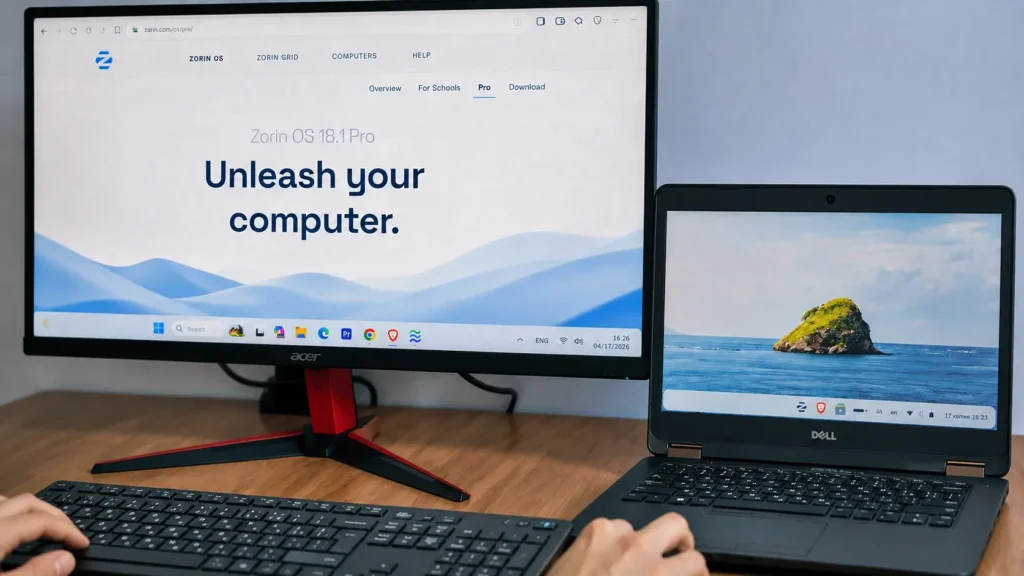
With DeskFlow configured, I could move the mouse between computers almost as if they were connected to the same system.
Clipboard sharing also worked seamlessly.
For example:
- Copy a URL on Windows
- Paste it directly into Zorin OS
The process feels natural and significantly improves productivity.
Real-World Productivity Benefits
For content creation and technical work, DeskFlow can be surprisingly useful.
I could keep research material, technical specifications, or scripts open on the Dell laptop while performing primary work on my desktop PC.
Instead of switching keyboards or transferring files manually, everything felt integrated.
Small workflow improvements like this save time every day.
Individually they seem minor.
Over weeks and months, they become genuinely valuable.
Driver Support and Hardware Compatibility
Hardware support was another strong point during testing.
After installation, nearly everything worked immediately.
This included:
- Wi-Fi
- Bluetooth
- Touchpad gestures
- Scrolling
- Function keys
- Audio devices
Of course, Linux compatibility can vary depending on hardware.
Some specialized devices may still require additional configuration.
However, the overall experience was excellent.
For typical laptops and desktop computers, Zorin OS should work without major issues.
Access to Official Support
The Pro version includes access to support from the Zorin team.
While experienced Linux users may never need assistance, newer users often appreciate having official support available.
If you encounter installation issues, driver problems, or configuration questions, knowing that support exists can provide peace of mind.
For less technical users, this benefit alone may justify part of the purchase price.
Zorin’s Philosophy Compared to Other Platforms
One aspect I find particularly interesting is the philosophy behind Zorin OS.
The developers do not appear focused on forcing users into a specific ecosystem.
Instead, they focus on usability.
Important features remain available in the free version.
The operating system does not feel intentionally limited.
This creates a very different experience compared to many commercial software ecosystems.
The goal seems to be encouraging users to upgrade because they appreciate the project, not because essential functionality is locked away.
Windows App Support
A common concern when switching to Linux is software compatibility.
Zorin OS includes Windows App Support, which helps users run certain Windows applications.
This feature is available in both the free and Pro editions.
That is important because it demonstrates that Zorin does not restrict essential functionality to paying customers.
However, expectations should remain realistic.
Windows App Support is helpful, but it is not magic.
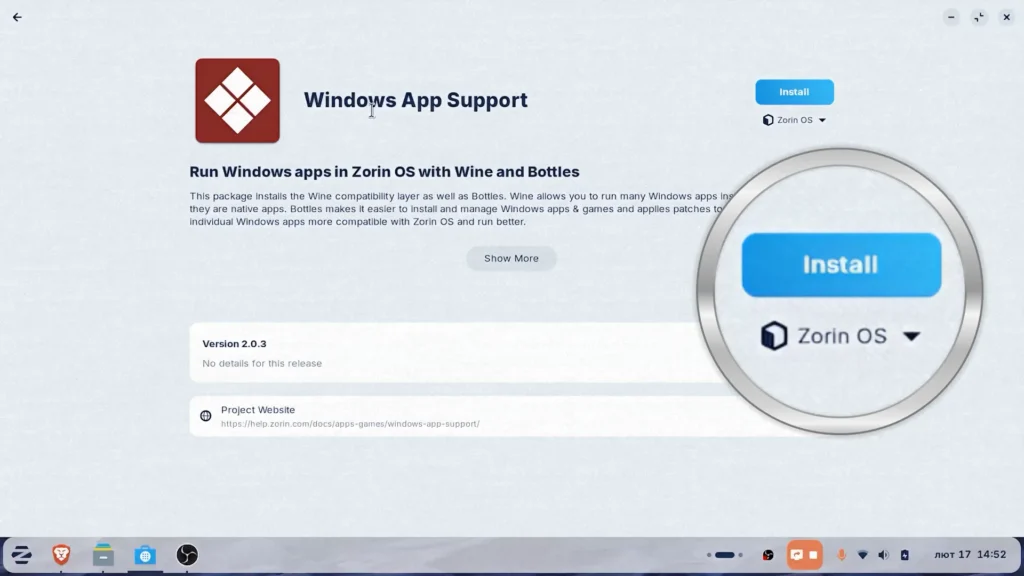
Some applications work very well.
Others work partially.
Some may not work at all.
Compatibility depends on the specific software.
Zorin Connect
Another useful feature available across editions is Zorin Connect.
This tool allows communication between your phone and computer.
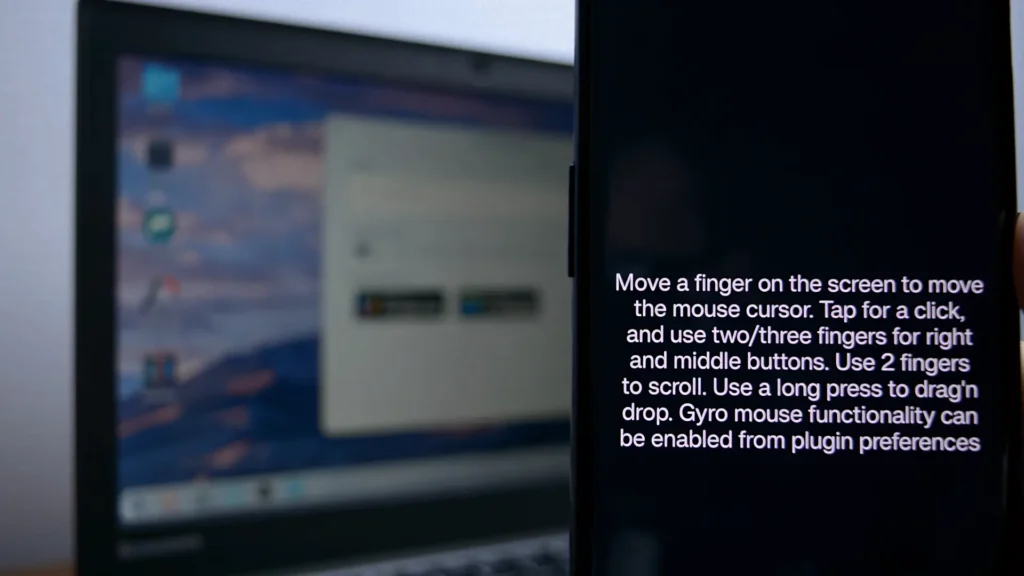
Features include:
- File sharing
- Notification synchronization
- Remote control functions
- Clipboard integration
For users who frequently switch between devices, this can improve productivity and convenience.
Privacy and User Control
Privacy is becoming an increasingly important topic.
Many online services collect more data than ever before.
Operating systems have also become part of this discussion.
One thing I appreciate about Zorin OS is its focus on user control.
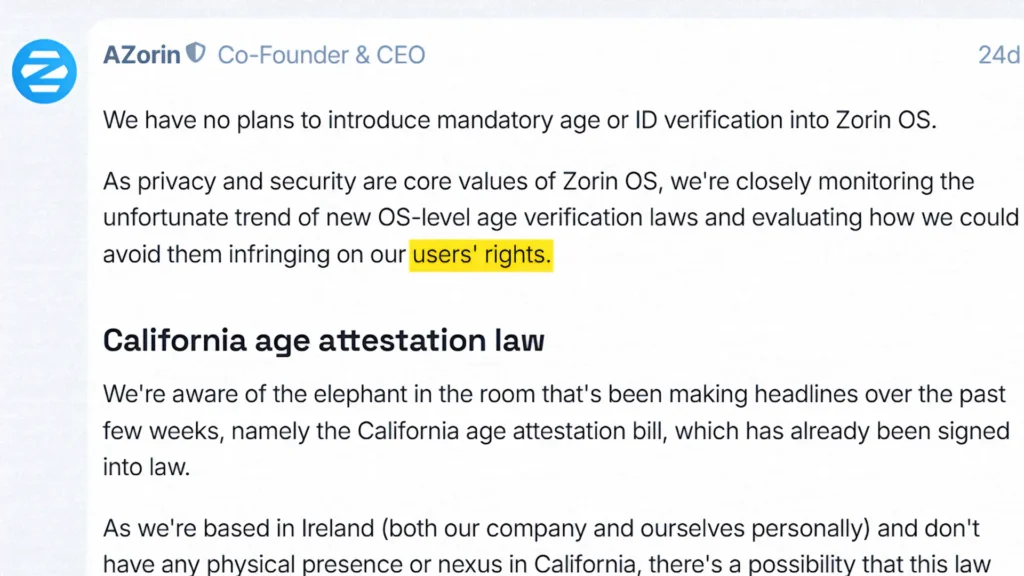
The system avoids unnecessary distractions.
You do not encounter random advertisements inside the operating system.
You are not constantly pushed toward online accounts.
The experience feels cleaner and more focused.
For users who value privacy and simplicity, this is a meaningful advantage.
Where Zorin OS Still Has Limitations
To remain objective, Zorin OS is not perfect.
Like any operating system, it has limitations.
The first limitation is that Zorin prioritizes stability.
This means software versions may not always be the newest available.
Some users appreciate this.
Others prefer cutting-edge software.
If you always want the latest features immediately after release, distributions like Fedora may be more appealing.
Adobe Software Remains a Challenge
If your workflow depends heavily on applications such as:
- Adobe Premiere Pro
- Adobe Photoshop
- Adobe After Effects
Linux remains difficult.
There are alternatives available.
Some are excellent.
However, they are not identical replacements.
Professional users should carefully evaluate software compatibility before migrating completely.
Gaming on Zorin OS
Gaming on Linux has improved dramatically.
Steam and Proton have transformed what is possible.
Many Windows games now run exceptionally well on Linux.
That said, Windows still maintains advantages in certain areas.
Games that rely on aggressive anti-cheat systems can still present problems.
For casual gaming and large portions of the Steam library, Linux works surprisingly well.
For maximum compatibility, Windows remains the safer choice.
Who Should Buy Zorin OS Pro?
Zorin OS Pro makes the most sense for:
- Users switching from Windows
- Owners of older laptops
- People who value convenience
- Users who want official support
- Those who wish to support development
If you enjoy customizing Linux manually, the free Core edition may be enough.
If you want a polished experience with minimal effort, Pro becomes more attractive.
Pros and Cons
Pros
- Excellent performance on older hardware
- Clean and polished user interface
- Easy transition for Windows users
- Good battery life on laptops
- Premium desktop layouts in Pro version
- DeskFlow improves multi-device productivity
- No intrusive ads or forced online accounts
- Strong focus on usability and simplicity
- Windows App Support included even in the free version
- Stable and beginner-friendly Linux distribution
Cons
- Pro version may feel expensive for some users
- Most Pro features can be recreated manually
- Adobe Creative Cloud applications are not fully supported
- Some Windows programs may not work correctly through Wine
- Not ideal for users who always want the latest software versions
- Certain games with anti-cheat systems still work better on Windows
Is Zorin OS Pro Worth It?
After testing Zorin OS Pro on a Dell Latitude 7470, I came away with a positive impression.
The operating system feels fast, stable, and well-designed. More importantly, it demonstrates that older hardware can still provide an excellent user experience without requiring expensive upgrades.
For most people, the free Core version will already cover everyday tasks such as web browsing, office work, media consumption, and light productivity. However, the Pro version offers additional convenience through premium layouts, bundled applications, DeskFlow, and official support.
I do not view Zorin OS Pro as a product that locks essential functionality behind a paywall. Instead, it feels more like a way to support the developers while receiving extra features that make the experience more polished.
If you are comfortable customizing Linux yourself, Zorin OS Core is likely enough. If you want a ready-to-use system with minimal setup and additional productivity tools, Zorin OS Pro is worth considering.
Final Verdict
Zorin OS Core is one of the best free Linux distributions available today.
It offers an excellent balance of usability, performance, stability, and simplicity.
Zorin OS Pro builds on that foundation by adding convenience, premium layouts, additional software, and support.
The paid version is not essential.
Most users can have a great experience with the free edition.
However, for people who appreciate a refined out-of-the-box experience and want to support the developers behind the project, Zorin OS Pro is a reasonable purchase.
Perhaps the most important thing Zorin OS offers is a different way of thinking about computers.
Instead of constantly replacing hardware because operating system requirements keep increasing, it encourages users to get more value from devices they already own.
For my Dell Latitude 7470, the experience was fast, responsive, stable, and enjoyable.
And honestly, that is exactly what I want from an operating system.
Frequently Asked Questions
Is Zorin OS Pro faster than Zorin OS Core?
No. Both versions use the same core operating system and offer similar performance. The Pro version mainly adds additional layouts, software, and productivity features.
Can Zorin OS Pro run on an old laptop?
Yes. Zorin OS is specifically designed to work well on older hardware. During testing, it performed smoothly on a Dell Latitude 7470, and even older systems can use Zorin OS Lite.
Is Zorin OS Pro a one-time purchase?
Yes. Zorin OS Pro is sold through a one-time payment rather than a subscription model.
Does Zorin OS Pro include Microsoft Office?
No. However, it includes alternative productivity software and can access Microsoft Office through the web version.
Can I run Windows applications on Zorin OS Pro?
Many Windows applications can run through the built-in Windows App Support feature, but compatibility varies depending on the software.
Is Zorin OS Pro better than Windows 11?
That depends on your needs. Windows 11 remains the better option for Adobe software, certain professional tools, and maximum gaming compatibility. Zorin OS Pro offers advantages in privacy, simplicity, stability, and support for older hardware.