Old laptops are often abandoned too early. Many people assume their device is “dead” simply because it became slow, noisy, or frustrating to use. In reality, the hardware itself is usually still functional — the real problem is often the operating system.
Modern operating systems demand far more resources than they did a few years ago. New background services, AI-powered features, telemetry, security layers, and heavier user interfaces can overwhelm older CPUs, hard drives, and low-memory systems.
The good news?
You do not necessarily need to buy a new laptop.
With the right operating system, even aging hardware can become surprisingly usable again for web browsing, office work, media consumption, online classes, or light productivity.
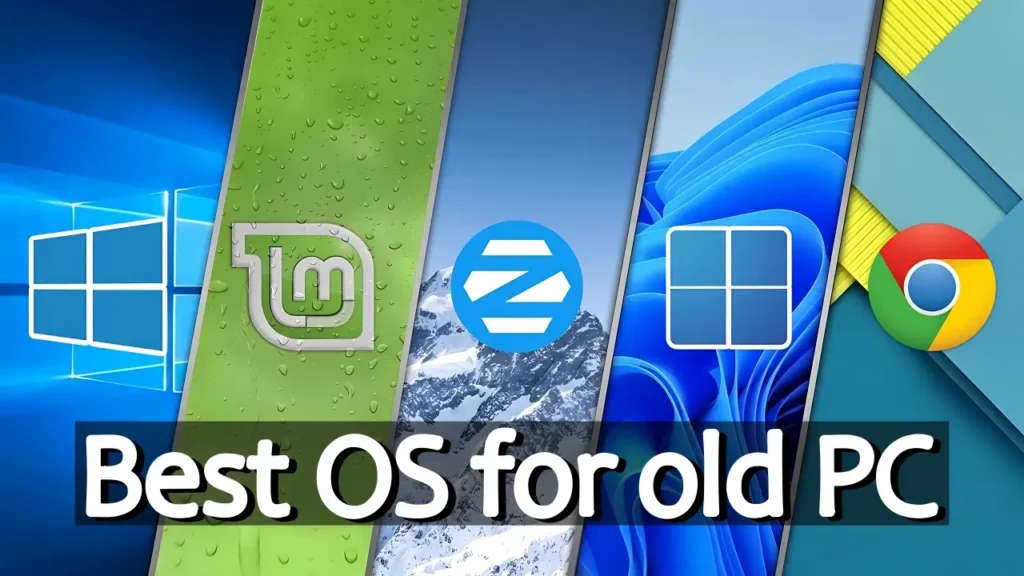
In this guide, we will look at some of the best operating systems for old laptops in 2026, including lightweight Windows editions, ChromeOS Flex, and beginner-friendly Linux distributions. We will also discuss which option is best depending on your needs, hardware limitations, and experience level.
Why Old Laptops Struggle Today
A laptop that felt fast in 2018 may feel painfully slow in 2026. That does not always mean the hardware is failing.
The bigger issue is that software became significantly heavier.
Modern operating systems now include:
- AI-related background services
- More aggressive telemetry
- Advanced security layers
- Cloud integrations
- Constant synchronization services
- Larger update systems
- More demanding graphical interfaces
All of this consumes CPU power, RAM, storage bandwidth, and battery life.
Older laptops are especially affected if they use:
- Dual-core processors
- Mechanical hard drives (HDDs)
- 4 GB RAM or less
- Older Intel generations
- Weak integrated graphics
This is why choosing the right OS matters more than ever.
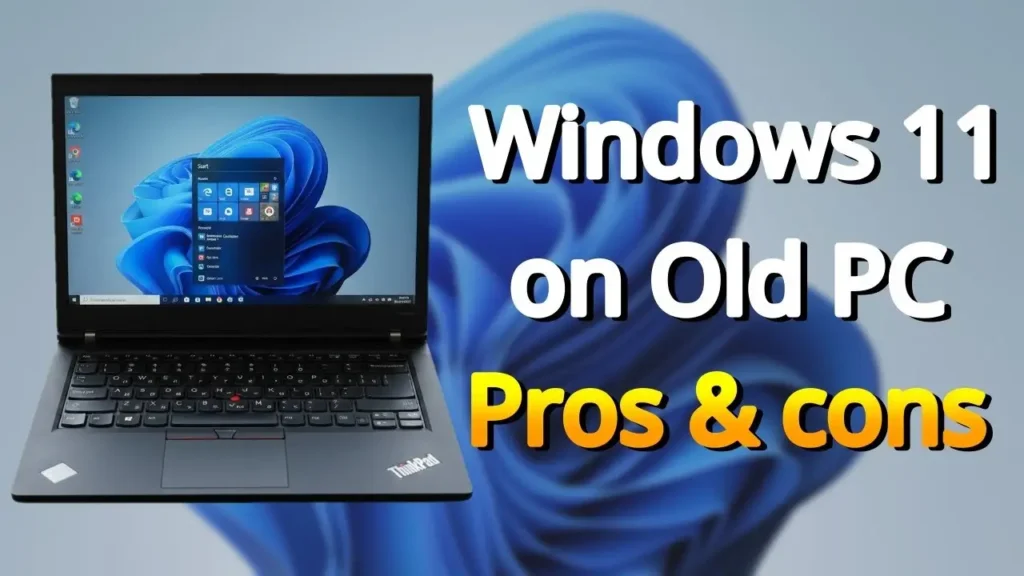
Why Windows 11 Is Often a Bad Choice for Old Hardware
At first glance, Windows 11 looks modern and polished. On newer hardware, it can work very well. But older laptops frequently struggle with it.
One major issue is hardware compatibility. Some older processors lack instructions such as POPCNT, which can create instability or even prevent newer updates from working correctly.
There is also the TPM 2.0 requirement.
Although many workarounds exist, unsupported systems may experience:
- update problems
- compatibility issues
- broken features
- reduced reliability over time
Performance is another concern.
Windows 11 runs numerous services in the background, including security checks, indexing systems, cloud integrations, and AI-related functionality. On weak hardware, this often leads to:
- high CPU usage
- overheating
- fan noise
- sluggish multitasking
- shorter battery life
Mechanical hard drives suffer especially badly under Windows 11 because the OS constantly performs background activity.
So while Windows 11 offers a modern experience, it is often not the best solution for older laptops.
Why Regular Windows 10 Is No Longer Ideal
Many users think the solution is simply staying on Windows 10 Home or Pro.
Unfortunately, in 2026, standard Windows 10 is no longer a great recommendation for most people.
The biggest issue is security.
Microsoft has ended free mainstream security updates for classic Windows 10 editions. Running an unsupported operating system connected to the internet is risky, especially if you use:
- online banking
- personal accounts
- cloud storage
- saved passwords
Without official security patches, your system becomes increasingly vulnerable to newly discovered exploits and malware.
Antivirus software alone is not enough if the operating system itself no longer receives proper security updates.
However, there is one version of Windows 10 that still makes sense in 2026.
Windows 10 IoT Enterprise LTSC: The Best Lightweight Windows Option
If you still want the Windows ecosystem, Windows 10 IoT Enterprise LTSC is arguably one of the best operating systems for older laptops.
LTSC stands for “Long-Term Servicing Channel.”
Unlike normal Windows editions, LTSC versions remove many unnecessary consumer-focused features.
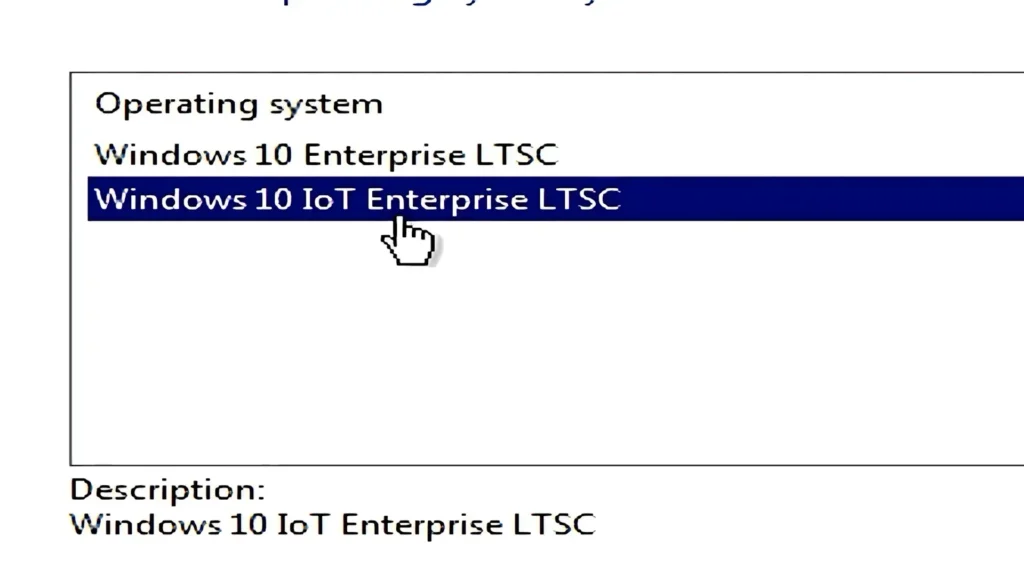
That means:
- fewer background services
- lower RAM usage
- no bloatware
- reduced telemetry
- better stability
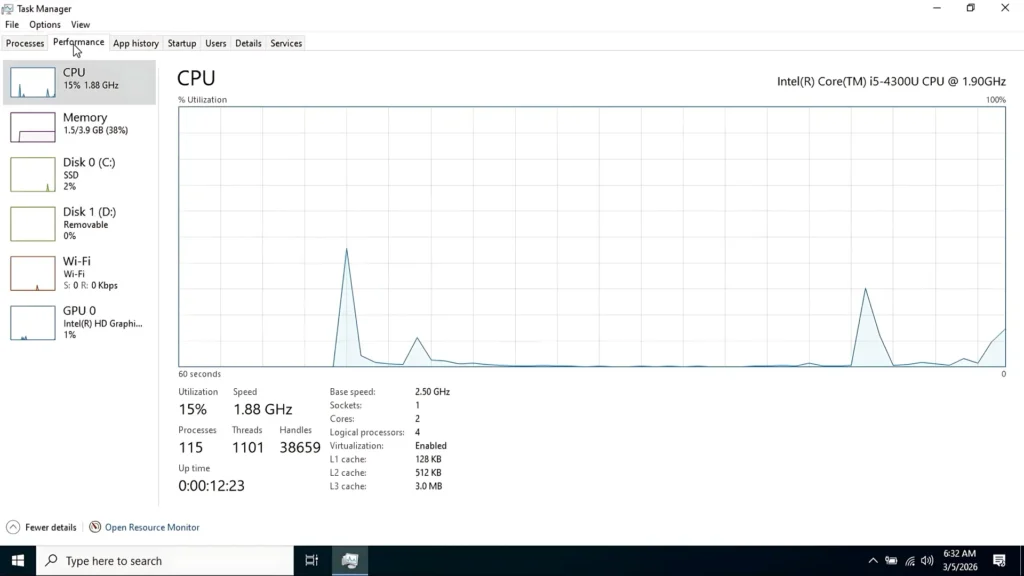
After startup, Windows 10 IoT LTSC typically uses only around 1–1.5 GB RAM, which is extremely impressive by modern Windows standards.
Another massive advantage is support longevity.
Windows 10 IoT Enterprise LTSC receives updates until 2032, making it one of the few secure Windows-based solutions for old hardware in the long term.
Advantages
- Very lightweight
- Excellent performance on old hardware
- Stable and reliable
- Minimal background activity
- Long security support lifecycle
- Works well even with older SSDs and HDDs
Downsides
There are still some limitations.
First, it is not designed primarily for consumers. Microsoft mainly distributes it to businesses and enterprise environments.
Second, the system feels “barebones” initially.
You may notice:
- no Microsoft Store
- missing consumer apps
- fewer preinstalled tools
You often need to install software manually.
Still, if your goal is stability and speed, Windows 10 IoT LTSC remains one of the strongest options available.
Windows 11 IoT LTSC: Modern Look Without the Heavy Bloat
Some users prefer the design language of Windows 11 but still want better performance on older hardware.
That is where Windows 11 IoT LTSC becomes interesting.
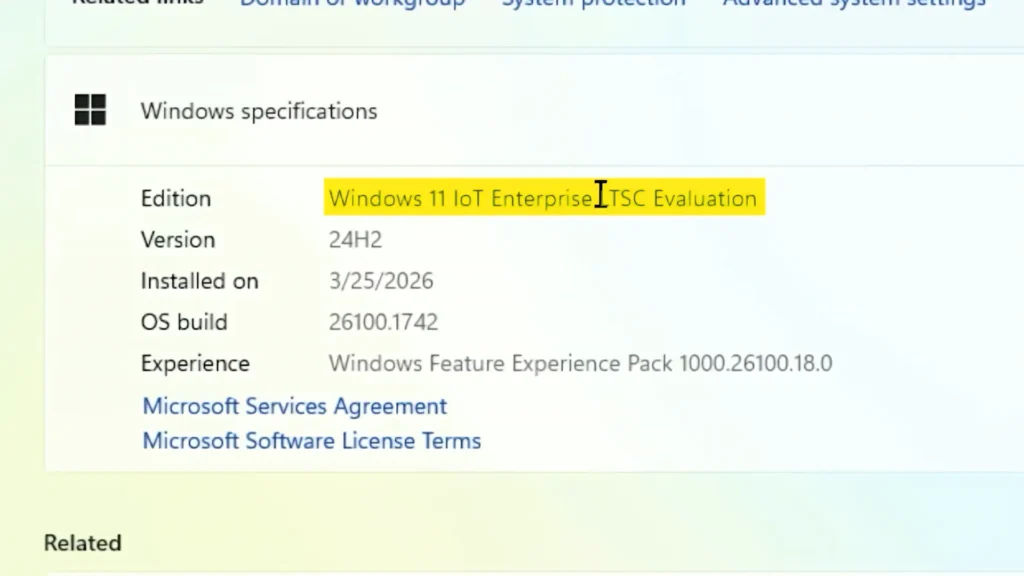
This version keeps the modern interface while removing many heavier components found in the standard release.
Compared to normal Windows 11, it offers:
- fewer background services
- reduced telemetry
- no ads
- no unnecessary AI integrations
- lower resource usage
It also has more relaxed hardware requirements.
Many installations work without:
- TPM 2.0
- Secure Boot
Surprisingly, it can even run decently on older hard drives.
However, it is still heavier than Windows 10 LTSC.
RAM usage usually sits around 2–2.5 GB after startup.
Advantages
- Modern Windows 11 design
- Better performance than standard Windows 11
- Lower system requirements
- Reduced bloat
- Long-term stability
Downsides
- Still heavier than Windows 10 LTSC
- Licensing is complicated for average users
- Trial version lasts only 90 days
For many people, Windows 11 IoT LTSC becomes the perfect middle ground between modern visuals and lightweight performance.
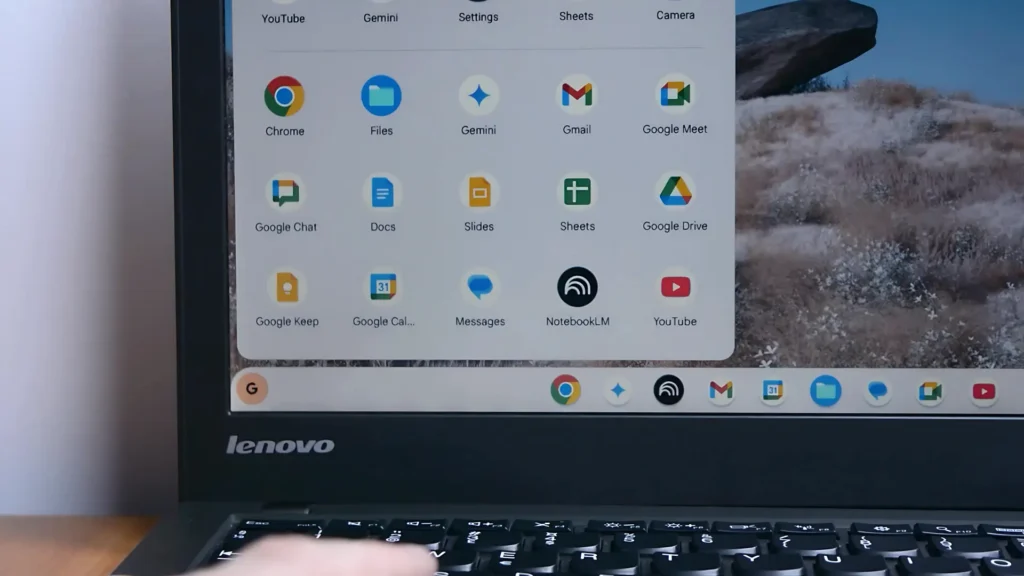
ChromeOS Flex: Excellent for Web Browsing and Simplicity
If your laptop is mainly used for internet-based tasks, ChromeOS Flex can completely transform the experience.
ChromeOS Flex is designed to be lightweight, responsive, and simple.
Even weak laptops often feel dramatically faster after switching to it.
Why ChromeOS Flex Feels So Fast
The operating system is heavily optimized for:
- web browsing
- cloud applications
- video streaming
- online documents
- lightweight multitasking
Boot times are extremely quick, and the system generally feels smooth even on old CPUs.
Battery life also tends to improve significantly.
If you’re considering ChromeOS Flex for an older laptop, you can also read our detailed Chrome OS Flex vs Windows 10 comparison based on real-world usage.
Linux Development Environment
One underrated feature is Linux support.
ChromeOS Flex includes a Linux development environment that allows installation of Linux desktop applications.
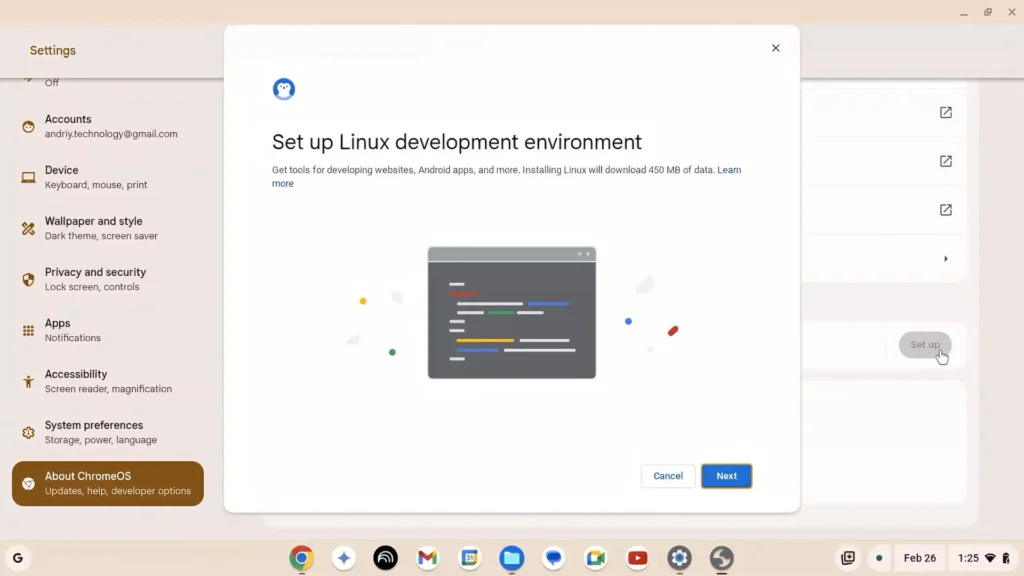
This means you can run:
- LibreOffice
- GIMP
- coding tools
- productivity software
- lightweight creative apps
This expands the system far beyond basic web browsing.
Limitations
ChromeOS Flex is not perfect.
You should know:
- Windows applications are unsupported
- Android apps are unavailable
- A Google account is required
- Very old BIOS-only systems may not work
UEFI support is strongly recommended.
For users who mostly browse the internet, watch YouTube, use email, and edit documents, ChromeOS Flex is one of the fastest and easiest solutions available.
Why Linux Is Still One of the Best Choices for Old Laptops
Linux remains one of the strongest alternatives for reviving old hardware.
There are two major reasons why Linux makes sense.
1. Linux Is Free
You do not need:
- expensive licenses
- activation keys
- subscriptions
Most Linux distributions are completely free to download and use.
2. Linux Is More Resource Efficient
Linux systems usually consume far fewer resources than Windows.
In addition:
- background activity is lighter
- telemetry is minimal
- updates are smaller
- systems remain responsive longer
Linux is also generally more resistant to malware because most malicious software targets Windows environments.
That means many users can safely operate without heavy antivirus software consuming additional resources.
Zorin OS: The Best Linux Option for Beginners
If you are new to Linux, Zorin OS is one of the best starting points.
Zorin OS is designed specifically to feel approachable for former Windows users.
The interface is modern, clean, and polished.
One of its biggest strengths is customization.
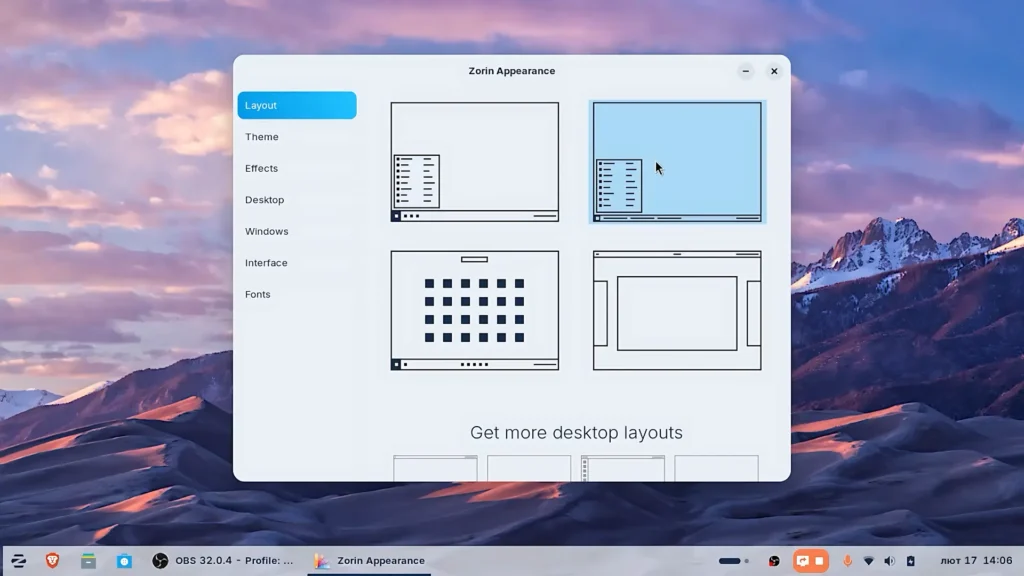
You can quickly make it resemble:
- Windows 11
- Windows 10
- macOS-like layouts
This dramatically reduces the learning curve.
Beginner-Friendly Features
Zorin OS includes:
- strong hardware compatibility
- easy app installation
- polished UI
- built-in usability improvements
Another interesting feature is Windows App Support, which helps users run some Windows applications more easily.
With additional tools like Waydroid, users can even run Android applications.
Performance Considerations
Zorin OS is lighter than standard Windows systems, but on extremely weak laptops, it may still not be the absolute fastest Linux option.
However, even then, it usually performs noticeably better than regular Windows 10 or Windows 11.
Best For
- beginners
- users switching from Windows
- modern-looking Linux experience
- everyday productivity
- media consumption
Linux Mint: One of the Most Reliable Linux Distributions Ever Made
Linux Mint is widely considered one of the best Linux distributions for old hardware.
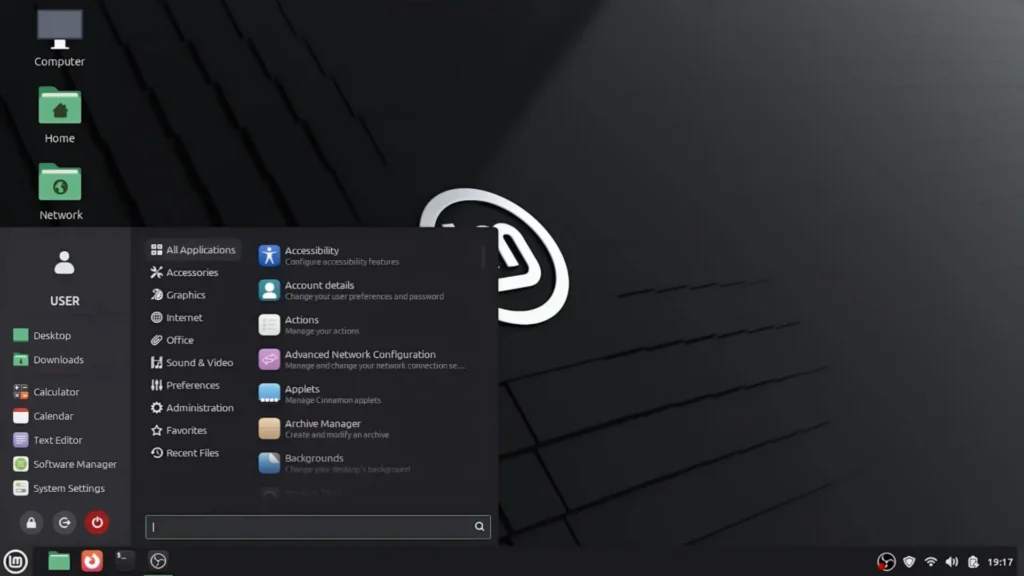
It focuses heavily on:
- stability
- simplicity
- reliability
- low resource usage
Unlike some flashy Linux distributions, Linux Mint prioritizes consistency and usability.
Why Linux Mint Works So Well on Old Laptops
Linux Mint performs especially well because:
- RAM usage is low
- background services are minimal
- the desktop environment is lightweight
- updates are stable
Most hardware works immediately after installation, including:
- Wi-Fi
- audio
- Bluetooth
- printers
That makes it ideal for non-technical users.
Downsides
The main limitation is software compatibility.
Some Windows-exclusive applications still do not exist on Linux, especially:
- Adobe software
- certain games
- specialized enterprise tools
Users sometimes need to find alternatives.
Still, for work, study, web browsing, and everyday usage, Linux Mint remains one of the safest recommendations possible.
Other Lightweight Linux Distributions Worth Mentioning
There are actually many more Linux distributions beyond the ones covered here.
In this article, we focused mainly on the most reliable, beginner-friendly, and reputable options with strong long-term communities and proven stability.
However, several lighter Linux distributions also deserve attention, especially for extremely weak hardware.
Some notable examples include:
- Lubuntu
- Xubuntu
- Puppy Linux
- antiX
- MX Linux
These systems are often even lighter than Zorin OS or Linux Mint.
However, they may also feel:
- less polished
- less beginner-friendly
- visually outdated
- more technical
That is why we decided to focus mainly on operating systems that balance performance, reliability, ease of use, and overall reputation.
For most users, especially beginners, stability and usability are usually more important than squeezing out the absolute lowest RAM usage possible.
Which Operating System Should You Choose?
The best choice depends entirely on your needs.
Choose Windows 10 IoT LTSC If:
- you need Windows compatibility
- your laptop is very weak
- you prioritize stability and low RAM usage
- you want long-term support
Choose Windows 11 IoT LTSC If:
- you like the modern Windows 11 design
- you still want better performance than regular Windows 11
- your hardware is slightly stronger
Choose ChromeOS Flex If:
- you mostly browse the internet
- you use cloud applications
- you want maximum speed and battery life
- simplicity matters most
Choose Zorin OS If:
- you are new to Linux
- you want a polished and modern desktop
- you are transitioning from Windows
Choose Linux Mint If:
- you want maximum reliability
- your laptop is old and weak
- you value stability over flashy visuals
Final Thoughts
Old laptops are not automatically useless.
In many cases, the hardware itself is still perfectly capable of handling daily tasks — it simply needs a more suitable operating system.
Choosing a lightweight and optimized OS can dramatically improve:
- performance
- responsiveness
- battery life
- temperatures
- overall usability
Whether you choose a lightweight Windows edition, ChromeOS Flex, or Linux, the right software can genuinely give aging hardware a second life.
And remember — there are many Linux distributions available today. We intentionally focused on some of the most trusted, reliable, and beginner-friendly options rather than covering every ultra-light niche distribution.
Sometimes the best experience is not the absolute lightest one, but the one that balances speed, stability, ease of use, and long-term reliability.
If you are experimenting with old hardware in 2026, trying a different operating system may be the best upgrade you can make.